
Lip Sync Ai Vs Recut Days For SaaS Demo Desks

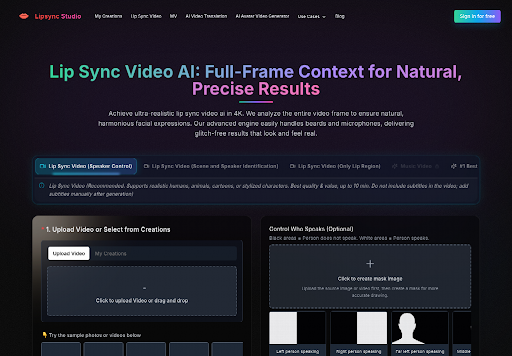
SaaS demo desks still book a host when the script changes, even after the product still is already approved. The face on the launch page is fine, and the voiceover is not. That gap is where Lip sync ai earns a seat: take the still the team already signed, drop the new audio, and send a talking clip back to review without another studio morning.
The usual recut is expensive because it is social. Lighting, wardrobe, and the host calendar all have to line up again. Lip Sync Studio sits on the other side of that calendar. You upload a photo or an existing demo, add speech or singing audio, and generate a talking or singing result. The claim to test is simple: if the product UI is already locked, the desk should spend the next hour on the new line, not on a second booking.
Recut Days Start After The Script Changes
Most demo waste shows up on the second shoot, when legal swaps one sentence, pricing changes a number, or support asks the host to name a new integration. The still on the website can stay, but the spoken line cannot. Booking another half day feels safe, and it also burns the week.
A recut day is a chain of waits. The host has to look like last week’s cut. The set has to match. The editor has to rebuild the lower third. If any of those miss, the file goes back and the launch window shrinks. That is the cost a buyer should put on the table before comparing tools. Teams that treat the second booking as “just a pickup” usually discover the pickup still needs hair, light, and a new slate, which is how a one-line change becomes another afternoon.
Four Checks Before Booking Another Host
A buyer does not need a lab score. The desk needs four checks that a producer can run in the same meeting. If the answer is yes on the first two, a still-plus-audio pass is usually enough. If the last two fail, keep the recut day.
| Check | Studio recut | Still plus new audio | Existing demo plus new audio |
| Script only changed | Slow, same host day | Fast if the face is already approved | Fast if the mouth stays visible |
| UI still already locked | Reshoot repeats the same frame | Keeps the approved still | Keeps the recorded product footage |
| Host calendar is full | Waits for a new slot | Does not need the host back | Does not need the host back |
| On-screen type must stay crisp | Safer for baked titles | Risky if the still is full of UI type | Risky if the clip already has subtitles |
Use the table as a meeting object, not as a ranking. The point is to stop arguing taste and start arguing which input you already own.
Script Length Versus Ten Minute Ceiling
The workspace can push a talking or singing result up to ten minutes in 4K. That covers a normal SaaS walkthrough. It does not cover a forty-minute webinar. If the new script is a launch explainer, stay inside that ceiling. If the desk needs a full training hour, the recut or a live session still owns the job.
Face Visibility Versus Overlay Text Risk
A clean host still works. A still stuffed with tiny UI labels is a different problem. The mouth has to be readable, and baked captions fight the generator. If the current file already has burned-in subtitles, strip them first or pick a clean master. Overlay text that must stay pixel-perfect is a reason to keep a human recut, not a reason to force the still.
Where Lip Sync Video Fits A Demo Desk
The buyer choice is which source media the desk already trusts. Lip Sync Studio splits that into two practical lanes. One starts from a still. One starts from a recorded demo. Both take a new voice track. The still lane is for a face the brand already published. The video lane is for a walkthrough that is still visually true and only needs a new sentence.
Replace Speech On An Existing Demo
When last quarter’s walkthrough is still visually true, upload that clip and the new audio. Lip Sync Video reads the whole frame so the face can move with the new line. If two people sit in the shot and only the host should talk, add a Control Who Speaks mask after the file is up: white on the speaker, black on everyone else. The listener can stay still. That is the path for a changelog that only rewrites the spoken claim.
Turn One Approved Host Still Into Speech
When there is no usable footage, start with the approved portrait. Upload the still, upload narration or singing audio, and generate the talking clip. Speaker control on the image lane goes up to ten minutes. If the still has a lot of on-image type, or the desk wants stronger head motion, switch to the expression and motion image model, which tops out at five minutes. That shorter cap is the trade for more face travel.
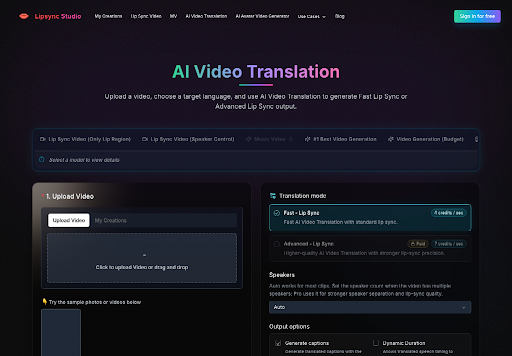
Some launch weeks also want a music bed, not another talking host. That is a different job. An AI music video generator can take a track, a short brief, and a handful of visual references, then build an editable storyboard. Keep that lane for the anthem. Keep the still-plus-audio lane for the demo line. Mixing them in one file is how the host face starts dancing through pricing copy.
How A Still Plus Audio Replaces Recuts
The official flow is short enough to run in one sitting. Do not invent extra setup. The page is upload, audio, optional mask, generate.
- Upload a clear host still, or the existing demo clip, in a common format such as MP4, MOV, WAV, or MP3.
- Add the new speech or singing track. Generate audio on the page if the desk does not already have a voice file.
- If more than one face is in frame, create the speaker mask after the upload finishes, then generate.
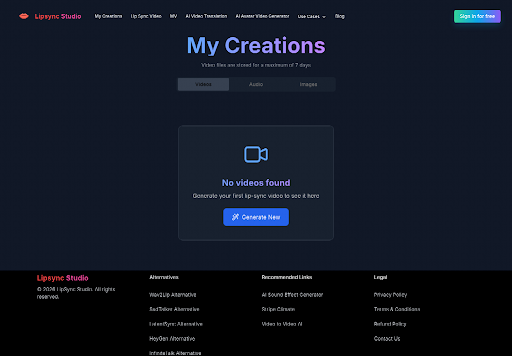
Tasks keep running if someone closes the tab. Previous outputs sit on the My Creations page. Do not submit the same job twice while the first one is still working. Free accounts get daily credits after login; paid plans add private outputs and priority generation if the desk needs that later. None of that replaces a bad still. If the portrait is soft, the talking clip will be softer. The same rule applies to audio: a noisy phone take will move the mouth, and it will still sound like a noisy phone take.
What Product Marketing Teams Can Ship Same Day
The useful same-day jobs are narrow. A changelog host who names one new integration. A pricing page that has to say a new number out loud. A help-center still that must match the current UI screenshot. In each case the picture is already approved and only the voice moved. If the desk can point at the signed still and the new sentence in the same Slack thread, it is a workspace job. If someone still has to fly in to hold the product, it is not.
Lip Sync Studio is a poor substitute when the host must handle a live product, walk around a booth, or point at a changing screen. Those jobs still need a camera. The workspace is for the talking still and the resynced demo, not for inventing a new set.
Watch the failure in the picture, not in a score. If the logo edge wobbles, reject the file. If a second mouth in a group shot starts talking, the mask was late or too thin. If the UI type on the still smears, go back to a cleaner portrait. Those are observable rejects. They do not need a made-up quality number.
Where Recut Days Still Make Sense
Keep the studio day when the script change also changes the set, the wardrobe, or the product in the host’s hands. Keep it when the still is full of legal type that cannot drift. Keep it when the clip has to run past ten minutes.
For the other cases, the cheaper move is the one the desk can do before lunch: take the signed still, drop the new line, and send a talking clip to review. Lip Sync Studio fits that hour. It does not retire the host. It stops the team from flying the host back for a sentence.






Comment