
Why Databases Fail at Validating an Invisible Text Generator

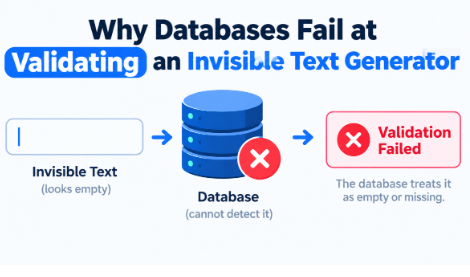
Web form validation layers reject empty string configurations by using straightforward character checks, yet deploying a dedicated Invisible Text Generator successfully passes these automated string logic fields. Standard systems struggle because they only look for traditional ASCII space keys, ignoring the complex layout of hexadecimal separation characters.
Here is the thing. A system engineer scripts a registration layout to force text input inside a user profile grid. If a visitor hits the spacebar five times, the backend filter flags it as blank. But if that visitor pastes a specialized block generated by a blank text layout tool, the script assumes valid data arrived.
Most configuration guides overlook this structural difference. They tell you to use a simple text trim command, expecting it to clear everything out. Now, let us look at why that approach fails on real servers.
What Is the Difference Between Regular Spaces and Hidden Whitespace Encoding?
Standard text editors input ASCII character 32 when you hit the spacebar on your keyboard. Web frameworks look for this value to verify if a form field is empty. But specialized formatting platforms generate alternative blocks.
Consider the Braille Pattern Blank (U+2800) or the Zero Width Space (U+200B). These structural nodes do not display a physical shape on a user screen. However, modern processing units read them as authentic string sequences.
- ASCII Space: Registers as data type 32, easily blocked by simple backend conditions.
- Braille Blank: Enforces an empty area using character point U+2800, passing standard validation layers.
- Zero-Width Separators: Create spatial overrides without increasing visible line widths.
Most content platforms accept these blocks because stripping them out completely could corrupt formatting structures for international languages.
How Does a Database Form Field Process Empty Unicode Structures?
When a text string travels from a client application into an SQL database, the storage engine reads the incoming data byte sequence. A data engineer tracking traffic logs might notice a profile name that appears blank to human eyes, yet contains 3 active bytes of storage capacity.
Let us look at an explicit scenario. A corporate chat tool restricts users from sending empty messages to prevent notification spam. If you try to submit a message using regular spacing, the framework blocks the action instantly.
By running an entry through an Invisible Text Generator, the resulting input uses non-breaking separation markers instead of basic spaces. The chat application processes the payload, registers a positive character count, and distributes the invisible string across the live channel.
Why Do Content Systems Require Structural Filtering for Hidden Strings?
If your platform relies heavily on distinct character metrics for sorting or account generation, unmanaged whitespace anomalies can cause data collisions. For instance, an indexing system could generate errors if two distinct database entries share identical spatial configurations.
A known online gaming platform faced an issue where players used an advanced blank text block to obscure their registration handles. The automated tracking system failed to distinguish between separate accounts because the processing script evaluated the invisible characters as uniform input vectors.
To address this bug effectively, systems must use full regex patterns that match explicit Unicode blocks rather than generic trim commands. What actually works is filtering out specific ranges like the U+2000 through U+200F blocks during the main sanitization loop.
Common Errors When Handling String Stripping Filters
Many web developers rely entirely on frontend JavaScript blocks like the String.prototype.trim() function to clean up user data. This function works well for clearing out a standard line ending or a basic carriage return. But it completely ignores complex mathematical space arrays.
So, what happens when a visitor submits a registration field containing character block U+3000? The native frontend script bypasses the validation loop completely, passing the unverified text straight to your data storage layer.
But checking every incoming string against a comprehensive list of hidden character points requires deep server resources. The ideal solution balance involves setting up a strict backend regex pattern that blocks non-standard character codes during user profile configuration routines.
FAQ Section
Why does my text field accept an invisible text block?
Your application code is likely configured to reject regular ASCII spaces while overlooking specialized separation character blocks. An active Invisible Text Generator leverages unique character entities like U+2800, which web validation scripts treat as functional data entries rather than empty lines.
Can standard database systems index a completely blank text string?
Yes, if the input string consists of hidden whitespace markers instead of basic character 32 spaces. Databases treat these specific character points as distinct values, allowing them to be stored and indexed normally despite appearing empty to human view.
How do I stop non-printing characters from breaking my form validation?
You must swap out standard trim functions for a dedicated regex pattern that checks for all Unicode blank spaces. Running a server-side script that screens against hexadecimal values like \u2000-\u200B will ensure your system catches hidden overrides before they enter the data loop.
Do all web browsers render hidden characters the same way?
Most modern web applications follow universal rendering guidelines, turning these character inputs into clean spatial areas without showing replacement glyphs or system error block symbols. This predictable rendering behavior makes custom spatial formatting possible across different platforms.
Conclusion
Standard application logic frequently fails to detect custom whitespace alterations because system validation routines overlook non-ASCII character entities. To maintain total data accuracy across user-generated portals, engineers must upgrade their validation grids from simple text trimming functions to comprehensive Unicode matching sequences.







Comment