
How to Store and Handle PETG Basic Filament the Right Way

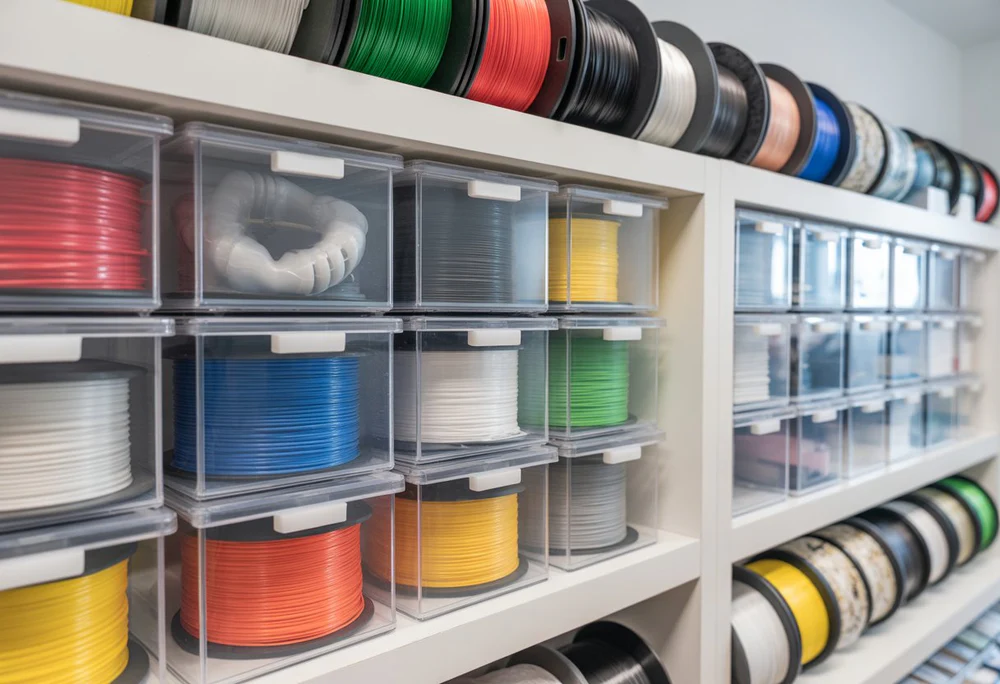
Filament quality doesn’t just depend on the manufacturer — it depends heavily on how you store it after opening. PETG, in particular, is hygroscopic, meaning it actively pulls moisture from the air. Poor storage habits are one of the most common (and most overlooked) reasons prints suddenly start looking worse, even when nothing has changed in the printer settings.
Why Moisture Is PETG’s Enemy
When PETG absorbs water molecules, that moisture turns to steam the instant it hits the hot end. The result: tiny pops and hisses during extrusion, visible bubbles in the print surface, weaker layer bonding, and a rougher, less glossy finish than fresh filament produces. In severe cases, moisture-heavy PETG becomes brittle and snaps inside the extruder.
Signs Your Filament Has Absorbed Moisture
- Popping or crackling sounds during printing
- Stringy, inconsistent extrusion despite unchanged settings
- Bubbles or a matte, rough texture on normally glossy surfaces
- Filament that feels tacky or slightly swollen
Proper Storage Practices
- Airtight containers– Vacuum-sealed bags or dedicated dry boxes are ideal. Large containers with a tight seal and desiccant packs work almost as well.
- Silica gel packets– Reusable, color-changing silica gel is inexpensive and lets you visually confirm when it needs recharging (usually by baking it dry).
- Avoid humid rooms– Garages, bathrooms, and kitchens see humidity swings that accelerate absorption. A climate-controlled room is far safer for long-term storage.
- Print directly from a dry box– Advanced setups feed filament straight from a sealed, desiccant-filled enclosure with a small hole for the feed tube, keeping the spool dry throughout the entire print.
- Check factory sealing– Filaments like eSUN PETG typically arrive vacuum-sealed with a desiccant packet already inside, giving you a head start before you even open the spool.
Drying PETG That’s Already Absorbed Moisture
If you suspect your spool of PETG Basic has picked up moisture, most makers dry it in a food dehydrator or an oven set around 55–65°C for 4–6 hours. Spread the filament out or use a spool holder that allows even air exposure. A dedicated filament dryer is a worthwhile investment if you print PETG regularly.
Handling Tips Beyond Storage
- Always let a fresh spool sit at room temperature for an hour before printing if it was stored somewhere cold — condensation on a cold spool introduces surface moisture instantly.
- Label opened spools with the date opened, so you can track how long they’ve been exposed to air.
- Avoid leaving spools loaded on the printer between long print sessions if your workspace has variable humidity.
The Payoff of Good Habits
Makers who store PETG properly report consistent surface finish and far fewer print failures, especially on longer prints where even minor extrusion inconsistency compounds over hours. It’s a small habit that saves significant material waste and reprint time.
FAQs
Q1: How quickly does PETG absorb moisture once opened? It varies by humidity, but noticeable effects can appear within a few days in humid climates, or weeks in drier environments.
Q2: Can I dry PETG in a regular kitchen oven? Yes, many users do this carefully at low temperatures (around 55–65°C), but an oven thermometer is recommended since built-in oven dials are often inaccurate at low settings.
Q3: Does vacuum sealing fully stop moisture absorption? It significantly slows it but doesn’t eliminate it completely over very long storage periods; adding desiccant packets improves results further.
Q4: Is moisture damage permanent? No — drying the filament properly typically restores print quality close to its original state.







Comment