
How to Scan, Store, and Find Your Passport, Visa & ID Documents in Seconds

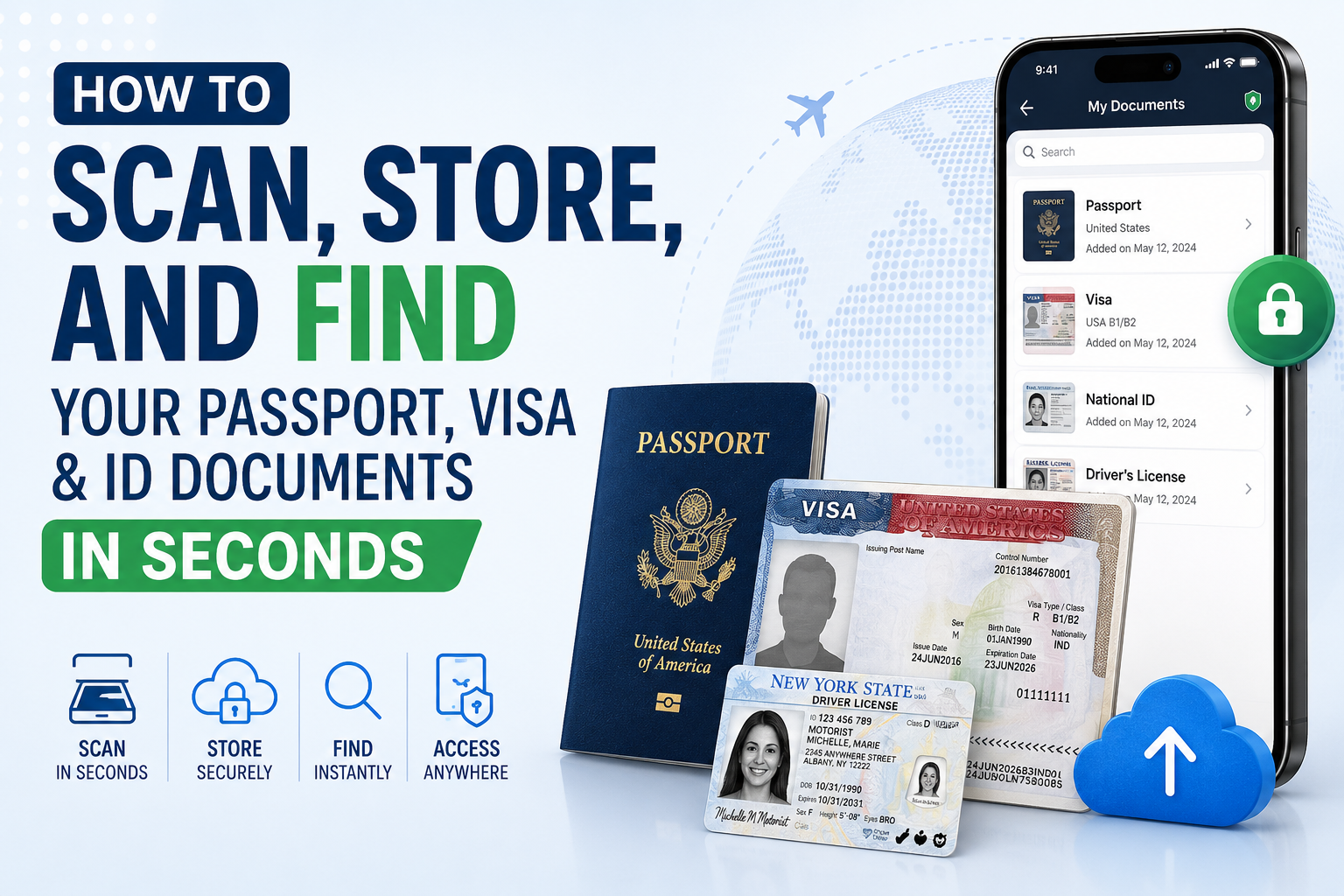
Passports, visas, and ID cards are the documents you cannot improvise. Miss an expiry date, lose a visa page, or leave a card at home, and a trip can unravel before it begins. According to the U.S. Department of State, demand for passports has surged in recent years, which means these all-important documents are now sitting in more hands, more wallets, and more drawers than ever before. More people are also traveling with several documents at once — a passport plus one or more visas — which only multiplies the paperwork to keep straight. In the United States, the list extends to the proofs of identity most residents carry every day: the Social Security card (SSN), driver’s license, state ID card, and Permanent Resident Card (Green Card).
The problem is that identity documents scatter by nature. A passport lives in one drawer, a visa in an old folder, and an ID card in a wallet that gets replaced every couple of years. When you finally need one of them — at a check-in counter, an embassy, or a rental office — you need it in seconds, not after an hour of digging. CamScanner — a document manager built for exactly this — turns every one of these documents into a crisp, searchable digital file, organized with custom tags so the document you need is always a single tap away.
All Your Identity Documents in One Tagged Place
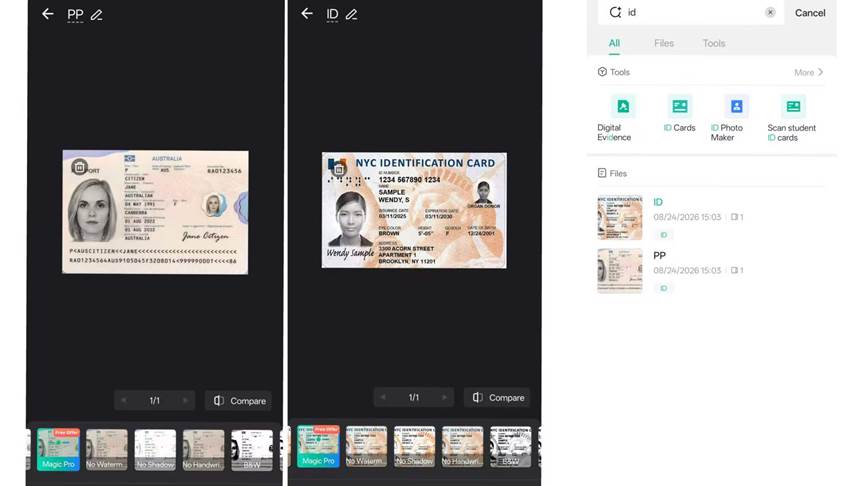
Instead of letting passports, visas, and ID cards drift across drawers and wallets, scan them all into one place with CamScanner, which does the hard work for you. CamScanner’s Auto Crop and Enhance straighten and sharpen each page automatically, so a passport photo page or a visa stamp comes out clean and readable even in low light. Then a custom tag does the filing: passport pages get “Passport,” visas get “Visa,” and ID cards get “ID.” One set of tags, one place, and every document is accounted for.
Passport pages are glossy and visa stamps are tiny, which makes them two of the easiest things to photograph badly. CamScanner’s Enhance fixes that, lifting the text and sharpening fine detail so the photo page of a passport comes out as readable as the original.
For cards specifically, CamScanner’s ID Card Mode detects both sides of a card and captures them in a single scan — no juggling a card under the camera, no wondering whether you missed the back. Every scan lands in the same digital wallet, so a card you saved two years ago is just as easy to pull up as one you scanned this morning.
Expiry Dates You Can Actually See
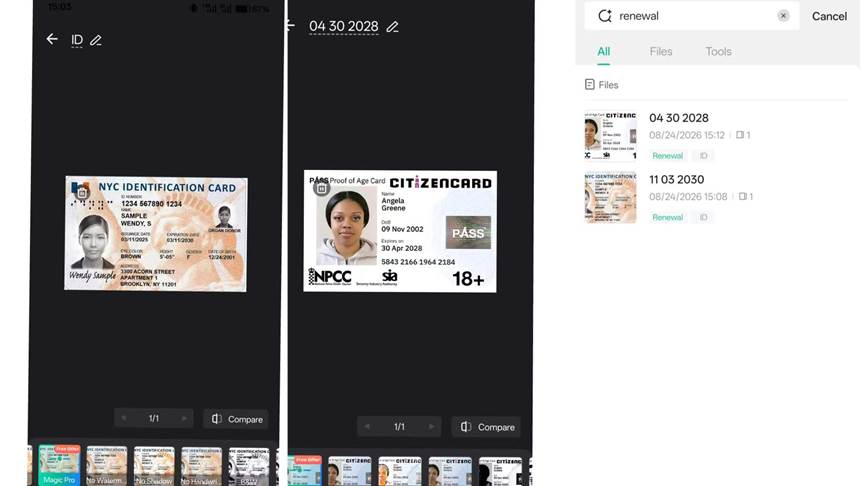
The riskiest moment for a traveler is not the trip itself — it is the renewal window nobody noticed. Passports and visas are easy to forget because their deadlines are so far apart: ten years for a passport, a few for a visa, so there is no natural reminder. CamScanner fixes this by letting you tag everything renewal-related under “Renewal,” so every deadline sits in one place where you will actually look at it:
Pull up that single tag and the picture is instantly clear: which visa is coming due, which passport is entering its final usable year, which card needs replacing. One look and you know exactly what to renew before the next trip — no spreadsheet, no sticky notes, no surprises at the check-in desk.
Find Any Document in Seconds, From Anywhere
Travel does not stay in one place, and neither should your documents. With Cloud Sync, the same scans appear on your phone, tablet, and computer, so a visa you saved at home is available in a hotel lobby abroad. And when you need a specific document fast, CamScanner lets you find it the way you would ask a person. Type “2024 U.S. visa” or a plain-language question, and the matching scan surfaces in seconds — no scrolling through a long list of PDFs, no remembering which folder you filed it under.
The value shows up at the worst moments. If a passport goes missing abroad, having a clear scan of the photo page and visa pages already in your pocket means you can start the replacement process immediately — with every detail in front of you instead of half-remembered.
Conclusion: A Document You Can’t Find Is a Document You Don’t Have
Identity documents are only as good as your ability to find them the moment they matter. With CamScanner, your passport, visas, and ID cards become a high-resolution, searchable, secure digital record that travels with you. Scan them once, tag them once, and every future trip, application, and border crossing gets a little calmer. The trip should be the thing on your mind — not whether you remembered the visa.
Frequently Asked Questions (FAQ)
Q: Is CamScanner a safe app for storing my passport and visa?
A: Yes. Password Protection encrypts each file, so your passport and visa stay private even if your phone is lost. You decide whether a file goes to the cloud — review CamScanner’s privacy policy before enabling cloud uploads.
Q: What are custom tags, and how do they help with travel documents?
A: Tags are labels like “Passport,” “Visa,” or “ID.” Tap one and every scan with that label appears together.
Q: How do I keep track of passport and visa expiry dates?
A: Tag every expiry page under “Renewal,” then open that tag before a trip to see all upcoming deadlines at once.
Q: Does CamScanner have a special mode for ID cards?
A: Yes. ID Card Mode captures both sides of a card in a single scan.
Q: Can I access my scans on another device while traveling?
A: Yes. Cloud Sync keeps your files updated across your phone, tablet, and computer.
Q: Can I turn a photo of my passport into a PDF without the full app?
A: Yes. The image to PDF tool turns a JPG or PNG into a shareable PDF right from your browser.






Comment