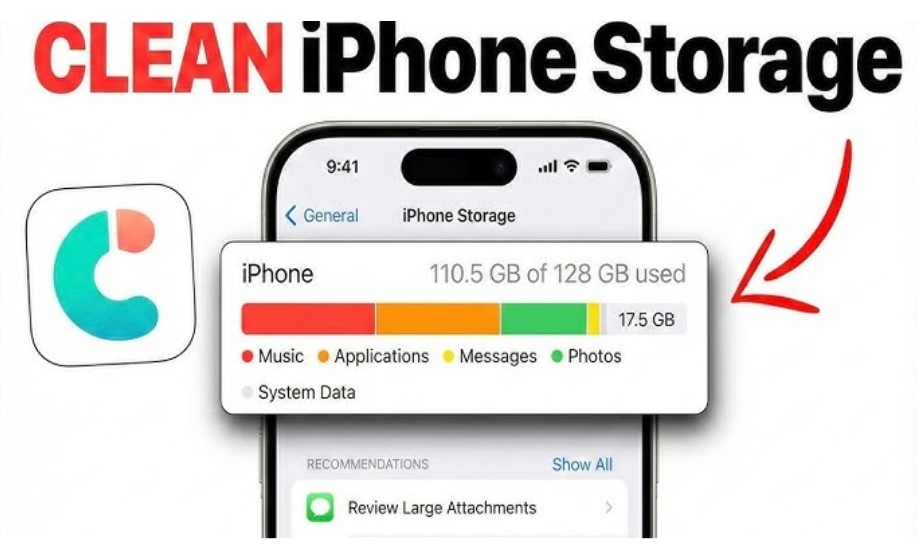
For most of people, nothing ruins flow faster than the dreaded “Storage Almost Full” alert on the iPhone. Seeing the “Storage Almost Full” message on iOS device can be frustrating. Duplicate photos, blurry screenshots, and app caches may build up over time.
If you want to know how to free up space on iPhone fast without deleting your precious memories, you need a smart cleanup strategy. That is exactly where iCareFone comes in. iCareFone is a brilliant phone cleaner, data transfer, and mobile cleaner app that lets users free up storage, organize files, and manage backups in one place. Read on for the ultimate smart cleanup tips to reclaim your iPhone storage fast and seamlessly.
1. Common iPhone Storage Problems and Causes
The most common reasons for the ” phone storage full warning are listed below.
- Large photo and video libraries
- Duplicate or blurry images
- App cache and junk files
- Downloaded media and attachments
- Unused apps and hidden files
2. Key Cleanup Features of iCareFone: Phone Transfer&Clean
Tenorshare iCareFone offers brilliant features to manage the storage on iPhone. It allows you to export the important files to a computer and then you can delete the irrelevant files from the iPhone.
iCareFone also aims to remove duplicate files from iPhone, freeing up a lot of space on the iOS device. You can view the features of iCareFone in a tabular format.
| Feature | Benefit |
| Smart Photo Screening | Detects duplicate, blurry, and similar images |
| Video Compression | Reduces video size without major quality loss |
| One-Click Cleanup | Clears junk files, cache, and temporary data |
| Photo Organizer | Helps sort albums and media collections |
| File Manager | Gives better control over iPhone files |
| Privacy Vault | Protects sensitive photos and documents |
| iOS Backup | Backup and restore files safely |
| Data Transfer | Easily transfer photos and files between devices |
3. Beyond Cleanup: Full Device Management
Unlike many basic cleaning apps, Tenorshare iCareFone also focuses on comprehensive device management. Users can create iOS backup files, manage apps, and perform seamless data transfer between computers and an iPhone.
Apple’s built-in storage recommendations are helpful but limited. Most native iOS tools do not provide advanced file management or detailed media analysis. Other cleaner apps may remove duplicates, but often lack backup or transfer functions.
Here’s a quick comparison
| Tool Type | Cleanup | Backup | Transfer Files | File Manager |
| Built-in iOS Tools | Basic | Limited | Limited | No |
| Standard Cleaner Apps | Moderate | Rare | Rare | Limited |
| iCareFone | Advanced | Yes | Yes | Yes |
Note: This combination makes iCareFone perfect for users who regularly transfer photos, manage multiple Apple devices, or organize files.
4. Practical Tutorial: Clean and Optimize Your iPhone
If you want to clean your iPhone, you can watch out the guide below to eliminate the duplicate files from your iPhone through iCareFone.
Step 1: Install iCareFone on the PC and then install it on your mobile device as well. Connect the iOS device to the computer through a USB cable or Bluetooth.
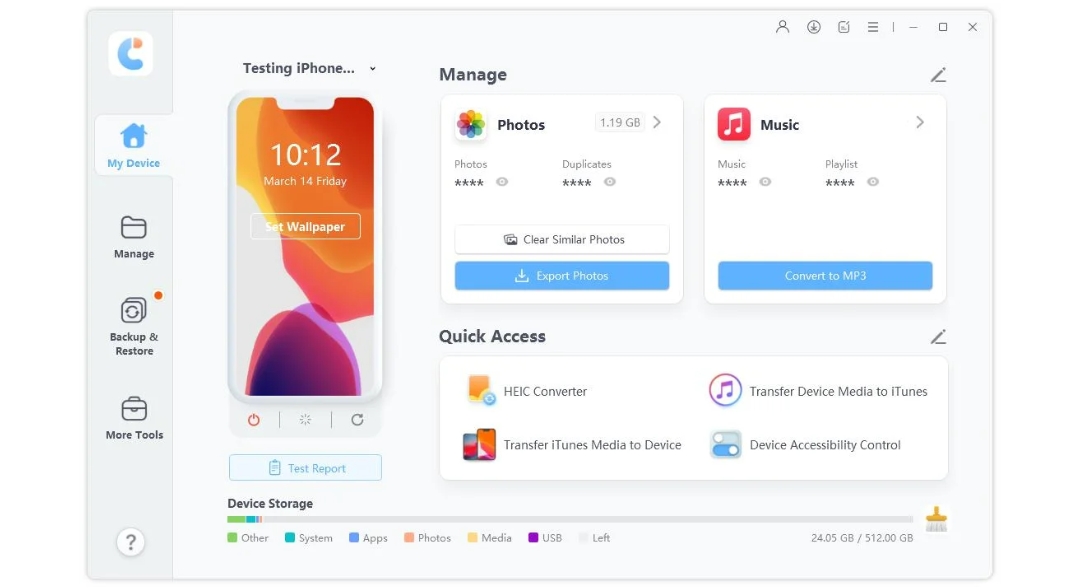
Step 2: After opening the files on your iPhone, click on the Duplicates icon.
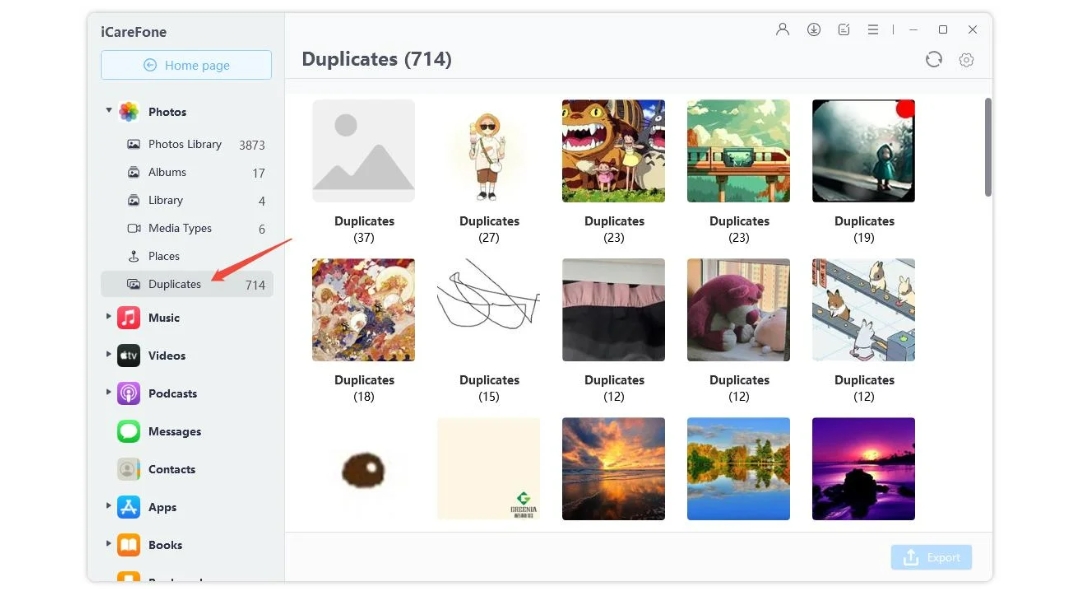
Step 3: Select the duplicate files you wish to delete and press Delete.
Tips for Best Results
- Backup important files before deleting media
- Review duplicate suggestions manually
- Compress videos instead of deleting valuable memories
- Clean app cache monthly for consistent performance
- Move large files to cloud or computer storage
5. Pro Tips and Safety Considerations
Before going into use any mobile cleaner app, you must always create a backup of important files. Although tools like iCareFone help you safely manage storage, reviewing files before deletion helps you avoid accidental loss.
For extra security, the built-in privacy vault may protect personal documents and photos from unauthorized access. Users who tend to handle media-heavy workloads report smoother device performance, improved storage management, and faster photo browsing after regular cleanup sessions.
Conclusion
If your iPhone regularly runs out of space, using a smarter cleanup solution might save time and improve performance. iCareFone is a standout tool by combining advanced cleaning, data transfer, backup, and organization tools into one easy platform. From full device management to duplicate photo removal, it provides a brilliant way to optimize the storage without losing any important memories. When it comes to learning how to free up space on iPhone fast, then you can finally clean up your phone’s memory fast and intelligently without any hassle.