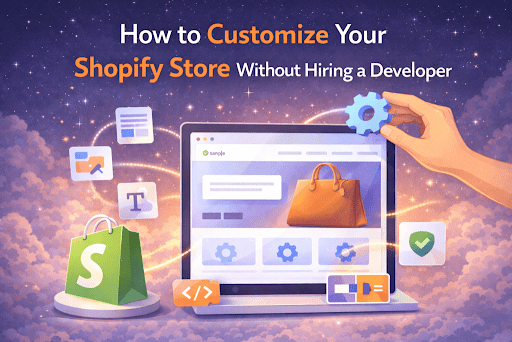
Building a professional ecommerce store doesn’t always require coding skills or a developer. Thanks to modern tools and the flexibility of Shopify, merchants can easily customize their stores, create attractive pages, and optimize the shopping experience on their own.
If you’re a store owner who wants more control over design, layout, and conversion elements, there are several simple ways to customize your Shopify store without touching a single line of code.
Let’s explore the most effective methods.
1. Use the Shopify Theme Editor
The easiest way to customize your store is through the Shopify Theme Editor. Shopify provides a visual drag-and-drop interface that allows you to modify your store layout in real time.
With the Theme Editor you can:
- Add or remove sections
- Change colors, fonts, and typography
- Adjust layout spacing
- Upload banners and images
- Customize product and collection pages
To access it:
Shopify Admin → Online Store → Themes → Customize
From here you can see exactly how your store will look before publishing changes.
This built-in editor already provides significant flexibility for beginners.
2. Choose a Flexible Shopify Theme
Your theme determines how customizable your store will be. Some themes offer far more sections and layout options than others.
When choosing a theme, look for features such as:
- Multiple homepage sections
- Flexible product page layouts
- Customizable headers and footers
- Mobile-optimized design
- Built-in promotional blocks
Good themes reduce the need for custom coding because they already include many design options.
Many merchants use premium themes because they offer more customization features directly in the theme editor.
3. Add Custom Sections With Shopify Apps
One of the biggest limitations of basic themes is the number of sections available. If you want additional elements like trust badges, FAQ sections, product highlights, or promotional banners, apps can help.
Apps such as Theme Sections App allow merchants to add pre-designed customizable sections directly inside the Shopify theme editor.
This means you can easily add elements like:
- Trust badges
- Feature highlights
- Product benefit blocks
- FAQs
- Announcement banners
- Call-to-action sections
- Image + text layouts
The best part is that these sections can be dragged, arranged, and styled visually, so there’s no need to hire a developer.
For many stores, section apps provide the flexibility of custom design without the complexity of coding.
4. Improve Product Pages With Conversion Elements
Your product page is one of the most important parts of your store. Small customization changes here can significantly improve conversions.
You can enhance product pages by adding:
- Customer testimonials
- Product benefits list
- Trust badges
- Shipping information
- Low-stock indicators
- FAQ sections
- Comparison tables
These elements build trust and help customers make faster purchasing decisions.
Many Shopify apps offer ready-made product blocks that you can easily insert into your product pages.
- Customize Your Navigation Menu
Clear navigation improves user experience and helps customers find products quickly.
You can edit your navigation by going to:
Shopify Admin → Online Store → Navigation
Here you can:
- Add dropdown menus
- Create category-based navigation
- Highlight important collections
- Add links to promotions or sales pages
A well-structured navigation menu can significantly improve browsing experience and increase sales.
6. Use High-Quality Visual Content
Even the best layout won’t perform well without good visuals.
Improve your store design with:
- High-resolution product images
- Lifestyle photography
- Consistent branding colors
- Clear product banners
- Simple icons for benefits
Modern ecommerce stores focus on clean design and strong visuals rather than complicated layouts.
If your store looks professional and trustworthy, visitors are more likely to buy.
7. Add Landing Pages for Promotions
Custom landing pages are great for:
- Product launches
- Seasonal promotions
- Advertising campaigns
- Featured collections
Instead of sending visitors to a general product page, you can create dedicated pages that highlight benefits, product features, and testimonials.
Using customizable sections makes it easy to build landing pages without developers.
8. Optimize Your Store for Mobile
More than 70% of ecommerce traffic comes from mobile devices, so mobile optimization is critical.
When customizing your store:
- Test every section on mobile
- Use large, readable fonts
- Avoid cluttered layouts
- Keep buttons easy to tap
- Optimize image sizes
Shopify themes are generally mobile responsive, but it’s still important to preview your design on different screen sizes.
9. Add Trust Signals to Build Credibility
Customers are more likely to buy when they trust your store.
Some simple trust elements include:
- Secure checkout badges
- Money-back guarantees
- Customer reviews
- Shipping information
- Contact details
These small additions can dramatically improve conversion rates because they reduce customer hesitation.
10. Keep Your Design Simple
One common mistake merchants make is adding too many elements to their pages.
Instead, focus on:
- Clear product presentation
- Easy navigation
- Minimal distractions
- Strong call-to-action buttons
Simple and clean designs usually perform better than overly complex ones.
Final Thoughts
Customizing your store no longer requires expensive developers or coding knowledge. With the tools available in Shopify, merchants can easily build professional ecommerce stores using visual editors, flexible themes, and customizable sections.
By combining the Shopify theme editor with section apps, store owners can create high-converting pages, improve user experience, and build a unique brand identity without writing a single line of code.
The key is to focus on clear design, strong product pages, and conversion-focused elements that guide customers toward making a purchase.