
How to Create YouTube Videos With AI for Free [5 Tips]

YouTube is more accessible than ever, and AI now makes it possible to create videos without a camera or advanced editing skills. From scripts and visuals to narration, AI can handle much of the work. In this article, we’ll explore one of the best AI tools for creating YouTube videos and the workflow from idea to finished upload.
Part 1. Best Tool for Creating YouTube Videos with AI
With so many AI video tools available, choosing the right one can be difficult for beginners. The right platform should make video creation simple while helping with scripts, visuals, characters, and other important parts of YouTube content.
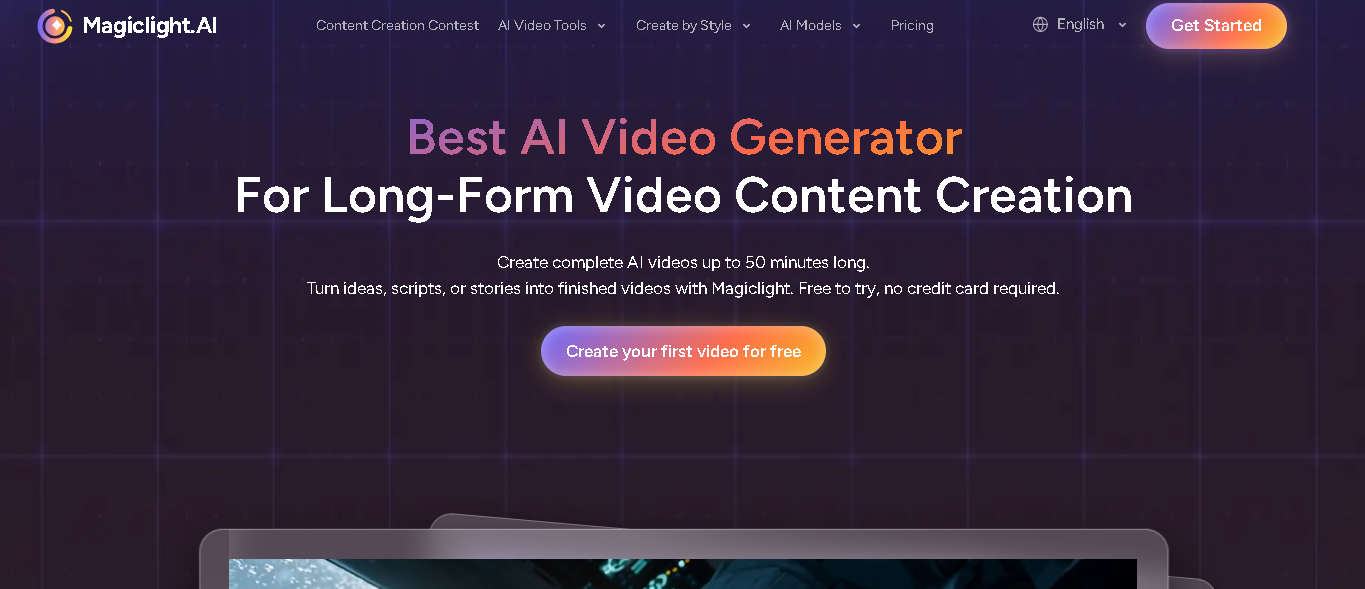
MagicLight AI is built for creating complete, story-driven videos rather than short, disconnected clips. It can turn a script, story, or simple idea into a finished video with consistent characters, smooth scene transitions, and natural voiceovers, all in one workflow. This makes it especially useful for YouTube creators who want longer, more structured content instead of quick social-style clips.
Key Features
MagicLight offers several key features to help creators build longer and more complete YouTube videos. Script and Story Creation allows creators to turn a simple idea, topic, or story into a structured video. In the Story to Video workflow, users can enter a script of up to 12,000 words, and the AI can organize the content into scenes. AI Character Creation lets creators create or select characters and customize details such as the character’s name, age, type, and voiceover. Character consistency is also supported across scenes, which is useful when the same characters need to appear throughout a YouTube story or series. Scene Creation and Customization helps turn written content into individual visual scenes, which creators can review and adjust before producing the final video. Nano adjustments can also help refine details such as clothing, expressions, body type, and poses when supported by the selected workflow. AI Voiceovers can add narration and character dialogue to YouTube videos, with 37 voiceover options available in the Story to Video workflow, along with voice cloning. Subtitles and Captions can be added to generated videos to make spoken content easier to follow, with the script to Video workflow offering 16 subtitle settings. Background Music includes 40 options in the Story to Video workflow, allowing creators to choose music that fits storytelling, educational videos, or other creative projects. Multiple Visual Styles also gives creators access to different visual style models, including realistic, 3D cartoon, Pixar, illustration, comic book, picture book, cinematic, and other styles depending on the selected model and workflow.
How to Create a YouTube Video with MagicLight AI
Step 1: Open MagicLight and Add Your Script
First, visit MagicLight AI and log in to your account. Then select Story to Video from the available video tools. Once it opens, enter your YouTube script, story, or video idea. You can also start with a simple idea and build the story from there.

Step 2: Create the Storyboard and Characters
After you add your content, MagicLight can turn it into a storyboard and create the characters needed for your video. Review the generated scenes and characters to make sure they fit your story. You can also adjust scene details or regenerate visuals when needed.

Step 3: Add Voices, Subtitles, and Sound
Next, add the audio elements that bring your YouTube video to life. Choose suitable voices for narration or characters, and add subtitles and background sound where needed. Review the audio and visuals together to make sure they match the flow of your video.

Step 4: Generate, Review, and Export Your Video
Once everything is ready, generate the complete video and review it from beginning to end. Check the scenes, character consistency, pacing, voices, and subtitles. If you are happy with the result, export the finished video and prepare it for your YouTube channel.

Best For:
- MagicLight can be useful for beginners who want a guided video creation workflow without managing several separate production tools.
- It is also useful for faceless YouTube channels because creators can build videos around stories, character creation, narration, and visuals without needing to appear on camera.
- For marketing creators, AI video workflows can help turn ideas, explanations, product concepts, or other content directions into videos more efficiently.
Part 2. How to Create YouTube Videos with AI
Creating a YouTube video with AI still involves several stages, even though each one is faster than doing it manually. Along the way, creators often run into a few common challenges, like keeping AI-generated visuals consistent, matching narration pacing to the content, and making sure scripts sound natural rather than robotic. Understanding the general workflow helps you avoid these issues and produce a smoother final result.
-
Planning Your YouTube Video Content
Every good video starts with a clear plan. Decide on your topic, your target audience, and the main point you want viewers to take away. Even a short outline, listing your intro, main sections, and conclusion, makes the next steps much easier and helps keep your AI-generated script focused.
-
Writing AI-Generated Scripts
Once you have a topic, AI tools can help turn it into a full script. You can provide a rough idea or outline, and the AI will expand it into structured dialogue or narration. It’s still worth reviewing the script afterward to make sure the tone matches your channel and that any factual details are accurate.
-
Using AI Voices And Narration
With your script ready, the next step is narration. AI voice tools can generate natural-sounding voiceovers in a range of tones and styles, from calm and informative to energetic and upbeat. Many platforms, including MagicLight AI, let you preview different voices so you can pick one that fits your content before finalizing the video.
-
Adding Visuals, Animations, And Stock Footage
Visuals bring your script to life. Depending on your tool, this might mean AI-generated scenes and characters, animated elements, or a mix of stock footage. The goal is to keep visuals consistent with your narration, so the video feels cohesive rather than like a random collection of clips stitched together.
-
Rendering And Exporting Your AI Video
Once everything is in place, the final step is rendering the video and exporting it in the right format for YouTube. Most AI tools let you preview the result first, so you can catch any mistakes or awkward transitions before generating the final version. After exporting, you’re ready to upload directly to your channel.
Conclusion
AI has made creating YouTube videos far more accessible, whether you’re a complete beginner, running a faceless channel, or producing marketing content for a business. From scriptwriting to narration to full scene generation, tools like MagicLight AI streamline nearly every part of the production process into one simple workflow.
Frequently Asked Questions
1. Can AI Help Make Faceless YouTube Videos?
Yes. AI can help creators produce videos without appearing on camera. You can build content around scripts, narration, characters, scenes, subtitles, and other visual elements. MagicLight can support this type of workflow by helping creators turn stories and scripts into complete videos.
2. Which AI Tools Are Best For YouTube Content?
The right tool depends on the type of YouTube content you want to create. For creators looking for a workflow that combines story creation, characters, scenes, voices, and video production, MagicLight AI is a practical option. It can support both shorter content and longer storytelling projects.
3. How Long Does It Take To Create A YouTube Video With AI?
The time depends on the length and complexity of the video. A short video with a simple structure can take less time than a longer story with many characters and scenes. AI can speed up several production tasks, such as creating scenes, generating storyboards, and preparing voices.
4. Can Beginners Make Professional YouTube Videos With AI?
Yes. Beginners can use AI-assisted tools to reduce many of the technical steps involved in video production. You do not necessarily need advanced animation or editing experience to start. MagicLight AI is useful for beginners because its workflow can take you from an idea or script through storyboarding to the final video generation.






Comment