
How to Click Faster in Games: 7 Tips to Increase Your CPS

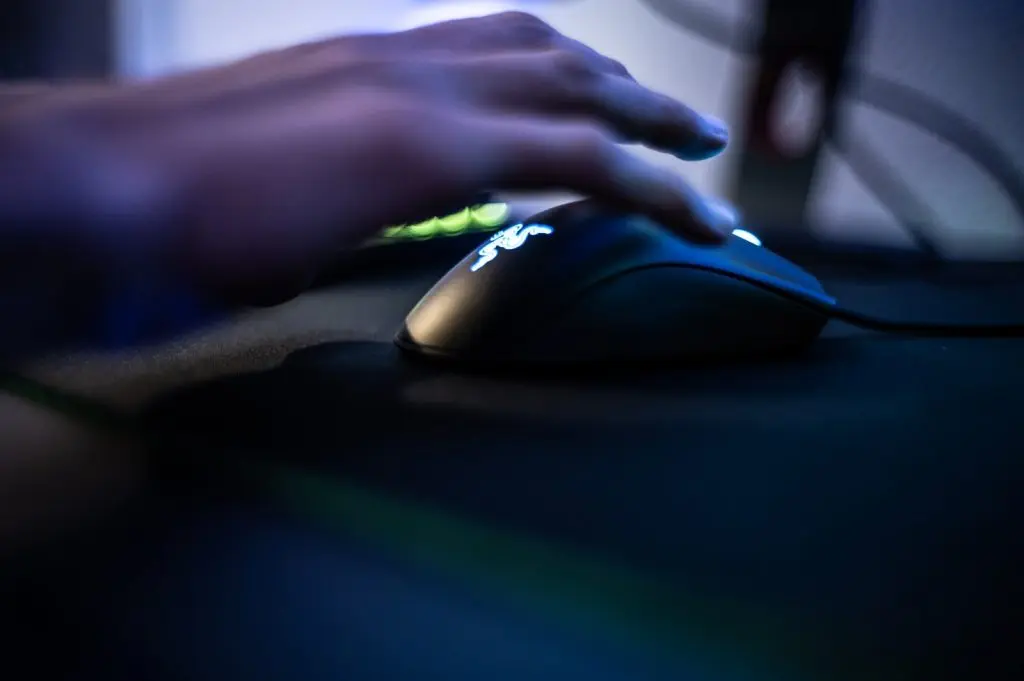
Want to click faster in games? Start by learning a faster clicking method, like butterfly or jitter clicking. Then hold your mouse in a claw or fingertip grip, and set your mouse to a 1000 Hz polling rate. Finally, practice for 10 to 15 minutes a day and track your CPS (clicks per second).
Most players click 4 to 8 clicks per second with one finger. With the right method and setup, 10 to 14 CPS is a realistic goal. Drag clicking can even push you past 20.
But speed is only half the story. Fast clicks only help if they stay controlled and register in the game. They also need to last a full match without tiring your hand. In this guide, you’ll learn each clicking method step by step, the mouse settings that matter, and a simple practice routine to track your progress.
What Is CPS and Why It Matters in Games
CPS stands for clicks per second. It shows how many times you can click your mouse in one second. To find your CPS, divide your total clicks by the test time.
CPS = Total clicks ÷ Time in seconds
For example, if you click 42 times in 5 seconds, your score is 8.4 CPS. Most people score between 4 and 8 CPS. Anything above 10 is considered fast.
But why does click speed matter? It depends on the game you play.
Minecraft PvP
CPS matters most in Minecraft PvP, especially in version 1.8. In 1.8, there is no attack cooldown. Every click can land a hit, so faster clicking means more hits and stronger combos. It also helps you keep your opponent knocked back.
In version 1.9, Minecraft added an attack cooldown. Now, spam-clicking does less damage, and timing matters more. However, many popular PvP servers still use 1.8-style combat. That’s why Minecraft players care so much about their CPS.
Fast clicking also helps with bridging. When you place blocks quickly, you can cross gaps faster and recover from falls.
Clicker and Simulator Games
In clicker games like Cookie Clicker and Roblox clicking simulators, every click adds progress. More clicks per second means faster coins, upgrades, and levels.
Shooting Games
In shooting games, semi-automatic weapons fire one shot per click. Faster clicks can mean faster shots. But every weapon has a maximum fire rate. If you click faster than that limit, the extra clicks do nothing. Here, steady and controlled clicking beats raw speed.
Check Your Baseline CPS First
Before trying a new method, find your starting score. Warm up for a minute, then take a 5-second test on this free click speed test three times. Use the average, not your best run, since one lucky run can fool you.
Next, take a 10-second test. If your score drops by more than 1–2 CPS, you need to build endurance, not just speed.
Always test with the same mouse and setup, and write down the method you used. Retest once a week to track real progress.
Clicking Methods You Must Try
Your clicking method has the biggest effect on your CPS. Here’s how the four main methods compare:
| Method | Typical CPS | Difficulty | Best For |
| Normal | 4-8 | Easy | Beginners, accurate aim |
| Jitter | 8-12 | Medium | Short bursts |
| Butterfly | 10-16 | Medium | Minecraft PvP |
| Drag | 20+ | Hard | Bridging, max CPS |
Normal Clicking
Click the mouse button with the tip of your index finger, not the flat pad. Keep your wrist resting on the desk so only your finger moves. A common mistake is pressing too hard. Lift your finger just enough for the button to reset. This method gives the best aim because your hand stays still.
Jitter Clicking
Tense your forearm until your hand starts to shake slightly. Rest your index finger on the button and let the shaking create the clicks. Keep each burst under 10 seconds. Holding the tension longer tires your arm fast and can hurt your wrist. Your aim also suffers, since your whole hand is shaking.
Butterfly Clicking
Place your index and middle fingers on the left mouse button. Tap them one after the other, like drumming your fingers on a table. The biggest mistake is tapping both fingers at once, because two clicks at the same time only count as one. Butterfly clicking works best on mice with a low debounce time.
Drag Clicking
Drag clicking gives the highest CPS. Slide a dry fingertip from the front of the button toward the back. The friction makes the button bounce, and each bounce counts as a click. One drag lasts about a second, so it’s best for quick bursts like bridging.
It needs a mouse with a slightly grippy surface. Wipe your fingers first, because sweat kills the friction. Keep in mind that drag clicking wears out mouse switches faster. Some game servers also limit high CPS, so check the rules before you use it.
Set Up Your Mouse for Speed
The right setup helps every click count.
Pick a fast grip – A claw grip arches your hand, so your fingertips sit ready above the buttons. A fingertip grip lifts your palm off the mouse for even more finger freedom. A palm grip feels comfortable, but it slows down fast clicking.
Set a high polling rate – Polling rate is how often your mouse reports to your computer.
| Polling Rate | Reports Every |
| 125 Hz | 8 ms |
| 500 Hz | 2 ms |
| 1000 Hz | 1 ms |
| 8000 Hz | 0.125 ms |
For most players, 1000 Hz is the sweet spot. Rates above that need a strong PC to run smoothly.
Lower your debounce time – Debounce time is a short delay that stops one press from counting as two. If it’s set too high, some of your fast clicks get ignored. Lower it in your mouse software until you notice accidental double clicks, then raise it slightly.
Consider optical switches – Mechanical switches use metal contacts that bounce, so they need debounce time. Optical switches use light instead and need almost none, which makes them great for butterfly clicking.
A 2-Week Practice Routine
Practice for 10 to 15 minutes a day and follow this plan:
| Days | Focus | Goal |
| 1-3 | Normal clicking, 5-second tests | Build a steady rhythm |
| 4-7 | Learn one new method (butterfly or jitter) | Beat your baseline |
| 8-11 | Mix 5-second and 10-second tests | Hold your speed longer |
| 1214 | Use your method in real games | Keep control while aiming |
Retest your CPS on day 7 and day 14. If your score drops, rest for a day. Tired hands click slower, not faster.
How to Avoid Hand Strain
Fast clicking puts stress on your fingers, wrist, and forearm. Follow these habits:
- Stretch your fingers and wrist before you play.
- Take a 2-minute break every 15 to 20 minutes.
- Keep your wrist straight, not bent up or down.
- Limit jitter clicking, since it causes the most tension.
- Stop if you feel pain, tingling, or numbness.
Tingling can be an early sign of a repetitive strain injury. If it keeps coming back, see a doctor or physiotherapist.
FAQs
How do I click faster when playing games?
You can click faster in games by learning butterfly or jitter clicking, using a claw grip, and setting your mouse to a 1000 Hz polling rate. Practice 10 to 15 minutes daily to build fast clicking speed.
What is a good CPS for Minecraft PvP?
A good CPS for Minecraft PvP is 8 to 12 clicks per second on a 5-second test. Skilled PvP players often pass 12 CPS with butterfly clicking.
Is butterfly clicking faster than jitter clicking?
Yes, butterfly clicking is usually faster than jitter clicking. Butterfly clicking reaches 10 to 16 CPS, while jitter clicking averages 8 to 12 CPS. Butterfly clicking also causes less arm fatigue.
Does a gaming mouse increase CPS?
A gaming mouse can increase CPS slightly through a higher polling rate, lower debounce time, and faster switches. However, clicking technique and daily practice raise CPS more than hardware does.
Can you get banned for high CPS in Minecraft?
You can get banned on most Minecraft servers for using an auto clicker. Some servers also flag very high CPS from drag clicking, so check each server’s rules first.
Final Thoughts
Clicking faster in games comes down to three things: the right clicking method, a well-tuned mouse, and steady practice. Start with butterfly or jitter clicking, set your mouse to 1000 Hz, and practice 10 to 15 minutes a day. Retest your CPS every week, protect your hands, and your speed will keep climbing.




Comment