
How to Choose the Right Digital Signage Software for Your Business

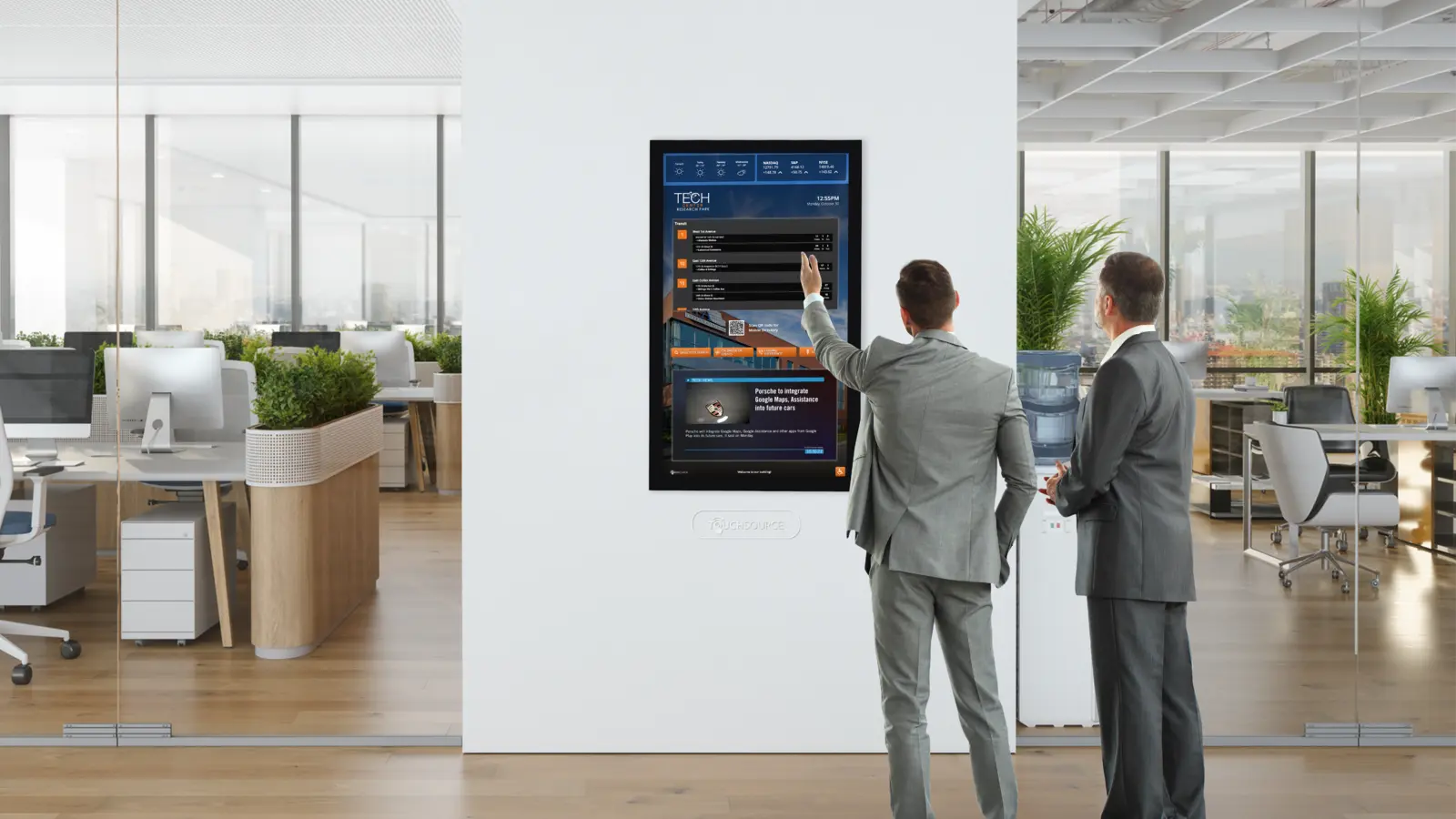
Walk into any modern retail store, hospital lobby, or quick-service restaurant and you will notice something interesting: the posters and printed menus of a decade ago have quietly disappeared. In their place sit bright, dynamic screens that change content by the hour, react to the weather outside, and push promotions the moment stock levels shift. None of that happens by magic. Behind every one of those screens sits a piece of digital signage software doing the heavy lifting.
If you are reading this, you are probably thinking about joining them. Maybe you run a small chain of coffee shops and want to swap out printed menus without paying a designer every week. Maybe you manage internal communications for a company with four floors and a bad habit of leaving outdated notices on the wall. Whatever the situation, the software decision you make now will shape how painful—or painless—your content updates feel for years.
So where do you start? The market is crowded, the pricing pages all blur together, and every vendor claims to be the best digital signage software on the planet. Let’s cut through the noise.
Start With Your Screens, Not the Software
It sounds backwards, but the first question has nothing to do with features. Ask yourself: how many screens do I have, where are they, and who stares at them all day? A single screen behind a reception desk has completely different needs than forty screens spread across a university campus. One is a set-and-forget job. The other demands remote management, user permissions, and the ability to push an emergency alert to every screen in under a minute.
Write this down before you open a single browser tab. Count your screens. Note their locations. Think about who will actually update the content—because that person, not the IT department, is your real end user.
The Features That Actually Matter
Once you know your scale, you can judge software on the criteria that count. In our experience, these are the ones that separate a smooth deployment from a daily headache:
**Scheduling and playlists.** Can you queue content days or weeks in advance? Can one screen run breakfast menus until 10:30 and switch automatically? This sounds basic, yet you would be surprised how many platforms make recurring schedules awkward.
**Content flexibility.** Look for support for images, video, web pages, live data feeds, and common design tools. If the platform forces you to upload only branded MP4 files, you will outgrow it fast.
**Remote management.** Screens freeze. Power blinks. Someone unplugs the wrong cable. A good dashboard shows you the health of every player remotely so you can restart a device from your desk instead of driving across town.
**Reliability.** Ask vendors about offline playback. Screens should keep showing cached content even if the internet drops, and sync again automatically when it returns.
**Ease of use.** This one gets underestimated constantly. The fanciest platform in the world is worthless if your store manager refuses to touch it. Most reputable providers let you test the interface before committing—take them up on it, and let the person who will use it daily do the clicking.
A solid all-around option worth a look during your comparison is this digital signage platform, which balances scheduling power with an interface beginners can pick up in an afternoon.
Pricing: Read the Fine Print
Digital signage pricing models fall into three buckets: per-screen subscriptions, one-time license fees, and free open-source tools (more on those later). Subscriptions, usually billed monthly or annually per screen, dominate the market because they bundle updates and support. They also add up—twenty screens at ten dollars a month is $2,400 a year, forever.
Perpetual licenses ask for more money upfront but can pay off over a long horizon. Either way, watch for hidden costs: premium support tiers, mandatory hardware bundles, or charges for features like multi-user access that some vendors lock behind expensive plans.
Try Before You Buy
Here is the single most useful piece of advice in this article: run a pilot. Pick your most demanding screen—the busiest store, the lobby with the pickiest stakeholders—and deploy one unit for thirty days. Test a real content change on a real Tuesday morning. Time how long it takes. If it takes more than five minutes or requires a call to support, keep looking.
Most of the leading digital signage companies offer trial periods or demo units for exactly this reason. Use them shamelessly. The gap between a slick sales demo and daily reality is where bad purchases live.
Security and Support: The Unsexy Dealbreakers
Nobody asks about security during a sales demo, and everybody wishes they had. Your screens are connected devices on your network, which makes them potential entry points the same way any IoT hardware is. Ask vendors how often they push security updates, whether the players run a locked-down operating system, and what happens to your data if you cancel. On the support side, find out whether real humans answer the phone—and in which time zone. A dashboard full of red error icons at 7 a.m. on a Saturday is exactly when you will learn the answer, so learn it on a Tuesday instead, with a contract still unsigned.
A Final Word
There is no universal winner in this category. The right choice for a two-screen dental office will bore a global retailer to tears. Define your scale, demand a trial, and put the actual day-to-day user in the driver’s seat during evaluation. Do those three things, and the field narrows itself surprisingly fast. If you want a head start comparing options, the team at SignPX publishes practical guides and hardware recommendations that are genuinely useful during the research phase—worth bookmarking before your first sales call. If you want a head start comparing options, the team at SignPX publishes practical guides and hardware recommendations that are genuinely useful during the research phase—worth bookmarking before your first sales call. Give yourself two full weekends for trials, involve the people who will live with the system daily, and trust the pilot over the pitch deck. The screens on your wall will be running long after the vendor’s demo account expires, so choose the software you would happily still be using in year three.






Comment