
How to Choose the Best Multimedia App for Smart TV, Android TV, and Fire TV in 2026

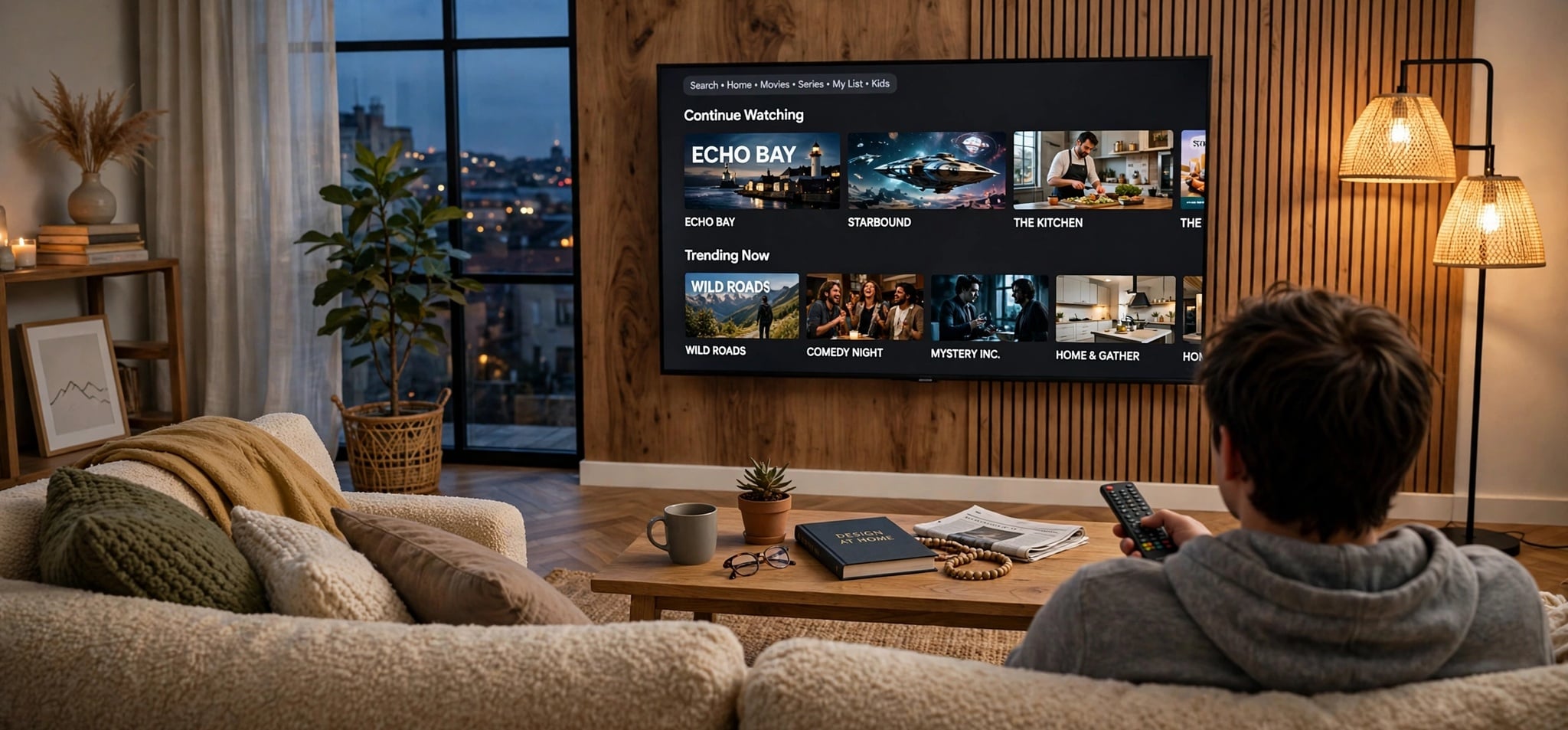
The way people consume entertainment has changed dramatically over the past decade. Traditional television is no longer the only option for watching movies, television series, live channels, and on-demand content. In 2026, smart televisions and streaming devices offer access to a wide range of multimedia applications designed to make home entertainment more flexible, convenient, and personalized.
However, with so many applications available for Samsung Smart TVs, LG Smart TVs, Android TV, Google TV, and Amazon Fire TV, selecting the right multimedia player can be challenging.
Some applications focus on video streaming, while others support locally stored media, network-based libraries, or IPTV playlists. Understanding the differences between these solutions is essential for choosing an application that meets your entertainment needs.
This guide explores the key features, compatibility considerations, security practices, and performance factors to help you choose the best multimedia application for your television in 2026.
Understanding Different Smart TV Platforms
Before selecting a multimedia application, it is important to understand the operating system powering your television or streaming device.
Not every smart television uses the same software. Applications compatible with Android TV may not work on Samsung Tizen or LG webOS, while certain Fire TV applications may have different requirements.
Samsung Smart TV: The Tizen Ecosystem
Samsung Smart TVs primarily use Tizen, an operating system developed to provide a streamlined television experience.
The platform offers access to streaming services, entertainment applications, and multimedia players through Samsung’s application marketplace.
One advantage of Tizen is its close integration with Samsung television hardware. Users can navigate applications using the standard remote control without requiring additional equipment.
However, compatibility can vary depending on the television’s model year, region, and software version.
Before selecting an application, Samsung users should confirm that it is officially supported by their specific television.
LG Smart TV: Entertainment Through webOS
LG Smart TVs generally operate on webOS, another television-focused operating system.
The platform provides an accessible interface for installing and managing multimedia applications. Depending on the television model, users can browse compatible software through the LG Content Store or the integrated Apps interface.
LG televisions are known for their convenient navigation features, particularly on models supporting the Magic Remote.
Nevertheless, users should verify application availability before choosing a multimedia player, as not all Android-based applications are compatible with webOS.
Android TV and Google TV: Flexibility and Customization
Android TV and Google TV have become popular choices for people looking for flexible entertainment systems.
Both platforms support a wide variety of television-compatible applications through Google Play.
Android TV provides access to streaming services, media players, and other applications designed for large screens.
Google TV builds on this environment with an interface emphasizing personalized recommendations and content discovery.
For users interested in managing multiple multimedia sources, these platforms can provide useful flexibility.
However, availability still depends on the device, operating system version, regional restrictions, and individual application requirements.
Amazon Fire TV: A Convenient Streaming Solution
Amazon Fire TV is another widely used entertainment platform.
Available through dedicated streaming devices and compatible televisions, Fire TV provides access to entertainment applications through the Amazon Appstore.
Its interface is designed for convenient television navigation, while supported models offer Alexa voice control.
Fire TV devices can also be useful for upgrading an older television with an HDMI connection, provided the television and device are compatible.
When choosing multimedia software for Fire TV, users should verify that the application supports their specific device and software version.
Essential Features to Look for in a Multimedia App in 2026
A good multimedia application should offer more than basic video playback.
The right choice depends on performance, ease of use, compatibility, content organization, and security.
1. A User-Friendly Interface
A multimedia application’s interface significantly affects the overall viewing experience.
Unlike smartphone applications, television software must be easy to operate using a remote control.
Users should look for applications with:
- Simple menus and clearly organized categories.
- Fast navigation between media libraries.
- Convenient search functionality.
- Favorites and recently watched sections.
- Easy access to playback controls.
- Readable text and layouts optimized for larger screens.
An intuitive interface reduces the time spent searching for entertainment and improves everyday usability.
2. Support for Popular Video Formats
Video format compatibility is another essential consideration.
Modern multimedia applications may support formats and technologies such as MP4, MKV, H.264, H.265/HEVC, and HLS streaming.
However, support varies between applications and devices.
For example, an application may recognize an MKV file but still be unable to play its video or audio codec.
Users who regularly watch high-resolution content should also check whether their device supports Full HD, 4K Ultra HD, HDR10, or Dolby Vision.
Importantly, advertised 4K compatibility does not automatically guarantee 4K playback. The source content, television hardware, application, and network connection must all support the required quality.
3. Stable Streaming Performance
Streaming stability is one of the most important characteristics of a reliable multimedia player.
Frequent buffering, playback interruptions, or unexpected application crashes can negatively affect the viewing experience.
A well-optimized application should efficiently manage device resources and maintain consistent playback under suitable conditions.
However, streaming problems are not always caused by the application.
Internet speed, wireless signal strength, server performance, and the quality of the original media source can also influence playback.
For this reason, users should evaluate both the application and their network environment before drawing conclusions about performance.
4. Playlist and Media Library Management
People accessing different types of multimedia content often need effective organization tools.
Applications offering playlist management, favorites, content categories, and search features can make large libraries significantly easier to navigate.
Some media players also support electronic program guides, allowing users to view scheduling information when it is provided by their authorized content source.
These functions are especially useful for households that frequently switch between different channels, movies, series, or personal media collections.
IPTV Smarters Pro: A Multimedia Player Worth Exploring
Among the applications associated with IPTV playback, IPTV Smarters Pro is a name users may encounter when researching multimedia players for connected televisions and streaming devices.
IPTV, or Internet Protocol Television, refers to the delivery of television content through internet-based networks rather than conventional terrestrial, satellite, or cable distribution.
IPTV player applications serve as interfaces for accessing and organizing compatible content sources.
Unlike subscription-based streaming services that provide their own licensed content libraries, an IPTV player does not necessarily include television channels, movies, or subscriptions.
Instead, users typically need access to an authorized content provider or their own compatible media sources.
Depending on the application version and supported features, IPTV players may offer playlist organization, content categories, favorites, and electronic program guide functionality.
Before installing any application marketed under the IPTV Smarters name, users should verify its developer, supported devices, installation source, and terms of service.
Different products and websites may use similar names without necessarily representing the same software publisher.
The ideal multimedia player should prioritize practical functionality, device compatibility, and reliable playback rather than relying solely on promotional claims.
How to Evaluate IPTV and Multimedia Player Applications
When comparing multimedia applications, users should consider several factors beyond their appearance or popularity.
Device Compatibility
An application should support the exact television or streaming device being used.
Android TV compatibility does not automatically mean that the same software will function on Samsung Tizen or LG webOS.
Likewise, compatibility with one Fire TV device does not guarantee identical performance across every Fire TV model.
Checking the application’s official requirements is therefore essential.
Playback Features
A multimedia player’s value often depends on the features users actually need.
These may include:
- support for multiple playlists
- subtitle settings
- different video codecs
- playback history
- parental controls
Users should confirm that these functions are genuinely available in the particular version they intend to install.
Application Reliability
Reliability involves more than playback speed.
Regular software maintenance, clear setup instructions, compatibility updates, and accessible support resources all contribute to a better experience.
Independent user feedback can also be helpful, although reviews should be assessed carefully.
Readers interested in exploring a more detailed discussion of IPTV player functionality and user considerations can consult the guide published by SmartersPro4K, which focuses on evaluating this category of multimedia software.
When comparing reviews, it is useful to distinguish between features advertised by a publisher and results established through independent testing.
Smart TV vs. Android TV vs. Fire TV: Which Platform Is Better?
The best platform depends largely on personal preferences and the applications users want to install.
| Platform | Main Advantages | Important Considerations |
|---|---|---|
| Samsung Smart TV | Integrated Tizen environment and convenient navigation | Application availability varies by model |
| LG Smart TV | User-friendly webOS interface and TV-focused features | Not compatible with every Android application |
| Android TV | Wide selection of compatible media applications | Performance depends on device specifications |
| Google TV | Personalized content discovery and Google ecosystem integration | Application availability can vary by region |
| Amazon Fire TV | Convenient streaming interface and Alexa support on compatible devices | Applications must support the relevant Fire TV device |
For someone who mainly watches mainstream streaming services, the software already installed on a modern Smart TV may be sufficient.
Users seeking a broader choice of specialized media players may prefer a compatible Android TV or Google TV device.
Fire TV can be an appealing alternative for households already using Amazon’s entertainment ecosystem.
Rather than choosing a platform based on popularity alone, users should identify the specific applications and features they require.
Security and Privacy: What Users Should Know
As multimedia applications become more advanced, security and privacy deserve greater attention.
Some applications request access to network resources, media files, or account credentials. Users should understand why these permissions are necessary before granting them.
Download Applications From Trusted Sources
Whenever possible, install applications through the official marketplace supported by the device.
These include Google Play for compatible Android TV and Google TV devices, the Amazon Appstore for Fire TV, and the relevant application stores for Samsung and LG televisions.
Applications downloaded from unofficial websites may introduce additional risks, particularly if the installation files have been modified.
Protect Account Credentials
Users should avoid entering account credentials into unfamiliar applications without checking the publisher and privacy practices.
Strong, unique passwords and available account security features can help reduce unauthorized access.
Keep Devices Updated
Software updates frequently include compatibility improvements, bug fixes, and security patches.
Maintaining an updated television operating system and multimedia application can help improve reliability and reduce exposure to known vulnerabilities.
Use Authorized Content Sources
IPTV technology itself is not inherently illegal. Its legality depends on whether the content is distributed and accessed with the necessary rights and permissions.
Users should choose legitimate services and avoid providers offering copyrighted content without appropriate authorization.
A multimedia player should not be confused with a license to access premium entertainment services.
How to Improve Streaming Quality on Smart TVs
Even a well-designed multimedia application cannot compensate for every network or hardware limitation.
Fortunately, several practical adjustments can improve the viewing experience.
Use a Reliable Internet Connection
Stable connectivity is essential for high-quality streaming.
For reference, Netflix recommends approximately 5 Mbps for 1080p streaming and 15 Mbps for 4K streaming on its service. Other providers and video formats may require different speeds.
These figures should not be treated as universal requirements for every multimedia application.
Consider Ethernet Instead of Wi-Fi
A wired Ethernet connection can provide consistent performance, particularly in environments where wireless interference is common.
When Ethernet is unavailable, using a strong 5 GHz or compatible 6 GHz Wi-Fi connection may improve performance, depending on distance and signal conditions.
Avoid Unnecessary Background Applications
Some televisions and streaming devices have limited processing power and memory.
Closing unused applications may free resources and improve responsiveness, especially on older or entry-level hardware.
Verify Video Quality Settings
If a stream buffers frequently, switching to a lower resolution may improve playback.
Users should also ensure that their television supports the video codec and resolution being used.
Keep Sufficient Storage Available
Devices with limited free storage can sometimes experience performance problems during updates or application operation.
Removing unused applications and unnecessary files may help maintain smoother performance.
Multimedia Technology Trends to Watch in 2026
The multimedia application landscape continues to evolve alongside improvements in television hardware and connected entertainment services.
Several trends are shaping user expectations.
More Personalized Content Discovery
Modern television interfaces increasingly emphasize content recommendations and personalized viewing experiences.
Instead of manually opening multiple applications to search for something to watch, users increasingly expect convenient discovery tools and consolidated recommendations.
Greater Demand for High-Quality Video
As 4K televisions become more common, users increasingly value applications capable of handling high-resolution media efficiently.
Advanced video compression technologies can help deliver high-quality images while managing bandwidth requirements.
However, successful playback still depends on the capabilities of the application, device, and source.
Better Cross-Device Experiences
Many households now use several screens, including televisions, smartphones, tablets, and streaming devices.
Applications that provide consistent navigation, compatible accounts, and convenient media management across supported devices can offer additional value.
Increased Focus on Privacy and Reliability
Users are becoming more attentive to application permissions, developer transparency, and the safety of their entertainment platforms.
Clear privacy policies, reliable updates, and trustworthy distribution channels are increasingly important selection criteria.
Simpler Entertainment Interfaces
Feature-rich software does not automatically deliver the best experience.
Applications that simplify content discovery, reduce unnecessary menus, and maintain responsive performance can be more valuable than those offering numerous complicated settings.
Common Mistakes to Avoid When Choosing a Multimedia Application
One common mistake is selecting an application without confirming compatibility with the television’s operating system.
Another is assuming that every application advertised as a 4K player will deliver Ultra HD video regardless of the device or content source.
Users may also overlook the importance of developer credibility, software updates, and security.
Choosing a media player solely because it promises access to thousands of channels can be particularly misleading. A playback application and a content subscription are separate products, and legitimate access depends on the relevant provider’s rights and terms.
Finally, users should avoid assuming that buffering always indicates poor application performance. Network conditions and source reliability are equally important factors.
Considering these issues before installation can help prevent unnecessary troubleshooting and disappointment.
Final Thoughts: Choosing the Right Multimedia App in 2026
Selecting the best multimedia application for Smart TV, Android TV, or Fire TV in 2026 requires balancing compatibility, usability, performance, and security.
Samsung Tizen and LG webOS offer convenient integrated entertainment environments, while Android TV, Google TV, and Amazon Fire TV provide additional options for users seeking specialized applications.
For viewers interested in managing compatible IPTV streams and multimedia playlists, dedicated player applications may provide useful organizational tools when used with authorized sources.
However, no single multimedia player is the ideal choice for every household.
The best solution is one that supports your device, handles your preferred media formats, offers a straightforward interface, and receives appropriate maintenance.
By comparing these factors carefully and prioritizing trusted applications, users can create a more reliable, enjoyable, and future-ready home entertainment experience in 2026.






Comment