
How to Build the Perfect 4K Home Cinema on Any Budget

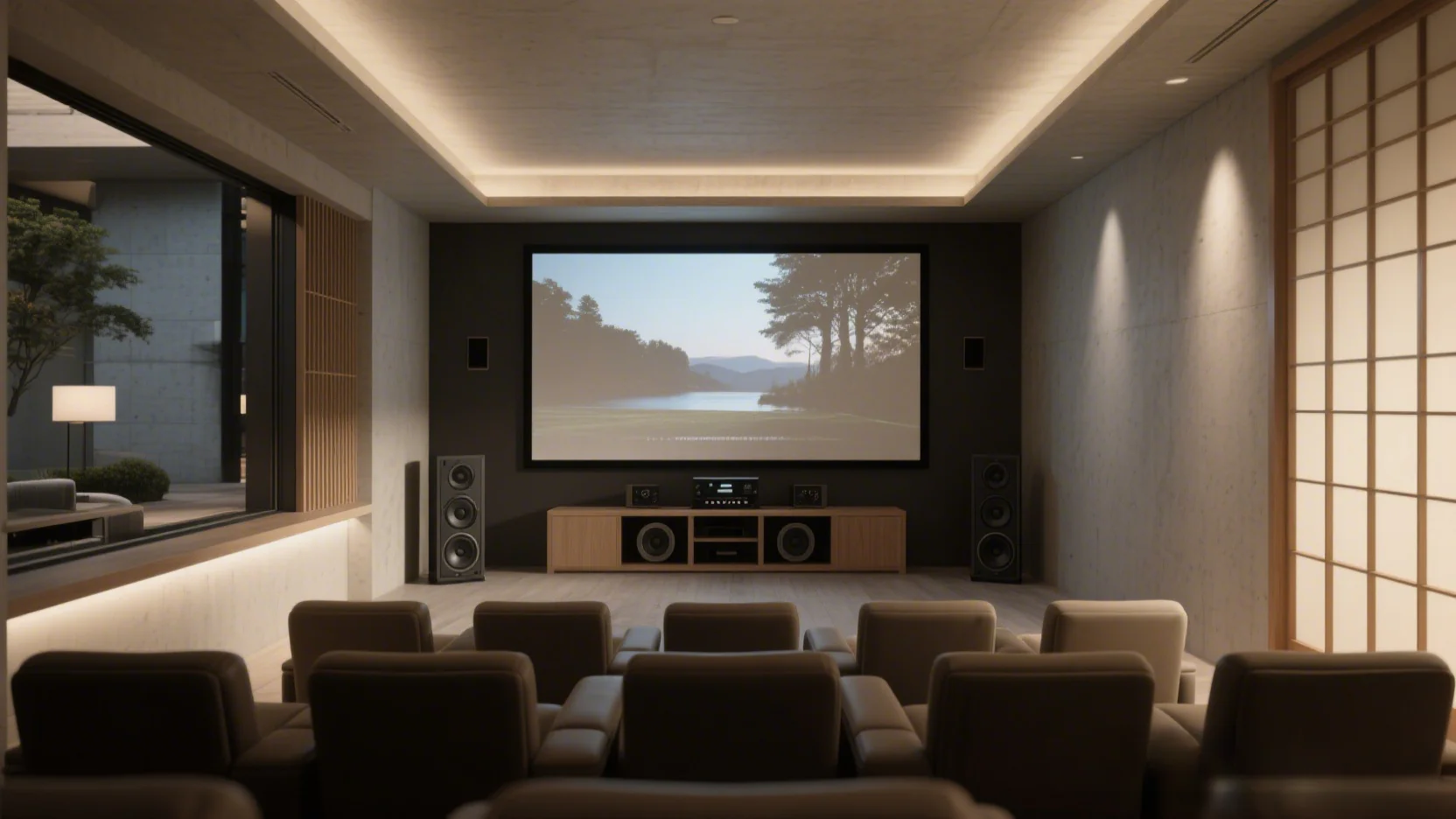
There’s something satisfying about watching a film at home and feeling as though you’re in the middle of the action. Today’s televisions, projectors and audio systems can deliver that experience at a fraction of what similar equipment cost a decade ago. The challenge is no longer finding good technology. It’s choosing the right equipment for your room and spending your money where it makes the biggest difference.
Many people assume a home cinema starts with buying the largest television they can afford. In reality, the best setups come from balancing picture quality, sound, room layout and comfort. A well-planned system built on a modest budget can often outperform a more expensive collection of equipment chosen without much thought.
This guide covers the decisions that matter most. From picking the right display to planning your room and getting the best picture from your equipment, these tips will help you build a 4K home cinema that suits both your space and your budget.
Work With a Realistic Budget
Before comparing televisions or speaker systems, decide on how much you want to spend. This helps narrow your options and reduces the temptation to overspend on one component while neglecting another.
If your budget is around €10,0000, you can already put together a very capable home cinema. A quality 55-inch or 65-inch 4K television, a Dolby Atmos soundbar and a streaming device will provide a noticeable upgrade over a standard living room setup. You can always add rear speakers or a subwoofer later if your budget grows.
With €10,0000-20,000, you can begin looking at higher-end televisions, an AV receiver and a dedicated surround sound package. This is also the point where comfortable seating, blackout curtains and better lighting become worthwhile investments.
Larger budgets can mean laser projectors, dedicated media rooms and advanced Dolby Atmos speaker layouts. While these systems can deliver an impressive experience, they’re not essential for enjoying films in 4K. Spending wisely almost always produces better results than simply spending more.
Choose the Right Room Before Buying Equipment
Your room has a bigger effect on picture and sound quality than many people realize.
Large windows, glossy walls and hard floors can create glare and unwanted echoes. On the other hand, carpet, curtains and upholstered furniture naturally absorb some sound and help make dialogue easier to hear.
A spare bedroom often makes an excellent home cinema because it’s easier to control lighting and outside noise. Living rooms work well too, although you may need blackout blinds if the television faces large windows.
If you’re planning to use a projector, measure the room carefully before buying anything. Throw distance determines how far the projector needs to be from the screen to produce the image size you want. Ceiling height, power outlets and ventilation also need to be checked during planning.
Even small changes can improve your experience with Watch4K or other IPTV subscription services. Moving a sofa away from the back wall or repositioning the television to reduce reflections may yield greater improvements than replacing perfectly good equipment.
Choose a Display That Fits Your Space
Your display will account for a large share of your budget, so it pays to understand the differences before making a purchase.
For most households, a screen size between 65 and 85 inches can offer an immersive experience without overwhelming the space. If your seating position is close to the television, even a 55-inch model can reveal the extra detail that 4K resolution offers.
OLED televisions are still the benchmark for cinephiles. Each pixel produces its own light, allowing black areas of the picture to appear truly black instead of dark grey. This improves contrast, especially during night scenes and films with dramatic lighting.
Mini LED televisions have become strong competitors. Instead of lighting the entire panel evenly, they use thousands of small LEDs grouped into local dimming zones. This allows them to produce excellent brightness while improving black levels compared with traditional LED televisions. They’re often a smart choice for bright family rooms where sunlight would reduce the benefits of an OLED display.
If you regularly watch sports or play video games, pay attention to the refresh rate as well. A native 120 Hz panel produces smoother motion than a standard 60 Hz display and works well with modern gaming consoles that support higher frame rates.
Projectors are still popular for dedicated cinema rooms because they can produce images well over 100 inches in size. Modern laser projectors require less maintenance than older lamp-based models and reach full brightness almost immediately after being switched on. Pairing a projector with a good projection screen also produces far better results than using a painted wall, since purpose-built screens preserve color accuracy and improve contrast.
Match the Screen Size to Your Viewing Distance
Buying the biggest television available does not always produce the best viewing experience.
If the screen is too small for your seating position, many of the extra details offered by 4K resolution become difficult to notice. At the opposite extreme, sitting too close to an oversized display can become tiring, especially with longer films.
Industry groups such as THX and the Society of Motion Picture and Television Engineers recommend viewing distances that create a wider field of view without making the picture uncomfortable. As a general guide, many people find that sitting roughly 1.5 times the screen’s diagonal measurement provides an immersive experience for 4K content.
For example, a 65-inch television is well-suited for seating positioned 2 to 2.5 meters away. Larger 75-inch and 85-inch displays work best when viewers can sit a little farther back.
If you’re putting together a projector-based cinema, decide on your seating position first. You can then choose a screen size and a projector that work together instead of trying to fit oversized equipment into the available space.
Don’t Forget HDR
People often focus on resolution because it’s easy to compare numbers. In practice, high dynamic range, better known as HDR, often has an even greater effect on picture quality.
HDR allows compatible televisions to display brighter highlights, richer colors and improved contrast. Sunlight appears more realistic, reflections become brighter, and shadow detail is easier to see without washing out the rest of the image.
Most new televisions support HDR10, which has become the standard format across many streaming services and Ultra HD Blu-ray discs. Some models also support Dolby Vision or HDR10+, both of which use scene-by-scene metadata to optimize picture quality throughout a film instead of applying the same settings from beginning to end.
Keep in mind that not every television handles HDR equally well. Entry-level models may advertise HDR compatibility but lack the brightness needed to display its full benefits. Reading independent reviews before buying can provide you with a more accurate picture than marketing claims alone.
Feed Your System Quality 4K Content
Even the best television cannot improve poor-quality source material.
Streaming services have made 4K films and television series widely available, but image quality still varies from one platform to another. Netflix, Disney+, Apple TV+ and Prime Video all offer large libraries of Ultra HD content, although access usually depends on selecting the appropriate subscription plan.
Streaming is convenient, but it comes with one compromise. Video files are compressed to reduce the amount of data traveling across the internet. During dark scenes or fast-moving action sequences, that compression can sometimes soften fine detail or introduce visible artifacts.
For film enthusiasts who want the highest possible picture and sound quality, 4K Ultra HD Blu-ray discs remain the reference standard. Their much higher bitrates preserve more detail and support lossless audio formats that streaming services cannot always match.
If you enjoy collecting films, it’s also worth checking that titles are genuine 4K releases rather than older high-definition versions labeled in a confusing way. Resources such as 4KFilmDb or FlatpanelsHD can help identify films available in native Ultra HD across streaming platforms and physical media.
Make Sure Your Internet Connection Can Keep Up
Many people blame their television when streaming quality drops, even though the problem often starts with the network.
Most major streaming services recommend internet speeds of at least 25 Mbps for stable 4K playback. Faster connections provide more breathing room when several people are using the network at the same time.
If possible, connect streaming devices via Ethernet rather than Wi-Fi. A wired connection is generally more stable and less affected by interference from neighboring networks or thick walls.
If Ethernet is not practical, placing your router in an open area and keeping it reasonably close to the television can improve wireless performance. Upgrading an aging router may also make a noticeable difference, particularly if your household streams video, plays online games and uses multiple smart devices throughout the day.
Sound Makes Half the Experience
A stunning picture can grab your attention, but good sound keeps you engaged from the opening scene to the closing credits. Dialogue becomes clearer, music carries more emotion, and sound effects create a stronger sense of space. That’s why many home cinema enthusiasts recommend investing in audio before going for a slightly larger television.
A 5.1 surround sound system is an excellent starting point for most homes. It includes a center speaker for dialogue, left and right front speakers, two surround speakers and a subwoofer for low frequency effects. This arrangement offers a much more immersive experience than television speakers alone.
Larger rooms can benefit from a 7.1 setup or a Dolby Atmos system, which adds height channels to place sounds above the audience. Rain appears to fall from overhead, and aircraft seem to pass across the room instead of staying at ear level.
Speaker placement is important. The center speaker should be positioned as close to the screen as possible so voices appear to come from the actors instead of a separate location. Surround speakers perform best when placed slightly behind the seating area and not directly beside it. The subwoofer may require a little experimentation, as moving it by even half a meter can noticeably change the bass response.
Soundbar or Full Surround System?
Not everyone has the space, budget or patience for multiple speakers and long cable runs. That’s why soundbars have earned their popularity.
A quality Dolby Atmos soundbar is simple to install and can produce impressive results in smaller rooms. Many models now include wireless subwoofers and rear speakers, so installation is far easier than it was just a few years ago.
A full surround sound system still delivers the most convincing cinema experience. Separate speakers create better channel separation, stronger bass and more accurate positioning of sound effects. The trade-off is extra cost, more cables and a longer setup process.
If films are your main source of entertainment and you plan to upgrade over time, an AV receiver offers greater flexibility. You can replace individual speakers as your budget allows instead of replacing the entire system.
Get the Best Picture Starting Day 1
Modern televisions arrive with picture settings designed to catch attention on a brightly lit showroom floor. At home, those same settings often produce colors that appear exaggerated and brightness levels that become tiring during longer viewing sessions.
Start by selecting the cinema or movie picture mode. These presets are generally closer to the standards used by filmmakers during production. You may find the image appears less dramatic at first, but after watching a full film, skin tones usually look more natural, and shadow detail becomes easier to see.
Another setting worth checking is motion smoothing or motion interpolation. It inserts additional frames between the original ones to make movement appear smoother. While this can work well for live sporting events, many viewers dislike its effect on films because it removes the cinematic look directors intended. If movies are your priority, turn motion smoothing off or reduce its strength.
Room lighting also affects picture quality. Watching in complete darkness can make bright scenes uncomfortable, while too much ambient light reduces contrast. A dimly lit room usually provides the best balance.
Professional calibration may be the most accurate option for expensive televisions, but careful adjustment using trusted calibration videos or built-in test patterns can still produce a noticeable improvement without adding to your budget.
Make Your System Easy to Live With
A home cinema should be enjoyable to use every day, not just impressive to look at.
Think about cable management before connecting your equipment. Grouping cables together with sleeves or cable channels keeps the area tidy and makes future upgrades much easier. If you’re renovating or building a new room, running cables inside the wall creates the cleanest finish.
Choose HDMI cables that support the features your equipment requires. Certified ultra-high-speed HDMI cables are designed to support 4K at high refresh rates and include features such as variable refresh rate and enhanced audio return channel. Expensive cables rarely produce a better picture than certified alternatives, so there’s little reason to overspend.
Controlling several devices can also become frustrating. A universal remote or smart home system allows you to switch on the television, receiver and streaming device with a single command. Some modern televisions can also control compatible devices through HDMI CEC. This reduces the number of remotes on your coffee table.
Common Mistakes First-Time Builders Make
Many disappointing home cinemas can be traced back to a handful of avoidable mistakes, including:
- Spending nearly the entire budget on the television.
- Not investing in a sound system.
- Mounting the television too high.
- Overlooking the room lighting.
- Purchasing equipment without checking for compatibility.
- Not leaving room for future additions, upgrades or adjustments.
Avoiding these mistakes means little to no budget waste, better viewing experiences, and flexibility for future setup changes.
Small Details That Make a Big Difference
Once the major equipment is in place, a few thoughtful additions can make the room feel more like a private cinema.
- Comfortable seating: The right seating can make watching a film that runs for more than two hours a comfortable viewing experience. Recliners are popular, but a supportive lounge with good viewing angles works just as well for many households.
- Lighting: Soft lighting behind the television, often called bias lighting, helps reduce eye strain during long viewing sessions. It can also improve the perceived contrast of the picture when used correctly. Aim for a neutral white light rather than colored LED strips, which can alter the way colors appear on screen.
- Acoustics: Simple acoustic improvements are also worth considering. Thick curtains, rugs and bookcases help reduce echoes without turning the room into a recording studio. If you’re creating a dedicated cinema, professionally made acoustic panels provide even greater control over unwanted reflections.
- Appliances and accessories: Small conveniences can also make movie nights more enjoyable. A nearby cabinet for discs and remotes, cup holders, charging points for mobile devices or a compact drinks fridge all help keep interruptions to a minimum once the film begins.
Plan for Tomorrow as Well as Today
Technology continues to improve, but that does not mean you need to replace your entire system every few years.
Choosing equipment with HDMI 2.1 support gives you access to current features such as 4K at 120 frames per second, enhanced audio return channel and variable refresh rate. These features are especially useful if you also use your home cinema for gaming.
When buying an AV receiver, consider one with more speaker channels than you currently need. Even if you start with a 5.1 system, you can later add height or rear speakers without replacing the receiver.
Leave a little space in your equipment cabinet for future devices. New streaming players, gaming consoles and media servers continue to appear and having spare connections can save you from unnecessary rearranging later.
Bringing It All Together
A great home cinema is not defined by its price tag. It comes from making smart choices that suit your room, your viewing habits and your budget.
Start with the basics. Buy a display that matches your space. Pair it with audio that brings films to life. Spend time adjusting the picture instead of relying on factory settings, and don’t overlook simple improvements such as lighting, seating and room acoustics.
You don’t need to build everything at once. Many excellent home cinemas grow over time as owners add better speakers, improved seating or upgraded displays. Taking that approach often leads to a better result because each purchase is made with a clear purpose.
The end result is more than a collection of electronics. It’s a space where family and friends can enjoy everything from blockbuster films and live sports to concert recordings and favorite television series in a way that feels authentic, intimate and engaging.







Comment