Technology

How an Engraving Business Led to Sigmira

https://theactionelite.com/

Before Quincy van der Ree built product customization software, he bought it. Running Mister Mojo, an engraving business in Amersfoort, the Netherlands, meant finding a way for customers to personalize products online and getting those designs into production. He tried four systems. Each left him with a different problem to manage.

Two older plugins were no longer actively maintained, he says, creating recurring bugs and compatibility issues as the software around them changed. Another system produced design exports that were not consistently reliable enough for his workflow. With a fourth, costs increased with the value of the orders being processed. These were his experiences as a merchant, and they shaped what he wanted to build.

Van der Ree brings an IT background and five years of experience running his own personalized products business. In late 2024, he began developing Sigmira, a visual product customizer now available for WooCommerce stores. It lets shoppers create a design before placing an order and gives the merchant tools to turn that design into a production file.

The connection to the workshop matters. Selling an engraved gift involves decisions that a conventional product listing does not have to accommodate. The customer supplies part of the finished product: a name, a date, perhaps an image. Someone must establish where that content can go, what size it should be, and how it reaches the person operating the equipment. Those decisions remain necessary even when the order contains a single item.

For an owner who also handles production, software problems compete directly with other work. Rebuilding an export delays an order. Troubleshooting a plugin takes time that could otherwise go toward engraving or shipping. The price of a customization tool therefore extends beyond its license. The merchant also pays, in working hours, for whatever needs attention after installation.

Sigmira’s approach puts more of that preparation into the product setup. Merchants define the area customers can personalize and decide which elements they may change. A gift can have a fixed layout with an editable name, while another item allows customers to upload artwork and arrange it themselves. The amount of freedom depends on what the merchant intends to sell and can produce.

Products with more than one customizable surface can have separate views. A shirt, for example, can have a front design and a back design within the same product. Each view has its own design areas. That structure gives the merchant a way to distinguish surfaces with different dimensions and requirements before an order reaches the workshop.

Pricing is part of the setup, too. Personalization may be included in the product price or carry an additional charge. Sigmira supports rules based on factors such as text length, the number of design elements, and the area a design occupies. The price updates while the shopper works, allowing the store to account for choices that add production work.

The service uses subscription pricing without taking a percentage of order value. Plans have limits, including order and product allowances. Whether the subscription makes sense for a particular shop depends on its volume, required features, and existing preparation costs. A merchant processing occasional custom orders faces a different calculation from one preparing personalized products throughout the day.

Building for other businesses also broadens the assignment. Mister Mojo gave Van der Ree firsthand experience with engraving, but a print shop may have different requirements for files, layouts, and production. Sigmira also targets apparel, merchandise, and printing businesses. WooCommerce is supported today, while a Shopify integration remains in development.

Van der Ree now has to provide the ongoing maintenance he once depended on other developers to deliver. Store software will keep changing, and merchants will bring production requirements beyond those of his own workshop. His experience gives him a practical basis for assessing those requests: what needs to happen between the customer’s finished design and the moment someone can use it to make the product?

The Work That Remains After a Personalized Order Is Placed

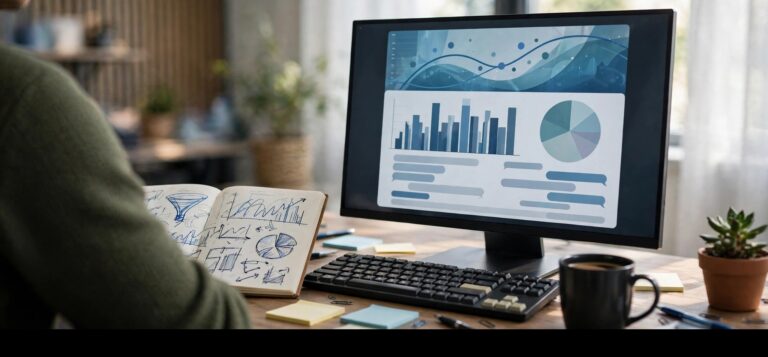
A customer enters a name, chooses a font, and pays. The store has made a sale. In the workshop, someone still has to establish whether the design has the right dimensions and can be used in production. For a business selling personalized products, that interval between checkout and manufacturing can contain a surprising amount of unpaid preparation.

The individual tasks may be modest. Download an image, transfer text into a design file, check the layout, and move the finished artwork to the production computer. Each task returns with the next order. If preparation takes two minutes per order, 30 orders require an hour. That is an illustrative calculation, not an industry average, but it explains why small steps deserve attention when merchants assess their costs.

Sigmira, a product customizer for WooCommerce, addresses this handoff by connecting the customer’s online design to a production export. Shoppers personalize a product in the store, and the merchant can generate the corresponding file. The work required before production then depends heavily on how the merchant configured that product in the first place.

Dimensions are an early consideration. A product photo helps customers judge placement, but an image on a screen does not establish a physical size. Sigmira lets merchants assign an export width and height in millimeters to each design area. The resulting file is cropped to that area. If the setup contains the wrong measurements, the error can carry through to subsequent orders for the same item. Checking an initial export is therefore part of preparing the product for sale.

The next question is what production requires. A file needs to suit the process that will use it. Sigmira supports production method profiles that store settings such as file format, resolution, and color mode. Profiles can be reused across products with the same requirements. Printed materials may need bleed and crop marks; other applications call for different settings. The merchant has to establish those requirements with the people or suppliers doing the work.

Timing deserves similar care. Automatically generating a file sounds straightforward until the business has to decide when the automation should run. Sigmira allows exports to be triggered by order status, including when an order enters processing. Merchants can also hold generated files for review before delivery. That allows a business to retain a check where an individual order needs attention.

Customer uploads are one reason to keep that option. Exporting a small image at a high resolution does not restore detail missing from the original. The source image still needs to support the size at which it will be reproduced. Sigmira provides settings for low-resolution warnings, but the merchant must determine what image quality is acceptable for the product and production method. A preview that looks fine on a phone may not answer that question.

Version control becomes relevant as soon as someone makes a correction. If a member of staff changes a design after generating its production file, the earlier export is out of date. Sigmira distinguishes the order’s commercial status from the readiness of its artwork and flags designs that need to be exported again. That distinction helps staff avoid treating payment confirmation as evidence that a file is ready to use.

The remaining work is a useful measure when evaluating a customizer. A merchant can configure a familiar product, place a test order, and follow it through preparation. The exercise should reveal whether the dimensions are correct, how a correction is handled, and where the latest file appears. It should also expose any steps that still depend on copying information or rebuilding artwork by hand.

That gives the business a basis for comparison with its existing process. Preparation time can be recorded over real orders, including those that need intervention. The resulting figures will be specific to that shop, which makes them useful. They show what the software changes in the work that has to be completed before a customer receives a finished product.
How a Personalized Cutting Board Order Moves Through Sigmira

Two names and a date can be enough to turn a wooden cutting board into a wedding gift. They also create a small production brief. The text has to be correct, fit the engravable surface, and reach the workshop in a usable file. Following an illustrative order through Sigmira’s documented workflow shows where the merchant makes those decisions and what happens after checkout.

The process begins before the customer visits the store. The merchant selects a product image and establishes the area available for personalization. In Sigmira, a visual product customizer for WooCommerce, that area has separately defined physical export dimensions. The image helps the shopper judge the design’s position. The export measurements determine the size of the artwork delivered for production.

For this example, the merchant can prepare a starting design with one text field for the names and another for the date. The customer does not need to compose the entire layout. Each element has permissions that determine whether it can be edited, moved, resized, rotated, or deleted. A decorative element can remain locked while the text is available for editing.

Those permissions reflect the product being offered. If the store sells a gift with an established design, replacing the names and date may be all the customization it needs. A board offered for a customer’s own logo requires a different setup. Giving shoppers more controls introduces more possible layouts for the workshop to produce. The merchant should enable the choices that fit the product, rather than assume every design tool belongs on every listing.

The shopper enters the details, checks the preview, and places the order. The submitted design remains associated with that purchase. In the order view, the merchant can inspect it and, where an order contains several personalized items, move between their designs. Products with multiple views can also be checked surface by surface. This keeps the artwork connected to the item it belongs to during preparation.

Suppose the date raises a question during review. The merchant can contact the customer before engraving begins. If they agree on a correction, the design can be opened from the order, changed, and exported again. Sigmira also provides a way to return to the customer’s original submission. That gives the merchant a reference when checking what was ordered against a later adjustment.

Once the artwork has been checked, the merchant can generate and download the production file. Sigmira supports PNG, JPG, and PDF exports using the configured dimensions and output settings. For this cutting board, the business needs to have established which output works with its engraving process. That decision belongs in the initial product setup, so staff do not have to repeat it for every pair of names.

The route to the production computer can also be configured. Sigmira offers a Dropbox connection that can deliver exports automatically into a folder structure organized around information such as the order or date. Availability depends on the subscription plan. Files can be held for review before they are delivered, allowing a shop to combine automatic file handling with a deliberate approval step.

The physical work follows. Someone selects the board, positions it on the machine, and engraves it. Testing with the actual material establishes how the configured artwork translates into the finished product. The software handles the design and file preparation portion of that process; the merchant still has to set up and carry out production correctly.

For a shop assessing this workflow, the useful comparison is its own current order preparation. Staff can record how often they have to ask for missing information, adjust artwork, or locate a file before engraving begins. This example does not establish a measured time saving. It does provide a specific route to evaluate, starting with the customer’s two names and ending with the artwork the engraver is ready to use.

Comments

TechBullion

FinTech News and Information

Copyright © 2026 TechBullion. All Rights Reserved.

To Top

Pin It on Pinterest

Share This