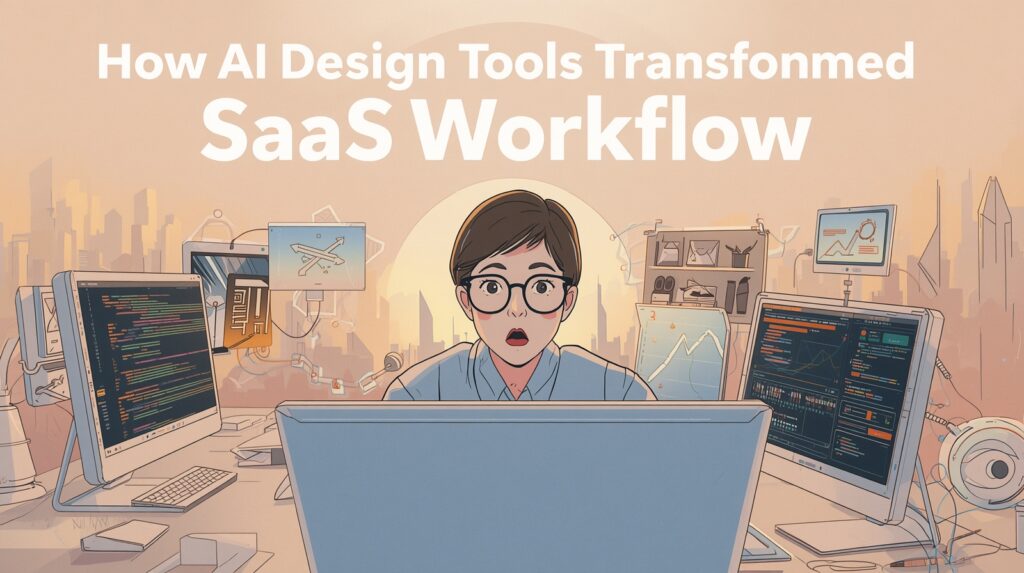
As an independent SaaS developer, I spend my days building tools that solve real problems for users. Every project starts with excitement but quickly turns into a complex balancing act. I must implement core functionality, create smooth user interactions, and maintain a polished visual experience that builds trust. The development side alone demands careful attention to code architecture, performance, and scalability. Yet the design layer often consumes just as much time and mental energy.
In the past, creating a cohesive user interface felt like an endless cycle of decisions. I needed icons, illustrations, buttons, and background elements that all shared the same visual language. Colors had to match. Styles needed consistency across dashboards, marketing pages, onboarding flows, and feature illustrations. Finding the right assets became a major bottleneck. I would search through icon libraries, stock photo sites, and illustration marketplaces, only to discover that nothing quite fit my brand aesthetic. Even when I found promising pieces, they often required significant editing. Removing backgrounds, adjusting colors, resizing elements, and ensuring transparency added hours of repetitive work in design software.
This process slowed me down considerably. Instead of focusing on the unique value of my SaaS product, I found myself tweaking shadows, aligning elements, and hunting for the perfect button state illustrations. Consistency suffered when I compromised on assets that were close enough but not ideal. The result was either a delayed launch or a product that looked slightly fragmented.
That changed when I began using AI tools specifically built for generating design assets. One tool that has transformed my workflow is PNG Maker. It allows me to create high quality PNG images with transparent backgrounds that integrate directly into my websites and applications.
The greatest advantage lies in the ability to maintain visual consistency throughout an entire project. I can describe the exact style I want. Perhaps I need a set of dashboard illustrations in a clean, modern flat design with soft gradients and rounded elements. Or I might require subtle 3D style icons that match my premium SaaS branding. With PNG Maker, I generate multiple assets that share the same artistic direction, lighting, and color palette. This eliminates the mismatch problems I faced when combining elements from different sources.
Transparent backgrounds make the integration process seamless. I no longer spend time in Photoshop or Figma removing backgrounds or creating cutouts. The generated PNGs drop straight into my HTML, React components, or Tailwind styled interfaces. They layer naturally over gradients, video backgrounds, or other UI elements without any additional processing. This has saved me countless hours during both the initial design phase and later iterations.
My typical workflow now looks dramatically different. When starting a new SaaS project, I first define the core brand elements and overall aesthetic. I then use PNG Maker to generate a comprehensive set of assets. I create hero illustrations, feature icons, empty state graphics, loading animations, and success state visuals. All of them maintain the same style because they come from the same generation parameters. If I decide to adjust the color scheme later, I can regenerate the entire set with updated prompts while preserving the artistic approach.
This approach has improved both the speed and quality of my projects. Previously, design work might consume thirty to forty percent of my total development time. Now that portion has decreased significantly. I prototype interfaces faster because I can generate exactly the visual components I need rather than adapting existing ones. Client feedback rounds move quicker too, since I can rapidly create new variations of interface elements to demonstrate proposed changes.
The practical benefits extend beyond simple time savings. My products now look more professional and cohesive. Users notice polished details even if they cannot articulate exactly why the interface feels premium. Consistent iconography and illustration styles create a stronger brand impression. This matters enormously for independent developers competing against well funded teams.
I recently launched a project management SaaS tool where the entire visual system came from AI generated assets. The dashboard cards feature custom illustrations that explain each metric. The onboarding flow includes step by step graphics that match the brand perfectly. Even the marketing website uses the same style for its feature highlights and testimonials sections. The unified aesthetic makes the product feel thoughtful and complete.
For other solo developers and small teams, I strongly recommend exploring AI tools like PNG Maker for design asset creation. The technology has matured to the point where generated images meet production standards. They render cleanly at various sizes, support proper transparency, and integrate without technical issues.
The key lies in learning how to craft effective prompts that capture your desired style. Start with broad descriptions of the aesthetic, then refine with specific details about colors, shapes, perspectives, and complexity levels. Save successful prompt templates for future projects to maintain consistency across different SaaS products in your portfolio.
Building software as an independent developer requires wearing many hats. We handle product strategy, coding, marketing, customer support, and design. Any tool that reduces friction in one of these areas creates meaningful leverage. PNG Maker has given me that advantage in the design department. By generating consistent, transparent PNG assets that I can use immediately, it lets me focus more energy on the features that truly differentiate my products.
The future of SaaS development favors those who work smarter rather than harder. AI assisted design represents one of the most practical applications of this principle. It democratizes high quality visuals and removes traditional barriers that once slowed down solo creators.
I continue experimenting with new ways to incorporate AI generated assets into my workflow. The results so far have been transformative. My development cycles are shorter, my products look better, and I feel more confident launching new tools knowing the visual experience matches the quality of the underlying code.
For any independent developer struggling with design consistency, I encourage you to try PNG Maker. The ability to generate production ready PNGs with transparent backgrounds that maintain a unified style might be the optimization your workflow has been missing.