
How Access Control and Video Surveillance Work Together

When a badge is denied, the access log shows the credential, the reader, and the time of the attempt. That is useful, but it does not explain what was happening at the door. The cause may be as simple as an expired badge or someone using the wrong entrance. At the same time, in other cases the footage may show repeated attempts, tailgating, or another reason for the security team to take a closer look.
That gap is why access control and video surveillance belong in the same security conversation. On the access side, Paxton covers networked door control, visitor entry, mobile credentials, wireless locking, and multi-site management. For organizations planning those systems in the region, D3 acts as a Paxton distributor and supports product selection and deployment requirements rather than treating the project as a simple hardware order. D3 identifies itself as an official distributor of Paxton products with distribution and support focused on Dubai and the GCC.
The surveillance side needs just as much planning. Camera placement, recording capacity, analytics, and retention should be based on how the site is used and how incidents are handled in practice. As a Tiandy distributor, D3 supports projects across Dubai and the GCC with IP cameras, NVRs, centralized monitoring, and wider surveillance system planning.
Not every controlled door needs a camera, and there is little point in tightly integrating the two systems across an entire site. In some areas, the access record is enough. Video matters more at entrances or restricted spaces where staff may need to check what happened around an access event before deciding whether to investigate or respond.
Access Control Gives You the Event
An access-control system is fundamentally about permissions. It decides who can enter a controlled area, through which door, and at what time. It also creates an event history covering accepted credentials, denied attempts, door states, and changes to user access.

Paxton’s Net2 is a networked access-control system built around central administration and distributed door controllers. Each control unit can make local decisions and retain events, while administrators manage users and permissions centrally. Net2 Pro also offers browser-based user administration, reports, lockdown, and door control.
Paxton10 takes a wider approach by combining access control and video management within Paxton’s own platform. It supports remote access, multi-site management, and mobile credentials through the Paxton Key app. The useful part is not the phrase “integrated platform” itself; it is the ability to work with access events and video in one Paxton environment.
Paxton Entry lets staff see or speak to a visitor before granting access. Where new cabling is difficult, PaxLock Pro provides wireless electronic door handles that can work with Net2 or Paxton10, making internal-door retrofits less disruptive.
Video Adds the Missing Context
Access control can tell you that a credential was denied at 09:17. Video can show who was standing at the door, whether another person followed them in, and what happened immediately before or after the event.
Tiandy’s current portfolio includes network cameras, NVRs, AI-capable recorders, centralized management systems, and PTZ products. Depending on the model and connected cameras, its AI NVRs support functions such as tripwire and perimeter events, smart motion detection, people counting, and human or vehicle classification.
Those features are useful only when they match a real operational need. At a logistics site, human or vehicle classification can cut down on irrelevant motion alerts. In an industrial setting, perimeter analytics can help security teams keep a closer watch on restricted areas. Centralized recording also becomes more important once several locations have to be monitored from the same place.
D3’s Tiandy portfolio covers those kinds of deployments, including perimeter protection, thermal imaging, multi-site surveillance, centralized video management, and AI-assisted monitoring where the project actually calls for them.
Retention is part of the design as well. Camera count, bitrate, recording schedule, storage capacity, network bandwidth, and retention policy should be worked out before equipment is ordered. A surveillance system that produces useful footage but cannot retain it for the required period has been undersized regardless of camera quality.
Where the Two Systems Help Each Other
When a badge is denied, the log is only the starting point. It gives the operator the door, the time, and the credential that was presented. What it does not explain is why the attempt failed.
That is where the footage becomes useful. Maybe an employee used an old badge. Several credentials may have been tried at the same door. In a more serious case, the video may show someone slipping in behind a person whose access was valid.
In practice, that verification depends on an event trigger, not just a stored log entry. A denied credential shouldn’t sit in a report waiting to be reviewed later – it can raise an alert at the moment it happens. That denied-access event, tied to a specific door and reader, is what triggers the response: it can pull up the live or recorded footage from the camera covering that door so an operator can look at it immediately, or it can send a message to the system administrator flagging that something is happening at that reader, so someone checks before deciding whether it needs a response.
How that trigger actually reaches the camera comes down to the integration layer between Net2 and the video system. Net2’s door controllers raise the denied-credential event locally, tied to the specific door and reader, but that event needs a path across to the VMS side commonly a relay or I/O output from the controller wired into an alarm input on the Tiandy NVR, or an event-level integration between the two platforms where it is supported. Either way, the point is the same: turn a denied credential from a line in a log into something a person can look at and act on right away, rather than something reconstructed after the fact.
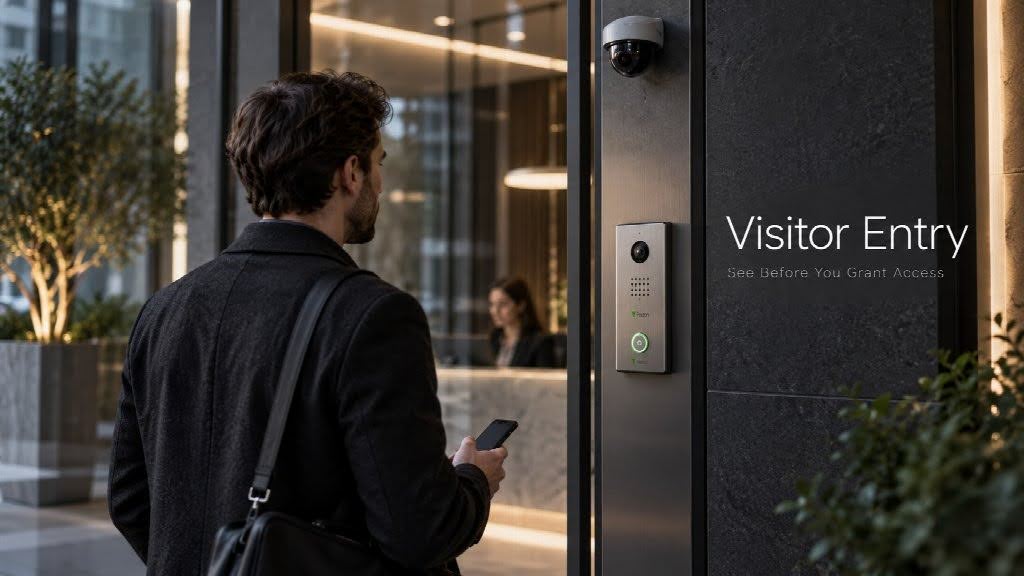
Visitor entry is another practical case. The door-entry system takes care of the call and the decision to release the door. Video lets staff see who is waiting and keeps a record of activity around the entrance. At reception desks and loading bays, that can be more reliable than going by a name or a short intercom conversation alone.
Access records can also show who entered a server room, stock room, lab, or back-office area. Surveillance can help confirm what happened around the same time. The records do not need to come from a single vendor platform, but staff should have a clear procedure for moving between them.
A perimeter alert does not always mean there is a problem. A camera might detect movement near a restricted area while authorized staff are using an entrance nearby.
Checking the access records at the same time can quickly explain what the camera picked up. If there is no matching activity, the alert deserves a closer look.
D3 makes a similar point in its guidance on access-control integration: the first question should be what happens after an event, not simply whether two products can be connected.
A forced door, denied credential, visitor call, or alarm should have a clear response path. During planning, D3 recommends working through the event itself, the systems involved, what the operator needs to see, who takes action, when the issue is escalated, and what needs to be recorded for later review.
This distinction is also important for Paxton and Tiandy. They should be treated here as complementary layers in a wider physical-security architecture, not as a claimed native Paxton-to-Tiandy integration.
Multi-Site Security Changes the Priorities
Managing one office is usually straightforward. The challenge starts when the same security policies have to work across offices, warehouses, campuses, or remote sites. At that point, keeping access rules, monitoring practices, and response procedures consistent becomes much harder.
Access rights need to change across locations, and security teams need to know which site produced an event and who is responsible for responding. Paxton10 supports multi-site management and remote access, while Net2 can also be managed remotely through Paxton’s online tools with the appropriate Net2 Pro setup.

On the surveillance side, Tiandy offers NVR and CMS product categories for recording and centralized management. For distributed sites, the goal is not simply to collect more camera feeds. Teams need to find the right video quickly, maintain sensible retention policies, manage access to the monitoring environment, and avoid turning every branch into a separate security island.
Security systems also put real pressure on the network and storage behind them. Add more cameras and the amount of video moving through the network rises with them. Keep that footage for longer and storage requirements grow quickly.
Remote viewing depends on the connection as well. If bandwidth is limited or unreliable, operators can struggle to access live or recorded video when they need it.
Start With the Site, Not the Product List
It is usually better to work out how the site is supposed to operate before comparing controllers, cameras, or recorders. A quick review of the entrances, monitored areas, staff routines, and response process can narrow the requirements much faster than starting with a product list.
- Which doors genuinely need access control, and which can remain open or mechanically secured?
- Where would a camera actually help staff understand what happened at an entrance or restricted area?
- How much footage needs to be kept, and does that period vary by location or risk level?
- Which events should trigger an immediate response, and which can wait for later review?
- Do security teams need to manage several sites remotely, or is local control enough?
- What parts of the existing network, cabling, and storage setup can be reused without creating bottlenecks?
- Are video analytics solving a specific monitoring problem, or simply adding cost and complexity?
That kind of planning can also stop a project from becoming more complicated than it needs to be. A small office may get little value from advanced perimeter analytics, while the same feature could make sense at an industrial yard. Retrofit work may favor wireless access control to avoid new cabling, whereas a new building can be designed around structured cabling from the start.
The brand and product decisions become much easier once the organization knows what people, places, and events actually need to be controlled or monitored.
Where D3 Fits
D3’s role becomes useful when those requirements have to turn into a bill of materials and a deployable design. On the Paxton side, that can involve door counts, controllers, readers, credentials, Entry, wireless locking, and multi-site requirements. On the Tiandy side, it can involve camera coverage, NVR sizing, retention, analytics, low-light conditions, network capacity, and centralized monitoring.
D3 positions its Paxton business around official distribution, regional availability, and local project support in Dubai and the GCC. Its Tiandy offering includes surveillance consultation, system sizing, architecture planning, storage planning, and deployment coordination. D3’s pages also provide regional contact routes for the UAE, Saudi Arabia, Iraq, and Pakistan.
That does not replace the installer or security consultant. It gives them a distributor that understands what the equipment is expected to do in the finished system.
For projects involving both controlled access and surveillance, that matters. The door hardware may be correctly selected while the camera coverage is inadequate. The cameras may be suitable while retention storage is undersized. A multi-site system may work technically but be awkward for the security team to operate. Good distribution support should help identify those questions before procurement, not after installation.
Better Security Comes From Better Context
Access control and video surveillance do not do the same job. That is exactly why they work well together.
The access system records identity, permission, time, and location. Video shows the scene around the event. In a good operating workflow, those two sources help a security team move from an alert to a decision without needless searching.
Paxton provides tools for access control, door entry, wireless locking, and multi-site management. Tiandy covers the surveillance side with cameras, NVRs, centralized management, and analytics. D3 brings both portfolios into its regional distribution and planning model for customers and partners in Dubai and across the GCC.
The sensible starting point is the site itself: what needs to be controlled, what needs to be seen, and what staff needs when something goes wrong.
Frequently Asked Questions
How do access control and video surveillance work together?
Access control tells the team which credentials were accepted or denied and what happened at the door. Video fills in the part the log cannot show. Put the two together, and it becomes much easier to confirm who was there, see how an event occurred, and investigate without jumping between disconnected pieces of information.
What is the difference between access control and video surveillance?
Access control is about deciding who can enter a space and under what conditions. It manages credentials, doors, schedules, and the events generated when someone tries to gain access.
Video surveillance serves a different purpose. Cameras and recording systems show what was happening around the same location. One system records the access event; the other gives the security team visual context for it.
What are Paxton and Tiandy used for?
Paxton is typically used to manage entry across a site — who can pass through which door, with what credential, and under what rules. Systems such as Net2 and Paxton10 cover that side of the job, including visitor entry and wireless locking. Tiandy is used for the surveillance layer, combining IP cameras, NVRs, centralized monitoring, and AI-assisted analytics for live and recorded video.
They solve different parts of the physical-security problem. In the same project, Paxton can handle who is allowed through a door, while Tiandy provides the video needed to see what happened around that event.
Where can businesses source Paxton and Tiandy in Dubai and the GCC?
D3 distributes and supports Paxton and Tiandy solutions for organizations and partners in Dubai and the wider GCC. Its work includes product selection, system sizing, architecture consultation, regional availability, and project coordination. D3 also lists contact coverage for the UAE, Saudi Arabia, Iraq, and Pakistan, which can help projects that need coordinated sourcing across several markets.







Comment