
Getting Better Results From Outdoor Security Cameras in Changing Weather and Lighting

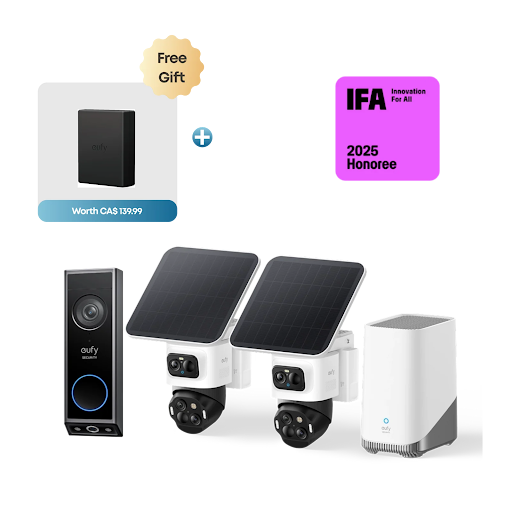
An outdoor camera can appear to work perfectly during installation, yet produce disappointing footage when it matters most. A passing car may trigger repeated alerts, headlights can wash out an image, or rain may leave the lens covered in droplets. These problems are not always signs of poor equipment. Often, they come down to how the camera is positioned, configured, and maintained.
Outdoor monitoring involves conditions that change throughout the day and across the seasons. Understanding how these factors affect image quality and detection can help homeowners choose and maintain outdoor security cameras that deliver more useful footage without creating unnecessary maintenance.
Lighting Can Change What a Camera Captures
Daylight does not automatically guarantee clear footage. Direct sunlight can create glare, strong shadows, and areas of uneven brightness. If a camera faces a low afternoon sun, a person approaching the entrance may appear as a dark silhouette rather than a recognizable figure.
Whenever possible, position the camera so that its lens does not face directly into the strongest light source. Review the view at different times of day before deciding that the placement is final. A location that looks ideal in the morning may become difficult to use later in the afternoon.
Nighttime introduces a different set of challenges. Infrared night vision helps cameras record in low-light conditions, but reflective surfaces, nearby walls, and glass can interfere with the image. For example, infrared light reflected from a window may create glare that makes the footage difficult to interpret.
Color night vision can provide additional detail when enough visible light is available. However, its effectiveness depends on the surrounding environment and the camera’s design. If nighttime identification is important, test the actual view after dark instead of relying entirely on advertised specifications.
Rain, Dust, and Temperature Need Attention
Outdoor equipment must handle more than occasional showers. Wind can carry dust toward the lens, while rain and snow may reduce visibility or cover parts of the camera housing. High temperatures can also affect electronic equipment, and cold weather may reduce battery performance.
When comparing outdoor security cameras, review both the weather-protection rating and the stated operating temperature range. A water-resistance rating does not necessarily mean that a device can withstand every installation condition, including prolonged exposure to extreme weather.
Mounting beneath a suitable eave can provide some protection from direct rainfall, provided the camera still has a clear view of the area being monitored. Avoid locations where water regularly drips onto the lens or where roof runoff could strike the housing.
The lens itself deserves occasional attention. A thin layer of dust or dried water spots may not be obvious when looking at the camera from the ground, but it can noticeably reduce image clarity. Use a soft, suitable cleaning cloth and follow the manufacturer’s maintenance instructions rather than applying household chemicals that could damage the lens coating.
Motion Detection Is About Balance
One of the most frustrating monitoring problems is receiving alerts for every moving branch, passing vehicle, or change in light. When notifications arrive constantly, people may begin ignoring them, which defeats part of the purpose of having a camera. Motion detection settings should reflect the activity around the property. A driveway facing a busy road may need different settings from a quiet back entrance. If the camera supports activity zones, limit detection to the parts of the image that matter most.
Sensitivity also requires some experimentation. A setting that is too high may produce frequent false alerts, while one that is too low could miss relevant movement. Adjust one setting at a time and observe the results over several days. Some cameras can distinguish between people, vehicles, and general movement. These features may reduce unnecessary notifications, although detection accuracy varies with distance, lighting, obstructions, and the device’s capabilities.
Remember that a motion alert is not the same as a complete recording of an event. Check whether the camera captures activity before and after the initial detection, particularly if you want to understand how someone approached or left an area.
Reliable Power and Connectivity Matter
Even a camera with excellent image quality becomes less useful if it regularly loses power or disconnects from the network. Battery-powered models are convenient when running cables would be difficult, but their actual runtime depends on how often they record, how frequently live viewing is used, and the surrounding temperature. A busy entrance may generate far more activity than a rarely used side gate, leading to different charging requirements.
Solar charging can reduce manual charging for compatible devices, but it depends on sufficient sunlight and appropriate panel placement. Shaded locations and long periods of cloudy weather can limit the energy available. Wired models can offer continuous power, although the installation may require more planning. For either type, check the manufacturer’s recommendations and ensure the power source is suitable for the environment.
Network quality is another consideration. A weak Wi-Fi connection may lead to delayed alerts, interrupted live viewing, or incomplete cloud uploads. Test the connection at the exact mounting location rather than assuming that a strong signal indoors will remain equally strong outside. If performance is inconsistent, try improving network coverage before replacing the camera. Moving a router, using a compatible network extender, or choosing a supported hub-based system may resolve the issue.
Storage Determines How Useful Recorded Footage Is
Live viewing is helpful, but recorded footage is often what homeowners need when reviewing an unexpected event. Storage arrangements should therefore be considered before installation. Local storage may use a memory card or a dedicated hub. This approach can reduce subscription expenses, depending on the system, but it is important to understand what happens if the storage device fails or is damaged.
Cloud recording can make footage accessible from another location and may provide an off-site copy. However, subscription fees, storage limits, and retention periods vary. Check whether recordings are saved continuously or only when motion is detected. Consider how long you might realistically need to keep footage. A system that automatically deletes clips after a short period may not suit someone who checks recordings infrequently. Also review whether important clips can be downloaded or saved separately before they expire.
Review the System as Conditions Change
A camera installation should not be treated as a one-time task. Nearby trees grow, outdoor furniture moves, and seasonal lighting changes the appearance of a scene. Each can affect the camera’s field of view or motion detection.
Make a habit of checking your outdoor camera footage periodically, especially after storms or landscaping work. Confirm that the lens remains clean, the mounting bracket is secure, notifications are sensible, and recordings can still be played back.
Privacy deserves regular attention, too. Keep the view focused on the property areas you need to monitor and avoid unnecessarily capturing neighboring private spaces. Secure the associated account with a strong, unique password and enable additional authentication protections when available.
Final Thoughts
Useful outdoor monitoring depends on more than choosing a camera with impressive specifications. Lighting, weather exposure, motion settings, power, connectivity, and recording options all influence everyday performance.
By testing the camera in realistic conditions and making small adjustments when necessary, homeowners can reduce false alerts and improve the quality of recorded footage. A properly maintained setup is more likely to remain dependable as weather and household needs change.
FAQs
1. Why does my outdoor camera produce blurry footage at night?
Possible causes include insufficient light, a dirty lens, infrared reflections, glare, or movement in the scene. Clean the lens and review the camera’s placement before changing other settings.
2. How can I reduce false motion alerts?
Adjust motion sensitivity, use activity zones if supported, and avoid including busy streets or moving trees unnecessarily. Test changes gradually to make sure important activity is still detected.
3. Does cold weather affect battery-powered cameras?
It can. Low temperatures may reduce battery performance, and frequent recording can increase power use. Check the manufacturer’s operating-temperature guidance and monitor battery levels during colder months.
4. Is Wi-Fi signal strength important for outdoor cameras?
Yes, especially for systems that rely on a network for live viewing, notifications, or cloud uploads. Test connectivity at the installation point and improve coverage if the signal is unreliable.
5. How often should I check recorded footage?
Review it after installation to confirm that the camera captures the intended area, then check periodically and after significant weather or layout changes. This helps identify problems before you need footage for an important event.







Comment