
From Still Image to Moving Clip: 5 AI Image-to-Video Tools Compared by Workflow

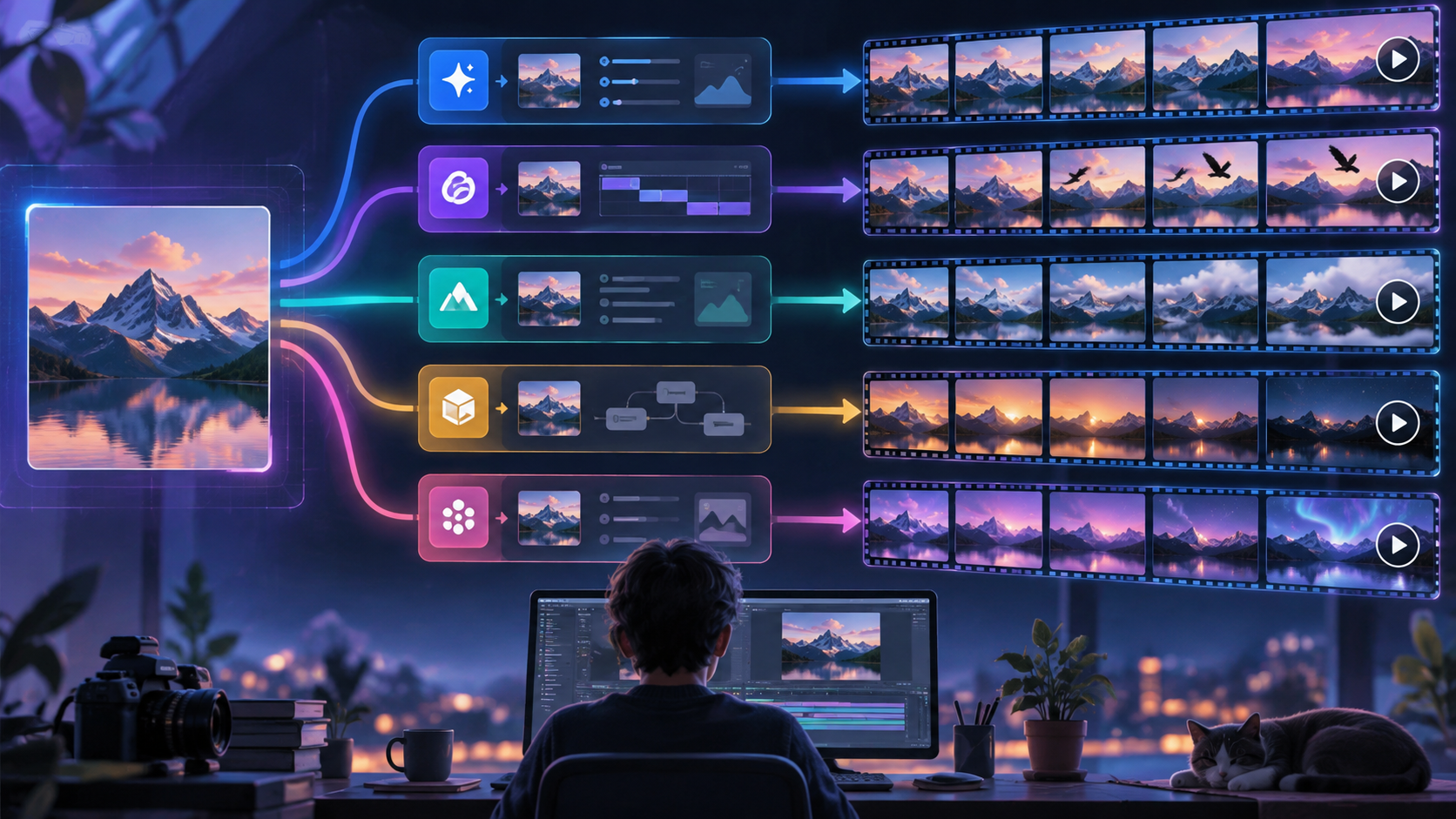
Creating motion from a single image used to mean opening an animation program, building keyframes, masking individual elements, and spending time learning a fairly technical workflow.
AI image-to-video tools have changed that process.
Today, a creator can start with a still image, describe how the scene should move, and generate a short video without manually animating every detail. The technology is useful for everything from social content and campaign concepts to presentation visuals, digital artwork, product imagery, and creative testing.
But not every image-to-video tool approaches the task in the same way.
Some platforms try to minimize friction. Others provide detailed control over camera movement and shot structure. Some are designed around playful visual effects, while others make the most sense as part of a larger professional creative environment.
For this comparison, we looked at five notable options—Vidou, Runway, Pika, Luma AI, and Adobe Firefly—from a practical workflow perspective.
The question is not simply which platform has the longest feature list. It is which one feels best suited to the way a particular creator actually works.
At a Glance
| Tool | Workflow Style | Strongest Area | Complexity | Best Match |
|---|---|---|---|---|
| Vidou.ai | Direct and focused | Simple image-to-video generation | Low | Everyday creators and marketers |
| Runway | Production-oriented | Detailed generative control | Medium to High | Filmmakers and advanced creators |
| Pika | Experimental | Effects and transformations | Medium | Social and creative experimentation |
| Luma AI | Advanced generative production | Keyframes and deeper video control | Medium to High | Experienced visual creators |
| Adobe Firefly | Ecosystem-based | Adobe creative workflow integration | Medium | Designers and Adobe users |
1. Vidou: A Direct Route From Image to Motion
Vidou takes a fairly focused approach to the image-to-video process.
Its image-to-video workflow centers on a source image and a written motion prompt rather than requiring users to first learn a large collection of production tools.
Starting the Workflow
The current interface supports common image formats including JPEG, PNG, and WebP.
After providing the source visual, the user describes the intended motion in natural language. That could mean asking for camera movement, motion within the subject, environmental effects, or subtle changes to the scene.
The process is conceptually simple: the image defines what the scene looks like, while the prompt helps define how that scene should move.
Creative Control
Vidou relies heavily on the prompt to shape the animation rather than exposing a long list of manual controls.
Its current interface displays a five-second duration option together with 480p, 720p, and 1080p choices.
This will not provide the same level of shot construction as a more advanced production platform, but it keeps the experience relatively uncluttered.
Where It Fits Best
The workflow makes sense for users who already have an image and mainly want to give it movement.
That could include a social-media graphic, product visual, presentation image, landscape, artwork, campaign concept, or other static asset that would benefit from a short animated version.
It is particularly approachable for users who care more about moving quickly from idea to generation than about controlling every production variable.
What to Keep in Mind
The current website contains differing information around login conditions, credits, and access across its pages, so users should check the latest product and pricing information rather than assuming that all features operate under identical conditions.
Advanced creators may also prefer a platform with more extensive shot-building and editing controls.
Workflow verdict: one of the more straightforward options for users who want to concentrate on the image and motion prompt rather than the surrounding production system.
2. Runway: More Control for More Demanding Shots
Runway approaches AI video from a broader production perspective.
Image-to-video is only one part of its generative-video environment, making it well suited to creators who expect to do more than simply animate a single visual.
Starting the Workflow
A source image acts as the first visual reference for the generated sequence.
The text prompt then focuses heavily on motion: what happens to the subject, how the camera behaves, how the environment changes, and how the shot progresses.
This separation between visual input and motion direction gives experienced users considerable room to experiment.
Creative Control
Runway’s biggest strength is its depth.
Current Gen-4.5 documentation includes several aspect ratios and video lengths ranging from two to ten seconds.
Prompts can also describe complex movement patterns, camera behavior, pacing, and other shot details.
That opens the door to more deliberate cinematic experimentation.
Where It Fits Best
Runway is particularly useful when image-to-video generation is part of a larger creative process.
A filmmaker might create several shots. An agency might test visual concepts for a campaign. A motion designer might explore different camera treatments from the same source artwork.
In those scenarios, the additional flexibility becomes valuable.
What to Keep in Mind
Greater control also creates a larger learning curve.
Users may spend more time learning prompt behavior, experimenting with different settings, and refining shots before they get the desired result.
Someone who only wants a quick five-second animation may not need that depth.
Workflow verdict: a strong choice for users who want to treat generative video as a production tool rather than a simple converter.
3. Pika: Built for Experimentation and Visual Play
Pika takes a noticeably different approach.
Rather than concentrating entirely on conventional image animation, it combines image-to-video generation with a range of effects and transformations that encourage creators to experiment.
Starting the Workflow
Users can begin with an existing image and turn it into a moving clip, similar to the other tools in this comparison.
From there, however, Pika offers additional possibilities for transforming scenes, changing visual elements, and producing more stylized outcomes.
Creative Control
Pika’s creative strength lies less in traditional shot construction and more in giving users different ways to manipulate visual content.
Its various features and models can support short-form video creation with different output conditions depending on the selected mode.
For users who enjoy testing strange ideas, dramatic transformations, or visually playful concepts, that variety can be a major advantage.
Where It Fits Best
Pika feels particularly well suited to social-first creators.
Short-form content often benefits from novelty, surprise, and visually unusual moments. A creator making clips for TikTok, Reels, Shorts, or other attention-driven environments may find those capabilities especially useful.
What to Keep in Mind
The broader selection of creative effects can make the platform feel less direct for a user who only wants natural motion from a still image.
Different models and features can also involve different settings and limitations, so there may be some trial and error.
Workflow verdict: a strong option for creators who treat AI video as a space for experimentation rather than only realistic animation.
4. Luma AI: More Production Depth for Advanced Creators
Luma AI is another platform that goes well beyond simple image animation.
Its current Ray tools support image-to-video generation alongside more sophisticated options for editing and controlling generated footage.
Starting the Workflow
The source image provides the visual foundation.
From there, prompts influence the motion and development of the scene, allowing users to move from a static frame into a generated sequence.
The basic workflow is familiar, but Luma’s value becomes clearer once creators start using the surrounding production features.
Creative Control
This is where Luma stands out.
Current Ray capabilities include areas such as keyframes, reframing, video extension, and editing.
Those tools can be valuable when a creator wants to shape a sequence more deliberately rather than simply accepting one generated clip.
Keyframe-oriented workflows, in particular, can provide a stronger sense of structure for users who already think in terms of shot progression.
Where It Fits Best
Luma is well suited to creators who want AI generation to become part of a broader video-production process.
Concept artists, visual designers, filmmakers, and experienced generative-video users may appreciate the ability to move beyond the first generation and continue shaping the result.
What to Keep in Mind
A deeper toolset naturally requires more experimentation.
The platform may therefore be more than necessary for somebody who simply wants to add movement to one image and move on.
Workflow verdict: best suited to creators who value advanced control and want room to develop a generated shot further.
5. Adobe Firefly: Image-to-Video Inside a Larger Creative Ecosystem
Adobe Firefly approaches AI video from another direction.
Its main advantage is not necessarily that it simplifies the image-to-video process more than every competitor. Instead, it connects generative capabilities with an ecosystem already familiar to many professional designers and creative teams.
Starting the Workflow
Firefly can use an image as the starting frame for a generated video.
In supported workflows, creators can also work with additional frame guidance to influence how the generated sequence develops.
This makes it possible to think about both where a clip starts and, in some cases, how it should progress.
Creative Control
Adobe provides useful camera-oriented controls, including movement such as zooming, panning, and tilting.
Those controls can be valuable for users who want to influence shot composition without relying entirely on text prompts.
The broader Firefly environment also provides access to multiple generative capabilities rather than treating video as an isolated feature.
Where It Fits Best
Firefly makes particular sense for designers, agencies, and content teams already working within Adobe products.
For those users, the generated footage can become another asset within a larger design, editing, or marketing workflow.
The surrounding ecosystem may therefore matter just as much as the generation itself.
What to Keep in Mind
Users who are not already invested in Adobe products may get less value from the ecosystem advantage.
The platform also involves its own plans, credits, model choices, and workflow options, which can make a simple image-animation task feel more extensive than necessary.
Workflow verdict: a logical option for creators who already work heavily within Adobe’s creative environment.
Which Tool Makes the Most Sense for Different Creators?
A useful way to choose between these platforms is to start with the workflow rather than the technology.
For Someone New to AI Video
A simpler interface can matter more than having access to every advanced feature.
This is where Vidou has an advantage. Its core image-to-video workflow stays close to the basic job: provide a visual, describe the movement, and generate the clip.
For Filmmakers and Creative Directors
Runway provides considerably more room to think in terms of shot direction.
Its detailed prompting and broader production environment make it better suited to creators who care about controlling camera behavior and scene development.
For Social-Media Experimentation
Pika is an obvious candidate when originality and visual surprise are more important than conventional filmmaking.
Its effects-driven approach can be useful for creating clips designed to stand out quickly in a feed.
For Advanced Generative Production
Luma’s deeper controls make sense when the first generated clip is only part of the workflow.
Creators interested in keyframes, reframing, extensions, and more sophisticated manipulation may find it particularly useful.
For Existing Adobe Workflows
Firefly fits naturally when the creator is already using Adobe tools.
In that context, AI-generated footage does not need to exist as a separate creative process; it can become one component of a wider design or editing workflow.
The Most Balanced Choice
There is no universal winner because these products are solving slightly different versions of the same problem.
Runway provides more production depth.
Pika offers more playful experimentation.
Luma brings advanced generative controls.
Adobe Firefly has the advantage of a broad creative ecosystem.
But if the starting requirement is simply, “I have an image and I want to turn it into a short video without learning a complicated system first,” Vidou.ai has a small overall advantage.
That does not mean it offers more advanced capabilities than every alternative. In several areas, it clearly does not.
Its strength is that the workflow remains centered on the core image-to-video task.
For many creators, marketers, small teams, educators, and casual users, that balance between simplicity and practical controls may be more useful than having the largest collection of production features.
The best approach is still to test several tools using the same starting image.
Keep the source image consistent, use a similar motion prompt, and compare how each platform interprets movement, camera direction, subject consistency, and atmosphere. That side-by-side test will usually tell you more than a feature checklist alone.
Final Thoughts
AI image-to-video creation is quickly becoming less about whether a still image can be animated and more about how much control the creator wants over the process.
Some users want speed.
Others want filmmaking controls.
Some want unusual effects.
Others need AI video to fit into an existing professional software environment.
That is why the five tools in this comparison can all make sense for different people.
For straightforward image animation, Vidou gets the narrow overall edge. For more advanced or specialized workflows, Runway, Pika, Luma AI, and Adobe Firefly each offer compelling reasons to choose differently.
The best tool is ultimately the one that gives you the right level of control without adding unnecessary friction to the way you already create.
Features, models, plans, credits, and access conditions can change. Check each platform’s current product information before making purchasing or workflow decisions.




Comment