
From Product Brief to Demo Video: A Practical Workflow with Seedance 3.0

A small software team can spend weeks explaining a product and still struggle to show why someone should care. A feature list describes what the software contains. A good demonstration gives those features a setting: an overflowing inbox, a missed handover, or a customer waiting for an answer. The challenge is making that setting visible without turning a simple launch into a full production project.
For teams exploring AI video, Seedance 3.0 offers a browser-based place to work with prompts and visual references. Its interface includes text-to-video, image-to-video, and multi-reference workflows. Those options make it worth considering for concept development, but a useful business video still starts with editorial decisions. Someone must decide what the viewer should understand, which details need to remain accurate, and what belongs outside the frame.
Start with the customer’s moment of frustration
Consider a hypothetical startup that helps independent repair shops organize service bookings. Its first instinct might be to show every dashboard and describe every feature. That approach asks a new viewer to understand the entire product before recognizing a reason to use it. A more focused opening could show a shop owner trying to match a handwritten appointment with a ringing phone.
The brief should explain that moment in plain language. Who is involved? What interrupts their work? What changes by the end? A thirty-second concept does not need a miniature company history. It needs one situation and a clear transition. Keeping the brief narrow also makes later review easier: a visually impressive shot that does not support the situation can be removed without much debate.
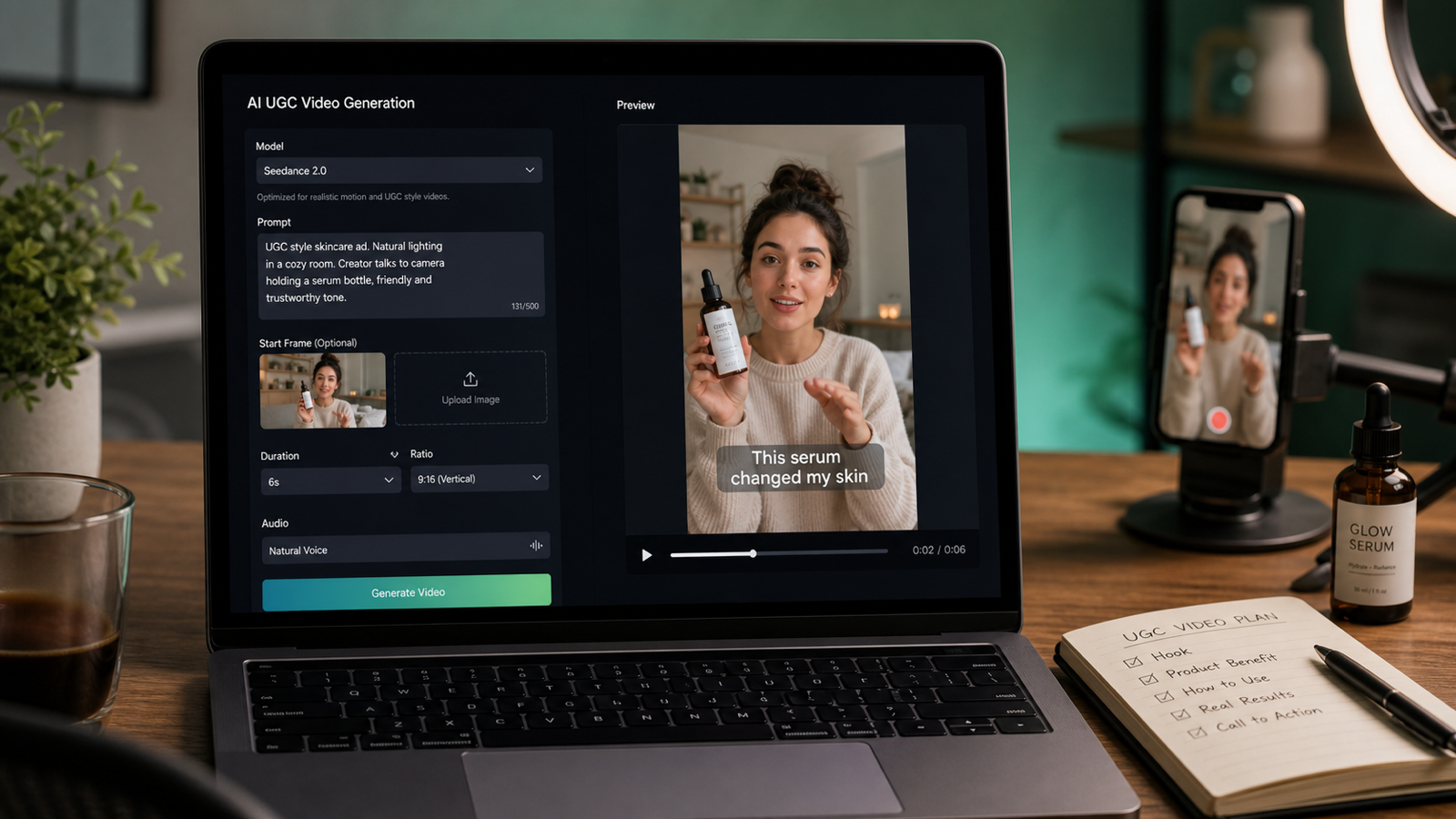
Concept illustration from the platform’s website, used to accompany the discussion of scene planning.
Separate illustrative scenes from product evidence
Generated footage and screen recordings have different jobs. An illustrative scene can establish a setting, communicate an emotion, or introduce a problem. A recording of the actual product can demonstrate where a user clicks and what happens next. Mixing these roles carelessly can leave viewers unsure whether they are seeing a real feature or an imagined interface.
When planning a demo with Seedance 3.0, reserve generated sequences for scenes that do not need to prove precise software behavior. Record the booking dashboard directly if the video promises to show how appointments are assigned. Add readable labels in the editing stage, where spelling, timing, and placement can be checked. This division gives the creative footage room to work while keeping the demonstration grounded in the product customers will actually encounter.
Build a small reference pack before generating
A useful reference pack is selective. For the repair-shop example, it might contain an approved image of the workspace, a color reference, and a simple sketch of the opening composition. More material is not automatically more helpful. Conflicting lighting, camera angles, or visual styles can make the intended result harder to describe.
The multi-reference workflow in Seedance 3.0 gives creators a way to supply different kinds of material alongside a written prompt. Explain the role of each reference instead of assuming the tool will infer it. One image might establish the room layout; another might communicate the lighting. If a reference is only meant to suggest a mood, say so. Check the available upload formats and limits in the selected generation mode before preparing a large pack.
Write a shot brief that another person could follow
Prompt writing becomes less mysterious when treated like a short production brief. Describe the subject, the action, the environment, and the camera movement. For example, a concept could call for a wide view of a tidy workshop, a technician noticing a new appointment, and a gentle move toward the desk. That is easier to evaluate than a request for something cinematic, innovative, and exciting.
With Seedance 3.0, begin with a modest scene and review the result before increasing complexity. If the first version misses the intended action, changing the location, wardrobe, lighting, and movement simultaneously will make it difficult to identify what helped. Keep the elements that work and revise one meaningful decision at a time. Treat the output as a candidate shot, not an automatic final cut.
Give continuity its own review pass
A sequence may look convincing one frame at a time while becoming distracting in motion. A prop can change shape, a sleeve can shift color, or the room can appear to rearrange itself between shots. For a business demo, those inconsistencies compete with the message the viewer is supposed to remember.
Reviewing a Seedance 3.0 sequence should therefore include a continuity pass separate from the first creative reaction. Watch the subject, background objects, and transitions. Then watch again for the intended story. A beautiful opening is not useful if the next shot seems to belong to another business. Shared references can support a consistent direction, but the finished sequence still needs someone to inspect it.
Finish the explanation in the edit
The assembly stage is where the demonstration becomes understandable. Place the illustrative opening beside a genuine screen recording, trim pauses, and make sure the change in visual style feels intentional. Narration should explain what the viewer cannot easily infer from the picture. Repeating every visible action usually adds length without adding meaning.
If audio is generated within Seedance 3.0, assess it as carefully as the visuals. Check whether speech is intelligible, whether background sound distracts from the explanation, and whether the chosen delivery suits the audience. Review captions on a phone-sized display and leave time for people to read them. Keep important product claims in text or narration that the team can verify and revise directly.
Judge the pilot by usefulness, not spectacle
A first pilot needs a practical definition of success. Ask a colleague unfamiliar with the draft to describe the customer’s problem and the product’s role after watching it. If that explanation is confused, the next change may belong in the script rather than the visuals. Track revision time and generation spending alongside the quality of the final edit.
For a small team, the strongest role for Seedance 3.0 is within a deliberate production workflow: establish the situation, prepare references, explore footage, and review the result against the brief. Keep the actual product demonstration accurate and the creative scenes clearly illustrative. The result does not have to resemble a major advertising campaign. It has to help a viewer understand one useful idea and remember why it matters.






Comment