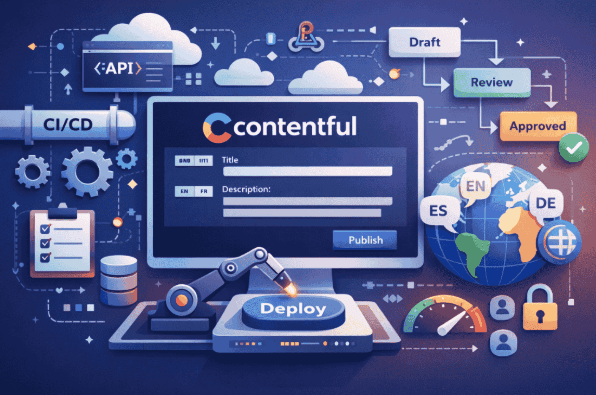
Modern enterprises manage large volumes of content across websites, apps, and digital platforms. Manual publishing processes often fail to scale, leading to delays and inconsistencies. To address this, organizations are adopting API-first CMS platforms like Contentful that enable structured content orchestration and automation. Its headless architecture allows centralized content creation and distribution across multiple front ends via APIs, removing the limitations of monolithic systems.
Automation also enhances consistency across regions, products, and languages. Contentful’s programmable interface makes it easier to integrate content workflows with development pipelines, enforce structure, and trigger automated actions. This article outlines best practices for building scalable automation in Contentful, from content modeling and CI/CD workflows to release strategies, triggers, and governance.
Architecting a Scalable Contentful Automation Framework
Effective automation starts with a solid content model and environment strategy. In Contentful, modular and reusable content types such as separate structures for articles, authors, and media enable flexible automation. Designing models to be consistent and future proof prevents complications as systems scale. Contentful’s support for up to 151 environments allows teams to isolate development, staging, and production changes safely. This setup ensures content structure changes are tested without impacting live data. Many enterprises choose to hire Contentful developers to configure environments, implement workflows, and script migrations efficiently. With the right foundation and technical expertise, teams can automate confidently while maintaining control and scalability.
Automating the Publishing Pipeline with CI/CD and Webhooks
Once the content model and environments are in place, the next step is automating the publishing pipeline. In a modern DevOps-oriented organization, content changes should flow through a pipeline similar to code changes. Contentful supports this through its APIs, CLI tools, and webhook system, which together enable CI/CD for content.
Continuous Integration for content changes
Treat your content model as code by versioning it and migrating it through environments. Contentful provides a CLI with a migration tool that allows developers to script changes to content types (for example, adding a new field or transforming data). These migration scripts can be checked into source control and run automatically during deployments. A typical pattern is to integrate Contentful migrations into your build process: when a new release is deployed, a CI job can programmatically create or update a Contentful environment, apply migrations, and run tests. If all tests pass, the environment can be promoted to production using an alias. Unlike in traditional CMS vs headless CMS systems, this approach allows automated, repeatable deployments with instant rollback capability, ensuring stability before changes reach live conten
Environment alias strategy for content releases: the “master” alias can be pointed to versioned environments (release-1, release-2, etc.) for risk-free deployments and instant rollbacks.
Using environment aliases in this way is a powerful release strategy for content. Instead of editing content types directly in production, developers modify them in a development or release environment, run automated tests, then switch the production alias to the new environment once everything is verified. This provides risk-free releases of content changes and the ability to roll back simply by changing the alias pointer (as illustrated above). Contentful’s enterprise plans support environment aliases and multiple staging environments to facilitate this level of control. By integrating these steps into your CI/CD pipeline (for example, using tools like CircleCI, GitHub Actions, or Jenkins), content migrations become an automated part of your deployment process, just like database migrations in software development. The result is a consistent, repeatable publishing pipeline where content model updates and large content changes move from development to live with minimal manual effort.
Webhook workflow triggers and integration
Beyond content model deployments, day-to-day content publishing events should also trigger automated workflows. Contentful’s webhook feature allows the system to call external endpoints whenever certain events occur (such as an entry being published, updated, or unpublished). This is the glue for content orchestration across systems. For example, when a new piece of content is published, a webhook can notify your front-end application to invalidate its cache or trigger a static site rebuild. Other common patterns include sending notifications to a Slack channel on content changes, or enqueueing a translation job when new content is created in a default language. Webhooks essentially act as workflow triggers that keep all parts of your digital ecosystem in sync with content updates.
A Contentful webhook can trigger external processes – for instance, publishing in the CMS could call a webhook that triggers a site rebuild, updating the live website content automatically.
By leveraging webhooks, you achieve real-time automation in your content workflow. The diagram above illustrates a simple case: an editor hits “Publish” in Contentful, which triggers a webhook, and x` an external service (such as a build server or cloud function) receives it and executes a task (rebuilding the site)【17†look】. This kind of integration ensures that content changes propagate immediately and correctly. As one expert notes, webhooks are Contentful’s secret sauce for automation – triggering actions like cache invalidation, CI/CD builds, or notifications whenever content changes. Setting up webhooks is straightforward in Contentful’s settings, and from there you can plug them into any system that can receive an HTTP request. Ensure that your webhook handlers are idempotent and secure (use secret tokens to validate requests) since they will be critical in the automation pipeline.
In summary, combining CI/CD practices for content schema changes with webhook-driven orchestration for content updates creates a robust automated pipeline. Every change, whether in content structure or content entry, goes through a controlled, scriptable process. This reduces manual work for developers and content managers alike, and significantly cuts down the time from content creation to publication in production.
Performance and Scalability Best Practices
Automation isn’t just about speed of publishing – it also plays a role in maintaining performance and scalability of your content delivery. Contentful’s cloud platform is built for high performance, but how you use it will determine the end-user experience. Here are some best practices to ensure your automated content workflows also deliver content efficiently to users.
Leverage CDN caching
Contentful delivers content through a global Content Delivery Network by default, caching content at edge servers around the world. This means that once content is published and fetched, subsequent requests are served quickly from a location near the user. To get the most out of this, design your front-end applications to take advantage of that caching. Use the Content Delivery API (CDA) endpoints (which are CDN-backed) for all read operations, rather than always hitting the Contentful preview API or Content Management API. Additionally, consider setting appropriate cache headers or using Contentful’s Advanced CDN caching options for fine-tuned control. By aligning your content automation with caching – for instance, automatically clearing or warming caches via webhooks when content updates – you can ensure fresh content is delivered with low latency.
Optimize API usage with GraphQL and selective queries
Extraneous data fetching can degrade performance, especially on mobile or low-bandwidth scenarios. Rather than retrieving entire content entries with fields you don’t need, make use of Contentful’s GraphQL API to request exactly the fields and relationships required for a given page or component. GraphQL allows consolidating multiple REST calls into a single query and avoids over-fetching. For example, if your page needs just a title and an image URL from an Article entry, a GraphQL query can fetch just those two fields. This reduces payload size and speeds up rendering. As a best practice, developers should prefer GraphQL for complex data views – it optimizes network requests and speeds up content loading by returning only what’s needed. In automated workflows, you might also include tests or monitors to detect if any API calls are fetching unusually large payloads, indicating a need to refine queries or content model design.
Asset and media management
Rich media assets (images, videos) are often the largest content elements, so optimizing them is crucial for performance. Contentful’s asset pipeline and Images API can be a great help here. Whenever possible, automate the optimization of images by specifying size, format, and quality parameters in the image URLs (Contentful can dynamically transform images on the fly). For instance, you can build an automation rule or simply enforce that every image URL uses format=WebP (when supported by the client) and a quality setting that balances fidelity and size. Additionally, adopt techniques like responsive images and lazy loading in your front-end. Contentful’s APIs make it easy to implement modern techniques such as Low-Quality Image Placeholders (LQIP) for a better perceived load time – a blurred preview can be delivered quickly while the full image loads. In practice, combining lazy loading with Contentful’s ability to generate LQIP images leads to significantly faster pages. You should also consider using video streaming platforms or lazy-loading if you manage large video files via Contentful, to avoid heavy initial loads.
Scaling with demand
Enterprise content systems must handle traffic spikes and growing content volume. Contentful’s infrastructure scales automatically on the backend, but your usage of it should be mindful. Avoid designing queries or workflows that fetch huge numbers of records unnecessarily. If you have an automated job (for example, a nightly process that checks or republishes content), use filters and pagination rather than pulling entire datasets into memory. Likewise, implement rate limiting and exponential backoff in any custom scripts that call Contentful APIs in bulk, so that you don’t overwhelm the API and get rate-limited. Monitoring is another aspect of performance – integrate Contentful’s monitoring (or use the Contentful Status API for service health) into your ops dashboards. An automated alert can inform the team if content publish times are slow or API responses are erroring, so you can proactively address issues.
In short, performance best practices in Contentful revolve around smart use of the platform’s features: global CDN caching, efficient querying (GraphQL), and media optimization. By incorporating these into your development and automation routines, you ensure that all the benefits of speedy content updates aren’t lost to slow delivery to end users.
Role-Based Permissions and Enterprise Content Governance
Automation in enterprise CMS systems must be matched with proper access controls. In Contentful, governance starts with clearly defined roles across the organization and within individual spaces. Teams should limit editing and publishing rights by environment. For example, contributors may have access only to staging, while production publishing is restricted to senior reviewers.
Environment-level roles support isolated workflows, especially when external vendors or regional teams are involved. Audit logs capture all changes for traceability, including automated actions, which is critical for compliance.
Workflows add structure by enforcing state transitions and approvals. A typical path might be Draft to Review to Publish, with rules to restrict publishing until approval is complete. These workflows can be configured to trigger notifications, enforce review, and block incomplete content from going live.
For coordinated content releases, especially involving multiple entries, Contentful’s Launch app enables scheduled or batch publishing. This helps teams align releases across content types without relying on manual steps.
Governance also includes automated validation. Use API scripts to check for missing metadata or flag outdated entries. Secure integrations by enforcing SSO, scoped access tokens, and environment-level permissions. Combined, these practices maintain operational control while allowing automation to function safely and predictably.
Multilingual Content Workflows and Localization Automation
Global content operations require structured handling of multiple locales. Contentful supports this through per-field localization within a single space or via separate spaces for regional autonomy. In single-space setups, each entry includes translations for defined locales. Automation can trigger translation tasks using webhooks and external services when source content changes. Once translations are complete, entries move to a publish-ready state.
For multi-space architectures, content can be synced across spaces using API scripts. This approach supports regional governance but requires consistent identifiers and syncing logic.
Quality control is essential. Use GraphQL queries to detect missing or outdated translations, and enforce automated re-translation when source content updates. Workflows can restrict publishing until all locales are reviewed.
Contentful’s APIs and CLI enable automation of these localization tasks, reducing manual work and maintaining consistency across regions. Proper modeling and integration planning ensure translation workflows remain predictable and maintainable at scale.
Summary
Content automation in Contentful relies on structured content models, environment separation, and integration with CI workflows. API usage and webhook triggers support consistent, automated publishing. Governance is enforced through role-based permissions and defined workflows. Performance depends on efficient use of the CDN, optimized queries, and proper asset handling. Localization should follow automated, trackable processes. Maintain all scripts and configurations in version control. Review automation logic regularly to prevent regressions. With clear implementation and documented workflows, teams can manage large-scale content systems with stability and precision.