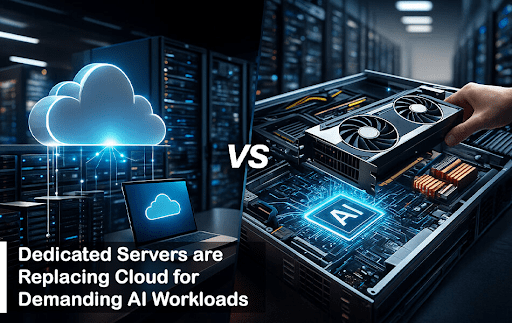
AI workloads are changing fast, and businesses are moving their most demanding AI tasks away from public cloud and back to dedicated servers. This shift is not about going backward; it is about getting better performance, lower costs, and more control.
The AI server market is growing at 34-38% annually through 2030. GPU-equipped servers jumped 91% year-over-year in Q4 2024, and 68% of IT leaders say AI is already reshaping how they build IT infrastructure.
This guide explains why dedicated servers are winning for AI workloads.
What’s Changed in AI Workloads?
AI used to be simple prediction models, but nowadays it means large language models, image generation, real-time video processing, and much more. These new workloads need massive computing power that runs constantly.
Here are three big changes that happened in AI workloads:
First, AI models got much larger.
Training a modern language model requires enormous GPU power. Llama 3.1 was trained on over 15 trillion tokens using a custom GPU cluster with 40 million GPU hours total. Running this training on the cloud would cost an enormous amount; companies building serious AI systems face six-figure to seven-figure training bills for a single model.
Second, companies started using AI all the time.
AI is no longer just occasional batch jobs. It now runs 24/7 in customer service chatbots, fraud detection systems, and recommendation engines. When workloads run constantly, the cloud’s pay-per-hour model becomes increasingly expensive.
Third, specialized hardware such as NVIDIA H100 and A100 GPUs for AI became standard. But cloud providers charge premium prices for these GPUs. For a typical AI server with 8 H100s, monthly cloud costs range from $131,712 to $490,176, while a rented dedicated server with the same hardware costs around $4,200-$5,000 monthly.
Why Cloud Alone Is Not Enough for AI Anymore?
Public cloud was built for flexible, variable workloads, not for huge, constant GPU jobs that run 24/7. For AI workloads, the cloud alone has significant limitations.
Higher Long-Term Costs:
Cloud looks cheap at first because you pay by the hour and can turn resources off at any time. But if your GPUs run 24/7, the long-term cost becomes dramatically different.
A typical 8x H100 GPU setup cost approximately $250,000 to purchase. Over five years of 24/7 operation (43,800 hours), the cost comparison is striking:
- Cloud on-demand: $1.6+ million over five years.
- Cloud with 1-year reserved: $1.3+ million over five years.
- Cloud with 3-year reserved: $940,000-$1.1 million over five years.
- Dedicated server rental: $250,000-$300,000 over five years.
This means dedicated servers save approximately 60-75% compared to cloud on-demand pricing, and even beat discounted cloud options significantly.
Resource Availability and Quotas:
Many teams hit hard limits such as GPU quotas, busy regions, noisy neighbors, and surprise bills when long training runs or high-throughput inference stay online month after month. Cloud providers limit GPU access through quota systems that restrict how many GPUs you can rent at once, especially for large clusters.
At the same time, AI chips like H100, A100, and similar accelerators are in such high demand that cloud providers cannot always guarantee capacity when you need it, especially for large clusters. Dedicated hosting providers, by contrast, guarantee access once you rent capacity.
Limited Control Over Hardware:
Cloud forces you into specific configurations. You cannot customize CPU-GPU ratios for your specific model architecture. You cannot upgrade components or optimize the system for your workload. You have limited ability to control exactly what runs on your hardware.
Hidden Costs Add Up:
Beyond hourly GPU rates, cloud charges add up quickly:
- Data egress: $0.09/GB for traffic leaving the data center.
- Storage: $0.018-0.023 per GB monthly.
- API calls and ingestion fees.
- Premium pricing for specific regions.
- Multi-account complexity and compliance overhead.
For a company training on terabytes of data, these hidden fees easily add $5,000-$15,000 monthly on top of GPU costs.
Why are Dedicated Servers Faster and More Stable for AI Workloads?
High-performance dedicated servers give you full access to the CPU, GPU, RAM, and NVMe storage with no hypervisor layer in the way. This removes the virtualization overhead and cross-tenant noise that can slow down deep learning training, multi-GPU jobs, and real-time inference.
Benchmarks and field reports show that dedicated servers often bring higher GPU utilization and more stable throughput than similar cloud VM setups for heavy AI workloads.
With Dedicated Servers, you gain:
Consistent training speed for long runs. No virtualization layer means GPUs run at full speed. Your eight-hour training job takes the same time every run, not sometimes faster and sometimes slower based on what other customers are using.
Lower and more stable latency for live inference APIs. When customers call your AI API, responses come back predictably fast. No shared infrastructure means no surprise delays from neighboring workloads.
Better scaling across many GPUs when using fast interconnects. Multi-GPU training with InfiniBand networking reaches full efficiency on dedicated servers. On cloud, hidden network overhead reduces performance by 10-20%.
For use cases like LLM training, vector search, recommendation engines, and real-time fraud detection, this kind of predictable performance is often more important than elastic scale.
When Dedicated Servers Beat Cloud TCO?
Cloud looks cheap at first, but it gets expensive quickly for steady workloads. Several total costs of ownership (TCO) studies show that running high-end GPUs in the cloud for years can cost two to three times more than renting dedicated servers, even after adding power, cooling, and staff.
Teams report that moving constant training and inference from generic cloud to dedicated hardware cuts multi-year AI infrastructure spend by 40-70%.
Dedicated servers also avoid some hidden costs like high data egress fees and complex multi-account discounts.
Here is when the math clearly favors dedicated:
If you run your AI workload more than 6-8 hours per day continuously, dedicated servers become cheaper than cloud on-demand pricing within the first year. For 24/7 operations, this advantage grows dramatically.
Using realistic pricing:
- Cloud on-demand per hour for 8x H100s: ~$31.20
- Dedicated server monthly cost: ~$4,500 (roughly $6.16/hour)
After that initial period, you save money every single month. Over three years, the savings exceed $1.2 million for a single server.
Why Dedicated AI Servers Win for Data Control and Security?
Modern AI systems do not just run code; they hold valuable models, training data, embeddings, and user signals. Many companies want strict control over where this data lives and who can access the hardware.
Dedicated servers give full hardware isolation and allow custom security policies that can be hard to enforce in a large, multi-tenant public cloud.
Benefits include:
Full control over OS, firmware, drivers, and patches. You decide exactly what software runs on your hardware. There are no surprise updates from a cloud provider that might affect your workload.
Easier compliance with rules in finance, health, and government sectors. HIPAA-compliant AI for healthcare, GDPR-compliant data storage for Europe, and SOC 2 certification for financial services become straightforward. Healthcare companies using dedicated servers for medical imaging AI maintain compliance more easily by controlling physical access and implementing custom encryption at the hardware level.
Ability to keep data and models in specific regions for digital sovereignty laws. Some countries require data to stay within their borders. Dedicated servers in those countries guarantee compliance without regulatory risk.
This is especially important as more regulators focus on AI data flows, model training sources, and where inference runs.
Why Low‑Latency Edge AI Still Needs Dedicated Servers?
Some AI workloads simply cannot tolerate variable latency. Things like ad auctions, trading systems, industrial robots, and real-time personalization need sub-10 ms response times and tight jitter control.
Dedicated servers placed close to users or data sources can deliver this consistently because you are not sharing CPU, GPU, or network links with unknown neighbors.
Cloud can still help for backup, overflow, and global coverage, but the best choice is moving to dedicated hardware for these latency-sensitive systems.
The Role of Modern Hosting Providers in AI Workloads
Not all hosting companies are the same in AI infrastructure; some are optimized for small and basic apps and websites, while others are optimized for high-performance servers that are best for high-compute AI workloads.
Providers focused on modern AI-driven use cases offer real benefits such as:
– Data centers are in strategic locations close to major user bases and cloud interconnect points.
– Access to powerful CPUs and GPUs with the latest technology immediately available.
– High bandwidth networking that supports multi-node training and real-time inference at scale.
– Strong security and compliance standards for regulated industries and sensitive data.
– Support teams that understand performance tuning and scaling. These teams help with CUDA optimization, multi-node training setup, and troubleshooting, expertise that general cloud providers typically do not have time to provide.
One example is Perlod Hosting, which focuses on high-performance hosting solutions tailored for demanding AI workloads.
By combining carefully chosen hardware with strong network connectivity and expert support, platforms like this help organizations make a smooth and efficient transition to dedicated infrastructure.
Hybrid AI Infrastructure
Hybrid AI infrastructure lets teams stop thinking in terms of cloud versus dedicated and instead place each workload where it runs best.
In a hybrid model, teams might:
Keep experimental, bursty, or low-priority workloads in the cloud. Use cloud for rapid prototyping, model testing, and variable workloads where you need instant global scale and do not mind variable performance.
Run production-critical, compute-heavy, or always-on AI services on dedicated servers. These workloads run constantly and have predictable resource needs, making dedicated infrastructure ideal for cost and performance.
Use cloud storage for certain data while maintaining local high-speed storage for hot datasets. Some data needs to stay cold and accessible globally (cloud storage). Your active training data benefits from dedicated high-speed NVMe storage that does not slow down your training pipelines.
This approach balances flexibility with efficiency. The cloud remains a powerful tool for innovation, while dedicated servers provide a stable and cost-effective backbone for core AI operations.
A well-chosen dedicated server hosting setup becomes the main component of this hybrid model, which handles the most demanding workloads with predictable performance.
Practical Considerations When Moving to Dedicated Servers
For teams considering the shift from fully cloud-based setups to dedicated servers, a few practical questions usually come up.
How Hard Is Migration?
Migration does not have to be painful, but it does require planning. Most modern AI stacks based on containers, orchestration tools, and standard frameworks can be moved to dedicated infrastructure with careful testing.
Key steps include:
- Benchmark your current workloads. Measure how much GPU and CPU you actually need, not what you are provisioned for.
- Choose server configurations that match or exceed current performance. Get detailed specs from hosting providers.
- Plan data synchronization and cutover. Moving TB-scale datasets takes time; plan for days, not hours. Most companies spend 4-8 weeks on full migration from planning through production deployment.
- Set up staging environments before switching to production. Run parallel testing for at least 2-4 weeks to catch issues before they hit production.
- Run initial tests with non-critical workloads to build confidence before moving important services.
What About Reliability and Uptime?
Professional dedicated hosting providers operate data centers with redundant power, networking, and cooling. Also, many offer service level agreements that guarantee high uptime.
From a reliability perspective, dedicated servers managed by a capable provider can match or even exceed the stability of public cloud environments, especially when they are designed with redundancy in mind.
Enterprise-grade data centers report 99.982% uptime (equivalent to 1.6 hours of downtime per year), which exceeds most cloud SLAs.
Key reliability features include:
- Redundant power supplies and UPS backup systems.
- Failover networking with multiple carriers.
- Automatic monitoring and rapid response to hardware failures.
- Backup and disaster recovery options are available.
How Do We Keep the Setup Secure?
Security on dedicated servers is a shared responsibility. The provider secures the physical infrastructure and core network, while your team configures firewalls, access control, monitoring, and application-level protections.
Tools such as VPNs, zero trust access models, strict SSH policies, and centralized logging can be implemented just as effectively on dedicated machines as in the cloud.
In fact, many organizations find dedicated servers actually easier to secure because you control every layer without hidden multi-tenant complexity.
The Future of AI Infrastructure
As AI continues to spread into every industry, infrastructure decisions will play a bigger role in competitiveness. The organizations that succeed will be those that:
Understand their workloads deeply. Know exactly what compute you need and when, rather than defaulting to the cloud for everything.
Use cloud resources strategically instead of by default. Keep cloud for experiments, bursts, and short-term needs where its flexibility matters.
Invest in high-performance environments for their most important AI services. Core AI operations deserve infrastructure optimized for performance and cost.
Now that AI is becoming the core engine of many products, companies are realizing that long-term success needs a stable and solid foundation.
High-performance dedicated servers, supported by specialized hosting providers, are becoming that foundation.
Conclusion
The way AI infrastructure is built is changing fast. Public cloud made it easy to get started, but the next phase is about running AI in a way that is faster, more stable, and easier to afford over the long term.
For many AI workloads that run all the time and use a lot of computes, high-performance dedicated servers give more consistent speed, tighter control, and dramatically better cost over time. This is especially useful when teams need to optimize hardware, meet strict compliance rules, or avoid noisy neighbors in shared cloud environments.
By teaming up with hosting providers that focus on advanced AI-ready infrastructure and thinking carefully about where each workload should live, companies can build a smart hybrid setup.
The cloud stays great for experiments and bursty tasks, while dedicated servers handle the critical, heavy workloads where they clearly win.
In this new setup, dedicated server hosting is not just a backup plan or a cloud replacement. It is becoming a core building block of serious, long-term AI infrastructure.