Managing multiple Instagram accounts is a coordination problem as much as a device problem. An agency may need separate workspaces for several clients, approved campaign media available to different operators, and a clear process for publishing, reviewing posts and handling messages.
Cloud phones let teams access mobile environments remotely. Some services supply hosted Android instances; others rent physical Android phones or iPhones. The useful choice depends on the app workflow, team controls, media transfer and total cost—not simply the number of devices available.
Publisher disclosure: This guide is published by DroidDesk, a provider of remote access to physical Android phones. DroidDesk appears first because we recommend our real-device model for Instagram work that specifically requires a physical Android handset. This is a commercial interest, not an independently measured overall ranking.
Method: We compared nine providers using the same six dimensions: device type, browser access, file transfer, team features, billing model and practical limitations. Information was checked against official product pages and documentation on 6 October 2026. No live Instagram publishing test or hands-on performance benchmark was conducted. The recommendations describe suitability for particular workflows; this is not a scored performance ranking.
What Is an Android Cloud Phone?
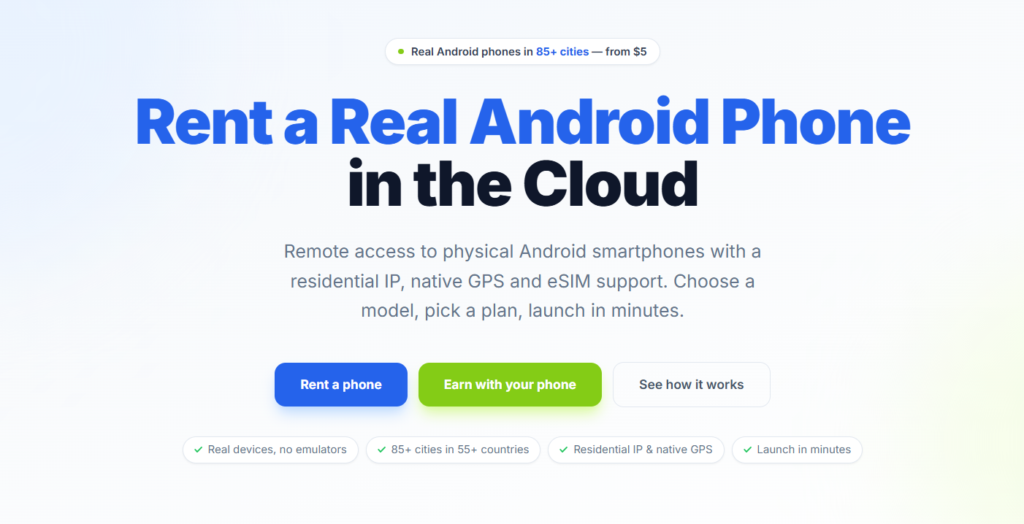
An Android cloud phone is a remotely hosted Android environment that you control through a supported app or browser. Instagram runs on that environment while the operator uses another device to view and control it.
A remote physical-phone service offers a different architecture: an actual handset is rented and controlled online. Both models can give a team a dedicated mobile workspace, but they do not provide identical hardware, permissions or cost structures.
A phone farm is a fleet of mobile devices managed together. Physical phone farms require handsets and maintenance; hosted fleets reduce local hardware requirements. For Instagram, the real question is whether a fleet improves client separation and staff handoffs compared with the account tools already available.
Practical Comparison of Nine Providers
| Provider / sources | Device type | Browser access | File transfer | Team features | Billing model | Limitations |
| DroidDesk [1–4] | Physical Android | Browser control; RustDesk also available | Web upload/download; one file at a time, 50 MB maximum | Remote handoffs; granular roles NV | Duration rental; monthly full-access arrangements | Inventory-dependent; no automated social-account orchestration |
| GeeLark [5–7] | Hosted Android | Browser access described in provider materials | Computer-to-phone uploads documented | Groups and assigned device permissions | Profile plan plus runtime or monthly rental | Plan and runtime charges must both be budgeted |
| MoreLogin [8] | ARM-based Android | NV; desktop client documented | Bulk media upload; API file operations | Assigned/revocable permissions; synchronization | Usage-based or monthly | Browser-only operation NV; networking adds to cost |
| BitCloudPhone [9] | Hosted Android | NV; Windows/Mac workflows documented | API file upload documented | Sub-account permissions; profile sharing | Profiles plus computing/runtime; networking required | Multiple cost components; native camera workflow untested |
| Redfinger [10–12] | Hosted Android | Web client documented | Local upload documented in app guide | Delegated authorization; business batch controls | Device subscription; duration/configuration dependent | Upload interface varies; Instagram publishing untested |
| LDCloud [13–14] | Hosted Android | NV in reviewed sources | File/APK import documented | Synchronization; granular roles NV | Device tier and rental duration | Gaming-led; agency permissions unresolved |
| VMOS Cloud [15] | Hosted Android | NV in reviewed sources | Specific media-transfer method NV | Team Hub; authorized team access | Device subscription; 30-day plan described | FAQ says data deleted after subscription ends |
| DuoPlus [16–19] | Hosted Android | PC/mobile browser control documented | File upload documented | Member and device-permission management | Phone fee plus temporary/subscription startup | Shared subscription startup: one phone at a time |
| iRemotech [20–21] | Physical iPhone | Browser control NV; remote/API access documented | Device API upload documented | Roles; session recording; activity logs | Per-iPhone monthly; connectivity extras | iOS only; direct browser publishing untested |
Documented means confirmed in a public provider source, not tested by us. NV means not verified in the reviewed sources; it does not mean the feature is absent. Tables describe the interface or method explicitly documented, so an API upload or app-based upload is not automatically a browser upload.
DroidDesk — Our Recommendation for Physical Android Workspaces
DroidDesk is useful when the account-management process needs the native Instagram app on an actual Android handset. An operator can work remotely on a dedicated client phone instead of keeping that client’s media and login state on a personal device. Its social-media documentation explicitly covers separate client environments, account operations and publishing checks. [1]
The difference from a hosted Android instance is the physical phone. That is a reason to choose DroidDesk when real Android hardware is a requirement; it is not evidence that DroidDesk produces better Instagram reach or faster publishing than competing services.
The web app documents browser control and upload/download through its Files section. File transfer must be enabled on the phone. The documented web limit is one file at a time, with a maximum size of 50 MB—an important constraint for video-heavy teams. [2]
DroidDesk is less suitable when the main requirement is automated orchestration of hundreds of social accounts. Its own social-media page distinguishes individual device access from automated fleet orchestration. Granular team permissions were not verified in the reviewed documentation, so administrators should establish a controlled handoff process. [1]
Which DroidDesk Rental Plan Fits Instagram Work?
Short-plan access and add-ons come from the plan guide. The current pricing page lists a 1 Month plan from $200 per device, with access equivalent to the weekly plan. Actual price depends on the selected device and location; check availability at checkout. [3–4]
For ongoing Instagram work, consider the 1 Month plan after a successful pilot. Before booking, confirm device availability, renewal terms and how app data is handled at the end of a rental. These details matter for client continuity.
| Plan | Documented access | Suitable use |
| 1 Hour / 3 Hours | Base plans focus on browser access. A Full Access add-on is advertised for 3 Hours. | Browser checks; not the default choice for installing Instagram |
| 1 Day | Google Play installation; broader settings/APK access needs the relevant add-on | Short app-based pilot or an approved publishing session |
| 1 Week | Full access, Google Play, settings and compatible-device eSIM options | A campaign pilot needing repeat access |
| 1 Month / monthly rental | 1 Month from $200 per device; full access, price varies by device and location | Ongoing client work where a monthly device arrangement is appropriate |
Browse available Android devices
A Source-Supported Instagram Publishing Walkthrough
The following process combines DroidDesk’s documented device, app-access and file-transfer functions with a normal Instagram publishing task. It is a practical walkthrough to validate on the rented device, not a report of a completed live publishing test. [1–3]
- Choose an available Android phone and a plan with Google Play installation. For recurring work, discuss the monthly device arrangement before committing.
- Open the rented device page and connect through the web app. Install or open the official Instagram app, then sign in to an account you own or are authorized to manage.
- Open Files and transfer an approved image or video to the phone. For web transfer, keep each file within 50 MB and send files individually.
- Check that the media is visible in Instagram’s media picker. Preview the crop, playback and audio before adding the approved caption and account-specific details.
- Publish through Instagram’s app, then inspect the resulting post and record its URL or screenshot for the approval trail.
- Test the next operator’s access and verify whether the app state and media remain available when the session reconnects. Resolve this before expanding to additional client phones.
The DroidDesk virtual camera described in the web guide is limited to DroidDesk Browser; it does not replace the camera in other Android apps. Do not assume that feature supplies Instagram’s native camera. [2]
GeeLark — For Organized Social Media Device Fleets
GeeLark combines hosted Android environments with device grouping, permissions and social-media workflows, including Instagram. It documents transferring files from a computer to the phone. [5–6]
Compared with renting individual physical handsets, its management tools are a reason to shortlist it when centralized client-device organization matters more than physical hardware. Costs include the profile plan and the chosen usage-time or monthly-rental arrangement. [7]
Recommended fit: agencies evaluating a hosted Android fleet with assigned access. The complete Instagram publishing and approval process still needs a pilot.
MoreLogin — For Permissions and Bulk Media Distribution
MoreLogin documents ARM-based Android environments, assignable device permissions, bulk media uploads, synchronization and API access. It offers usage-based and monthly billing. [8]
Its comparative strength on paper is administration: device access can be assigned or revoked, and approved assets can be distributed centrally. That makes it worth considering when staff changes and client handoffs create operational work.
Recommended fit: teams prioritizing permissions and bulk file handling. Browser-only phone control was not verified, so include the documented client workflow in the evaluation.
BitCloudPhone — For Teams Already Using BitBrowser
BitCloudPhone documents Android app installation, sub-account permissions, profile sharing and API file uploads. Its product page separates phone profiles, computing resources and networking requirements. [9]
The reason to consider it is workflow alignment with BitBrowser and centralized mobile-device operations. Its billing components deserve more attention than a single advertised profile price.
Recommended fit: businesses combining browser and mobile account work. Native Instagram camera functions and publishing quality were not tested, and a browser-only control workflow was not verified.
Redfinger — For Persistent Android Access and Delegation
Redfinger documents a web client, local file uploads and delegated device access. Business materials also describe persistent cloud operation and batch management. [10–12]
This combination supports evaluation by teams wanting ongoing Android access with the ability to authorize another operator. The reviewed file-transfer tutorial uses an app interface, so upload steps should not be assumed identical in the web client.
Recommended fit: persistent Android workspaces and delegated access. Current client differences, media limits and actual Instagram publishing results remain pilot questions.
LDCloud — For General Android Workspaces
LDCloud documents Android app downloads, file/APK import, multiple-device use and synchronization. Its plans vary by device tier and duration. The product remains strongly oriented toward gaming, with additional marketing and office use cases. [13–14]
Recommended fit: teams wanting a general Android workspace that can be evaluated for Instagram. Granular agency permissions and browser-based phone control were not verified in the reviewed sources.
Choose it because the required workflow works in a pilot, rather than because synchronized operation alone appears suitable for an agency.
VMOS Cloud — For Hosted Android with Team Access
VMOS Cloud’s official site identifies Instagram among supported social-app use cases and describes authorized access through its Team Hub. Its FAQ describes a 30-day subscription and states that data is deleted once the subscription ends. [15]
Recommended fit: teams evaluating separate hosted Android workspaces with shared administration. Retention is a material consideration: keep source media outside the cloud phone and confirm renewal handling.
The specific media-upload mechanism and direct browser-control workflow were not verified in the reviewed sources. Those remain unresolved requirements for a publishing team.
DuoPlus — For Browser-Based Android Team Work
DuoPlus documents access through PC and mobile browsers, file upload and team management. Its fees have two components: the cloud phone itself and startup computing, supplied temporarily or through a subscription. [16–19]
That makes it worth comparing when browser access and device-level team controls matter. Its subscription-startup documentation says multiple phones can share a subscription startup resource, but only one can use it at a time. [19]
Recommended fit: teams wanting browser-accessible Android devices. Budget for the concurrency the team needs, rather than counting only purchased phone profiles.
iRemotech — For Native iOS Requirements
iRemotech provides physical iPhones and documents role-based access, session recording and activity logs. Billing is per iPhone per month, with additional connectivity options. Its Device API supports remote control and file upload. [20–21]
Recommended fit: a team with a defined requirement for the iOS version of Instagram or dedicated physical iPhones.
It is not an Android alternative for every workflow. The direct browser-control interface and full Instagram publishing process were not verified in this review, while API uploads are explicitly documented.
Specialized QA Tools: Where Genymotion Fits
Genymotion belongs in a separate development-and-testing category. Its virtual Android devices are useful for testing software and reproducing compatibility issues, rather than serving as a primary recommendation for day-to-day Instagram publishing. It is not included in the nine-provider comparison. [22]
How to Make the Final Choice
Use the same small publishing task across shortlisted providers: transfer one approved image and one representative video, publish through the official app, review the result, reconnect and hand off to another operator.
Evaluate four outcomes: can the team complete the task, can administrators control access, does the workspace retain the required data, and what does the real monthly workload cost? Record unresolved features instead of assigning optimistic scores.
For physical Android requirements, DroidDesk is our publisher recommendation. For hosted Android administration, compare GeeLark, MoreLogin, BitCloudPhone and DuoPlus against the relevant table entries. Redfinger, LDCloud and VMOS Cloud remain other hosted options; iRemotech addresses physical iOS needs.
A cloud phone is infrastructure. It does not guarantee reach, account approval or protection from restrictions. A dedicated device per client can improve organization, but is not a universal requirement for every Instagram account.
Frequently Asked Questions
What is an Android cloud phone?
It is an Android environment accessed remotely through a supported client or browser. A remote physical Android rental is a related service that connects you to an actual handset.
Can cloud phones replace physical phone farms?
They can remove local charging and hardware maintenance. Hosted Android is not equivalent to a physical handset when a workflow specifically requires real phone hardware.
Why does DroidDesk appear first?
DroidDesk publishes this guide and recommends its own physical Android rental model for that specific requirement. The order does not represent independent performance scores.
Is the DroidDesk Instagram walkthrough tested?
It is supported by public documentation for device access, app installation and file transfer. A live Instagram post was not published as part of this review.
Is a 1 Month rental appropriate for an agency?
Yes, after a pilot confirms the workflow. The published 1 Month plan starts at $200 per device and includes full access; price varies by device and location. Confirm availability, renewal and data handling before booking.
Do cloud phones improve Instagram reach automatically?
No. They support device and workflow management; they do not guarantee content distribution, audience growth or account outcomes.
Official Sources
Source numbers identify the provider materials behind the comparison. Public documentation establishes advertised functionality; it does not constitute a live service test. Accessed 6 October 2026.
- DroidDesk social media workflows
- DroidDesk web app: browser control and file transfer
- DroidDesk rental plans and app access
- DroidDesk pricing, 1 Month plan and device catalog
- GeeLark cloud phone and team features
- GeeLark file upload and cloud phone explanation
- GeeLark billing
- MoreLogin cloud phone features and billing
- BitCloudPhone features, API file upload and billing
- Redfinger file transfer
- Redfinger web access and delegated authorization
- Redfinger business features and subscription terms
- LDCloud Android, app installation and file import
- LDCloud rental durations
- VMOS Cloud Instagram support, Team Hub and subscription FAQ
- DuoPlus browser access and cloud phone features
- DuoPlus file upload
- DuoPlus team management
- DuoPlus billing components
- iRemotech physical iPhones, access controls and billing
- iRemotech file upload and remote control API
- Genymotion development and testing