
Buy Word as a One Time Purchase and Choose Standalone Apps

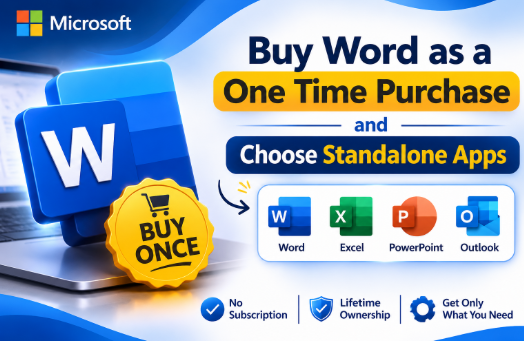
You open a document to make a small change and discover that the software on your new laptop is only a trial. The next screen offers a subscription, although all you really want is Word. Before paying, it helps to know that a recurring plan is not the only route.
You can buy Word separately. Microsoft also offers standalone Excel, while Office suites combine several applications in one purchase. The right choice depends on the files you work with, the computer you use and whether the licence covers your intended use.
This guide explains a Microsoft Word one time purchase, when separate applications make sense, and why a Microsoft lifetime offer needs a closer look. The aim is a purchase that fits your work without leaving important details to guesswork.
Can you buy Word without Microsoft 365
Yes. Microsoft confirms that standalone versions of Word and Excel are available for PC or Mac. Buying an individual application lets you choose the program you need without automatically buying an entire suite or taking out a Microsoft 365 subscription.
For someone writing letters, preparing reports or revising documents on one computer, that can be a straightforward arrangement. First, check whether you already have suitable access through an existing purchase, employer or educational institution. There is little value in paying twice for the same requirement.
If you decide to buy Word as a standalone app, Druino lists Word 2024 for Windows and Mac. Read the product details for the exact licence, device allowance and activation process. Druino is an independent reseller, not a Microsoft affiliate.
The phrase standalone describes buying an application separately. It does not mean you can ignore system requirements, install unlimited copies or use every connected service without separate access.
When an Excel standalone purchase makes sense
Word handles documents; Excel handles spreadsheets. That distinction sounds obvious, but it helps prevent an unnecessary purchase when the real problem is opening and editing a particular file type.
Suppose you already have an adequate document editor but regularly receive Excel workbooks from clients. An Excel standalone purchase may address that specific gap. Before ordering, identify any formulas, macros, add-ins or data connections those workbooks rely on and check compatibility with the edition and operating system you intend to use.
You can review Druino’s Excel standalone purchase option alongside its Word listing. Compare the combined cost with Microsoft Office 2024 options if you need both applications. Separate purchases offer flexibility, but they are not automatically the cheapest way to obtain several programs.
Make this comparison using actual work. A household budget, a stock workbook and a client’s reporting template may place quite different demands on the software. Ask for a sample file where possible, especially when another organisation controls the template.
What a Microsoft Word one time purchase includes
A one-time purchase involves an upfront payment for the specified product rather than a recurring subscription to that application. Read the full product name carefully: Word, Word Home and an Office suite are not interchangeable descriptions.
Microsoft’s UK listings distinguish Word from Word Home, with the latter marked for non-commercial use. If you prepare paid client work or business documents, confirm that the exact licence permits that use. Do not assume that every product labelled Word has identical terms.
Keep the scope of the purchase clear. Word alone does not include Excel simply because both are Microsoft applications. Likewise, purchasing a desktop application does not automatically provide the storage allowance or additional services advertised with a separate subscription plan.
Write down what you are buying before checkout. A useful record includes the product name, release, permitted use, computer allowance and total price. That record is easier to refer to later than a remembered promotional headline.
What Microsoft lifetime means when shopping
Microsoft lifetime is a phrase you may encounter in software listings. It is not a sufficiently precise product specification on its own. Ask which version is being licensed and what the seller means by lifetime before relying on the claim.
A perpetual licence and permanent product support are different things. The licence concerns your right to use the specified software under its terms. Support, updates, compatibility and future releases have their own conditions and timelines.
For Office 2024, Microsoft explains that a one-time purchase does not include an upgrade to the next major release. That matters if you expect every future version to arrive without another payment. Paying once for a release should not be confused with buying all future releases.
Ask practical questions instead of debating the label. What happens if the computer is replaced? Which account records the purchase? What support does the seller provide? Transfer and reinstallation rights depend on the applicable terms, so obtain a clear answer for the product you are considering.
Compare Word standalone with an Office suite
Start by listing the applications you actually need. If Word is the only missing program, a single application deserves consideration. If you need Word and Excel immediately, compare both individual purchases with an appropriate suite before deciding.
Microsoft lists Office Home 2024 as a one-time purchase containing Word, Excel, PowerPoint and OneNote for one PC or Mac. It is marked for non-commercial use. A business buyer should therefore compare products with suitable business rights, rather than choosing a home edition solely because it costs less.
There is also a timing question. Buying one application today and another shortly afterwards may cost more than choosing a suitable bundle at the start. On the other hand, paying for several programs you will never open adds little value.
Use a simple comparison on paper: required applications, permitted use, device allowance and total cost. Include VAT consistently. Leave room for any installation help or future replacement you expect to need. The cheapest headline is only one part of that comparison.
Desktop software and browser access are different choices
Microsoft offers free web versions of Word and Excel through a Microsoft account. These are worth considering for straightforward browser tasks. They are not the same purchase as a standalone desktop licence, and you should check whether they handle your specific documents adequately.
Try the tasks that matter before choosing. Open a representative document, review its layout and check how you would share it. For spreadsheets, review the calculations and any specialist workbook features your work depends on.
Internet access also deserves attention. Microsoft’s Office 2024 guidance allows offline work after installation and activation, but internet access is required for setup and updates. It also says periodic reactivation may be required. A one-time purchase should therefore not be interpreted as a promise that the device can remain disconnected indefinitely.
Check your computer and purchase records
Before ordering, check the supported operating system and the software already installed. A listing that mentions Windows and Mac still needs to be checked against your actual device and required features. Businesses should involve their administrator where installation is centrally managed.
Use the installation instructions that apply to your purchase channel. Microsoft’s guidance for product-key redemption explains that the account used during setup can be needed when reinstalling later. Keep that account information accessible and store the invoice safely.
For a business purchase, agree who owns the record and who can retrieve it. Avoid leaving essential purchase details solely in an employee’s personal inbox. That creates needless work when a laptop fails or someone changes jobs.
After installation, test an ordinary file from your workflow. Check saving, reopening and printing or exporting, then make sure your backup process covers the folders you use. A licence buys software access; it does not replace a sensible file-management routine.
Frequently asked questions
Can I buy Word on its own
Yes. Microsoft offers standalone Word for PC or Mac. Check the exact edition, device allowance and permitted use. Compare it with a suitable suite if you also expect to need Excel or other applications.
Is Microsoft Word one time purchase the same as Microsoft 365
No. A one-time purchase covers the specified product under its licence terms. Microsoft 365 is a subscription service with benefits that depend on the chosen plan. Compare the actual applications and services included.
Does Microsoft lifetime include every future version
Do not assume so. The phrase needs clarification from the seller. Microsoft states that Office 2024 one-time purchases do not include upgrades to the next major release, and product support is not unlimited.
Can I purchase Excel without buying Word
Yes. Excel is available separately. Check the edition against your workbooks, especially if you rely on specific add-ins or advanced features. Purchasing Excel alone does not give you a separate Word licence.
Should I choose Word Home for business work
Microsoft marks Word Home for non-commercial use. For business work, choose a product whose terms cover your intended activity. Confirm the specific licence before ordering rather than relying only on the application name.
Choose the product that fits your documents, budget and permitted use before placing an order.







Comment