In today’s digital era, productivity is deeply connected to how efficiently you manage your visuals, brand assets, and design workflows. Whether you’re a designer, marketer, business owner, freelancer, or part of a production team, one thing remains constant: the need for clean, scalable, and high-quality visuals. Logos, icons, illustrations, badges, stickers, and brand assets play a major role in communication — but preparing them manually can take hours.
This is where AIVector becomes a powerful productivity booster. Unlike general-purpose AI platforms, AIVector is not a content writing tool, SEO assistant, or multipurpose automation system. Instead, it focuses on doing one essential job extremely well:
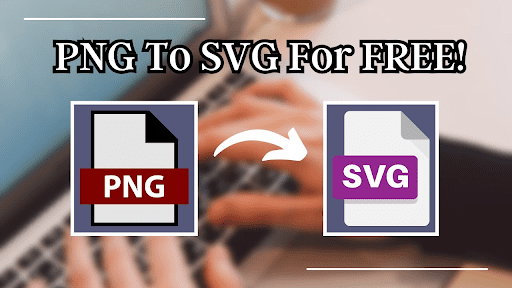
➡ Converting PNG or JPG images into crisp, editable SVG vector files with speed and precision.
If you want to enhance design workflows, save time, and eliminate manual tracing, mastering AIVector can significantly improve your daily productivity.
What Is AIVector and Why It Matters for Productivity
AIVector is an AI-powered vector conversion tool specifically built for turning raster images into clean SVG vectors. Raster images (like PNG or JPG) often lose clarity when enlarged — causing pixelation, distortion, or loss of quality. Vector files, on the other hand, scale infinitely without losing sharpness, making them essential for:
- Branding
- Print materials
- Web design
- UI/UX design
- Product packaging
- Digital illustrations
- Marketing assets
Traditionally, converting images to vectors required manual pen-tool tracing using complex software such as Illustrator. This could take anywhere from minutes to hours, depending on the complexity of the graphic.
AIVector solves this challenge instantly.
With its fast AI algorithm, it converts images into professional SVG files in just a few seconds, making it ideal for busy workflows where time is valuable.
Why productivity-focused users prefer AIVector:
✔ One-click PNG/JPG to SVG conversion
✔ Accurate outlines and clean shapes
✔ Time-saving for designers and agencies
✔ No need for complex software
✔ Beginner-friendly interface
✔ Basic AI cleanup to improve the final output
AIVector is designed to simplify work — not complicate it.
Key Features That Make AIVector a Productivity Booster
To maximize efficiency, it’s important to understand what AIVector does — and what it doesn’t do. AIVector is all about fast vector conversion, not writing or generating text.
Here are the core features that help users work smarter:
1. Fast and Accurate Vector Conversion
The heart of AIVector is its ability to convert PNG and JPG images into clean SVG vectors within seconds. This speed is a game-changer for:
- Graphic designers preparing brand assets
- Marketing teams handling tight deadlines
- Printing professionals needing scalable files
- Freelancers managing high-volume client work
By eliminating manual tracing, AIVector saves hours and ensures consistent quality.
2. Clean and Professional Vector Output
AIVector uses smart AI mapping to produce vectors that are:
- Smooth and precise
- Free from unnecessary noise
- Optimized for editing
- Ready for print or digital use
Designers often receive low-quality images from clients. AIVector helps turn them into clean vector versions suitable for:
- Logos
- Icons
- Stickers
- Illustrations
- UI assets
This ensures the final design looks professional at any size.
3. Basic AI Image Cleanup for Better Final Results
While AIVector is not a full image editor, it includes helpful AI-powered cleanup features to:
- Smooth rough edges
- Improve clarity
- Enhance shapes
- Reduce noise before conversion
This small but powerful enhancement can significantly improve the final SVG file, reducing the need for manual adjustments.
4. Simple, User-Friendly Interface for All Skill Levels
A major reason AIVector boosts productivity is its simplicity.
You don’t need design expertise or technical training.
The workflow is straightforward:
- Upload your PNG or JPG
- Click “Convert”
- Download the SVG
This makes AIVector a perfect tool for:
- Marketers
- Business owners
- Students
- Beginners
- Designers who want quick conversions
No complications — just instant results.
How to Use AIVector Effectively for Maximum Productivity
Using AIVector efficiently means understanding how to get the best possible vector outcomes with minimal effort. Below are practical strategies to help you integrate AIVector into your workflow.
1. Start with the Best Possible Image
High-quality inputs often produce the cleanest vectors.
For best results:
- Use images with strong outlines
- Avoid blurry or pixelated graphics
- Prefer solid colors over gradients
- Ensure the image is not overly complex
Better input = better SVG output.
2. Use AIVector for All Your Branding Assets
AIVector can instantly prepare vector versions of:
- Logos
- Icons
- App assets
- Stickers
- Team badges
- Promotional graphics
This ensures everything stays sharp across:
- Websites
- Mobile apps
- Print banners
- Social media
- Business cards
3. Integrate It Into Daily Workflows
Professionals often need scalable versions of assets for different tasks. AIVector helps by providing:
- Instant logo conversions
- Quick updates for brand materials
- Fast redesign support
- Print-ready vector files
Adding AIVector into your routine can streamline multiple projects.
4. Use AIVector for Client-Provisioned Assets
Many clients send:
- Low-resolution logos
- Screenshots
- Pixelated images
- Compressed graphics
AIVector converts them into usable vectors — saving designers from hours of manual cleanup.
Why AIVector Is Essential for Designers, Marketers & Businesses
AIVector helps professionals:
✔ Save time
✔ Reduce manual work
✔ Improve visual quality
✔ Maintain consistent branding
✔ Deliver scalable graphics instantly
✔ Avoid pixelation issues
✔ Handle high workloads easily
Whether you’re working independently or managing a team, AIVector makes your workflow faster and more reliable.
Final Thoughts
In a world where visuals shape digital identity, having fast access to clean, scalable SVG files is essential. AIVector makes this possible by offering accurate vector conversions with almost no effort. It removes unnecessary complexity, saves hours of manual work, and helps designers, marketers, and businesses maintain high-quality visuals across all platforms.
AIVector isn’t a writing tool or SEO tool — it specializes in vector conversion, and that focus is what makes it so powerful for productivity.
Brief Mention of Product B
If you also deal with text-based work, Sentence Rewriter is a separate tool that helps rephrase sentences and improve clarity. It works independently and complements workflows where text refinement is needed.