
Boost Organizational Productivity with SharePoint Intranet Templates and Examples

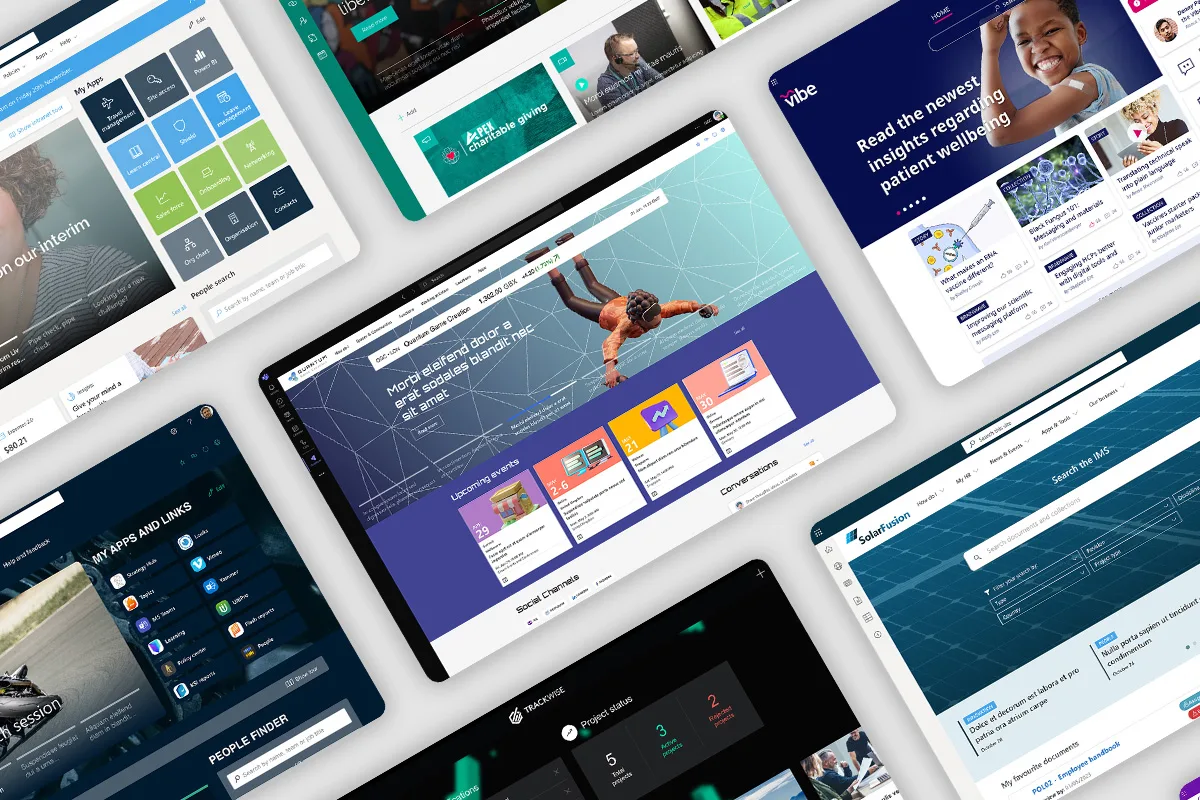
A well-structured intranet is the backbone of efficient internal communication, collaboration, and document management within an organization. Microsoft SharePoint is a leading platform for building intranets that streamline workflows, improve engagement, and enhance productivity. In this post, we will explore some real-world SharePoint intranet examples and templates to help you create a powerful digital workplace.
A well-designed SharePoint intranet transforms how organizations communicate, collaborate, and manage information. By leveraging the right template and aligning the intranet with business goals, companies can create a digital workplace that boosts productivity and engagement
Why Choose SharePoint for Your Intranet?
SharePoint provides a flexible, scalable, and customizable intranet solution, offering features such as:
- Seamless Integration with Microsoft 365 apps (Teams, OneDrive, Outlook, etc.)
- Document Management with version control and secure access
- Collaboration Tools like discussion boards, project tracking, and shared workspaces
- Customizable Templates for different business needs
- Robust Security & Compliance to protect sensitive data
SharePoint Intranet Examples
Here are some real-world SharePoint intranet Examples designed to cater to various organizational needs:
- Corporate Communication Hub
- Features: News updates, employee announcements, leadership blogs
- Best for: Large enterprises with multiple departments
- Example: A Fortune 500 company uses this model to enhance employee engagement and provide a centralized hub for company-wide information.
- HR & Employee Self-Service Portal
- Features: HR policies, onboarding guides, leave requests, benefits information
- Best for: Organizations aiming to digitize HR operations
- Example: A healthcare provider uses this intranet to streamline HR processes and enable self-service for employees.
- Project Management & Collaboration Site
- Features: Task management, document sharing, team calendars, discussion forums
- Best for: Teams managing multiple projects
- Example: A software development firm uses this type of intranet to enhance collaboration and track project milestones.
- Knowledge Management Portal
- Features: Wikis, FAQs, training resources, knowledge base
- Best for: Organizations focused on learning and development
- Example: An IT consulting firm leverages this intranet to centralize documentation and improve knowledge sharing across teams.
SharePoint Intranet Templates
Microsoft provides pre-built SharePoint templates that simplify intranet development. Some of the most popular ones include:
- Communication Site Template
- Purpose: Ideal for sharing news, events, and organization-wide updates
- Best for: Corporate intranets, company-wide communication
- Team Site Template
- Purpose: Enhances collaboration with shared document libraries and task lists
- Best for: Project teams, cross-functional groups
- Department Site Template
- Purpose: Provides a space for department-specific content, documents, and workflows
- Best for: HR, Finance, IT, and Marketing teams
- Employee Onboarding Template
- Purpose: Helps new hires access key resources, contacts, and training materials
- Best for: HR teams managing employee onboarding
Final Thoughts
A well-designed SharePoint intranet transforms how organizations communicate, collaborate, and manage information. By leveraging the right template and aligning the intranet with business goals, companies can create a digital workplace that boosts productivity and engagement. Microsoft SharePoint is a leading platform for building intranets that streamline workflows, improve engagement, and enhance productivity. In this post, we will explore some real-world SharePoint intranet examples and templates to help you create a powerful digital workplace.
Looking to implement a SharePoint intranet? Explore templates or consult with experts to tailor the perfect solution for your organization!







Comment