
Best iPhone Storage Cleaner & Optimizer Apps in 2026: Free Up Space Without Losing Memories

The dreaded ”Storage Almost Full” alert remains one of the most frustrating iPhone issues in 2026. 4K videos, high-resolution photos, and downloaded files may quickly cover even large storage models.
When storage is low, your iOS device might slow down, battery performance can suffer, and apps may crash.
This is why modern cleanup and optimization apps have become important tools for keeping iPhones organized and fast. If you’re looking for a smart photo cleaner, this post lists a few reliable ones.
1. Understanding iPhone Storage Issues
Hidden clutter causes iPhone issues that could build over time. Blurry screenshots, duplicate photos, old downloads, temporary app caches, and large video files may consume a lot of space without letting users notice. Messaging platforms and social media apps also store media files locally, increasing the storage usage.
When storage turns full, the iPhone could experience slower performance, lagging apps, faster battery drain, and overheating. System updates might fail if there isn’t enough available space. Managing the storage could be difficult, especially for users with thousands of videos and photos.
It is where clean-up app solutions have become useful by identifying unnecessary files and organizing data more efficiently.
2. Top Cleanup and Optimization Apps
Here’s the list of some of the best iPhone storage cleaners and optimizers in 2026.
| App | Key Features | Best For | Pricing |
| Clever Cleaner | AI duplicate detection, blurry photo cleanup, screenshot removal | Free photo cleanup | Free |
| CleanMy®Phone | Smart photo grouping, storage insights, privacy tools | Premium optimization | Free |
| Cleanup: Phone Storage Cleaner | Cleaner Multi-category cleaning, contact cleanup, large file finder | General cleanup | Weekly subscription ($11.99)
Lifetime ($49.99) |
| iCareFone: Phone Transfer&Clean | Cleanup + data transfer, selective removal, backup support | Cleanup with transfer tools | $3.99/week |
| Native iOS Storage Tools | Offload unused apps, optimize photos, manage downloads | Built-in maintenance | Free |
1. Clever Cleaner
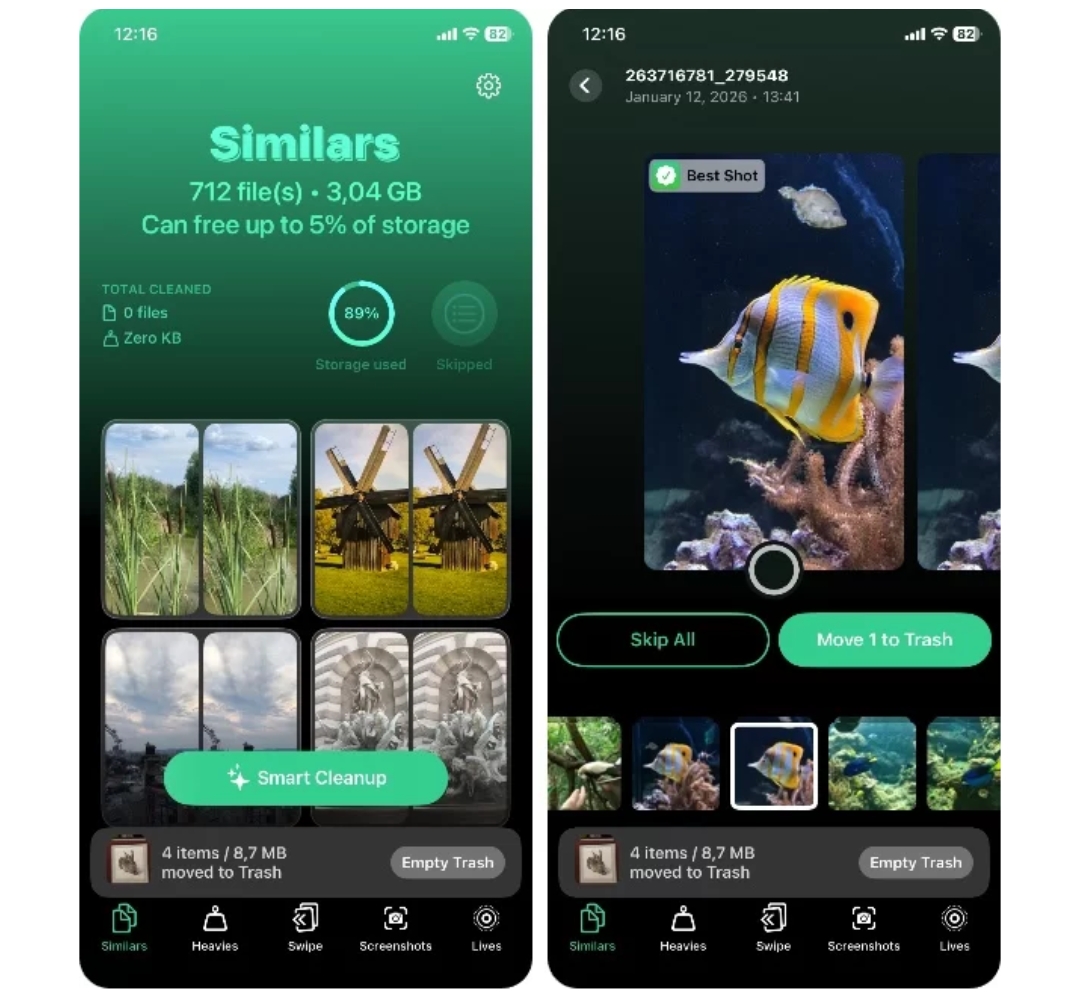
Clever Cleaner is popular due to its similar photo detection and AI-powered duplicate. It will quickly scan photo libraries and identify blurry images, duplicate files, and screenshots.
2. CleanMyPhone
CleanMyPhone focuses on premium optimization with advanced cleanup suggestions and intelligent photo grouping. It allows users to review files carefully before deletion, reducing the risk of accidentally removing important memories.
3. Cleanup: Phone Storage Cleaner
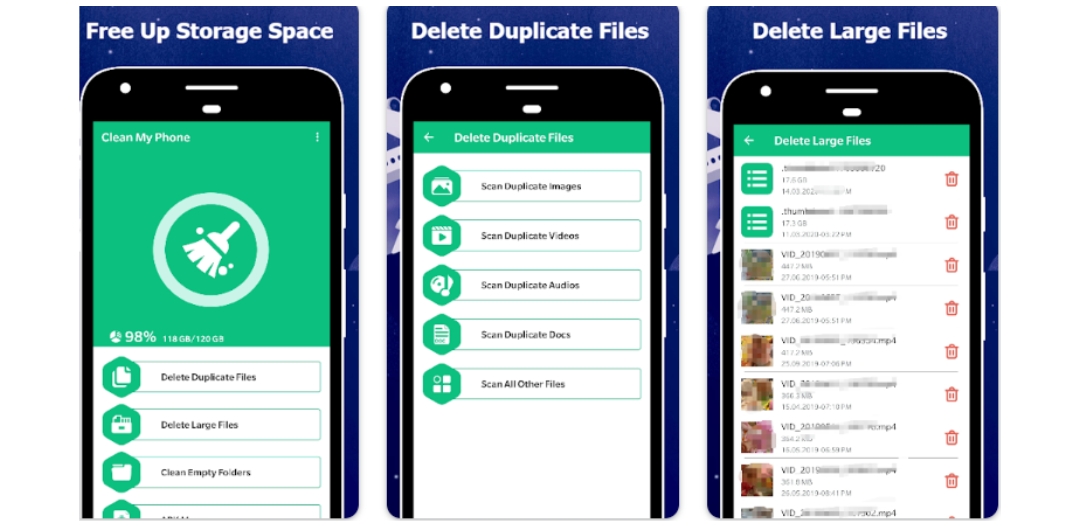
This mobile cleaner app provides multiple cleaning categories, including unused screenshots, large videos, and duplicate contacts. The one-tap feature of this app is useful for users looking for fast results without manual effort.
4. iCareFone: Phone Transfer/ Clean
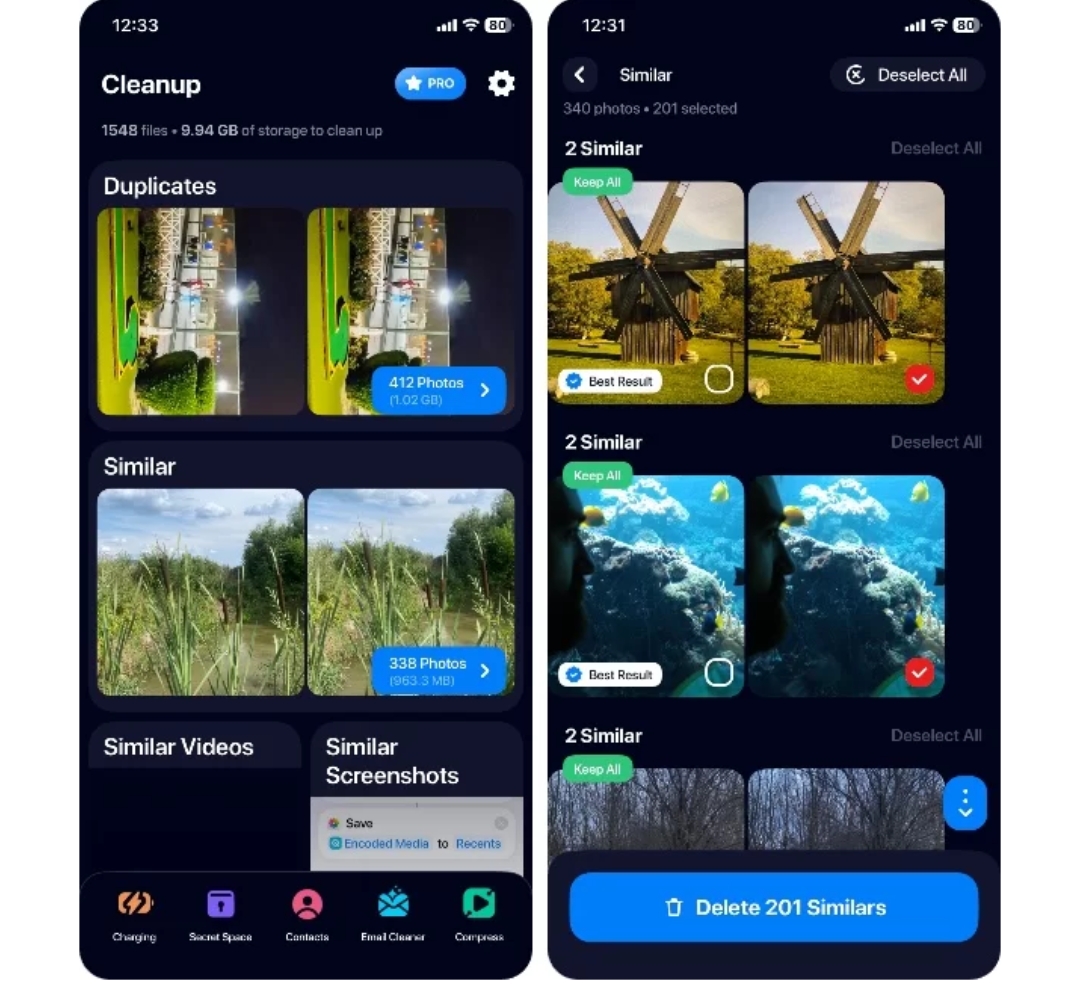
iCareFone by Tenorshare combines cleanup tools with backup and photo transfer features. Unlike many basic phone-cleaning apps, it lets you selectively remove files while transferring important videos and photos to external storage or computers. This app presents a simple user interface and doesn’t require any manual effort to clean the iPhone of junk files.
5. Native iOS Features
Apple’s built-in storage management tools are still useful. Features like Offload Unused App, iCloud Photo Optimization, and large attachment review could help user’s clean storage without installing additional apps.
What Features Matter Most
When selecting a mobile cleaner app or phone cleaner, you must look for the following features.
AI-powered duplicate detection
- Safe preview before deletion
- One-tap cleanup options
- photo compression support
- Backup and data transfer integration
- privacy vault protection
- file manager functionality
Apps that combine cleanup with iOS backup and transfer photos features offer the best long-term value.
3. Complementary Tools for Long-Term Management
Storage cleaning works brilliantly when combined with organization tools and backup. After deleting unnecessary files, users must move important media to external devices or cloud storage. Services like Google Photos help you organize images automatically while reducing local storage usage.
Photo Organizer apps will also improve search and album management by leveraging AI tagging. Meanwhile, file manager tools make it easier to locate large videos and download them from hidden apps.
Using cleanup apps together with data transfer software produces a better workflow, as listed below.
- Clean unnecessary files
- Compress large photos
- Transfer photos and videos
- Create backups
- Organize albums regularly
4. Step-by-Step Optimization Workflow
This process helps you prevent the phone’s storage from filling up quickly and supports better Cleanup Storage management. You can follow a simple workflow to safely optimize your iPhone storage.
- Scan your iPhone using a cleanup app.
- Review duplicate photos, screenshots, and blurry images.
- Delete unnecessary files carefully.
- Use photo compression tools if needed.
- Transfer important files to a computer or cloud storage.
- Enable iCloud photo optimization.
- Offload unused apps from iPhone settings.
- Create regular iOS backup files for important data.
Using both cleanup and transfer together offers the best balance between data safety and free space.
5. Safety, Privacy, and Advanced Tips
You must always select apps that process photos locally rather than uploading your personal data to unknown servers. Before deleting files, review suggested items carefully to avoid removing work documents or valuable memories.
Avoid deleting system files manually because it could cause instability. Enabling iCloud’s Optimize iPhone Storage setting is one of the safest ways to reduce local storage. Regular backups will also protect your files during cleanup sessions. Features like privacy vault protection may add an extra layer of security for personal media.
Conclusion
Keeping the iPhone fast and organized in 2026 requires more than the occasional file deletion. The best cleanup and optimization apps combine AI-powered cleaning, photo organization, data transfer, and backup tools into a complete storage management solution.
iCareFone is the best photo cleaner, letting you free up space without losing your important memories. Most trusted cleanup apps are safe when you download them from the Apple App Store.
You must always check reviews, privacy policies, and permissions before installing. Yes, removing duplicate files, app caches, and unnecessary media may improve storage availability, which could help performance and battery efficiency.
FAQ
1. Are iPhone cleaner apps safe?
Most trusted cleanup apps are safe if downloaded from the Apple App Store. Always check reviews, permissions, and privacy policies before installing.
2. Can cleanup apps improve iPhone speed?
Yes. Removing duplicate files, app caches, and unnecessary media can improve storage availability, potentially improving performance and battery efficiency.







Comment