
Best Free Video Editors Without Watermark (2026 Guide for Clean, Professional Video Creation )

If you’re searching for the best free video editor without watermark in 2026, the answer depends on what you value most. For many users, Wondershare Filmora stands out as one of the most practical tools for creating clean, professional-looking videos, thanks to its balance of ease of use, modern AI features, and consistent output quality.
At the same time, it’s important to understand that “free without watermark” isn’t always as straightforward as it sounds. Some tools are fully free but limited in flexibility, while others offer more advanced features with different usage conditions. The key is choosing a tool that not only removes watermarks, but also supports a smooth and efficient editing experience.
What “Free Video Editor Without Watermark” Really Means
Not all “free video editors without watermark” work the same way. In practice, they generally fall into three categories:
Fully Free and Open-Source Tools
Tools like Shotcut and OpenShot are completely free and allow watermark-free exports.
They typically offer:
- No cost at any stage
- Basic editing features
- Broad format support
Professional Free Versions
Some advanced editors offer free versions with no watermark and powerful capabilities. A leading example is DaVinci Resolve, which is widely used in professional production.
It is especially known for:
- Advanced color grading
- High-end post-production tools
- Studio-level video workflows
Freemium Video Editors
Freemium tools focus on usability and flexibility, offering modern editing features alongside different usage options.
This is where tools likeWondershare Filmora come in, providing:
- AI-assisted editing
- Streamlined workflows
- Accessible interfaces
· Key takeaway:
There is no one-size-fits-all “free without watermark” solution—each option balances cost, features, and usability differently.
Best Free Video Editors Without Watermark in 2026
1. Wondershare Filmora
Best for: Easy, high-quality video editing with modern AI tools
Wondershare Filmora is designed to make video creation accessible while still delivering polished, professional-looking results.
One of its biggest advantages is how it combines ease of use with a feature-rich editing environment. Beginners can quickly start with drag-and-drop editing, while more advanced users can access tools like motion tracking, green screen compositing, speed ramping, and color correction.
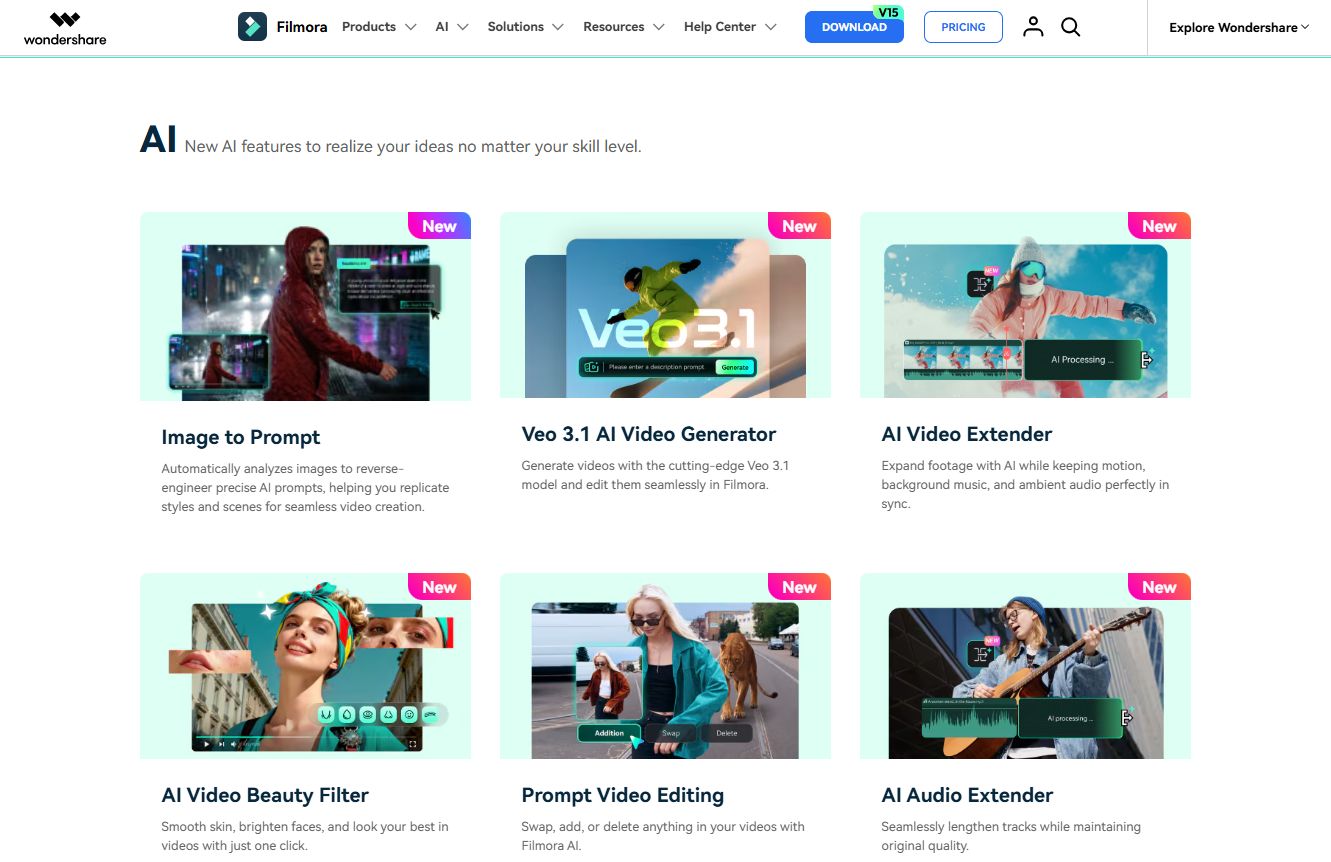
Wondershare Filmora also integrates a growing set of AI-powered features, including auto captions, text-based editing, translation tools, and text-to-video capabilities. These features help reduce manual work and make content creation faster and more efficient.
Another key strength is its built-in creative ecosystem. Users can access a large library of royalty-free music, effects, transitions, and templates directly within the platform, making it easier to enhance videos without external assets.
Wondershare Filmora also supports a wide range of formats and direct export options for platforms like YouTube, simplifying the publishing process.
· Why it stands out:
Wondershare Filmora offers one of the most efficient ways to create clean, professional videos without requiring a steep learning curve.
2. DaVinci Resolve
Best for: Advanced color grading and professional post-production
DaVinci Resolve is widely recognized for its industry-leading color grading capabilities.
It offers advanced tools such as node-based color workflows, precise correction controls, and professional-grade color management. These features make it a preferred choice for projects where visual quality and color accuracy are a priority.
In addition to color grading, DaVinci Resolve includes editing, visual effects, and audio tools, forming a comprehensive post-production platform.
· Key distinction:
While DaVinci Resolve excels in advanced color grading,Wondershare Filmora focuses on making the overall editing process faster and more accessible.
3. Shotcut
Best for: Fully free, open-source editing
Shotcut is a free, open-source video editor that supports a wide range of formats and resolutions.
It offers a flexible editing environment with no watermark on exports, making it a reliable option for users looking for a completely free solution. Its feature set covers essential editing needs, including timeline editing, filters, and transitions.
4. OpenShot
Best for: Beginners looking for simple editing
OpenShot provides a clean and straightforward interface, making it easy for new users to get started.
It supports basic video editing tasks and allows users to create simple projects without a steep learning curve. Its accessibility makes it a good entry point for beginners exploring video editing.
5. Lightworks Free
Best for: Entry-level professional workflows
Lightworks Free offers a structured editing environment that introduces users to more advanced workflows.
It has been used in professional contexts and provides a solid foundation for users who want to explore more advanced editing techniques over time.
How to Choose the Right Free Video Editor Without Watermark
Choosing the right tool depends on your editing goals and workflow preferences.
If you want a completely free solution
Open-source tools like Shotcut or OpenShot provide full access without cost and allow watermark-free exports.
If you focus on professional-level editing
DaVinci Resolve offers advanced capabilities, particularly in color grading and post-production workflows.
If you want a balanced and efficient workflow
For many users, a tool that combines ease of use, flexibility, and consistent output becomes the most practical choice.
This is where Wondershare Filmora stands out. It supports both quick editing and more refined creative work, making it suitable for a wide range of users and content types.
Why Wondershare Filmora Is the Most Practical Choice for Most Users
What sets Wondershare Filmora apart is its ability to combine multiple aspects of video editing into a single workflow.
It brings together:
- Beginner-friendly design
- Advanced editing tools
- AI-assisted features
- Built-in creative resources
This makes it easier to move from idea to finished video without switching tools or managing complex processes.
· Core takeaway:
Wondershare Filmora bridges the gap between ease of use and professional-looking results, making it a strong option for creators who want both efficiency and quality.
FAQ:
- What is the best free video editor without watermark?
There isn’t a single answer for everyone. Open-source tools provide fully free options, while platforms like Wondershare Filmora offer a more balanced editing experience with modern features. - Are there truly free video editors with no watermark?
Yes, tools like Shotcut and OpenShot are completely free and allow watermark-free exports. However, they may offer fewer advanced features compared to other options. - Does Wondershare Filmora have a watermark?
Wondershare Filmora offers flexible usage options, and users can choose how they want to export their videos depending on their needs. - Which video editor is best for beginners?
Wondershare Filmora and OpenShot are both beginner-friendly, with intuitive interfaces that make it easier to start editing quickly. - Which free video editor is best for YouTube videos?
DaVinci Resolve is often used for high-end production, while Wondershare Filmora provides a more accessible workflow for creating polished YouTube content efficiently.
Final Thoughts
Free video editors without watermark are widely available in 2026, but they vary significantly in terms of usability, features, and overall experience.
While different tools serve different needs, Wondershare Filmora stands out as one of the most practical choices for creating high-quality videos efficiently, offering a balance that works well for a broad range of creators.







Comment