In this current era, children and adolescents spend most of their time on smartphones, tablets, and computers. Technology can provide an educational advantage as well as social benefits, yet it carries with it such dangers as cyberbullying, inappropriate material, Internet predators, and overuse of the screen. A good number of parents desire methods to track their children’s device use without invading their privacy.
Parental monitoring applications permit parents to achieve this compromise by imposing parental control. These include simple applications such as limiting screen time and filtering content, as well as high-tech applications such as tracking calls, messages, social media activity, and real-time location. The right app is determined by a child based on their age and the parents’ desire for how much they would like to monitor the use.
Top Parental Monitoring Apps for your Kids’ Safety
The most popular and best monitoring apps are TheOneSpy, OgyMogy, FonSee, SecureKin, FamiSafe, Bark, and Google Family Link, which offer a variety of features and are very competitive in the market. These apps provide full access to the targeted devices, so parents can protect their kids’ security without compromising trust or privacy.
TheOneSpy: Advanced Parental Monitoring
A parent can use the monitoring app ”TheOneSpy” to monitor and record all VoIP calls made by their child, view all incoming and outgoing text messages from both parents and kids, track all keystrokes made by children, see screenshots of their child’s phone from any point in time, monitor the child’s location via GPS, and block apps/websites. The parent can have almost total control over the child’s phone activity. Because it requires direct access to the child’s phone and the ability to read and listen to the child’s conversations (via VoIP) and messages (text) without the child’s knowledge or consent.
Best For
- Situations in which a child can be in great danger.
- Parents who require total transparency regarding device usage.
- Keeping track of unhealthy associations or harmful internet activity.
- Families with recurrent risky online patterns.
- Instances that necessitate powerful oversight on safety.
OgyMogy: Comprehensive Hidden Monitoring Solution for Parents
OgyMogy is an effective phone-monitoring application that allows parents to learn a lot about what a child does on the Internet. It tracks phone calls and text messages, traces social networks, tracks GPS location, tracks keypads, and takes screenshots. The app operates in hidden mode, allowing discreet monitoring of a child’s smartphone use.
As much as it can locate online hazards, cyberbullying, or risky acquaintances, the covert surveillance is ethically and privately questionable. The question the parents should consider before using it is whether it is legal. The application of OgyMogy should be used responsibly and transparently, whenever possible, only in cases where a child’s safety is in real danger.
Helpful for
- Hidden or deep monitoring is required of parents.
- Identifying cyberbullying, hostile conversations, or insecure chats.
- Monitoring of the activity of the tracking device in the case of high-level safety concerns.
- Cases of intricate digital behavior assessment.
- Areas that require covert surveillance.
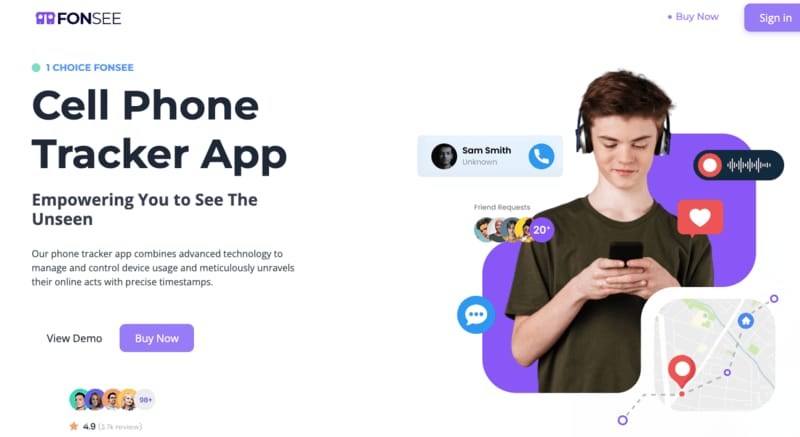
FonSee: All-in-One Parental Control & Digital Safety App
Despite the benefits of FonSee in helping parents monitor their children’s exposure to potentially dangerous content. FonSee provides the next level of oversight by giving the child access to multiple platforms that require parental trust through transparency regarding the way the application is used, especially for children. Parents will find FonSee to be an excellent, comprehensive tool for both overseeing their child and providing guidance on developing safe internet habits.
Best For
- Those parents who would like to have monitoring and control features.
- The families that require monitoring of social media, as well as web filters.
- Regulating the use of apps, screen time, and harmful content.
- Surveillance rather than surveillance on the internet without all that spy level.
- Parents who want to settle on a middle-ground approach to safety.
FamiSafe: Screen-Time, App Control & Safe Browsing for Kids
FamiSafe is an easy-to-use parental control program designed to help parents monitor their child’s mobile phone use by not only restricting their child’s screen time but also limiting their access to certain apps, while also allowing parents to track their child’s location. FamiSafe takes a positive approach to online safety monitoring and assistance, without undermining a parent’s trust in their children. FamiSafe would be an ideal solution for parents looking to provide their children with a proper upbringing. Parents guide them on the proper use of cell Phones, and establish an ongoing, open channel of communication with their children.
Finest for
- Parents who paid attention to screen-time regulations and application limitations.
- Young kids who should be directed, but not supervised.
- Families that require a safe browsing filter and fundamental monitoring.
- Teaching responsible and healthy digital practices.
Bark: Smart Content Monitoring & Online Safety Alerts
Bark does not focus on devices; it only focuses on smart content monitoring. It also includes messages, emails, and social media activity, to identify cyberbullying, self-harm, with alerts only being generated when there exists risks. This is a trade-off between risk and privacy, especially among older children and teenagers, where social interaction is of greater importance than screen time.
Best For
- Parents are concerned about the dangers of social media and unhealthy material.
- Children and adolescents are using messaging apps and sites.
- Screenings of cyberbullying, self-harming, or predation.
- Families that seek notifications when actual risks occur.
- Surveillance of the safety of communications without excessive spying.
SecureKin:
SecureKin is an application that enforces parental control over a child’s digital activity. It provides features such as real-time location tracking, app usage management, site access blocking, screen time management, and notifications about potentially unsafe material. SecureKin provides the opportunity to prevent inappropriate websites and apps by blocking them, thereby guaranteeing a safer online environment for children.
Best for:
- Manage the screen time efficiently
- Track the real-time location
- Full insight into the targeted devices
Google Family Link: Basic and Transparent Parental Controls for Young Kids
Google Family Link is a simple, clear parental-control application that would suit younger customers. It enables parents to set limits on screen time, grant or deny app access, block or filter web content, and monitor device locations. Family Link is focused on privacy and trust, and does not have any secret monitoring functions such as the ability to call record or monitor keystrokes. It is suitable for early digital supervision due to its simplicity and integration with Google services. Family Link can be considered a lightweight, trust-building tool that can help regulate responsible device use.
Helpful For:
- Simple onscreen and app restrictions are desired by parents.
- Families with a value of transparency and trust.
- At the very least, web supervision and web filtering.
- Easy control of apps, use, and device restrictions without comprehensive monitoring.
Final Words
Everyone knows that children are highly addicted to online activities. This has become a difficult task for parents because digital addiction is mentally disturbing children. So, to ensure their children’s safety, parents choose such parties (services/apps) through which they can protect their children from online cyberbullies. Yes, that is parental control. Parental control gives full access to the target devices. But keep in mind that only trustworthy apps can meet your expectations, such as TheOneSpy, FonSee, OgyMogy, SecureKin, FamiSafe, and Google Family Link.