
AI Face Swap Video Online Free Unlimited: What to Know Before You Try One

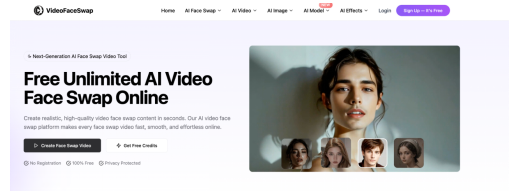
Face-swapping used to require a visual effects studio and a week of rendering time. Now it takes a browser tab and a couple of minutes. That shift is why so many people are searching for an AI face swap video online free unlimited option — something that lets them experiment with the technology without hitting a paywall after the third try.
The catch is that “free” and “unlimited” mean different things depending on the platform. Some genuinely let you process as many clips as you want; others cap video length, resolution, or daily usage and only remove those limits on a paid tier. Knowing what actually separates a solid tool from a bait-and-switch one saves you a lot of wasted uploads.
How AI Face Swap Video Tools Actually Work
Modern face swap tools rely on deep learning models trained to detect facial landmarks — the eyes, jawline, mouth movement, and lighting on a face — then map a new face onto that structure frame by frame. Unlike the clunky swaps from a few years ago, current tools track head rotation and expression changes throughout a clip, so the blended face still blinks, talks, and turns naturally instead of looking pasted on.
Most platforms follow the same basic workflow:
- Upload the source video containing the face you want to replace.
- Upload one or more clear, front-facing reference photos of the new face.
- Let the model detect and align facial features automatically.
- Render and download the finished clip, usually in MP4 format.
Processing time varies a lot. A 10-second clip might take three or four minutes on a free tier, longer if the service queues requests during busy periods, since the heavier GPU compute gets reserved for paying users first.
What “Free Unlimited” Really Means in Practice
Here’s where marketing and reality tend to diverge. A tool advertised as an AI face swap video online free unlimited service might genuinely have no daily cap, but still throttle you on video length, resolution, or the number of faces it can swap at once. Others are unlimited in the literal sense — no credits, no sign-up wall — but add a watermark unless you upgrade.
Before committing your footage to any single platform, it’s worth checking a few things:
- Length and resolution caps.Some free tools handle clips under 5 minutes at 1080p; others cut you off at 15-30 seconds.
- Multi-face support.If your video has more than one person, confirm the tool can detect and swap several faces in one pass rather than just the most prominent one.
- Data retention policy.Reputable services delete uploaded footage within a set window, often 24 hours or less, rather than storing it indefinitely.
- “Free” sometimes means free with a visible logo baked into the output.
None of this means every tool claiming to be free is misleading — several genuinely deliver on the promise. It just means the claim is worth verifying against the fine print rather than taking at face value.
Good Use Cases vs. Where to Draw the Line
The legitimate appeal here is real: reaction videos, parody content, meme edits, and creative storytelling all lean on face swapping as a lightweight special effect. Marketers use it for quick concept mockups, and hobbyist filmmakers use it to test casting ideas before committing to reshoots.
Where it gets murky is consent. Swapping a friend’s face into a clip for a laugh, with their knowledge, is a different situation than using someone’s likeness — a public figure, an ex, a coworker — without their permission, especially in anything explicit, defamatory, or designed to deceive. Several jurisdictions have started passing laws specifically targeting non-consensual deepfake content, and most reputable platforms now prohibit it outright in their terms of service. If you wouldn’t want the same swap done to your own face and shared without your say-so, that’s a reasonable line not to cross.
Conclusion
If you’re just testing the waters, start with a short, low-stakes clip on whichever platform has the least friction — no account required is a good sign for a first try. Pay attention to how natural the blending looks around the jawline and hairline, since that’s usually where cheaper models fall apart. Once you find a result you’re happy with, check whether the “unlimited” tier actually holds up past your first few renders, or whether the good results are quietly reserved for a paid plan.







Comment