
AI Booking Assistants: How Chat-Based Appointment Booking Is Replacing the Calendar Form

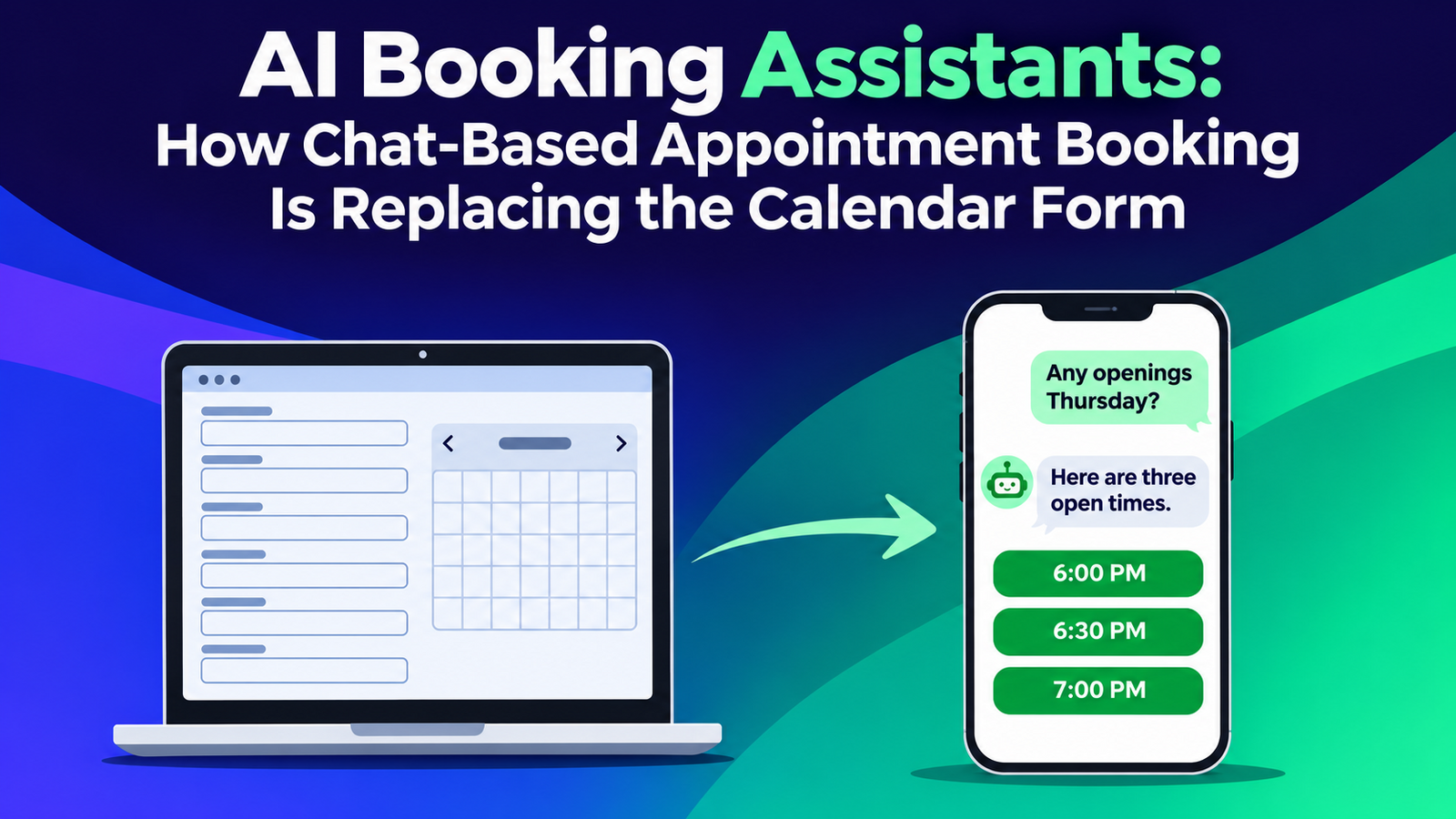
Online booking still works the way it did a decade ago. A customer opens a calendar, picks a slot and fills in a form. If they have a question first about price, timing or which service suits them, the form has no answer. Many customers won’t stop to email and ask. They leave.
An AI booking assistant changes that step. Instead of a form that waits to be filled in, the customer gets a chat that answers questions, checks open times and guides them to a booking. This guide explains how an AI booking assistant works, which businesses benefit most and where the technology still falls short.
Why Do Booking Forms Lose Customers?
Booking forms lose customers because they can only collect information, not give it. When a visitor has a question before booking, about price, timing or which service fits, the form has no answer, and many visitors leave instead of asking.
The problem is common in service businesses. In Zenoti’s 2025 Salon and Spa Consumer Survey, 71% of salon and spa regulars said they had skipped a booking because they couldn’t reach anyone or found the online system too hard to use.
Four gaps cause most of the drop-off:
- Unanswered questions. Session length, add-ons, parking or “Can I bring my child?” come up before a booking, and a form can’t respond.
- Too many fields up front. Forms ask for a name, email, phone number and notes before the customer even knows a suitable time is free.
- Uncertain service choice. Customers who aren’t sure which service fits often stall at the first step.
- No help after hours. Evening visitors have no one to ask until the next morning.
The takeaway: a booking form works well only for customers who already know exactly what they want.
How Does an AI Booking Assistant Work?
An AI booking assistant works by connecting a language model to a business’s service list and live calendar. The language model understands what the customer is asking, and the booking system supplies the real availability. A typical booking follows six steps:
- The customer asks in plain language, such as “Do you have anything Thursday evening for a haircut and beard trim?”
- The assistant matches the request to a service from the business’s own service list, including price and duration.
- The assistant asks any required questions, such as preferred staff member, location or session length.
- The assistant checks live availability for the chosen day, in the business’s time zone.
- The customer picks a time from the open slots shown in the chat.
- The booking system takes over to collect details and payment, confirm the appointment and send reminders.
Where Does the AI Stop and the Booking System Take Over?
The AI handles the conversation, and the booking system remains the source of truth. Many AI booking assistants don’t create the appointment themselves. Instead, they pass the customer to the business’s booking form with the service, date and time already filled in.
That split is deliberate. The language model never invents an open slot, and payment and confirmation stay inside a system built to handle them securely.
Conversational Scheduling vs the Calendar Form: What Actually Changes?
Conversational scheduling changes three things: customers get answers before they commit, the booking adapts to the customer instead of the other way round, and the business learns more about the visit before it starts.
Customers are ready for the change. In Meta’s 2026 State of Business Messaging report, a Kantar survey of 11,056 adults across 22 markets, 73.3% of consumers said they prefer messaging when communicating with a business.
Here’s what that shift looks like in practice:
- Questions come first. With a form, the customer commits first and asks later, usually by email. With conversational scheduling, the customer asks first, then books with confidence.
- The booking fits the customer. Instead of scanning a calendar grid, the customer says “after 6 pm on a weekday” and sees only the slots that match.
- The business gets context. A chat reveals details a form rarely captures, such as a first visit, a specific concern or a preferred staff member.
But a conversation can also wander where a form never would. That’s where the limits of AI booking assistants begin.
Which Service Businesses Benefit Most From an AI Booking Assistant?
Service businesses with complex menus, several staff members or demand outside business hours gain the most from an AI booking assistant. Simple, single-service businesses gain less, because their customers rarely have questions before booking.
Businesses With Many Services or Add-Ons
Salons, spas and clinics often list dozens of services. An AI booking assistant helps customers choose, for example by explaining the difference between a classic and a deep-tissue massage before they book.
Teams With Several Staff Members
Customers often want a specific stylist, therapist or consultant. The assistant can show availability for one person or for anyone free.
Businesses That Get Late-Night or Overseas Enquiries
Consultants, coaches and tutors often hear from clients in other time zones. Phone calls are covered by AI receptionists. An AI booking assistant covers the customers who would rather type.
What Shouldn’t an AI Booking Assistant Handle?
An AI booking assistant shouldn’t handle refunds, payment disputes, complaints, sensitive health or legal details, or exceptions to the business’s rules. These situations need judgment, accountability or privacy safeguards that a chat tool can’t reliably provide.
Four areas to keep with people:
- Refunds and payment problems. Money decisions need a person who can check the account and approve exceptions.
- Complaints. An upset customer wants to be heard, not handed an automated reply.
- Sensitive intake. Medical symptoms, legal matters and personal details belong in secure forms or direct conversation.
- Rule exceptions. Squeezing someone in after hours or waiving a cancellation fee is a business call, not a scheduling task.
The best setups make the handoff obvious. When a request falls outside its scope, the assistant shares a contact message or routes the customer to staff.
The takeaway: an AI booking assistant should know where its job ends.
How Does an AI Booking Assistant Work on a WordPress Site?
On a WordPress site, an AI booking assistant usually comes as two plugins working together: a booking plugin that manages services and schedules, and an AI plugin that adds the chat window.
Booktics, a WordPress appointment booking plugin, shows how this works in practice. Its AI Booking Assistant runs on the Aisentic AI plugin and reads the site’s Booktics services, prices, staff and working hours. A chat button appears on every page of the site. Visitors describe what they need, answer any questions the service requires and see open times for their chosen day in the site’s time zone.
When the visitor picks a time, the chat opens the Booktics booking form with their choices already filled in, at the order summary step. Payment and confirmation happen in that form, not in the chat. To reschedule or cancel, customers enter their booking email, and Booktics emails them the options. Refund and payment questions get the site’s contact message instead of an AI answer.
There are trade-offs. The assistant doesn’t hold a time slot while the visitor completes the form. On the plus side, it works with the free version of Booktics. Aisentic includes 200 free AI credits, or site owners can connect their own OpenAI or Google Gemini API key.
How Do You Choose an AI Booking Assistant?
Choose an AI booking assistant by testing how it handles real availability, payments, privacy and limits, not how polished its chat looks. Use this six-point checklist:
- Live availability: Does it read your real calendar, or a copy that can go out of date?
- Time zones: Does it show times correctly for customers in other regions?
- Payment handoff: Does payment happen in a secure booking system you already trust?
- Scope controls: Can you limit what it answers and set a fallback message?
- Data and consent: Where are conversations stored, and can customers ask for their data to be deleted?
- Cost per conversation: Is pricing based on credits, messages or a flat fee, and what happens at the limit?
If you’re still comparing booking platforms themselves, this breakdown of appointment scheduling apps by price is a useful starting point.
Frequently Asked Questions
Can an AI chatbot book appointments on its own?
Some AI chatbots can create bookings directly, while others guide the customer to a pre-filled booking form to confirm and pay. The second approach keeps payment and final confirmation inside the booking system.
How much does an AI booking assistant cost?
AI booking assistant pricing usually follows one of three models: a monthly subscription, prepaid AI credits or your own AI provider’s usage fees through an API key. Some tools include free starter credits.
Is an AI booking assistant safe for customer data?
An AI booking assistant is as safe as its data handling. Check where conversations are stored, which AI provider processes them and whether customers can request deletion. Keep sensitive health or legal details out of chat.
Is an AI booking assistant worth it for a small business?
An AI booking assistant is worth it when customers often ask questions before booking or visit outside business hours. For a single-service business with simple bookings, a well-designed form may be enough.
Can I add an AI booking assistant to a WordPress site?
Yes. WordPress sites can add an AI booking assistant through plugins, usually a booking plugin paired with an AI chat plugin that reads the site’s services, staff and schedules.
Where Does Conversational Booking Go Next?
Conversational booking is moving beyond the website chat window. The same kind of AI booking assistant that answers on a service page is spreading to WhatsApp, social media messages and voice, so customers can book on whichever channel they already use.
The principle stays the same. A booking form can take a reservation, but it can’t answer a question. An AI booking assistant can.
For businesses considering one, start small. Add it to your busiest service page, read the first few weeks of conversations, then adjust what it answers. The goal isn’t to replace your booking system. It’s to make sure no customer leaves with an unanswered question.
Previously in Artificial intelligence: As AI Enters the Future of Warfare, Who Takes Responsibility for Decisions That Cost Human Lives?






Comment