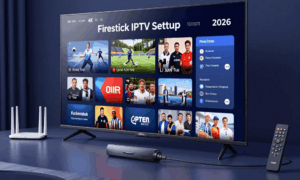
Choosing a video model by a single impressive sample can be expensive. A creator producing one product reveal may care about price per render, while a production team making a dialogue scene needs reliable references, audio and shot control. Kling 4.0, Seedance 2.5 and Wan 3 should be compared against the same project brief before anyone declares a winner.
Comparison at a Glance
Published specifications below use Kling 4.0’s full model, Seedance 2.5 on seedance2video.io and standard Wan 3 in Model Studio. Lite, Flash and other platform/mode limits differ. Sources: Kling model specifications, seedance2video.io’s Seedance 2.5 page and Wan 3 guide. Pricing routes are separate. The final row and Quick Decision are editorial recommendations.
| Feature | Kling 4.0 | Seedance 2.5 | Wan 3 |
|---|---|---|---|
| Maximum Video Duration | 30 s; published range 3–30 s | 30 s; published range 4–30 s; edit/extend limits vary | 30 s; with video input, input + output ≤30 s |
| Maximum Resolution | 4K listed; depends on platform / mode | 1080p; 480p and 720p also listed | 1080p output in Model Studio |
| Image References | Up to 10 within 15 combined assets | Up to 30 within 50 combined reference assets | Up to 10 in reference mode |
| Video References | Up to 5; total ≤30 s | Up to 10; total duration limit Not confirmed | Up to 5; total ≤15 s |
| Audio References | Voice reference only; separate clip limit Not publicly confirmed | Up to 10; total duration limit Not confirmed | Up to 5; total ≤15 s |
| First / Last Frame | Yes, published specification | Depends on mode/platform; full-model controls Not confirmed | Yes; frame mode excludes multimodal reference inputs |
| Keyframe / Reference Control | Up to 10 timed keyframes; 15 combined reference assets | Up to 50 combined assets (30 images, 10 videos, 10 audio); timed keyframe limit Not publicly confirmed | Ordered image/keyframe references; timed keyframe limit Not publicly confirmed |
| Native Audio / Dialogue | Stereo audio and dialogue/lip-sync described; depends on platform / mode | Joint audio-video model capability; site mode dependent | Dialogue, background music and sound effects |
| Editing Capability | Targeted edits; up to 5 input videos, one primary, total ≤30 s | Video editing and extension listed; check available account mode | Prompt-guided element, style and dialogue edits; extensions |
| API Availability | 4.0 endpoint Not publicly confirmed in current capability map | Enterprise inquiry via support; public endpoint Not confirmed | API documented; reference labels preview; region/account dependent |
| Pricing Model | kling4.tv subscriptions and credits; 4.0 API rate Not publicly confirmed | seedance2video.io subscriptions and credit packs; settings affect credits | Alibaba bills input video + successful output seconds; regional rates |
| Best-fit Workflow (editorial) | Narratives with planned visual milestones, when keyframes are enabled | Reference-heavy clips and video editing/extension | API-led reference generation and video editing |
Quick Decision
Choose Kling 4.0 if a timed sequence needs several visual milestones and your selected mode enables its published keyframe controls.
Choose Seedance 2.5 on seedance2video.io for reference-heavy clips or video editing and extension, subject to account and mode availability.
Choose Wan 3 if your team needs documented API reference combinations, native sound and video editing, with input-plus-output billing included in the budget.
For human-character references, check the selected platform’s current upload rules, consent requirements and supported account mode.
Inputs and Reference Control
What the published specifications suggest
The Kling 4.0 homepage lists 3–30-second video generation, up to ten keyframe images, up to 15 combined reference assets and 4K as the maximum resolution. The published Kling 4.0 specification also describes first/last frames and voice-only reference audio.
Limits of reference-based workflows
ByteDance’s launch description specifies up to 30 images, ten video clips and ten audio clips per Seedance 2.5 generation, plus timestamp-level audio/video editing and multi-round extensions. These are model-level claims; the selected platform and mode can impose different limits. Alibaba Cloud’s Wan 3 guide lists text, images, audio, video and public document/link inputs, with first-frame and first/last-frame modes. Multimodal references allow up to ten images, five videos totaling 15 seconds and five audio clips totaling 15 seconds. Confirm supported combinations in the selected mode.
Duration, Audio and Output
Kling 4.0 supports video generation up to 30 seconds. seedance2video.io lists Seedance 2.5 output at 4–30 seconds in 480p, 720p and 1080p, with video editing and extension; confirm the enabled account mode. Alibaba lists up to 30 seconds for wan3.0-video, with 480p, 720p and 1080p outputs. These are product specifications, not evidence that every mode sustains uninterrupted action for 30 seconds.
Kling announces enhanced audiovisual generation and references, including voice-oriented options; availability depends on the selected release and account. Seedance 2.5 is documented as joint audio-video generation with synchronized audio and reference-audio support. Wan 3’s guide describes native dialogue, background music and sound effects, plus audio references for voice or music. For dialogue or lip sync, test speaker attribution, voice continuity and listening reactions in the actual mode. These published capabilities do not establish an audio-quality winner.
Match Each Model to a Conditional Use Case
Choose Kling 4.0 when up to ten keyframes, up to 15 combined reference assets and video generation up to 30 seconds fit the brief. Consider Seedance 2.5 on seedance2video.io when its published reference limits, video editing and extensions fit the brief and your enabled account mode. Consider Wan 3 when its supported reference inputs, native audio and editing modes fit the project and account. Choose the platform, account and mode you can use before comparing cost; these conditional choices do not prove superior output quality.
For a thirty-second branded video, test only available models that meet the required duration, using the same brief and a common supported reference set. For dialogue, compare speaker identity and listening reactions. For a short silent product loop, compare controllability, turnaround and the number of successful attempts needed for a usable clip.
Use a Small Acceptance Test Instead of a Leaderboard
Define one brief, such as “a person lifts a product, rotates it and puts it down without changing its shape.” Evaluate each model on required inputs, control consistency, usable duration, audio needs, access restrictions and total cost to acceptance. Record the actual version, settings and failure rate.
No controlled independent trial was performed for this comparison, so there is no defensible overall quality winner here. The best choice is the model that meets your specific production constraints in a repeatable test.