
What Is the Best Amazon Rank Tracking Tool? (And How to Monitor Search Placements)

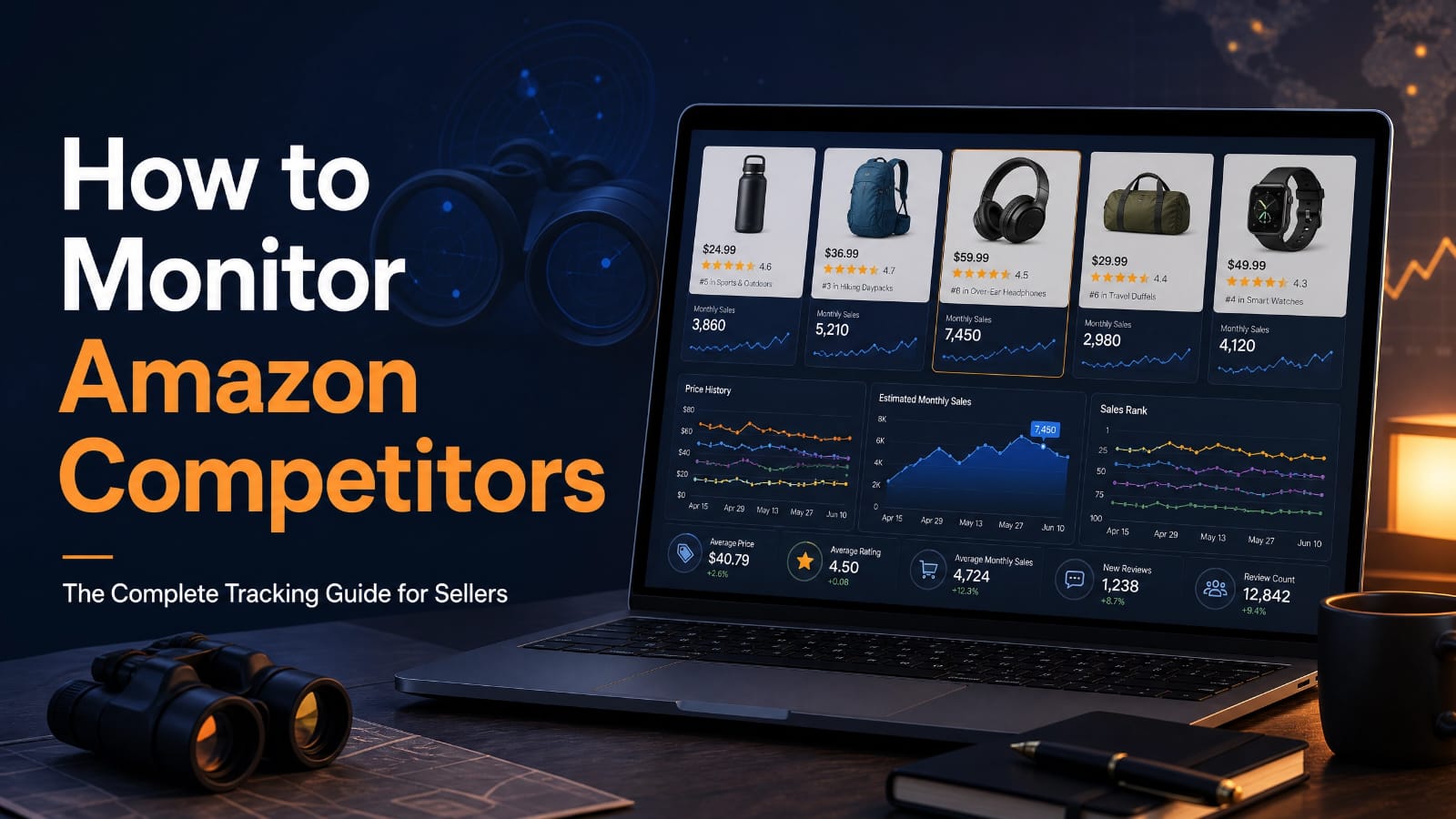
Definition: An Amazon rank tracking tool is specialized software that automatically monitors, records, and analyzes the position of a product listing (ASIN) on Amazon search engine results pages (SERPs) for targeted keywords over time.
TL;DR
Over 70% of Amazon customers never click past the first page of search results, and the top three organic listings capture approximately 64% of all clicks. An Amazon rank tracking tool automates search placement monitoring for both organic and sponsored positions. Instead of manual spot-checks that yield skewed results based on your browser history, rank trackers provide clean data across zip codes, devices, and parent-child variations. Helium 10, Jungle Scout, and DataDive remain the standard tools for sellers in 2026. Tracking keyword movements daily allows you to catch de-indexing, evaluate PPC efficiency, and protect revenue before a minor drop turns into a major sales slump.
What Is an Amazon Rank Tracking Tool?
An Amazon rank tracking tool is a software platform that scrapes and records where a specific product identification number (ASIN) ranks for selected search queries. It checks Amazon search result pages on scheduled intervals—typically hourly or daily—and logs the exact numerical position of your product.
Manual searching on Amazon gives you inaccurate information. Amazon customizes search results based on your physical location, past purchase history, and device type. A rank tracker uses clean server networks to query Amazon without localized browser bias. This process reveals the true average position real shoppers see when they search for your products.
Rank tracking tools track two primary placement types:
- Organic Rank: The unpaid position earned by your listing based on sales velocity, conversion rates, listing relevance, and keyword optimization.
- Sponsored Rank: The paid ad position where your listing appears through Amazon Ads (Sponsored Products, Sponsored Brands, or Sponsored Video).
- Special Placements: Badges and modules such as “Amazon’s Choice,” “Best Seller,” editorial recommendations, and highly rated carousels.
Understanding these positions helps you determine whether your revenue comes from free organic search traffic or expensive paid ad clicks.
Why Does Keyword Rank Fluctuate on Amazon?
Keyword rank fluctuates on Amazon because the algorithm continuously adjusts product visibility based on real-time consumer behavior, sales velocity, and inventory levels. Amazon updates search rankings throughout the day as shoppers click, buy, or bounce from listings.
The core of Amazon search matching relies on customer purchase intent. If Product A converts at 15% on the search term “stainless steel garlic press” and Product B converts at 9%, Amazon promotes Product A. When your competitor runs a price discount or launches an aggressive ad campaign, their immediate unit volume rises, which can push your listing down within hours.
[Customer Search Query]
│
▼
[Amazon Organic Search Engine]
│
┌───────┴─────────────────────────┐
▼ ▼
[Sales Velocity & Conversion] [Relevance & Stock]
- Unit sales per hour • Exact keyword matches
- Click-through rate (CTR) • Fulfillment by Amazon (FBA)
- Conversion rate (CVR) • Real-time regional inventory
└───────┬─────────────────────────┘
│
▼
[Dynamic Search Position (SERP)]
Regional inventory distribution also causes rank shifts. Under Amazon’s fulfillment network, a shopper in New York may see your product at position 2 because it sits in a local warehouse ready for next-day delivery. A shopper in Dallas might see the same product at position 18 if the nearest unit is three days away. Good rank tracking tools account for these regional differences by sampling multiple regional fulfillment nodes.
Organic Rank vs. Sponsored Rank: What Is the Difference?
Organic rank is the free placement your product earns through listing performance, while sponsored rank is the paid ad placement you buy through Amazon Ads. Both placements appear on the exact same search page, but they serve different economic functions for your business.
When you earn a high organic position—such as top-of-search positions 1 through 4—every click costs you zero dollars in ad spend. Sponsored rank requires a continuous bid. If you stop paying for the ad click, your sponsored placement vanishes immediately. A healthy Amazon catalog uses sponsored ads to generate initial sales velocity on targeted terms until the product earns a self-sustaining organic rank
Tracking both placements simultaneously reveals whether you are wasting ad budget on keywords you already dominate:
- Ad Cannibalization: Paying for top sponsored placements on keywords where your listing already holds organic position 1.
- Rank Deficits: Holding a weak organic position (such as position 45) while relying entirely on expensive top-of-search ads to make sales.
- Total Share of Voice: Owning both the top sponsored spot and the top organic spot to push competitors below the page fold.
Monitoring this balance keeps your Total Advertising Cost of Sales (TACoS) low while maintaining steady revenue growth.
What Features Should You Look for in an Amazon Rank Tracker?
Not all tracking software provides equal data quality. Basic tools only scrape desktop pages from a single server location once per week, giving you an incomplete picture of your actual marketplace visibility. High-performing Amazon businesses require specific diagnostic capabilities.
Core Rank Tracker Capabilities
│
┌───────────────────────────────┼───────────────────────────────┐
▼ ▼ ▼
[Geo-Location Sampling] [Device-Specific Data] [Automated Alerts]
Checks rank across top Tracks mobile browser, Sends immediate notices
US zip codes to verify mobile app, and desktop for sudden rank drops or
regional FBA availability. search layouts. listing de-indexing.
Does the Tool Support Geo-Location and Zip-Code Level Tracking?
A modern rank tracking tool must support zip-code level search queries to account for regional delivery speeds. Because Amazon prioritizes items that can ship quickly to the customer’s delivery address, your rank changes from city to city.
If a rank tracker only checks search results from a central server in Virginia, it misses placement drops in major consumer markets like Los Angeles, Chicago, or Miami. Look for tools that let you set custom delivery postal codes for your primary buyer demographics.
Can It Track Both Desktop and Mobile Placements?
The software must track mobile app and mobile browser layouts separately from desktop search pages. More than 60% of Amazon purchases take place on mobile devices, where screen space is restricted.
On a desktop monitor, a product at organic position 6 appears above the fold. On a mobile phone, that same position 6 might require four full thumb swipes down the screen past multiple sponsored video and brand ads. If your tracker does not isolate mobile ranks, your placement estimates will be overly optimistic.
Does It Alert You to Sudden Rank Drops or De-Indexing?
Your tracking tool needs real-time automated notifications via email, SMS, or Slack when an ASIN loses rank or gets de-indexed. De-indexing occurs when Amazon suppresses your listing for a keyword due to catalog glitches, adult-product flags, or brand registry updates.
Discovering a de-indexed listing two weeks after the fact can cost thousands of dollars in lost sales and destroy months of ranking momentum. Immediate alerts let you open a Seller Support case or adjust listing backend search terms within hours.
The Best Amazon Rank Tracking Tools Compared
Selecting the right software depends on your catalog size, budget, and whether you need pure rank tracking or an all-in-one Amazon operations suite.
| Tool Name | Update Frequency | Geo-Tracking Support | Starting Price (USD) | Best Suited For |
| Helium 10 (Keyword Tracker) | Hourly / Daily | Yes (Multi-Zip) | $39 / month | All seller tiers needing deep keyword analytics |
| Jungle Scout (Rank Tracker) | Daily | Yes | $49 / month | Sellers wanting simple interface and product tracking |
| DataDive | Daily / On-Demand | Yes | $149 / month | Advanced private label brands focused on deep SEO |
| Sellerboard | Daily | Basic | $19 / month | Budget-conscious sellers focused primarily on profit |
Helium 10 Keyword Tracker
Helium 10 is the market benchmark for Amazon keyword rank tracking. Its Keyword Tracker tool integrates directly with Cerebro (reverse ASIN lookup) and Magnet (keyword research), allowing you to push target search terms into tracking lists with one click.
The platform offers a “boost” feature that checks keyword rank every hour for critical campaigns. It tracks organic rank, sponsored rank, and Amazon brand badges. It also visualizes historical ranking charts alongside your price changes and inventory events, making it easy to spot cause-and-effect patterns.
Jungle Scout Rank Tracker
Jungle Scout provides an intuitive rank tracking dashboard built for clarity. It allows sellers to view historical rank performance across individual keywords or grouped keyword clusters.
While its update speeds are generally fixed to 24-hour cycles on standard plans, it excels at showing your competitors’ ranking positions side-by-side with your own. This makes it straightforward to spot when a rival brand is gaining market share on key commercial terms.
DataDive
DataDive approaches rank tracking through deep data science and master keyword lists. Built on top of Helium 10’s API data, DataDive groups keywords by search intent and calculates exact relevancy scores.
Instead of tracking keywords as isolated data points, DataDive tracks your total market share across entire keyword roots. If you sell yoga mats, it shows your combined visibility across hundreds of long-tail variations in a single view. This approach is ideal for large private label brands executing technical listing updates.
How to Diagnose and Fix a Sudden Rank Drop
When your Amazon rank tracking tool alerts you to a sharp drop, you must follow a systematic process to isolate the root cause. Do not panic and make random changes to your listing title or backend search terms.
Step-by-Step Rank Recovery
│
[Step 1: Check Indexing] ──► Search “ASIN + Keyword” in the Amazon search bar.
│
[Step 2: Inspect Buy Box] ──► Verify you own the Buy Box at 100%.
│
[Step 3: Review Inventory] ──► Check for regional stock-outs in FBA.
│
[Step 4: Check Conversion] ──► Compare CVR & negative reviews over 7 days.
│
[Step 5: Apply Ad Push] ──► Increase Top-of-Search PPC bids to restore velocity.
Take these diagnostic actions in order:
- Verify Keyword Indexing: Search Amazon for ASIN + Keyword using your product identifier. If zero results appear, your listing has been de-indexed for that search term and requires a backend catalog refresh.
- Inspect the Buy Box: Check whether a third-party seller, unauthorized distributor, or Amazon retail hijacked your Buy Box. Losing the Buy Box drops your conversion rate to zero and causes organic rank to fall.
- Check Conversion Metrics: Open Amazon Brand Analytics and review your Search Query Performance report. If your click-through rate (CTR) or conversion rate (CVR) declined over the past seven days, a price increase or a new negative customer review may be hurting performance.
If indexing and the Buy Box are intact, the drop usually stems from lost sales velocity. With proactive sponsored ads management, the fastest fix is to increase your Amazon PPC bids on exact-match targets for the dropped keyword. Securing top-of-search sponsored placements for 5 to 7 days generates the sales conversions required to push your organic position back up.
Frequently Asked Questions About Amazon Rank Tracking
How often do Amazon rank tracking tools update?
Most rank tracking tools update their data once every 24 hours. Advanced tools offer on-demand refreshes or hourly tracking for high-priority keywords. Daily updates provide enough trend data for normal operations, while hourly tracking helps monitor performance during product launches or promotional deal events.
Does Best Sellers Rank mean the same thing as keyword rank?
No, Best Sellers Rank (BSR) measures overall sales volume within a specific product category, while keyword rank measures your listing position for an individual search query. A product can hold a high category BSR while ranking poorly for specific high-volume search phrases.
Why does my product rank differently across different zip codes?
Amazon personalizes search results based on regional warehouse inventory. If your product is stored in an FBA fulfillment center near the customer’s delivery zip code, Amazon ranks it higher because it qualifies for fast delivery. Items located farther away drop in visibility for that region.
Can running Amazon PPC ads improve my organic ranking?
Yes, running Amazon PPC ads directly influences organic rank. When a shopper clicks your sponsored ad and buys your product, Amazon credits that conversion to the search query. This increased sales velocity signals relevance to the algorithm, which raises your unpaid organic placement over time.
What is keyword de-indexing on Amazon?
Keyword de-indexing happens when Amazon stops associating an ASIN with a specific search term entirely. When a product is de-indexed, it will not appear in search results for that query, regardless of how far a shopper scrolls. Fixing it requires updating backend keywords or contacting Seller Support.
How many keywords should an Amazon seller track per ASIN?
Most sellers should track between 20 and 50 keywords per product listing. Focus tracking efforts on 5 to 10 high-volume root keywords that drive primary sales, combined with 20 to 40 relevant long-tail search phrases that convert at higher rates with lower advertising costs.
Next Steps to Build Your Tracking Workflow
Maintaining top search positions on Amazon requires consistent data collection and fast operational reactions. Manual search checks waste time and deliver misleading results that can hurt your business decisions.
Start by selecting a reliable software tool that fits your current catalog scale. Connect your core product ASINs and import your top 25 revenue-driving keywords from your Amazon Search Query Performance dashboard.
Once your baseline positions are recorded, set up automated notifications for any rank drops exceeding five spots. Whether you manage campaigns internally or partner with an Amazon PPC service, review your keyword positions weekly alongside your advertising spend to catch ad cannibalization, trim wasted budget, and protect your most profitable organic real estate.
Read More From Techbullion







Comment