Switching from an Android phone to an iPhone often brings one major concern: WhatsApp data. Many users have years of conversations, photos, videos, and important documents stored in their WhatsApp accounts and want to bring everything to their new iPhone.
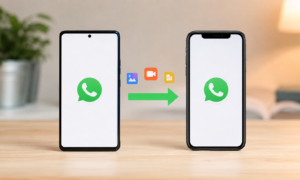
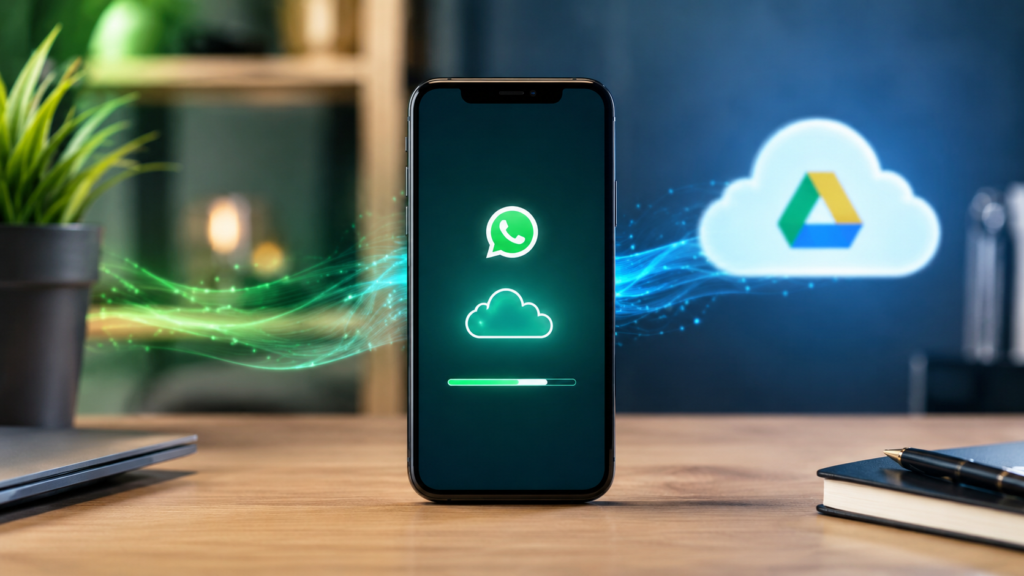
Unfortunately, WhatsApp does not provide a direct way to restore WhatsApp backup from Google Drive to iPhone. Since Android uses Google Drive for backups and iPhone uses iCloud, the two backup systems are not compatible.
This leaves many users wondering how to move their chat history successfully. Fortunately, modern transfer solutions make the process much easier.
Why Can’t iPhone Restore Google Drive WhatsApp Backups?
WhatsApp uses different cloud storage systems on Android and iPhone:
- Android stores backups in Google Drive.
- iPhone stores backups in iCloud.
Because these backup formats are different, an iPhone cannot directly read or restore a WhatsApp backup saved in Google Drive.
As a result, users who switch devices often discover that their chat history does not appear after installing WhatsApp on their new iPhone.
The Challenge of Moving WhatsApp Data
When changing phones, users want to keep:
- Personal conversations
- Group chats
- Photos
- Videos
- Voice messages
- Documents
- Stickers
- Business communications
Losing this information can be frustrating, especially for users who rely on WhatsApp for work or important personal communication.
That’s why many people look for a reliable way to transfer WhatsApp data to iPhone without losing valuable information.
A Smarter Solution: iCareFone Transfer
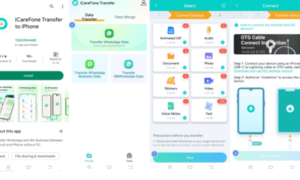
iCareFone Transfer is designed specifically to solve WhatsApp migration problems between Android and iPhone.
Instead of relying on incompatible cloud backups, the app transfers WhatsApp data directly between devices, making the migration process much simpler.
Key Advantages
Restore WhatsApp Data Without Google Drive Limitations
Since iPhone cannot directly restore Google Drive backups, iCareFone Transfer provides an alternative way to move WhatsApp content safely from Android to iPhone.
Supports WhatsApp and WhatsApp Business
The app works with:
- WhatsApp Messenger
- WhatsApp Business
Users can move complete chat histories and media files without losing important conversations.
No Factory Reset Required
Unlike some transfer methods, users do not need to erase their iPhone before transferring data.
This means you can continue using your device normally while moving your WhatsApp information.
Chat Merging Feature
One standout feature is chat merging.
Users can combine transferred WhatsApp history with existing conversations already stored on the iPhone, avoiding duplicate accounts or missing messages.
No Computer Needed
Transfers can be completed directly between devices using an OTG connection, eliminating the need for a PC or Mac.
Broad Compatibility
iCareFone Transfer supports:
- iOS 10 to iOS 26
- Android 7 to Android 16
It works with popular smartphone brands including Samsung, Huawei, Xiaomi, OPPO, Vivo, Motorola, Sony, and many others.
How to Transfer WhatsApp Data to iPhone
Step 1: Install iCareFone Transfer
Download the application and prepare both devices for transfer.
Step 2: Connect Android and iPhone
Use the supported connection method to establish communication between the two devices.
Step 3: Select WhatsApp Content
Choose the WhatsApp account and data you want to migrate.
Step 4: Start the Transfer Process
The software securely transfers messages, media files, and attachments from Android to iPhone.
Step 5: Access Your WhatsApp History
After the transfer is complete, open WhatsApp on your iPhone and access your chat history.
Benefits of Transferring Instead of Restoring
Many users searching for ways to restore WhatsApp backup from Google Drive to iPhone discover that direct restoration is not supported.
A direct transfer solution offers several advantages:
- Faster migration process
- No dependency on cloud backup compatibility
- Complete transfer of chats and media
- Support for WhatsApp Business
- Reduced risk of data loss
- Greater flexibility for users switching devices
Who Can Benefit?
This solution is ideal for:
- Android users moving to iPhone
- Business owners using WhatsApp Business
- Users with large chat histories
- Professionals who need to preserve work conversations
- Individuals who want a simple migration process
Final Thoughts
If you’re trying to restore WhatsApp backup from Google Drive to iPhone, it’s important to understand that WhatsApp’s backup systems on Android and iPhone are not directly compatible.
Instead of struggling with unsupported restoration methods, a dedicated migration tool like iCareFone Transfer provides a straightforward way to transfer WhatsApp data to iPhone while keeping your chats, photos, videos, documents, and other important content intact.
Whether you’re upgrading to a new iPhone or switching platforms for the first time, iCareFone Transfer offers a practical solution for preserving your WhatsApp history without unnecessary complications.