XRP traded near $1.53 on September 27 after a lively month for payment-related cryptocurrencies. Bulls looking toward $2 need more than a hopeful chart: the token must attract sustained buying through nearby resistance while its payment-network story continues to develop. That makes the coming sessions important for anyone following an XRP price prediction.
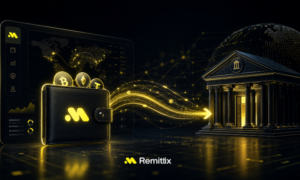
Remittix offers a different way to examine cross-border finance. Its planned PayFi service focuses on sending supported crypto that arrives in compatible bank accounts as local fiat. The project has scheduled November 24 for its RTX debut and introduced a limited BINANCE500 rewards campaign, adding a dated early-stage event to the broader payments conversation.
XRP Price Prediction: What a Move Toward $2 Needs
The XRPL payment documentation describes how payments can move value across the XRP Ledger. That infrastructure is relevant to international money movement, but XRP’s market price also depends on token demand, liquidity and sentiment. A payment use case alone cannot determine when a break above resistance will occur.
At roughly $1.53, XRP would need a rise of about 31% to reach $2. Traders can monitor whether rallies bring durable volume or reverse as short-term buyers take profits. Financial institutions and wallet providers may find XRPL useful even when XRP itself trades sideways, so product and price stories should be evaluated separately.
Remittix starts from the recipient’s experience instead. A person being paid across borders ultimately needs money that can be used locally. Helping the customer complete that journey creates a distinct way for a payment-focused platform to build repeat usage.
Remittix Builds a Home for Transfers and Trading
The Remittix PayFi network aims to convert supported assets into fiat sent to compatible bank accounts across more than 30 currencies. A freelancer invoicing internationally may want to avoid managing a token, a separate exchange and a bank withdrawal. Bringing those steps closer together gives the service a clear customer problem to address.
The project’s live derivatives venue, Remittix Markets, offers hundreds of perpetual pairs and has processed millions in reported volume. Its iOS wallet has more than 10,000 reported downloads. A planned wallet rebuild is meant to connect those tools with Remittix Earn, now in testing with advertised yields up to 22% APY on selected holdings.
People may come to receive money, return to manage assets and later trade from the same interface. That is why the wallet can become more valuable as the number of connected services grows.
BINANCE500 Adds a Short-Term Presale Window
Remittix has raised more than $32 million from over 40,000 participants toward a $36 million cap. Its announced token debut is November 24, 2026, and its redesigned dashboard provides a clearer view of contributions, stages and RTX allocations.
In a September 25 release, the issuer cited $0.21 per RTX and $0.46 for a later final presale stage; a September 26 dashboard snapshot showed $0.23. BINANCE500 was announced as a seven-day campaign advertising a 500% token bonus on qualifying purchases. Current prices and bonus conditions can be checked on the live dashboard.
An XRP breakout would demonstrate renewed demand for an established payments asset. Remittix is earlier in its public-market life and offers a connected app targeting a specific missing link between crypto and bank money. If those products draw repeat users, RTX has a more substantial November story than a promotional countdown alone.
Discover the future of PayFi with Remittix by checking out the project here:
Website: https://remittixpresale.io
X: https://x.com/remittix
Frequently Asked Questions
Has XRP reached $2 in this September 27 snapshot?
No. It traded near $1.53; $2 is an unconfirmed upside scenario.
What is BINANCE500?
A Remittix campaign advertising a token bonus on qualifying presale purchases.
When is RTX scheduled to debut?
November 24, 2026.
Disclaimer:
This article is for informational purposes only and does not constitute financial advice. Cryptocurrency investments carry risk, including total loss of capital.
All market analysis and token data are for informational purposes only and do not constitute financial advice. Readers should conduct independent research and consult licensed advisors before investing.
Crypto Press Release Distribution by BTCPressWire.com