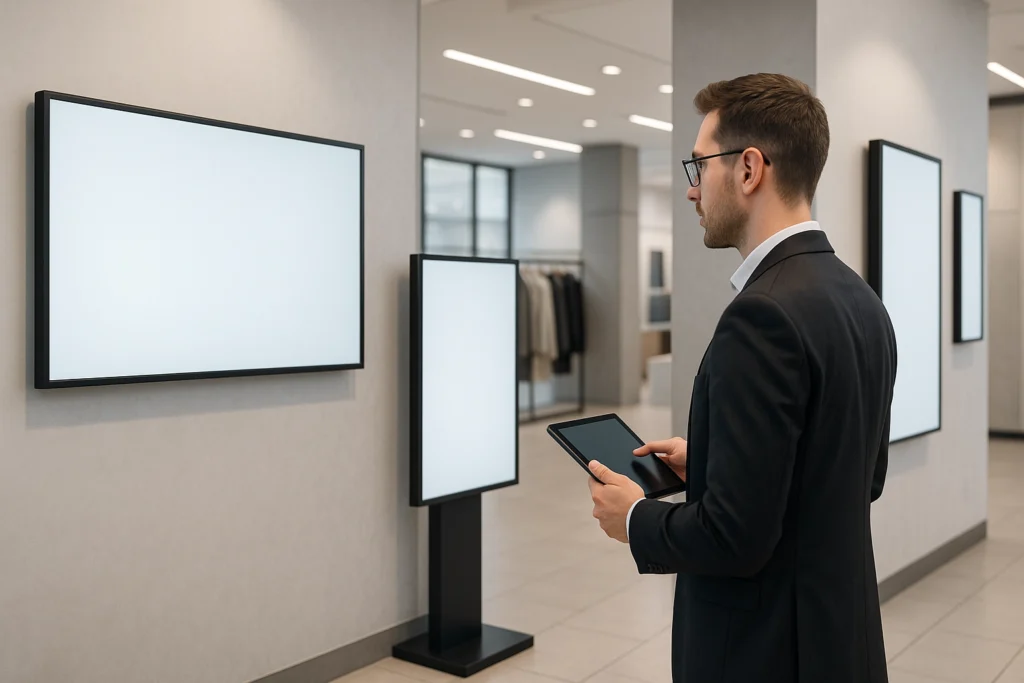
Most businesses buying a commercial display for the first time make the same mistake: they grab a consumer TV off Amazon, mount it in their lobby or storefront, and wonder why it looks washed out, overheats in six months, or dies completely under 24/7 use. If you’re serious about digital signage — whether for a retail store, restaurant, corporate office, or hotel lobby — this guide will walk you through everything you need to know to buy smart.
What Is a Commercial Display (And Why It’s Not a Consumer TV)
A commercial display — also called a commercial-grade monitor, business display, or digital signage screen — is engineered for continuous operation in public-facing environments. Unlike a consumer television, which is designed for a few hours of daily use in a controlled home setting, a commercial display is built for:
- 24/7 operation without thermal failure
- Higher brightness levels (500–4,000+ nits) for high-ambient-light environments
- Portrait and landscape mounting flexibility
- Built-in content management via System-on-Chip (SoC) technology
- Longer warranty periods and commercial-grade panel durability
- Remote management capabilities for multi-screen deployments
The most important thing to understand is that commercial displays are purpose-built for signage workloads. Running digital signage on a consumer TV is like running a delivery fleet on passenger cars — it works until it doesn’t, and the failure is expensive.
The 5 Types of Commercial Displays You Need to Know
1. Indoor Smart Signage (The Workhorse)
For most businesses — retail stores, restaurants, offices, clinics, hotels — an indoor smart signage display is the right starting point. These displays run at 350–700 nits, support 4K UHD resolution, and include built-in software platforms like Samsung MagicINFO for content scheduling and remote management.
The Samsung QMC Series is the benchmark in this category — available in 32″ to 98″, with 4K resolution, built-in Wi-Fi, and SSSP 7.0. It’s the go-to choice for lobbies, digital menu boards, retail promotions, and conference room signage.
Best for: Restaurants, retail stores, corporate offices, healthcare waiting rooms, hotels
2. High-Brightness Window Displays
If your screen needs to be visible in a storefront window, near skylights, or in a sun-exposed area, a standard indoor display will look completely washed out. You need a high-brightness commercial display — typically rated at 2,500–4,000 nits.
The Samsung OM Series (46″–75″) is designed specifically for this use case, delivering vivid content even in direct sunlight. For retail brands running window display advertising or storefronts with floor-to-ceiling glass, this is non-negotiable. A regular 500-nit display behind glass is essentially invisible to a passerby on a sunny day.
Best for: Retail storefronts, car dealerships, real estate offices, restaurants with large windows
3. Outdoor Commercial Displays
For installations that live entirely outdoors — drive-throughs, building exteriors, outdoor menus, transit hubs — you need a fully weatherproof digital signage display. The Samsung OH Series is IP56-rated, meaning it’s sealed against rain, dust, and extreme temperatures.
Outdoor digital signage is increasingly common in QSR (quick-service restaurant) drive-throughs, retail parking lots, and stadiums. These displays can handle everything from a Florida summer to a Chicago winter without skipping a frame.
Best for: Drive-throughs, outdoor menus, building facades, transit advertising
4. Video Walls
A video wall is a multi-panel display array that creates one massive seamless image. The key spec to look for is bezel width — the thinner the bezel, the less visible the seams between panels.
The Samsung VM Series video wall displays feature ultra-narrow bezels and are available in 46″–55″ tile sizes. A 3×3 configuration gives you a 165″+ equivalent display — the kind of visual impact that stops foot traffic cold. These are used in flagship retail stores, corporate lobbies, broadcast studios, and sports venues.
Best for: Flagship retail, corporate lobbies, showrooms, broadcast, hospitality
5. Budget-Friendly Crystal UHD Displays
Not every deployment needs the premium tier. For cost-conscious projects — back-of-house communication screens, employee bulletin boards, small meeting rooms — the Samsung QET Series delivers 4K Crystal UHD processing at a lower price point without sacrificing the commercial-grade durability you need for business use.
Best for: Budget deployments, internal communications, secondary screens, education
Key Specs That Actually Matter When Buying a Commercial Display
Brightness (Nits)
Nits measure luminance. A standard office has about 300–500 lux of ambient light. Here’s a practical guide to the brightness levels you actually need:
- 350–500 nits: Indoor environments with controlled lighting (offices, clinics, hotel lobbies)
- 700–1,000 nits: Retail stores with strong overhead lighting
- 2,500–4,000 nits: Window-facing displays, semi-outdoor, high-glare environments
- 5,000+ nits: Fully outdoor installations in direct sunlight
This is the single most common spec mistake buyers make. Underpowered brightness in a bright environment makes your signage invisible — and visible signage is the entire point.
Resolution
For most digital signage applications, 4K UHD (3840×2160) is the current standard and the right choice for anything 40″ and above. Full HD (1080p) is still acceptable for smaller screens or tight-budget deployments. 8K exists but is overkill for virtually all signage use cases today.
Refresh Rate and Panel Technology
For digital menu boards or animated content, a 60Hz panel is sufficient. If your content includes fast motion or live video, 120Hz is noticeably smoother. IPS panels deliver better viewing angles — important for displays in hallways or corridors where people view from the side.
Connectivity
Look for: HDMI 2.0, DisplayPort, USB-A (for media playback), RS232 for serial control, and built-in Wi-Fi + Ethernet. If you’re deploying multiple screens, network connectivity is essential for remote content management — you don’t want to physically update every screen manually.
Operating Hours Rating
Consumer TVs are rated for approximately 6–8 hours of daily use. Commercial displays are rated for 16/7 or 24/7 operation. If you’re running a restaurant with a digital menu board, a hotel lobby display, or a retail window screen that stays on during business hours, you need the commercial rating. Running a consumer TV 12 hours a day will burn out the backlight within a year.
Industry-Specific Buying Guide
Retail Stores & Showrooms
Retail is where digital signage ROI is most measurable. Studies consistently show that dynamic digital displays increase impulse purchase rates and average transaction value. For retail, prioritize:
- High brightness if displays face windows or are near entrances
- Large format (55″–98″) for maximum visual impact
- Portrait orientation capability for standard retail signage fixtures
- CMS integration for real-time price and promotion updates
Brands like Cole Haan, L’Occitane, and Victoria’s Secret use commercial Samsung displays for exactly this reason — the visual quality and uptime reliability justify the investment over consumer alternatives.
Restaurants & QSR
The digital menu board market has exploded for good reason: paper menus can’t update prices in real time, show video content, or adapt to time-of-day promotions. For restaurants and QSR:
- Landscape format works best for menu layouts
- Look for displays with content scheduling (lunch vs. dinner menus auto-switch)
- Outdoor-rated displays for drive-through windows
- Consider multi-screen mounting for large menu boards (2×1 or 3×1 arrangements)
The ability to update content remotely from a single dashboard — especially for franchise operators managing dozens of locations — is a massive operational advantage.
Corporate Offices
Corporate digital signage spans lobby wayfinding, meeting room booking displays, internal communications screens, and video conferencing backgrounds. Key considerations:
- Meeting room displays: 32″–43″ displays mounted outside conference rooms
- Lobby screens: 55″–75″ for visitor-facing wayfinding and brand messaging
- Employee communications: displays in break rooms, hallways, and common areas
- Integration with Google Calendar, Microsoft Teams, or facility booking software
Healthcare
Hospitals and clinics use digital signage for patient experience in ways that are genuinely measurable: studies show digital content in waiting rooms reduces perceived wait time by up to 35%. Healthcare display deployments typically include:
- Wayfinding displays at building entrances and corridors
- Waiting room screens with health tips, news, and entertainment
- Queue management integration for patient flow
- HIPAA-compliant content management (no patient data on public screens)
Hospitality & Hotels
Hotel lobbies, event boards, restaurant menus, and in-room displays are all part of the modern hospitality digital signage stack. The ROI story here is about reducing front-desk workload and elevating the guest experience:
- Lobby event boards: large-format 75″–98″ displays showing daily schedules
- Digital concierge: wayfinding and local recommendations
- Restaurant menu boards: daily specials updated remotely
- Branded content: consistent brand messaging across all guest touchpoints
Commercial Display vs. Consumer TV: The Real Cost Comparison
The upfront price of a consumer TV is lower. Full stop. But the total cost of ownership for a commercial signage deployment tells a different story:
- Lifespan: Commercial displays are rated for 50,000–100,000 hours. Consumer TVs degrade significantly at 15,000–20,000 hours of heavy use.
- Warranty: Commercial displays typically carry 3-year commercial warranties covering failures under 24/7 operation. Consumer TV warranties explicitly exclude commercial use.
- Panel burn-in: Static content (like a menu header or logo) will permanently burn into a consumer TV panel within months of continuous display. Commercial panels are designed to resist this.
- Remote management: Consumer TVs don’t have commercial CMS integration. Managing 10+ consumer TVs means someone physically updating each one. Commercial displays let you update all screens from a browser.
- Brightness degradation: Consumer TV backlights are not designed for continuous high-brightness operation. Commercial panels maintain consistent output.
The math usually works out clearly: a commercial display that lasts 5–7 years costs less per year than a consumer TV replaced every 18–24 months — plus you avoid the operational headaches.
How to Choose the Right Screen Size for Your Space
Screen size selection is more science than guesswork. The general rule for digital signage viewing distance is: divide the viewing distance (in inches) by 4 to get the minimum recommended screen diagonal. So:
- 8 feet away: Minimum 24″
- 12 feet away: Minimum 36″
- 16 feet away: Minimum 48″ (55″ recommended)
- 20+ feet away: 75″–98″ for maximum readability
For retail storefronts visible from the sidewalk, bigger is always better — a 75″ high-brightness window display is visible from 40+ feet. For a conference room with a 10-foot viewing distance, a 55″ display is plenty.
Digital Signage Software: What to Look For
Hardware is only half the equation. A digital signage CMS (content management system) is what lets you actually control what appears on screen, when, and how. Key features to evaluate:
Content Scheduling
The ability to schedule different content by time of day, day of week, or date range. A restaurant running a breakfast menu at 7am and a dinner menu at 5pm automatically is a basic use case. Look for scheduling that doesn’t require manual intervention for routine changes.
Remote Management
For any multi-screen deployment — even two locations — you want a CMS that lets you push content updates to all screens simultaneously from a browser or mobile app. Remote screen management also means you can diagnose technical issues, reboot screens, and monitor uptime without on-site visits.
Template Library and Content Creation
Not every business has a design team. Look for a CMS with pre-built templates for common use cases: menu boards, promotional slides, event announcements. Drag-and-drop editors are the norm at this point and there’s no reason to accept anything more complex for standard signage content.
Hardware Integration
The best scenario is a display with a built-in System-on-Chip (SoC) that runs the CMS natively, eliminating the need for a separate media player. Samsung’s SSSP platform runs MagicINFO directly on the display. Third-party CMS platforms like CrownTV also work with standard media players and integrate with most commercial Samsung displays.
Where to Buy Commercial Displays: What to Look for in a Supplier
Buying a commercial display is not like buying a laptop. The right supplier matters enormously — and not just for price. Here’s what separates good suppliers from bad ones:
- Samsung Authorized reseller status: Ensures you’re getting genuine product with valid warranties, not gray-market imports
- Expert guidance: Can they actually spec the right display for your space, or do they just list products? A real expert will ask about ambient light, viewing distance, and use case before quoting
- Installation support: For anything beyond a single screen, professional installation matters. Improper mounting, cable management, and network setup creates ongoing headaches
- Volume pricing: If you’re deploying 5+ screens, you should be getting multi-unit pricing — not paying rack rate
- Post-sale support: What happens when a screen needs warranty service? Who do you call?
For businesses in the market for Samsung commercial displays, DisplayDetails is a Samsung-authorized specialist with 13+ years of signage deployment experience — they’ve put screens into L’Oréal, Bonobos, Chanel, Victoria’s Secret, and thousands of other commercial locations. They offer free expert consultations, nationwide shipping, and installation support for multi-screen deployments.
Common Mistakes to Avoid When Buying Commercial Displays
- Buying consumer TVs for commercial use. We’ve covered this. Don’t do it.
- Underestimating brightness requirements. Always measure your ambient light before specifying brightness. Bring a lux meter or use your smartphone.
- Ignoring the CMS. The display is useless without software to manage content. Budget for both hardware and software from day one.
- Buying the wrong orientation. Most displays ship in landscape. Portrait mounting requires a display that explicitly supports it and a CMS that rotates content correctly.
- Not planning for installation. A 98″ commercial display weighs 130+ lbs. VESA mounting patterns, wall stud locations, cable routing, and power placement all need to be planned in advance.
- Skipping the volume quote. Even a deployment of 3–5 screens usually qualifies for volume pricing. Always ask before paying list price.
The Bottom Line
The commercial display market has matured enormously in the last five years. 4K commercial displays with built-in content management, Wi-Fi, and remote management are now accessible at price points that make sense for businesses of every size — from a single-location restaurant to a 200-location retail chain.
The key is matching the right hardware to your actual use case: indoor vs. outdoor, controlled vs. high-ambient light, single screen vs. multi-screen deployment, static content vs. dynamic scheduling. Get those decisions right upfront and the ROI is straightforward.
If you’re in the market for Samsung commercial displays and want expert guidance without the runaround, DisplayDetails by CrownTV offers free consultations, same-day quotes, and nationwide deployment support. They stock the full Samsung commercial display lineup — from the QMC Smart Signage Series for indoor deployments to the OM high-brightness series for storefront windows — and can handle everything from a single screen to a full multi-location rollout.
About the Author
This article was produced in partnership with DisplayDetails by CrownTV, Samsung-authorized commercial display specialists with over 13 years of digital signage deployment experience across retail, hospitality, healthcare, and corporate environments.