Curious if your storage can actually handle your workload?
SSD storage isn’t a one-size fits all solution. Whether you’re powering databases, editing 4K video or running cloud infrastructure…the right drive matters.
The Problem:
Big data workloads and traditional SSD shopping lists don’t always align. There are tons of different drives on the market with varying capacities, speeds and performance levels.
If you accidentally pick the wrong one, your entire workflow can be bottlenecked by slow storage. The last thing you want is your AMD Ryzen 9000 or Intel Core processor waiting around on I/O.
Luckily, it doesn’t have to be difficult to choose the right SSD storage. Let’s dive into exactly what you should look for when optimizing storage for heavy workloads.
What you’ll learn:
- Why SSD Storage Matters For Heavy Workloads
- How To Pick The Right SSD Storage Capacity
- NVMe vs SATA SSDs: Which One Wins?
- Important Specs To Consider
- What type of workload are you optimizing?
Why SSD Storage Matters For Heavy Workloads
SSD storage solutions have become table stakes for heavy workloads.
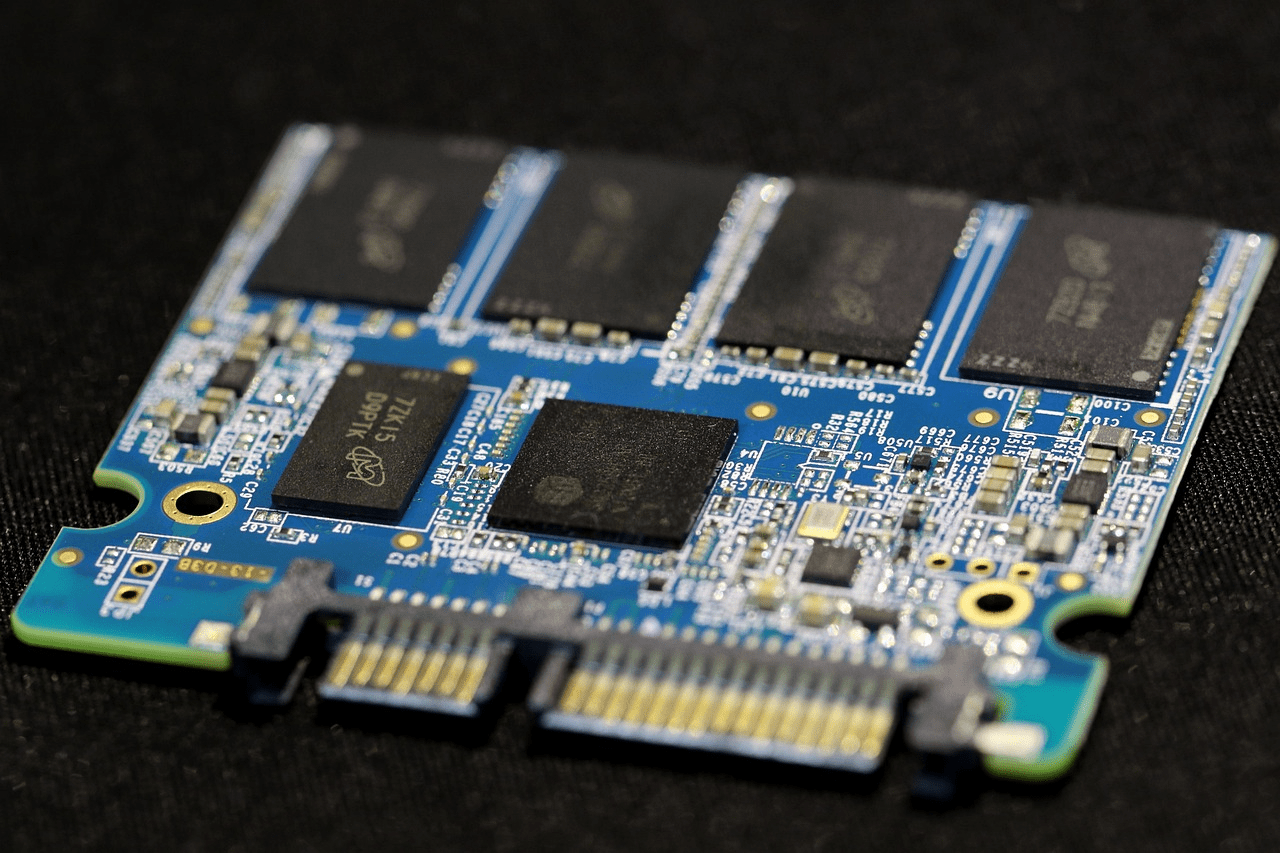
AI training, video editing, large databases and real-time analytics all demand high-speed storage with low latency. Solid state drive storage uses flash storage with no moving parts to deliver massively increased read/write performance over traditional hard drives.
Fun Fact:
One SSD can read data up to 100x faster than a traditional hard disk drive. That adds up when processing multiple terabytes of data each day.
Further emphasizing just how critical SSD storage is…the global SSD market was worth $59.5 billion in 2024 and is expected to reach $166.1 billion by 2033.
If businesses weren’t already saturating their data center with SSD storage, we wouldn’t see numbers like that.
How To Pick The Right SSD Storage Capacity
A lot of people go wrong here first. SSD storage capacity matters…but bigger isn’t always better.
If your workload is mostly light-to-moderate in nature…think office productivity software and web hosting, a 256GB or 512GB SSD is more than enough. These lower-capacity SSDs are great for boot drives, OS installs and applications that don’t require large amounts of local storage.
However…
Heavy workloads are an entirely different story. Raw video editing, machine learning or large-scale database management all require much more storage space.
Think 1TB to 4TB for these heavy duty workloads. For larger enterprise data center applications, even higher capacity drives are becoming standard.
Make sure you pick the SSD storage size that fits your workload. Buying a huge drive with tons of unused space wastes money. But so does running out of storage midway through a project.
NVMe vs SATA SSDs: Which One Wins?
Not all SSDs are created equal when it comes to the interfaces they support.
SSDs use different interfaces to connect to your system and network drives. There are tradeoffs with each one.
SATA SSDs
Pros:
Cheaper and more compatible with older motherboards
Cons:
Maximum capacity is limited to about 550 MB/s
Overclocking a SATA drive will get you nowhere
NVMe SSDs
Utilize the PCIe bus and are orders of magnitude faster than SATA drives. PCIe Gen4 drives, in particular, offer sequential read speeds of 7,000 MB/s or more.
For heavy workload and data intensive tasks, NVMe SSDs are the way to go. Enterprise SSD shipments were over 80% NVMe in 2024, according to Coherent Market Insights.
TLDR; If your workload:
Requires high-speed storage for large file transfers, real-time processing or high IOPS…choose NVMe SSDs.
SATA drives aren’t going anywhere and are perfectly fine for secondary storage or budget builds. But for powerful workstation setups and servers, NVMe should be your default.
Important Specs To Consider
Aside from capacity and interface type, there are a couple of other SSD specs you need to evaluate when shopping.
TBW
Stands for Terabytes Written. Essentially how many terabytes of data you can write to the SSD over its lifetime.
Workloads that are consistently writing and reading (like video editing software constantly rendering to a drive) will consume TBW faster.
Pick a drive with a high TBW rating for heavy write workloads.
IOPS
Stands for Input/Output Operations Per Second. Basically, how many operations the SSD can perform in one second.
Workloads that require high IOPS are usually database management, virtualisation, and large enterprise applications.
Something offering 500,000+ IOPS should be sufficient for heavy workload optimization.
Sequential Reads/Writes
While not as important as IOPS for random read/write operations…having a high sequential read speed helps with tasks that are transferring large volumes of data. Video editors and data engineers should prioritise high sequential speeds.
DRAM Cache
SSDs with DRAM tend to outperform drives without when under continuous workloads. SSDs without DRAM will slow down over time when performing heavy read/write tasks.
DRAM-less SSDs use some of their NAND to map data instead of a dedicated DRAM chip. This takes computing power away from your CPU and slows down your storage device.
Just ignore a lot of the marketing fluff specs these drives offer. Those “up to” 700,000 IOPS numbers don’t tell the full story. Focus on TBW, IOPS and if the SSD has DRAM or not. These are the three most important specs that will matter for heavy workload performance.
What type of workload are you optimizing?
Not every heavy workload is the same. Different SSDs should be used based on your specific task.
Video editing and general content creation: You’ll want high capacity (2TB+) NVMe drives with fast sequential speeds. Video editing software and GPUs require a lot of storage I/O and space.
Database management: High IOPS and endurance (high TBW) are most important. Databases are typically random read/write, so you want a drive that excels at those tasks over sequential.
AI and machine learning: You definitely want a large capacity NVMe drive with PCIe Gen4 or Gen5 support. AI workloads need to push massive datasets to GPUs quickly.
Business and general web hosting: Pretty much any reliable 512GB – 1TB NVMe drive will do. With web hosting you’re not usually pushing terabytes of data at once like in the other examples.
Backup and archival: SATA drives or even better…QLC drives work well here. Speed isn’t as important for something that won’t be used often.
Understand what you’re trying to optimize before you spend money. Nothing will slow you down more than using a cheap SATA drive for a database.
Wrap up
Pretty much every component choice comes down to one thing…knowing your workload.
Optimizing SSD storage is no different. Capacity, interface, endurance and workload-specific performance are all important when picking the right SSD.
Here’s the short version:
- Capacity: Know your workload. Small drives for light workflows, Large drives for heavy data
- Interface: NVMe is better, SATA is fine for secondary storage or budget builds
- Endurance: Look at TBW ratings for heavy write workloads
- IOPS and Speed: Choose based on workload. Sequential vs Random
The SSD industry is exploding because SSD storage is no longer a luxury. It’s a necessity for high-performance workflows. Make sure you have the right drive for your workload and everything else will fall into place.