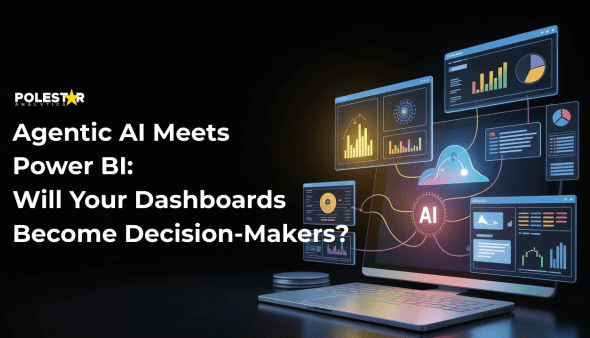
Artificial Intelligence in Power BI Is Redefining BI
By 2027, 75% of analytics content will leverage artificial intelligence to deliver contextual and proactive intelligence, significantly reducing the need for manual interpretation (Gartner Press Release, 2025).
Agentic AI is expected to autonomously make 15% of routine enterprise decisions by 2028. These are the decisions that demand hours of analyst effort and executive oversight (Reuters, 2025).
This shift signals a fundamental transition: Power BI with AI is moving beyond visualization into decision execution. This is no longer about better Power BI dashboards, it’s about AI-powered systems that acts!
From Passive Dashboards to Agentic Decision Systems in Power BI
Most organizations underestimate the cost of traditional BI—not in licenses, but in decision latency.
A typical Power BI workflow still looks like this: open dashboard → apply filters → export to Excel → cross-check systems → analyze → email stakeholders → schedule follow-ups → act.
The result? Hours of delay, compounding operational and revenue risk.
Now contrast this with agentic AI in Power BI:
An AI agent detects the anomaly in real time, cross-references historical and contextual data, determines root cause, triggers corrective workflows via ERP or CRM, and logs the action- in much less time. The user receives a summarized insight, not a to-do list.
This is artificial intelligence with Power BI in practice.
But What Makes Agentic AI in Power BI Different?
Traditional Power BI and AI integration follows a reactive chain:
Data → Dashboard → Human → Decision → Action
Each step introduces delay and interpretation bias.
Agentic AI collapses this chain.
AI agents embedded in Power BI continuously monitor data, detect anomalies within business context, perform multi-dimensional root-cause analysis, and either:
- Execute predefined actions automatically, or
- Surface prioritized recommendations to the right decision-maker at the right moment
This marks the evolution from AI in Power BI examples to AI agentic development in Power BI.
Traditional vs. Agentic Power BI: Operational Reality
How AI Capabilities in Power BI Change Execution
| Decision Scenario | Traditional Power BI Workflow | Agentic AI Power BI Workflow |
| Identifying Sales Decline Root Cause | Open dashboard → apply filters → drill down → export data → analyze in Excel → formulate hypothesis | AI detects anomaly → cross-references 15+ data sources → surfaces root cause with confidence score |
| Responding to Inventory Risk | Weekly review meeting → manual threshold monitoring → reactive ordering when stock critical | Continuous monitoring → predictive alerts 7-10 days ahead → auto-triggered procurement workflows |
| Lead Prioritization | Manual CRM review → subjective scoring → delayed follow-up | Real-time intent scoring → automated routing to appropriate sales rep → contextual briefing provided |
Here’s the measurable difference with AI-enhanced Power BI dashboards delivered:
- ~49% reduction in time-to-insight
- ~11% improvement in analytical accuracy
- ~75% increase in dashboard usage
This demonstrates the tangible ROI of AI capabilities in Power BI Dashboards when dashboards evolve into intelligent decision systems.
Power BI and AI Integration Through Microsoft Fabric
Microsoft has deliberately positioned Power BI with AI as a decision orchestration layer. Its evolution through Microsoft Fabric, Copilot, and Data Agents represents a shift from visualization-first BI to autonomous analytics.
Did you know?
Microsoft Power BI was named a Leader in the 2025 Gartner Magic Quadrant for Analytics and BI Platforms, specifically citing its advancement toward autonomous analytics capabilities.
Source: Microsoft
This architecture enables artificial intelligence power BI use cases at enterprise scale.
The Four Pillars of AI Features in Power BI
1. Proactive Discovery vs. Manual Exploration
Traditional approach: User notices sales declining → opens dashboard → clicks through multiple filters → drills down by region, product, time → manually correlates with external factors → forms hypothesis.
Agentic approach: AI detects “12% sales decline in Midwest region” → automatically analyzes historical patterns, seasonal trends, competitive activity, and operational data → identifies root cause (delayed shipments from specific warehouse) → surfaces contextualized insight: “Midwest sales down 12% due to Warehouse C fulfilment delays; historically recovers within 8 days once resolved.”
Business impact: Sales leadership focuses on resolution strategy rather than spending hours on root cause analysis.
This represents one of the most powerful AI capabilities in Power BI—the ability to autonomously investigate and diagnose business problems without human prompting.
2. Context-Aware Alerting vs. Static Thresholds
Traditional approach: Set static alert: “Notify if daily sales < $500K.” Result: Constant false positives during weekends, holidays, or seasonal dips. Teams start ignoring alerts.
Agentic approach: Agentic AI understands business context: “Alert only if sales decline exceeds 10% compared to equivalent period (same day-of-week, adjusted for holidays/events) AND the decline isn’t correlated with planned promotions or inventory constraints.”
Business impact: Dramatic reduction in alert noise and significantly improved response rates to genuine anomalies.
These advanced AI features in Power BI ensure stakeholders receive only meaningful, actionable alerts rather than a flood of false positives that erode trust in the system.
3. Natural Language Report Creation vs. Technical Expertise
Traditional approach: Analyst spends hours building report → writes complex DAX formulas → designs layout → validates calculations → deploys.
Agentic approach: Business user types: “Show me regional sales performance vs. forecast, broken down by product category, with trend indicators.” Copilot generates complete report with appropriate visualizations and DAX calculations in significantly less time.
Business impact: Democratizes analytics across non-technical teams and reduces analyst backlog.
This is where artificial intelligence with Power BI truly transforms operations—eliminating technical barriers and making sophisticated analytics accessible to every business user. The result is faster insights and reduced dependency on specialized analysts.
4. Embedded Action Orchestration vs. Manual Handoffs
Traditional approach: User identifies issue in Power BI → switches to email/Teams → manually coordinates with stakeholders → someone updates CRM/ERP → returns to Power BI to verify resolution.
Agentic approach: AI detects high-value lead showing purchase intent signals → automatically enriches lead record in CRM → triggers personalized email sequence via Power Automate → notifies sales rep with contextualized briefing → updates dashboard with action status.
Business impact: Average response time drops from hours to minutes; conversion rates improve due to timely engagement.
This pillar demonstrates the true potential of AI agentic development in Power BI—where the platform becomes an active participant in business operations, not just a passive reporting tool. These AI-based visuals in Power BI and automated workflows create a seamless connection between insight and action.
From Passive Observation to Active Orchestration
Dashboards aren’t dying, they’re evolving. The question is whether your organization evolves with them or continues treating analytics as a reporting function rather than a decision engine.
Agentic AI in Power BI represents more than technological advancement. It’s a fundamental rethinking of how organizations convert data into business outcomes—shifting from passive observation to active orchestration, from human-dependent analysis to autonomous intelligence, from dashboards that inform to systems that act.
Implementing Power BI and agentic AI requires more than technology—it demands strategic expertise, architectural planning, and deep understanding of both Microsoft’s ecosystem and your unique business requirements.
Polestar Analytics specializes in Power BI implementation and AI-powered analytics transformation. As a Microsoft partner, we help organizations unlock the full potential of agentic AI capabilities—from initial assessment and architecture design to deployment, governance, and continuous optimization.
Transform your dashboards into decision engines. Explore Polestar Analytics’ Power BI Services and discover how we can accelerate your journey to autonomous analytics.