Introduction
Paper-based stock counts create slow audits and inconsistent records. Modern mobile systems fix these issues by giving teams real-time tools to scan, record, and verify inventory. Warehouses and retail operations use these tools to reduce discrepancies and shorten cycle counts.
How Barcode Scanning Improves Stock Counts
Barcode scanning removes manual number entry. This reduces transcription mistakes and accelerates item identification.
- Each scan captures item ID, quantity, batch, or location with minimal human input.
- Staff can complete counts without searching item codes or writing results.
- In fast-moving warehouses, this lowers the risk of double counting or missed items.
Barcodes also standardize data. When every item is scanned rather than written down, audits become consistent across teams and shifts.
Role of Cloud Sync in Accurate Inventory
Cloud sync keeps data consistent, even when multiple people count different sections.
- Team members upload scans instantly so supervisors can monitor counts in progress.
- Duplicate entries become visible early.
- If something changes during the audit, updated data is shared across all devices.
For retail stores with multiple locations, cloud sync helps maintain a single source of truth. Variance checks and reconciliations become faster because the system compares real-time data rather than outdated spreadsheets.
Benefits of Using a Mobile Inventory System
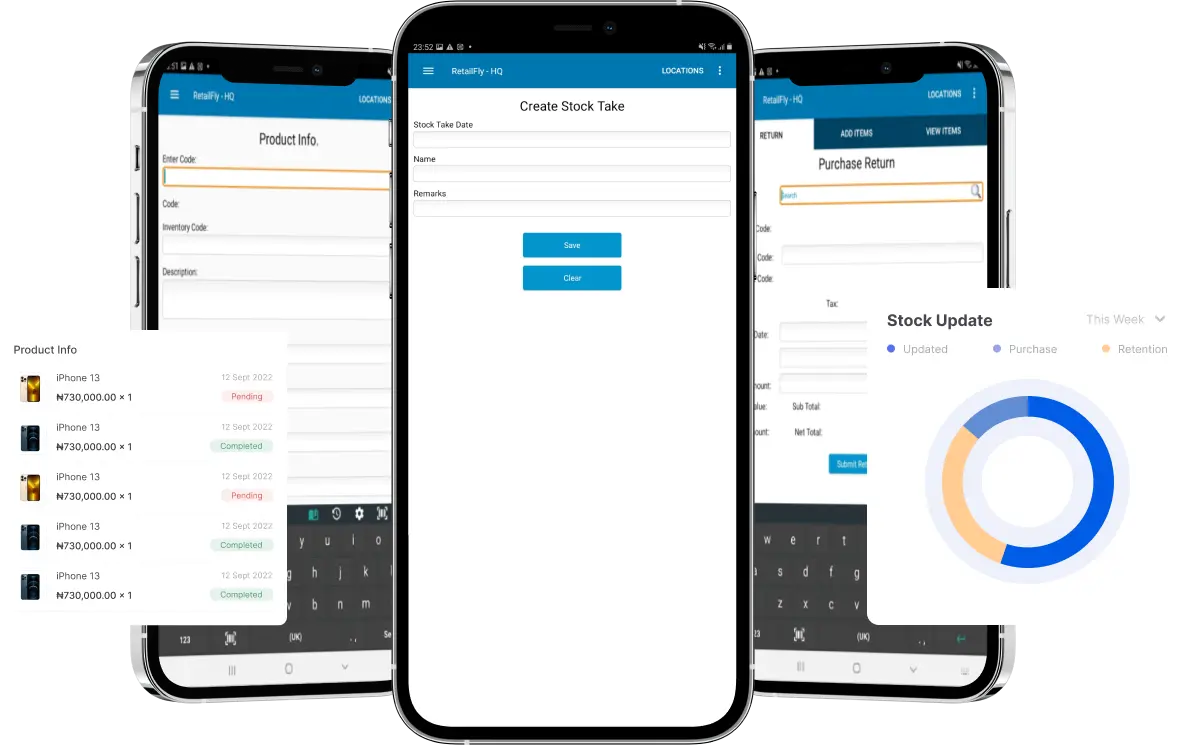
A Mobile inventory management app gives staff a tool built for accuracy and speed. Mobile devices remain portable and familiar, reducing training time. These systems focus on three outcomes:
1. Improved Counting Accuracy
Barcode scanning, validation rules, and guided workflows lower the chance of errors. Apps can flag incorrect entries or mismatches instantly. This helps teams fix issues before finalizing the count.
2. Faster Stock Audits
Mobile tools reduce steps. Staff scan, confirm quantities, and submit data directly from the device. The process eliminates clipboards, manual entry, and back-office data transfer.
3. Fewer Data Entry Errors
Handwritten notes often lead to quantity mistakes, misread codes, or lost sheets. Mobile systems prevent these issues by capturing information digitally at the point of activity. Automated data transfer further reduces mistakes caused by rewriting results into spreadsheets.
4. Better Oversight and Reporting
With cloud-based systems, supervisors can see progress during the audit. They can track which areas are complete, identify discrepancies, and approve corrections.
Use Cases in Warehouses
Warehouses handle large item volumes and multiple storage zones. Mobile inventory tools help by:
- Mapping locations to device-based workflows
- Using barcode scanning to verify bin, pallet, or rack identification
- Syncing data across teams so counts do not overlap
Large distribution operations also use mobile tools for cycle counting, where small sections are counted daily or weekly. This keeps inventory records accurate year-round.
Use Cases in Retail
Retail counts require precision because small variances affect pricing and replenishment. Mobile systems help store teams:
- Scan shelf items quickly
- Detect mismatches between on-hand numbers and POS data
- Sync results to head office in real time
For chains with multiple stores, these tools standardize the process. Stores follow the same steps, improving audit quality and consistency.
Why Mobile Matters
Mobile inventory tools combine scanning, cloud sync, and intuitive workflows into one device. This creates fast, verifiable, and repeatable audits. The process becomes less dependent on manual effort and more aligned with real-time data requirements.
Conclusion
Mobile inventory systems improve stock taking by tightening data accuracy and reducing manual steps. Barcode scanning lowers errors. Cloud sync keeps records unified. Mobile apps shorten audits and provide clearer oversight. For warehouses and retail environments, the shift to mobile workflows leads to faster, more reliable inventory control without relying on paper or slow data entry.