
5 Best Restaurant Management Systems for 2026

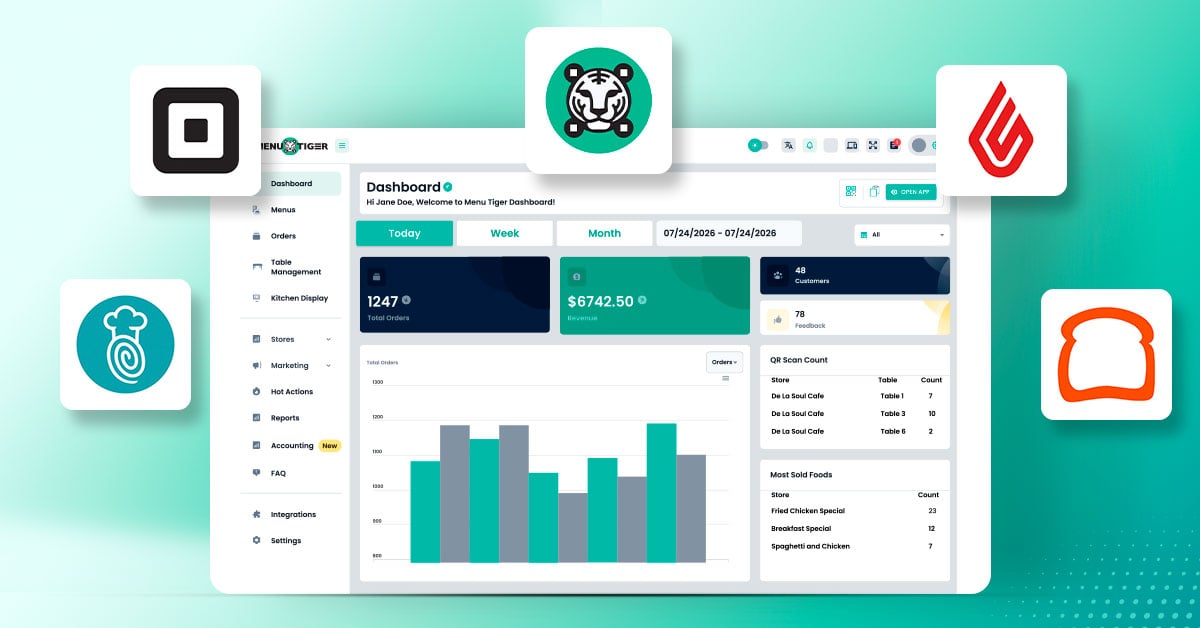
A restaurant management system (RMS) is software that helps you manage your daily restaurant operations in one place. It can help you take orders, track sales, manage inventory, run promotions, schedule staff, and keep customer records.
MENU TIGER, Toast, TouchBistro, Lightspeed, and Square for Restaurants are among the well-known players in the RMS market. Their tools can cover ordering, payments, inventory, staff management, and customer records.
Each covers different tasks, which makes the better choice depending on what your restaurant actually needs. We compared them by cost, ease of use, integrations, and suitability for different restaurants.
5 Restaurant management system compared
Pricing and plan details were checked on October 9, 2026.
| Platform | Best for | Key features | Starting price |
| MENU TIGER | Restaurants that want digital ordering, customer engagement, and operational tools in one platform | QR code menus, online ordering, marketing tools, reporting, KDS, table management, POS integration, inventory management, and multi-location management | Free plan available; paid plans start at $17/month |
| Toast | Restaurants that need integrated POS, payments, inventory, and staff management | POS, online ordering, payment processing, inventory tracking, employee scheduling, payroll, and sales reporting | Starter package available; other pricing requires a quote |
| TouchBistro | Full-service restaurants that need table service and efficient staff workflows | Tableside ordering, floor plans, bill splitting, offline ordering, sales reports, and optional inventory and reservation tools | POS software starts at $69/month |
| Lightspeed Restaurant | Restaurants that need detailed analytics, inventory controls, and multi-location support | POS, menu management, ingredient-level inventory, sales analytics, KDS, delivery integrations, and multi-location management | Starter: $69/month; Essential: $189/month; Premium: $399/month |
| Square | Small restaurants and cafes that need accessible POS and payment tools | POS, payment processing, menu and order management, sales reports, KDS support, team management, and third-party integrations | Free plan available; paid plans and transaction fees may apply |
-
MENU TIGER
Best for: Restaurants that want to combine digital ordering, customer engagement, and operational tools without relying on separate systems for every task.
MENU TIGER helps restaurants manage their menus, online orders, marketing, kitchen operations, and multiple locations. With its Point-of-sale system, restaurants can also handle in-person sales and track their inventory, making it easier to manage different parts of the business in one place.
Features:
- Digital and QR code menus
- Online ordering through a restaurant website
- Marketing tools, promotions, and customer feedback surveys
- Sales and revenue reporting
- Kitchen display system (KDS)
- Table management
- POS integration for in-person sales and inventory management
- Multi-location management and menu translation
Pricing:
Free plan available, with paid plans starting at $17 per month. Higher-tier plans provide additional features, store capacity, and ordering limits.
-
Toast
Best for: Restaurants that want integrated ordering, payments, inventory, and staff management.
Toast is a restaurant management system built around POS technology, with connected tools for payments, online ordering, inventory, employee management, and reporting. It suits restaurants that want to coordinate front-of-house and kitchen operations through one platform.
Features:
- POS for dine-in, takeout, delivery, and online orders
- Restaurant-grade terminals and handheld devices
- Online ordering and delivery management
- Inventory tracking, invoice automation, and recipe costing through xtraCHEF
- Employee scheduling, payroll, and team management
- Sales reports, marketing, and customer information
- Website tools that sync menus and prices with the POS
Pricing:
Toast offers different purchasing options, including a Starter package. Request a quote to determine the total cost.
-
TouchBistro
Best for: Full-service restaurants that need better control over table service, staff workflows, and order accuracy.
TouchBistro focuses on restaurant POS and service management, particularly for full-service restaurants. Staff can take orders at tables, manage floor plans, split bills, and review sales reports without relying entirely on manual processes.
Features:
- Tableside ordering and payment processing
- Custom floor plans and table management
- Menu updates and multiple menu configurations
- Staff management and sales reporting
- Offline ordering capabilities
- Optional inventory management and kitchen display system
- Online ordering, reservations, loyalty, and marketing add-ons
Pricing:
POS software starts at $69 per month. Hardware, payment processing, and additional solutions may cost extra. Bundled options are available for restaurants that need hardware and payments alongside software.
-
Lightspeed Restaurant
Best for: Restaurants that need detailed sales insights, inventory controls, and tools that can support more complex operations.
Lightspeed Restaurant combines POS, menu management, reporting, and inventory tools to help restaurants monitor sales and control operating costs. Its features also support restaurants with more complex service workflows and multiple locations.
Features:
- POS and customizable menus
- Floor plans and table management
- Sales analytics and business reporting
- Ingredient-level inventory tracking
- Online ordering and delivery integrations
- Kitchen display system
- Multi-location management
- Lightspeed AI and performance insights on supported plans
Pricing:
Published US pricing lists Starter at $69 per month, Essential at $189 per month, and Premium at $399 per month. Add-ons, hardware, payment processing, and regional availability may affect the final cost.
-
Square for Restaurants
Best for: Small restaurants, cafes, and food businesses that want to start with essential POS functions and expand as their needs change.
Square for Restaurants offers POS and payment tools for restaurants that want a straightforward way to manage transactions, menus, and daily sales. Its free entry-level plan makes it an option for smaller operations starting with digital POS technology.
Features:
- POS and integrated payment processing
- Menu and order management
- Sales reports and business analytics
- Kitchen display system support
- Team management and payment tracking
- Advanced service features, including course management, on eligible plans
- Integrations with other business applications
Pricing:
A free plan is available, with payment processing fees applying to transactions. Paid plans provide additional capabilities, while premium pricing may depend on business requirements and eligibility.
How to choose the right restaurant management system
1. Identify the restaurant tasks you need to manage
Most restaurants need a system that removes repeated work, not one packed with a hundred features. The better fit is usually the one that removes the steps staff still have to copy, re-enter, or check twice.
Start by listing the tasks that waste time or invite more mistakes, then compare systems by how well they handle them. Updating menus, processing orders, monitoring stock, coordinating kitchen operations, managing employees, or reviewing sales can expose where your current setup falls short.
2. Check how well the features work together
Follow one order through the system and note which records update without manual input. That gives you a clearer view of how well the features connect, and where staff still have to step in.
Check whether a POS updates inventory after a sale, whether online orders reach the right workflow, and whether reports combine the sales channels you use. Confirm which functions are built in and which depend on extra integrations or subscriptions.
3. Calculate the total cost of ownership
Compare more than the monthly software fee. Include:
- Hardware purchases or leases
- Payment processing fees
- Additional software modules
- Integration and implementation costs
- Staff training
- Ongoing support and maintenance
A free plan can be a good starting point, but a paid system may offer better value if it reduces manual work or helps prevent costly operational mistakes.
4. Evaluate ease of use and training
Have staff demonstrate the tasks they will perform most often, such as entering orders, applying discounts, updating stock, and closing sales. A system that looks simple in a demo may feel different during a hectic shift.
Also check the provider’s training resources, customer support availability, and onboarding process.
5. Evaluate integrations, data ownership, and regional support
Match the system against your current payment, delivery, accounting, and hardware tools. Ensure you maintain full export rights for menu details, sales records, and client information should you decide to transition later.
Restaurants outside the vendor’s main region must check local feature availability, currency support, payment gateway compatibility, and potential extra charges.
Takeaway
MENU TIGER connects digital menus, online ordering, marketing, and POS capabilities, while TouchBistro focuses on table-service workflows. Toast covers restaurant operations with broader business tools, Lightspeed goes deeper into inventory and reporting, and Square offers an accessible POS solution.
Compare those strengths against the work your restaurant handles every day, along with pricing, integrations, and hardware requirements.
The right system earns its place when you barely have to think about it during the rush. What’s the one feature you wouldn’t give up?







Comment