
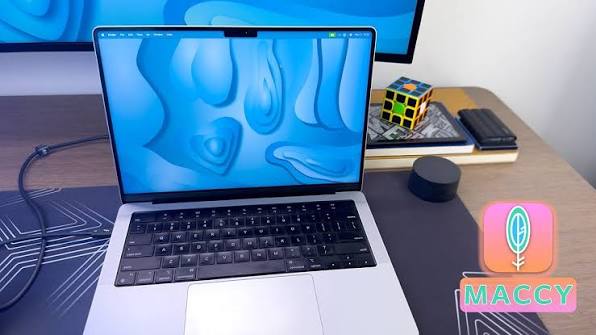
Your Mac keeps only the last thing you copied. Copy something new and the previous item vanishes without a trace.
Apple’s built-in option helps a little: macOS 26 Tahoe added a basic built-in clipboard history inside Spotlight (press Cmd-Space, then Cmd-4), but Apple Support notes it’s off by default, Mac-only with no iPhone/iPad sync, and clears items after 30 minutes to seven days.
Productivity apps generated over $32.5 billion in revenue in 2024, up 17.3% on the previous year, according to 2024 figures from Business of Apps, the most recent available.
If you’re still tuning your setup, start with these things you can do on your Mac.
Methodology: How These Clipboard Managers Were Picked
This list scores six Mac clipboard managers on six criteria:
- Clipboard history depth: how far back each tool saves and how many items it retains.
- Search speed and access: keyboard-first design and instant search responsiveness.
- Snippet management: pinning, folders, filters, and paste transformations.
- Screenshot and media support: image storage, screenshot capture, and file handling.
- Privacy and security: local versus cloud storage, password-manager handling, and encryption.
- Pricing and value: one-time versus subscription, free tiers, and dollar-per-feature ratio.
The focus is power users, developers, writers, and anyone who copies hundreds of items daily. Automation, cross-app integration, and long-term history outrank bare-bones record-keeping.
Sources include independent outlets such as Lifehacker, Zapier, and XDA Developers, plus official documentation and YouTube reviews. Vendor-authored roundups were treated as background only.
1. Spud: The Most Complete Clipboard Manager for Mac
Spud is a menu-bar app that keeps everything you copy, type and capture one keystroke away. Press ⌃Space and your full clipboard history, saved snippets and screenshots open in one searchable panel. It also does something no clipboard-only app like Paste or Maccy does: it saves and restores your whole workspace. The tagline, “Your Mac forgets. Spud doesn’t,” describes it accurately.
- Full, searchable clipboard history. Spud keeps everything you copy, not just the last item. You can paste something from an hour ago without leaving the app you’re working in.
- Snippets for the text you type every day. Save email intros, addresses and standup templates. Search for one, press Return, and it’s ready to paste.
- Every screenshot in one grid. Spud collects the files from ⇧⌘5 plus the screenshots you copied straight to the clipboard, which macOS never saves. This feature is opt-in, and screenshots never leave your Mac.
- Workspaces that restore your whole context. Spud records each window’s position, size and stacking order. On restore it relaunches closed apps and reopens closed browser tabs without making duplicates. If you move between a laptop and an external display, it rescales the layout to fit.
- Talk. Press ⌃T and Spud reads anything you copy aloud, which is useful for proofreading a draft by ear.
- Fully keyboard driven. ⌃Space opens the panel, ⌃⌥Space opens the workspace switcher, and ⌃⌥1 through 9 jumps straight to a workspace.
Pricing: Spud Pro is $4.99/month with a 10-day free trial and includes unlimited history, snippets and workspaces. It runs on Apple silicon and Intel Macs with macOS 26 or later.
Best for: People who copy, paste and switch between projects all day and want one fast app instead of a separate clipboard manager, snippet tool, screenshot organizer and window manager.
Less ideal if: You’re on macOS 15 or earlier, or you need your clipboard synced to an iPhone.
For Mac users who want more than a list of recent copies, Spud is the most complete option available. History, snippets and screenshots share one panel, and workspace restore isn’t something any dedicated clipboard manager offers.
2. Pastebot 3: Best for Automation-First Workflows
Tapbots released Pastebot 3 in July 2026, and it immediately raised the bar for clipboard-as-text-processors. The app requires macOS 26 Tahoe and is built around paste filters that transform your copied text as you paste..
- Transformative paste filters strip formatting, change case, and run find-and-replace, applied automatically or on demand.
- Smart Pastebins are rule-based folders that auto-sort clipboard items by source app or condition, and Pastebot 3’s smart filters include automatic text-to-title-case conversion, uppercase conversion, link extraction and formatting, and Smart Pastebins (rule-based folders that auto-sort clipboard items by source app or condition), as highlighted by Lifehacker.
- Automation and sync come baked in, with Shortcuts integration, CLI access, and iCloud sync across your Macs.
- Pricing stays flexible: $39 direct (a year of updates, then $19 a year) or $2.99 a month and $24.99 a year via the Mac App Store, with a 14-day free trial. Existing Pastebot 2 owners get a $12.99 upgrade discount, as 9to5Mac reported.
Best for: automation enthusiasts, developers, and writers who constantly reformat text before pasting, plus anyone on the latest macOS who wants the newest tech.
Less ideal if: you’re not on macOS 26 Tahoe, or you prefer a simple, set-and-forget clipboard history without a learning curve.
Pastebot 3 turns the humble clipboard into a full-fledged text-processing pipeline. If you’re willing to invest a little time learning its filters, the productivity payoff is enormous.
3. Paste: Best Cross-Device Clipboard Manager for Apple Users
Paste has been the go-to Apple clipboard manager since 2015, and its latest major update (Paste MCP), which arrived in June 2026 connecting clipboard history to AI tools including Claude, Codex, and Cursor, keeps it there.
It syncs clipboard history across Mac, iPhone, and iPad through your private iCloud, so your data never touches Paste’s own servers. Lifehacker named it the best overall clipboard manager for Apple devices in 2026, and Zapier picked it as the top option for Apple users too.
- Seamless cross-device iCloud sync means you copy on your iPhone and paste on your Mac instantly, all over your own iCloud account.
- Command-Shift-V opens the clipboard history panel right at your cursor for quick pasting.
- Pricing lands at $3.99 a month or $29.99 a year, with a $89.99 lifetime license.
Best for: people who live in the Apple ecosystem and want clipboard history at their fingertips on every device with minimal manual syncing.
Less ideal if: you’re price-sensitive (the subscription adds up) or you only work on a single Mac.
Paste remains the most polished, full-featured clipboard manager for Apple users. The subscription cost is offset by the convenience of a frictionless cross-device workflow.
4. Raycast Clipboard History: Best Free Addition for Raycast Users
Raycast’s Clipboard History extension is a hidden gem for anyone who already relies on the popular launcher. It handles text, images, colors, and links, all encrypted locally and automatically ignoring passwords from password managers.
- Deep launcher integration keeps clipboard history inside the same quick-access tool you already use, with access to 1,300+ extensions; Raycast Pro is priced at $10/month or $8/month billed annually ($96/year).
- Pinning and search make it easy to pin frequent clips and find anything from the keyboard in seconds.
- Privacy-first design encrypts everything locally and ignores clipboard content from password managers.
The free tier includes three months of clipboard history while six months, year, or lifetime retention requires you to upgrade to Raycast Pro.
Best for: Raycast users who want fast, keyboard-driven clipboard history inside a launcher they already run without adding another app.
Less ideal if: you don’t use Raycast (the clipboard feature alone doesn’t justify adopting a whole new launcher) or you need more than three months of history on the free tier.
For Raycast devotees, this extension is a no-brainer. It merges clipboard management into a launcher you already open dozens of times a day.
5. Maccy: Best Lightweight, Budget-Friendly Option
Maccy is a free, open-source (MIT license) clipboard manager that does one job extremely fast. It requires macOS 14 Sonoma or later, stores everything locally, and opens your full clipboard history with a quick keyboard shortcut.
Zapier named it the best affordable Mac clipboard manager, and YouTube reviewer David Kayode gave it 4/5 stars in his review, praising the speed and privacy despite a “dull design.”
- Instant search and retrieval: Command+Shift+C opens the clipboard manager in a fraction of a second, and you can search, select with arrow keys, pin, and delete items, and you can search, arrow-select, and paste immediately.
- Privacy by design means if a password manager removes a copied password, Maccy removes it too, and everything stays local.
- Maccy enforces a hardcoded clipboard history limit of 999 entries by default, which can be manually increased but may impact performance.
- Pricing is hard to argue with: free from GitHub or Homebrew, or a $9.99 “support the developer” build on the Mac App Store. An optional pay-what-you-like download starts at $4.99, as the Zapier comparison notes.
Best for: anyone who wants a fast, light, free clipboard history with zero bloat, plus open-source enthusiasts.
Less ideal if: you need cross-device sync, snippet pinboards, or a polished UI; image support is basic and there’s no iPhone or iPad app.
Maccy is the spiritual successor to the clipboard history Apple left out. Its simplicity and MIT license should keep it a favorite for years.
6. Alfred Clipboard History: Best for Alfred Powerpack Users
Alfred’s Clipboard History, unlocked with the paid Powerpack, adds a capable clipboard manager to the well-known launcher. It saves text, images, and file links, keeps history for up to three months, and by default ignores popular password apps.
- Clipboard merging: hold Cmd and double-tap C to append the selected clip to the previous one, great for assembling quotes or code snippets.
- Configurable retention and privacy let you choose 24 hours, 7 days, 1 month, or 3 months, and blacklist apps that hold sensitive data.
- Snippet and text expansion integration works alongside clipboard history for a unified workflow.
- One-time pricing: the Powerpack starts around £34 (roughly $45), with a Mega Supporter option near £59 (about $78) that includes lifetime upgrades. There’s no subscription, but Alfred doesn’t sync clipboard history across Macs.
Best for: Alfred Powerpack users who want to squeeze more value from an existing purchase and avoid another subscription.
Less ideal if: you don’t own the Powerpack or you need cross-device clipboard sync; retention caps at three months, and the Alfred Powerpack requires approximately £34 one-time.
For Alfred loyalists, Clipboard History is a handy extension that works seamlessly with the launcher. Standalone apps may go deeper, but the one-time price is hard to beat.
Final Verdict: Which Mac Clipboard Manager Should You Choose?
The right clipboard manager depends on how you work. Power users who want an all-in-one workspace with clipboard, snippets, and screenshot capture should start a trial of Spud. If you enjoy turning pasting into an automated pipeline, Pastebot 3’s filters and Smart Pastebins are among the most advanced options available.
People deep in the Apple ecosystem will love Paste’s seamless, private iCloud sync, while Raycast and Alfred already give their existing users capable clipboard tools without adding another app. Budget-conscious users or open-source purists should grab Maccy; it’s fast, free, and faithfully does one job.
Whatever you pick, a dedicated clipboard manager will pay for itself in recovered time within the first week.
Previously in Technology: How AI Startups Are Stretching Their Runway With Free Cloud and GPU Credits in 2026