
In today’s fast-paced digital world, productivity is about more than working harder — it’s about working smarter. One of the simplest yet most powerful tools for improving productivity is screen recording. Whether you’re explaining a workflow to a colleague, giving feedback on a project, or creating training content, screen recording helps you save time, avoid miscommunication, and scale your knowledge.
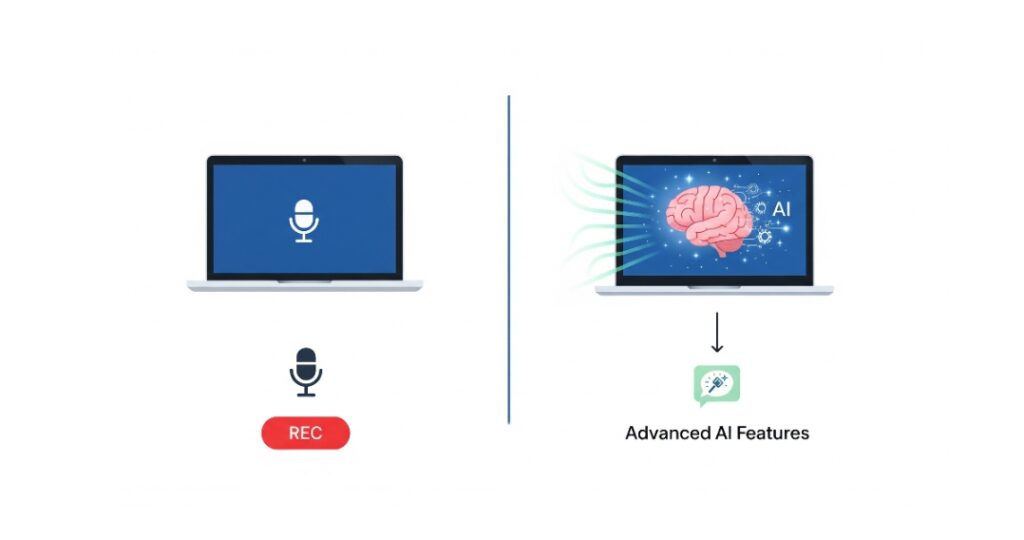
But not all screen recorders are created equal. Popular options like Loom have brought attention to the benefits of video communication. However, newer, AI-powered platforms such as ShotVu are taking productivity to the next level.
Why Screen Recording Improves Productivity
Screen recording eliminates back-and-forth messages and clarifies ideas instantly. Instead of typing out long instructions, you can:
- Show instead of tell – Walk through your screen while narrating steps.
- Reduce meetings – Record once, share instantly, and let others watch on their own time.
- Build reusable resources – Training videos, client walkthroughs, and tutorials can be reused again and again.
- Work across time zones – Perfect for remote or hybrid teams, as screen recordings eliminate scheduling conflicts.
In short, screen recording saves hours of repetitive explanations and boosts clarity across teams.
Loom vs. ShotVu: What’s the Difference?
Loom has long been the go-to name in video messaging and screen recording. It’s great for quick recordings and basic sharing. But as workflows get more complex and professionals demand more features, Loom starts to show limitations.
This is where ShotVu comes in. Designed for modern creators, educators, and teams, ShotVu offers all the simplicity of Loom — plus advanced AI features that make recordings smarter and more effective.
Why ShotVu is the Best Choice
If productivity is your goal, ShotVu delivers more than just recording:
- Professional Look – With AI Eyes on Camera, your recordings look polished and engaging without extra effort.
- Smarter Output – AI Notes and transcripts mean your videos double as searchable, sharable documentation.
- No Barriers – Since it’s browser-based, ShotVu works seamlessly on Chromebooks, Windows, and Mac without any downloads.
- Team Ready – From onboarding to client updates, your team can scale communication without endless meetings.
Where Loom stops at recording, ShotVu turns your recordings into productivity assets.
All-in-One Features of ShotVu
Unlike basic recorders that just capture your screen, ShotVu is built to enhance productivity with a complete suite of AI-powered tools. Here’s what makes it stand out:
🎥 1. Screen + Webcam Recording
- Record your entire screen, a window, or just a browser tab.
- Add your webcam feed to personalize tutorials, presentations, or training sessions.
- Works directly in the browser — no downloads or extensions required.
👀 2. AI Eyes on Camera
- Keeps your gaze aligned with the camera, even if you’re reading notes or looking at slides.
- Makes your videos feel natural, confident, and professional.
- Perfect for teachers, sales teams, and content creators who want stronger audience connection.
📝 3. AI Notes & Summaries
- ShotVu automatically generates AI-powered notes from your recordings.
- Get key highlights, action items, and summaries without manual effort.
- Easily share notes alongside the video for faster collaboration.
💬 4. Transcripts & Searchable Content
- Every recording is automatically transcribed.
- Transcripts are searchable, so you can jump to exact moments in the video.
- Great for training libraries, onboarding docs, and knowledge bases.
📜 5. Built-In Teleprompter
- Display your script or talking points directly on-screen.
- Helps you stay on track without breaking eye contact.
- Especially useful for pitches, lessons, and scripted tutorials.
🌍 6. Instant Sharing & Collaboration
- Share recordings with a simple link — no file uploads or downloads.
- Add team members for real-time collaboration.
- Viewers can comment or react directly on videos.
🔒 7. Privacy & Control
- Your recordings stay secure with browser-based processing.
- Decide what to keep, share, or delete.
- No hidden storage policies — you’re in control of your content.
💡 8. Works Across Devices
- 100% browser-based → runs on Chromebook, Windows, and Mac without setup.
- Optimized for lightweight devices (perfect for students, teachers, and professionals on the go).
Why These Features Matter for Productivity
- Save Time: AI Notes + transcripts mean less rewatching and fewer meetings.
- Look Professional: AI Eyes on Camera + teleprompter help you deliver confidently.
- Scale Knowledge: Searchable transcripts turn videos into documentation.
- Stay Flexible: Works on any device, so you can record and share anytime, anywhere.
FAQs:
- Does ShotVu work on all devices?
Yes. ShotVu is 100% browser-based, so it works on Chromebooks, Windows, and Mac without requiring downloads or extensions. - What makes ShotVu better than Loom?
ShotVu includes advanced AI features like AI Eyes on Camera, AI Notes, and searchable transcripts — features Loom doesn’t offer. It’s designed not just for recording, but for boosting productivity. - Can I use ShotVu for free?
Yes. ShotVu offers a free plan with core features like screen recording, AI Eyes on Camera, and transcripts. Paid plans unlock longer recording times and advanced team features. - Is my data private with ShotVu?
Absolutely. ShotVu processes recordings securely in the browser, giving you full control over what you store, share, or delete. - Is ShotVu good for teams?
Yes. ShotVu is ideal for teams that want to cut down on meetings, share knowledge quickly, and build searchable video libraries.
Conclusion
Screen recording isn’t just about capturing your screen — it’s about making communication faster, clearer, and more impactful. Loom helped popularize video messaging, but ShotVu pushes it further with AI-powered tools that save time, reduce friction, and make every recording more professional.
Whether you’re a teacher, team leader, or content creator, ShotVu transforms your Chromebook or computer into a productivity powerhouse.
👉 Ready to work smarter, not harder? Try ShotVu today and experience the future of screen recording.