
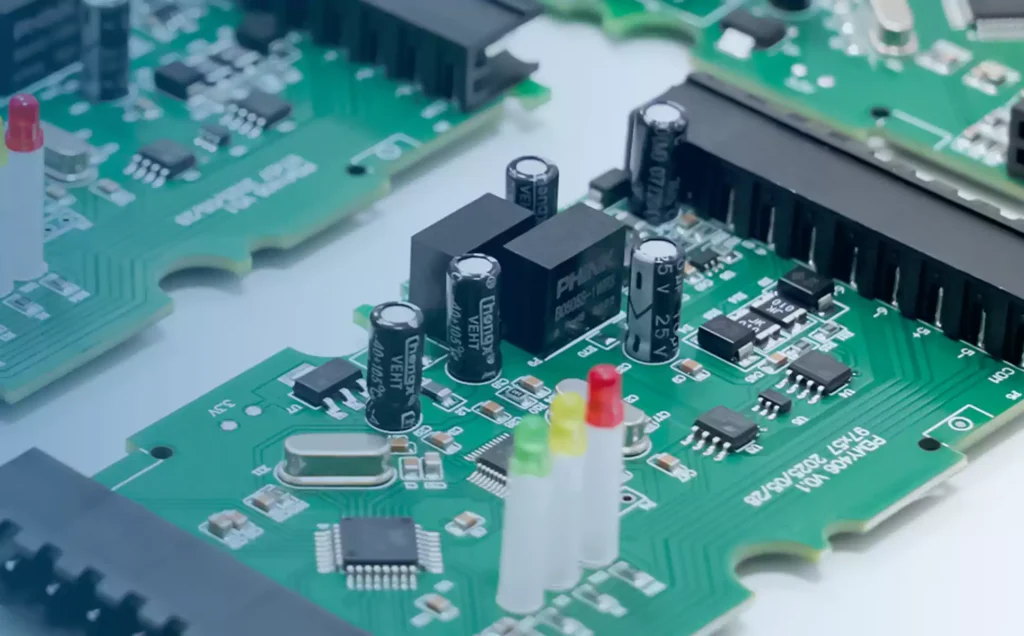
Picture a hardware founder with firmware frozen, a demo on the calendar and a quote form that offers a fast option. She ticks the quickest box, uploads files on Monday and expects boards by Tuesday. By Friday the assembler is still waiting on one connector, and the demo moves. Nothing in the process was faulty. The order simply bought something different from what she believed she was buying.
This article covers what a fast assembly order really purchases, the two gates that sit in front of the clock, why parts kitting breaks schedules more often than the line does, which board features push a design out of the fastest band, and when the rush premium is the wrong spend. Figures come from numbers PCBark publishes on its own pages, a US fabricator’s commentary on lead times and the ANSI summary of the IPC acceptance standard.
A quick turn PCB assembly order buys a build slot, not a shortcut
Quick-turn work compresses waiting, not the steps themselves. On its quick-turn page, PCBark lists 24 hours to 10 days for a build that normally runs weeks, and says every quick-turn board still passes automated optical inspection, with X-ray added for BGAs and electrical verification by flying probe, ICT or functional test. What shrinks is the dead time between fabrication, parts and the line. You are paying to have invisible waiting removed, not to have inspection removed.
Microchip USA, writing about board fabrication, makes the commercial reading blunt: most expedited services prioritize an order in the queue instead of speeding up the process, so the premium buys queue position. Three things get moved forward, namely the machine slot, an engineer’s attention on your files and parts already on the shelf. Per PCBark, in-stock authorized-distributor parts quote and ship faster than long-lead or single-source items, which is the third of those in plain words.
Where it stops: a rush slot cannot conjure a part that does not exist yet. The fastest band presumes every line of the bill of materials is in stock, so the shorter the promise, the less room there is for anything to be missing.
Two gates sit in front of the clock, and both are yours
PCBark ties the start of its expedited band to the moment Gerber files and the BOM clear DFM, and says elsewhere on the page that counting starts when files are approved and parts are in hand. Together that makes two gates: the design must be accepted as buildable, and the parts must be physically available. Time spent behind either gate never shows up in the headline.
Gate one is where small file changes hurt. Microchip USA notes that a last-minute DFM rejection can add another week, and that a late silkscreen edit, which feels like a five-minute fix, can trigger a 48-hour revalidation cycle and cost you your place in line. Freeze the artwork before asking for speed.
Where it stops: a DFM review reads files, not your supply chain. It catches a footprint that does not match a part, but it cannot warn you that a connector sits on a long allocation. That belongs to the second gate.
Kitting is where quick turn PCB assembly schedules usually break
In its own words, component sourcing, not the assembly line, is the bottleneck that most often breaks a 24-hour promise, and incomplete BOMs are the single most common reason a quick-turn date slips. PCBark puts component cost at typically 60–70% of total assembly spend. When parts make up most of the bill and the commonest delay, the BOM deserves more of your week than the quote form does.
A BOM that survives a rush build carries manufacturer part numbers and reference designators on every line, arrives with a pick-and-place / centroid file, and sits beside Gerber files in RS-274X. That is the package PCBark asks for, and it works as a template for any assembler.
Its DFM checklist shows what the review tests. Every reference designator must map to the BOM part it will receive, which it calls footprint-to-part match, and component availability gets authorized-source confirmation before tooling. Run that check yourself first, because a footprint that does not fit its part is cheaper to find on your own screen than on the assembler’s line.
Full turnkey, as the company describes it, trades a sourcing margin for speed, while partial turnkey suits teams that supply critical parts from existing inventory. If one scarce part could stall the build, supplying it yourself and letting the assembler buy the rest is often faster, provided it arrives before the clock should start.
Where it stops: consigned parts are your responsibility. Short reels, wrong packages and unmarked lots stop a line as surely as a stock-out, so ship an overage and label it with the exact part number the BOM uses.
Which board stays inside the fastest band, and the limits that apply
The fastest band is narrow on purpose. Four limits apply to the 24-hour tier, and a board outside any one of them drops to a slower tier whatever the quote form defaults to.
| Lever | Limit PCBark lists for 24 hours | What gives way first beyond it | A founder’s move |
| Board count | Up to 10 boards | Placement and inspection hours grow with the count | Order a small validation batch first, then a second order |
| BOM lines | Up to 15–20 line items, all parts in stock | One missing or long-lead part | Freeze the BOM and confirm stock on every line |
| Placements | Up to 70–150 SMT placements per board | Programming, placement and inspection time | Leave optional footprints off the first spin |
| Layers | Up to 6 layers | Fabrication and lamination, not assembly | Use the lowest layer count the design tolerates for bring-up |
Founders who want to see how those limits sit beside the slower tiers can read through PCBark’s quick-turn assembly line, which publishes its bands by board count and lists standard quick-turn at 48–72 hours for up to ten boards and 100–500 boards in five to ten days. Check your own board against the table above before choosing a tier, because the bands move with quantity.
Its own example of a board that should not chase the fastest band is a 12-layer HDI with two BGAs, where it advises locking a realistic 5-day date instead of forcing a 24-hour promise. That instinct is right. Keeping a date beats breaking a promise, and teams that plan around the honest date can line up firmware work and test fixtures behind it.
Treat the envelope as a ceiling, not a guarantee. Even a board inside all four limits can slip when a part is out of stock, so read the limits as conditions for asking and the BOM check above as the condition for getting.
What the rush premium costs, and when quick-turn is the wrong purchase
On its prototype page, PCBark says a three-day turn can cost about four times a standard build. Matching the turn to the milestone is therefore the whole discipline.
The quick-turn page adds that a 24-hour expedited build carries a premium over a standard 5-day turn, so quick-turn is not always the cheapest path for a single order. Spend the premium where one day moves a decision. First boards that gate firmware bring-up justify it, whereas a fourth revision of an untested design does not.
Rush is the wrong purchase while the design is still moving. Every change after the order is placed forces another review, and a review is exactly the waiting a rush order was meant to remove. If the schematic still has open questions, pay for a design review instead. If the only question is whether an idea works at all, a development board costs far less than a custom assembly.
Acceptance class does not shrink with the schedule
ANSI’s summary of IPC-A-610J describes three product classes: Class 1 for general electronic products, Class 2 for dedicated service products and Class 3 for high performance products. Any defect for a lower class is automatically a defect for the higher ones, and the user and the supplier may agree their own acceptance criteria. None of that changes because a schedule is short, so name the class on the purchase order.
On the quick-turn page, each board is assembled to the class the application requires, and the company says it will state it on the build record. Hold the supplier to that sentence, especially for medical or safety-related products.
Acceptance classes judge how a finished assembly looks and how solder joints are formed, which is not the same as proving the circuit works. Ask separately how the board will be tested, whether by flying probe, in-circuit test or functional test, since each is a different answer with a different cost.
A one-page readiness note to send before you tick the fast option
Most delays described above can be removed by one page of text that travels with the quote request. One workable version covers five items:
- Files: Gerber files, a BOM with manufacturer part numbers and reference designators, and a pick-and-place file.
- Parts: stock status for every line, approved alternates for passives, and the arrival date of any parts you supply.
- Board facts: board count, layer count, placements per board, and any BGA or fine-pitch part.
- Target date: the day boards must be in hand, and what is waiting on them.
- Acceptance class and test method, written next to the date.
On the supplier side, PCBark states that a real engineering team reviews every enquiry and comes back with DFM feedback and a transparent, itemised quote. Ask for engineering, parts, test and the rush premium on separate lines, so the cost of speed itself is visible.
It also states no MOQ and no low-volume setup penalty from a single prototype board up to 500-plus units on the same line. Quote those lines back in the purchase order, together with the exact wording of when the clock starts, because that wording is worth more than the headline hours.
Read More From Techbullion
Previously in Technology: ExakTime Alternatives for Construction Time Tracking: Photo Capture vs. Live Face Verification (2026)