

Let’s be real – writing things down is still a big part of student life, even with all the tech we use. Whether you’re jotting down notes in class, brainstorming ideas for a paper, or just trying to stay organized, the right tools can make a huge difference. From smart pens to digital notebooks, there’s a bunch of cool gadgets out there that can help you write better and save time while you’re at it.
Why Writing Gadgets Matter More Than Ever
Even though most assignments are turned in online these days, writing is still a big deal. Whether it’s taking notes by hand to help you remember stuff better, sketching out ideas for a group project, or organizing your thoughts before an exam, writing tools are still super important. The difference now is that gadgets can make that whole process smoother, faster, and way more fun.
Plus, let’s be honest – student life can get hectic. Between back-to-back classes, assignments, and maybe even a part-time job, anything that saves you time or helps you stay organized is a win. The right writing gadget can seriously level up your workflow, cut down on paper clutter, and even help you study smarter. Whether you’re a high school student, college freshman, or deep into grad school, there’s probably a gadget out there that fits your style and makes your life just a little bit easier.
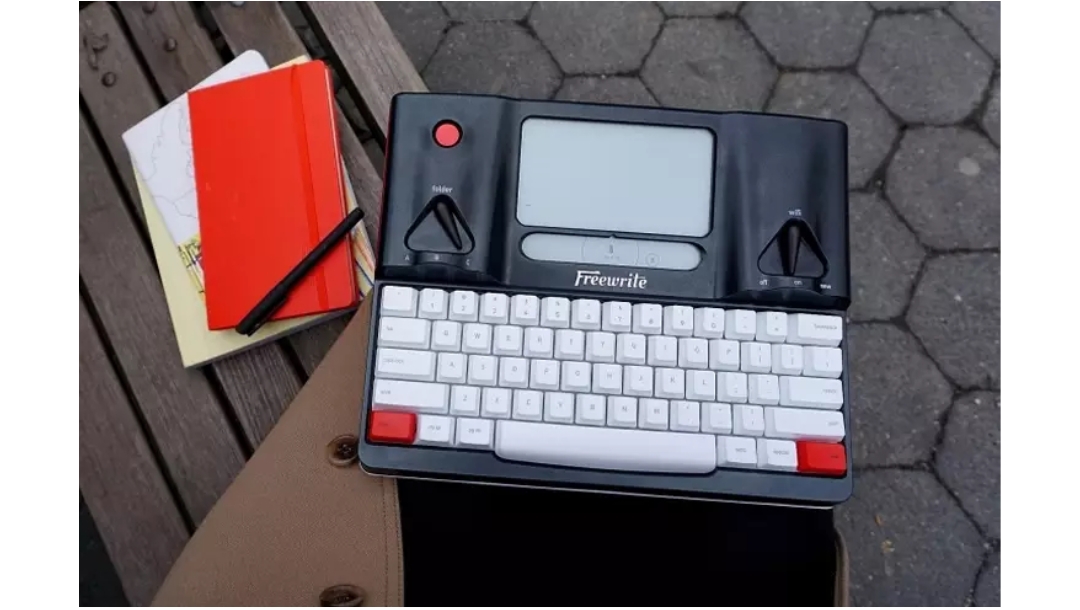
1. Smart Typewriter
The Smart Typewriter is a dedicated drafting device built specifically for writers who want to focus without distractions. It features a high-contrast E Ink screen with a built-in frontlight, making it easy to read day or night. Paired with a full-size mechanical keyboard that uses tactile Kailh Box Brown switches and thick PBT keycaps, it offers a satisfying, comfortable typing experience that encourages long, focused writing sessions.
Built for durability and portability, Freewrite Smart Typewriter with its aluminum body includes a retractable handle, and the battery lasts for days. Your work is automatically backed up locally and to the cloud, syncing with platforms like Google Drive, Dropbox, and more. It’s the ultimate writing tool for students, authors, and anyone looking to boost productivity while cutting out online distractions.
Why Smart Typewriter:
- Helps you stay in a deep writing flow by cutting out distractions like browsers and notifications
- Comfortable and reliable mechanical keyboard built to last for millions of keypresses
- Syncs your drafts automatically to the cloud or transfers offline via USB
Use Cases:
- Drafting essays, stories, or research papers in a distraction-free zone
- Writing late at night or outdoors with the frontlit E Ink screen
- Saving and organizing class notes, creative writing, or journal entries without needing internet access
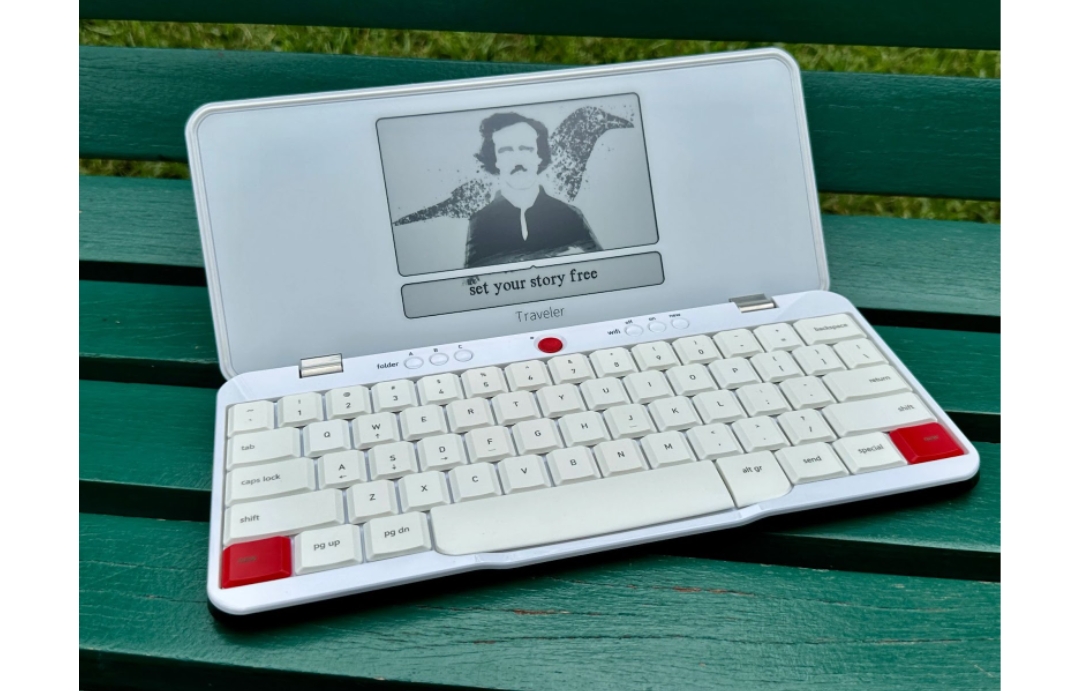
2. Traveler
The Traveler is a compact, distraction-free writing tool designed for writers on the move. With its lightweight build (just 1.6 lbs) and slim profile, it’s easy to carry in a backpack or even balance on your lap while traveling. Its E Ink screen is easy on the eyes, even in direct sunlight, and the full-size scissor-switch keyboard offers a smooth, comfortable typing experience perfect for long drafting sessions.
Like other Freewrite devices, the Traveler auto-saves your work locally and syncs to the cloud when Wi-Fi is available. Backed by Freewrite philosophy, It’s built for focus, with no notifications, browsers, or distractions. Whether you’re drafting your next novel or working on class assignments, this tool helps you stay in the zone wherever you are.
Why Traveler:
- Ultra-portable and perfect for writing anywhere without distractions
- Eye-friendly E Ink screen ideal for outdoor or low-light writing sessions
- Smooth scissor-switch keyboard built for comfort and speed
Use Cases:
- Writing on the go during travel, commutes, or in coffee shops
- Drafting papers, stories, or notes without internet temptations
- Syncing documents to cloud services for later editing on your main computer
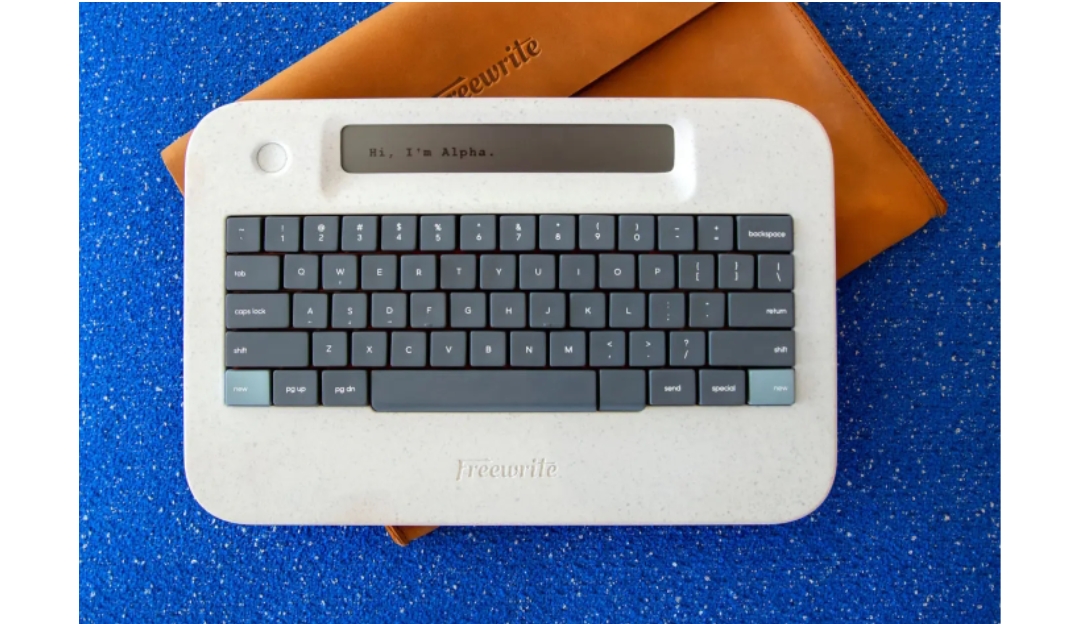
3. Alpha
The Alpha is a super-portable, distraction-free writing device built to help you stay in the zone. Weighing under 2 lbs, it’s light enough to carry daily and tough enough to handle travel, commutes, or spontaneous writing sessions. It features a warm, adjustable backlight on its LCD screen, allowing you to write comfortably in any lighting condition, day or night.
The low-profile mechanical keyboard uses Kailh Choc V2 switches, designed for quiet, fatigue-free typing. Alpha continuously saves your writing both locally and to the cloud, and can store up to a million words. Whether you’re writing in a quiet corner of a café or late at night at your desk, Alpha is all about helping you stay focused and creative.
Why Alpha:
- Lightweight and ultra-portable, ideal for writing on the go
- Warm backlit display and quiet keys make it easy to use anytime, anywhere
- Automatically saves and syncs your work, so you never lose a draft
Use Cases:
- Writing drafts during commutes, travels, or quick breaks
- Working on creative writing projects at night with backlight support
- Syncing documents seamlessly to the cloud or saving locally for offline access
4. Smart Pen
A smart pen looks like a regular pen but does way more. It can record what you write and sync it with your device, making it easy to store and organize notes digitally. Some even record audio while you write, so you can go back and hear what was said during class. It’s a game-changer for students who want to keep their notes neat and searchable without giving up the feeling of writing by hand.
You just write like you normally would, and the pen takes care of the rest. It connects to apps on your phone, tablet, or laptop to save everything instantly. Super handy for study sessions, lectures, or even doodling ideas during group projects.
Why Smart Pen:
- Combines handwriting with digital storage so you never lose notes
- Makes it easier to study by syncing audio with your written notes
- Helps keep your backpack lighter since you don’t need tons of notebooks
Use Cases:
- Taking notes during lectures and syncing them to your phone
- Recording audio while writing down class discussions
- Brainstorming or mind mapping ideas on paper that automatically go digital
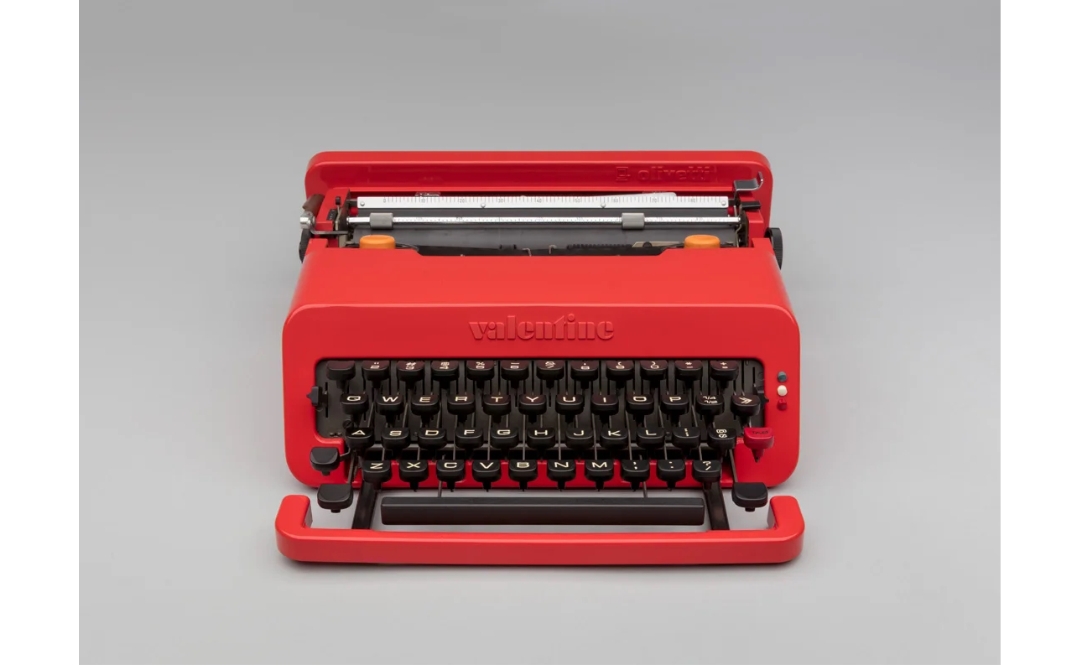
5. Valentine Smart Typewriter
The Valentine Smart Typewriter is where vintage style meets modern writing tech. Inspired by the bold design of the original 1969 Valentine typewriter, this special edition takes the distraction-free writing experience of the Smart Typewriter and wraps it in an eye-catching, statement-making package. It features the same reliable E Ink screen, satisfying mechanical keyboard, and seamless cloud syncing, but with a design that turns heads and sparks creativity.
What really sets the Valentine apart is its attention to detail. It comes with a custom, water-resistant carrying case and branded strap, making it both practical and stylish for writers on the go. With a long-lasting battery and support for multiple languages and layouts, it’s a beautiful tool built for serious writing, anywhere you want to take it.
Why Valentine Smart Typewriter:
- Combines iconic Italian design with cutting-edge writing tech
- Comes with a premium carrying case and strap, perfect for travel and protection
- All the features of the Smart Typewriter, wrapped in a bold, limited-edition finish
Use Cases:
- Drafting novels, essays, or journals in style, free from digital noise
- Writing on the move with a fully portable, beautifully protected setup
- Making writing feel like an intentional and inspiring ritual, not just a task
6. Hemingwrite Signature Edition
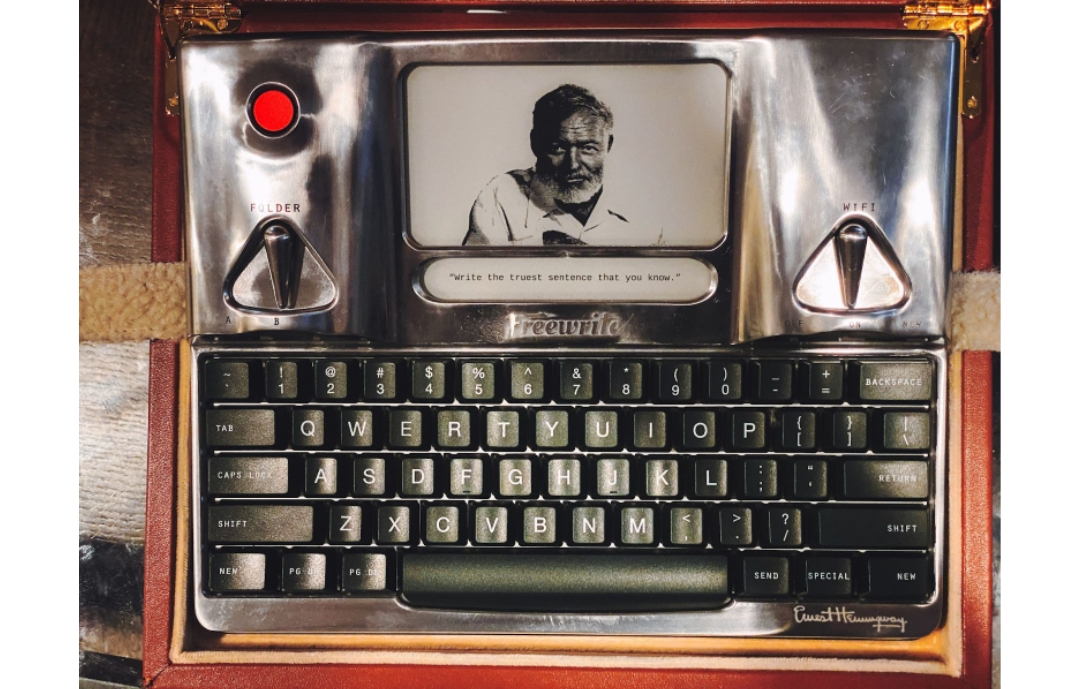
The Hemingwrite is a tribute to literary legend Ernest Hemingway, blending classic inspiration with modern writing tech. Built from raw, hand-polished aluminum and topped with deep green keycaps, this special edition of the Smart Typewriter is as much a collector’s piece as it is a productivity tool. Every unit is laser-engraved with Hemingway’s signature, making it a bold yet elegant nod to timeless creativity.
Inside, it’s the same distraction-free writing platform trusted by serious writers, with E Ink display, mechanical keyboard, and cloud syncing built in. It also includes a luxury attaché case crafted from genuine cognac leather, complete with velvet lining and thoughtful details to protect and showcase your writing companion. Whether you’re chasing adventure or chasing a word count, the Hemingwrite is built to inspire.
Why Hemingwrite Signature Edition:
- Officially licensed by the Ernest Hemingway estate and engraved with his signature
- Unique raw aluminum body and handcrafted finish make each device one of a kind
- Comes with a premium leather attaché case for style and protection
Use Cases:
- Immersive, distraction-free drafting at home or on the go
- Creating an intentional, stylish writing ritual inspired by classic authors
- Safely transporting your writing setup with a durable, elegant hard case
7. Alpha Cosmic Edition
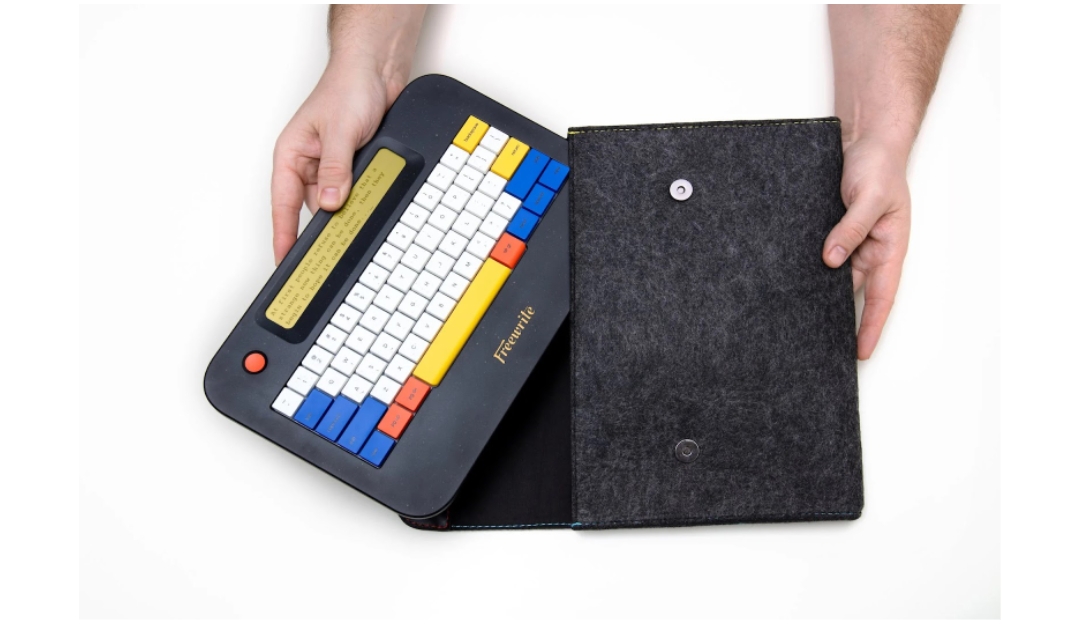
The Alpha Cosmic Edition is a special-edition writing device built for dreamers, creators, and night owls. Lightweight and under 2 lbs, it’s made for writing on the move, whether you’re tucked in a quiet café or perched on a mountainside. The terrazzo-speckled black hull gives it a bold, spacey aesthetic, while the warm backlight makes late-night writing a comfortable, focused experience.
With instant-on functionality, quiet mechanical switches, and the ability to store up to one million words, this device helps you tune out the noise and just write. It also comes with a custom charcoal felt sleeve with constellation-themed stitching, so your creative journey stays both protected and stylish. The Cosmic Edition isn’t just a tool, it’s a vibe.
Why Alpha Cosmic Edition:
- Unique cosmic-themed design with a premium felt sleeve included
- Lightweight, backlit, and distraction-free, making it perfect for creative flow
- Cloud syncing and long battery life for writing anywhere, anytime
Use Cases:
- Drafting at night or during early morning hours without eye strain
- Writing outdoors, on the road, or in transit with no distractions
- Carrying a one-of-a-kind writing tool that doubles as creative inspiration
8. E-Reader
An e-reader is a lightweight, paper-like tablet made for reading books, articles, and PDFs. It’s easy on the eyes and super convenient to carry around, especially compared to a stack of textbooks. Most models let you highlight text, make notes, and even look up words as you read, which is a big help for studying or learning new terms.
Students love e-readers because they make it simple to read anywhere, whether you’re at a café, on the bus, or in bed. Battery life usually lasts for weeks, and you can store thousands of books in one place. It’s basically your whole library in your backpack.
Why E-Reader:
- Great for reading textbooks, novels, or research material on the go
- Reduces eye strain compared to phone or laptop screens
- Lightweight and portable with long battery life
Use Cases:
- Reading assigned material without carrying heavy books
- Highlighting and taking notes directly on digital textbooks
- Studying during commutes or in low-light settings
9. Portable Bluetooth Keyboard
A portable Bluetooth keyboard is a must if you type a lot but don’t want to lug a full laptop everywhere. It connects wirelessly to your tablet or phone, giving you the comfort of a real keyboard without the bulk. Most are compact and foldable, so they’re easy to toss in your bag and set up wherever you go.
This is perfect for students who prefer taking digital notes, writing essays on the fly, or sending emails between classes. It turns your device into a mini workstation, making it way easier to type for longer periods of time.
Why Portable Bluetooth Keyboard:
- Makes typing faster and more comfortable than using a screen
- Lightweight and easy to carry, perfect for mobile setups
- Connects to multiple devices with just a quick switch
Use Cases:
- Typing essays or homework on a tablet at the library
- Taking notes during class on a phone or small tablet
- Setting up a lightweight writing station anywhere on campus

10. Noise-Canceling Headphones
Noise-canceling headphones are a lifesaver when you need to focus. They block out background noise like chatting classmates, traffic, or the hum of a busy coffee shop. Whether you’re listening to study playlists or just want silence to concentrate, these headphones create your own little bubble of calm.
Students often use them during study sessions, while commuting, or even in noisy dorm rooms. They can make a big difference when you’re trying to stay in the zone and get stuff done without distractions.
Why Noise-Canceling Headphones:
- Helps improve focus by reducing background noise
- Great for both music lovers and fans of total silence
- Comfortable for long periods of use
Use Cases:
- Studying in loud public spaces or shared rooms
- Listening to lectures, podcasts, or audio notes
- Blocking distractions during writing or reading sessions
11. Smart Reusable Notebook
A smart reusable notebook looks like a regular notebook, but you can wipe the pages clean and reuse them over and over. What’s even cooler is that you can scan your notes with an app and save them to cloud services like Google Drive or Dropbox. So you get the feel of writing by hand without wasting paper.
It’s perfect for students who go through notebooks fast or like to keep things organized digitally. Once you fill up a page, just save it and wipe it down – you’re ready to start fresh. Super eco-friendly and clutter-free.
Why Smart Reusable Notebook:
- Saves paper and space by letting you reuse pages
- Easily backs up notes to your favorite cloud storage
- Feels like writing on real paper
Use Cases:
- Jotting down class notes and instantly saving them
- Sketching or brainstorming ideas without using up tons of paper
- Organizing study notes by subject using cloud folders
12. Handwriting-to-Text Converter Device
A handwriting-to-text converter device takes your handwritten notes and turns them into editable, searchable text. It usually works with a smart pen or stylus and syncs with an app or computer. This kind of tech is super helpful for students who like to write things out by hand but need their notes in digital form later.
No more typing everything twice or trying to organize messy notebooks. With just a tap, your handwritten content becomes clean, digital text that you can copy, paste, or edit. It’s great for making study guides or prepping written work.
Why Handwriting-to-Text Converter Device:
- Converts handwritten notes into neat digital text automatically
- Saves time and effort by avoiding double work
- Helps you stay organized and makes sharing notes easier
Use Cases:
- Turning lecture notes into digital summaries
- Prepping rough drafts or essays on paper and editing them later
- Making searchable study materials from handwritten classwork
13. Time Management Timer
A time management timer helps you break your work into chunks so you can stay focused and avoid burnout. It’s often used with techniques like Pomodoro, where you work for a set time, take a short break, then repeat. Some timers are simple and analog, while others are digital with app syncing.
Students use timers to stay on track during long study sessions or to avoid distractions when working on assignments. It’s a small tool that makes a big difference in how productive your study time feels.
Why Time Management Timer:
- Keeps you focused by setting clear work and break periods
- Reduces procrastination by creating structure
- Helps build better study habits over time
Use Cases:
- Staying on task while studying for exams
- Managing time during essay writing or homework sessions
- Balancing study with breaks to stay energized
14. Portable Hard Drive
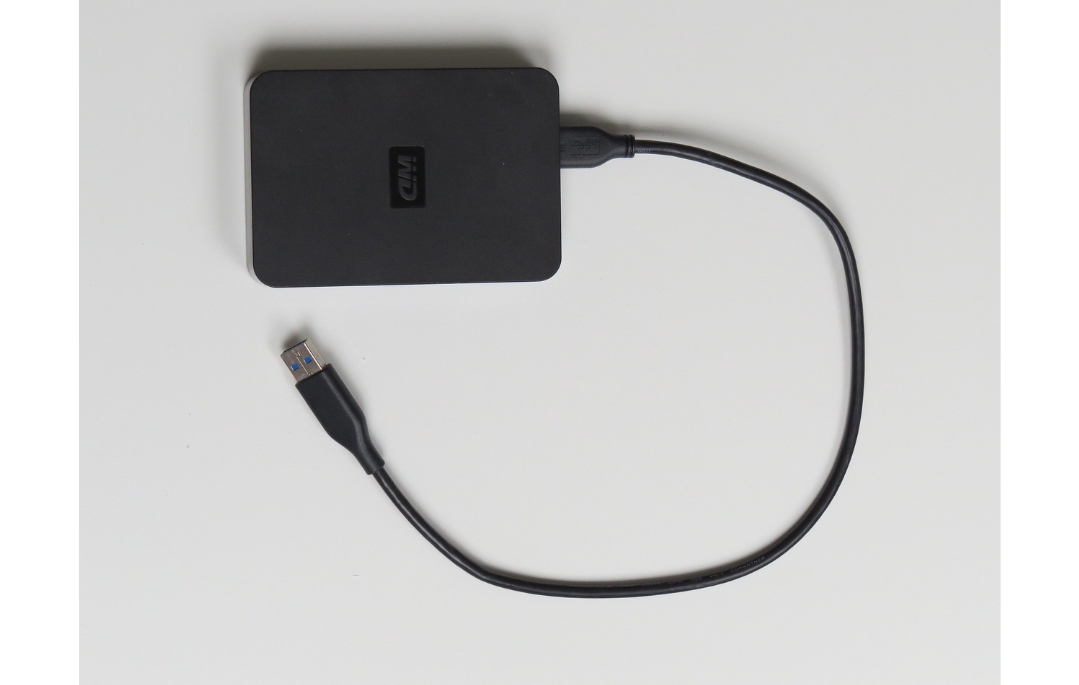
A portable hard drive gives you tons of storage space for your files, projects, and backup copies of everything important. It’s a solid way to keep school work safe and organized, especially if you’re dealing with big files like videos, design projects, or tons of documents.
Unlike cloud storage, you don’t need Wi-Fi to access your stuff, and you always have a secure copy with you. Great for peace of mind, especially when you’re switching between devices or working in different places.
Why Portable Hard Drive:
- Offers extra storage for large files and backups
- Works without an internet connection
- Helps protect important schoolwork from being lost
Use Cases:
- Backing up essays, projects, or entire folders
- Storing media-heavy assignments like videos or graphics
- Moving files between school computers and personal devices
15. Voice-to-Text Note Taker
A voice-to-text note taker lets you speak your notes instead of writing them down. It records your voice and automatically turns your speech into text, saving a ton of time and effort. Perfect for students who think better out loud or want to capture ideas quickly.
This tool is especially helpful during brainstorming sessions or when you’re too tired to write. It also helps students with learning differences who find it easier to talk than type.
Why Voice-to-Text Note Taker:
- Converts spoken words into written notes fast
- Saves time and works well for on-the-go note-taking
- Helps students who prefer verbal thinking
Use Cases:
- Recording study ideas during walks or breaks
- Dictating essays or assignments while multitasking
- Turning class discussions into readable notes
16. Pen Grip for Better Handwriting
A pen grip is a small, often overlooked tool that can seriously improve your handwriting and comfort while writing. It fits onto your pen or pencil and helps guide your fingers into a more natural, comfortable position. This makes writing smoother and easier, especially during long note-taking sessions.
It’s great for younger students, anyone with hand fatigue, or people who want to improve the legibility of their writing. Plus, it’s inexpensive and super easy to use.
Why Pen Grip for Better Handwriting:
- Improves grip and comfort for better handwriting control
- Reduces hand strain during long writing sessions
- Easy fix for messy or uneven writing
Use Cases:
- Writing clearer notes during class
- Practicing handwriting or journaling
- Reducing discomfort during long study sessions
17. Ergonomic Writing Desk Tool
An ergonomic writing desk tool is designed to make your writing or studying setup more comfortable. It might be a slanted writing pad, a wrist rest, or a desk stand that helps improve your posture while working. The goal is to reduce strain on your hands, wrists, neck, and back so you can write or type longer without feeling sore.
It’s especially useful for students who spend hours doing homework or typing up papers. A small upgrade to your workspace can make a big difference in how productive (and pain-free) your study time feels.
Why Ergonomic Writing Desk Tool:
- Improves posture and reduces discomfort during long work sessions
- Helps prevent hand and wrist strain while writing or typing
- Creates a more comfortable and efficient study space
Use Cases:
- Long study sessions at a desk or table
- Writing or typing notes with better wrist support
- Setting up a comfortable at-home or dorm workspace
18. Digital Sticky Notes Display
A digital sticky notes display is like a high-tech version of your favorite paper notes. You can quickly jot down to-dos, reminders, or ideas and see them all in one place on a small screen. Some versions let you sync notes with your phone or computer, so you’re always up to date.
This is perfect for students who love visual reminders but want to skip the clutter. It keeps your schedule, assignments, and goals front and center without taking up space on your desk or walls.
Why Digital Sticky Notes Display:
- Keeps your reminders and tasks organized in one spot
- Reduces paper clutter while still being highly visual
- Syncs with other devices so you don’t forget important stuff
Use Cases:
- Tracking homework and deadlines
- Keeping a visible study schedule or task list
- Jotting down quick reminders during study breaks
19. Stylus for Tablets
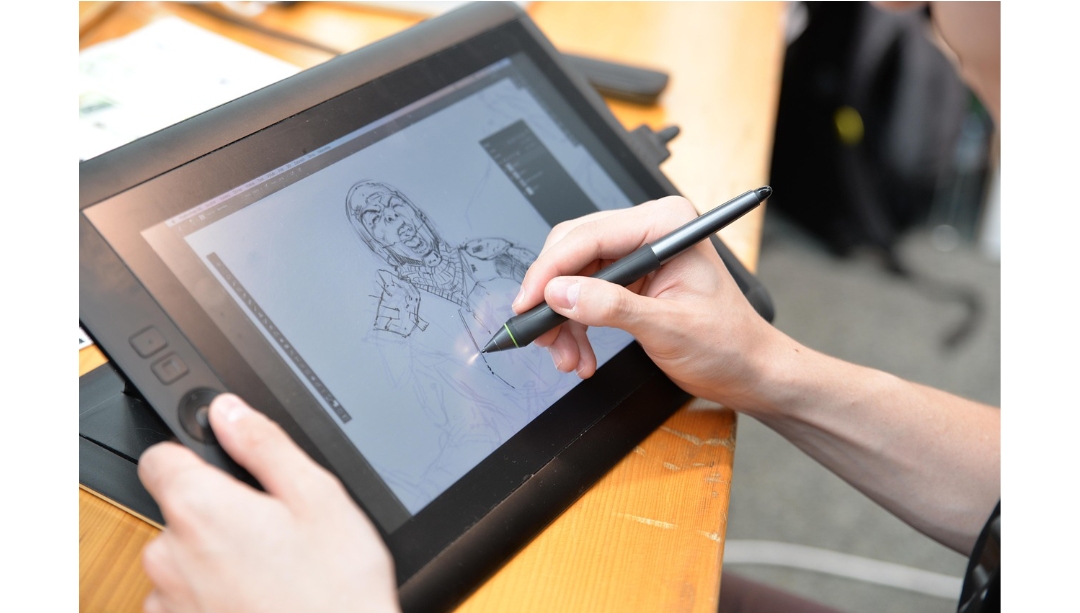
A stylus for tablets turns your touchscreen into a digital notebook or sketchpad. Whether you’re jotting down notes, annotating slides, or drawing diagrams, it gives you way more precision than your finger ever could. It’s a must-have if you use a tablet for school.
Using a stylus feels like writing on paper but gives you all the perks of digital tools, like easy erasing, color changes, and note organization. Super handy for any student who likes to write or draw their ideas.
Why Stylus for Tablets:
- Gives you more control and accuracy than using your finger
- Makes digital note-taking feel more natural
- Great for both writing and drawing
Use Cases:
- Writing or sketching directly on lecture slides or PDFs
- Creating digital flashcards or diagrams
- Taking handwritten notes in class using a note-taking app
20. Smart Highlighter with Text Capture
A smart highlighter with text capture scans and saves the text you highlight from books or printed pages. Some models can translate, define words, or send the text to your phone or laptop. It’s like having a scanner, translator, and note taker all in one small tool.
This gadget is great for students who read a lot and want to quickly save key points. No more typing things out or losing track of what page that quote was on, it all gets stored digitally as you go.
Why Smart Highlighter with Text Capture:
- Instantly saves highlighted text to your device
- Helps speed up studying and research
- Some versions even translate or define words
Use Cases:
- Highlighting and saving key quotes from textbooks
- Quickly building digital study guides
- Translating or defining tricky vocabulary while reading
Conclusion
At the end of the day, the best writing gadgets are the ones that actually help you get your thoughts out and stay focused while doing it. Whether you’re more into handwriting with smart pens or going all-in with distraction-free devices like the Alpha or Smart Typewriter, there’s something out there that fits your style and study habits.
Tech doesn’t have to be complicated to be helpful. These tools are all about making writing easier, more enjoyable, and way more efficient. So if you’ve been feeling stuck or just want to upgrade your study setup, maybe it’s time to try one of these out and see what clicks. Happy writing!