
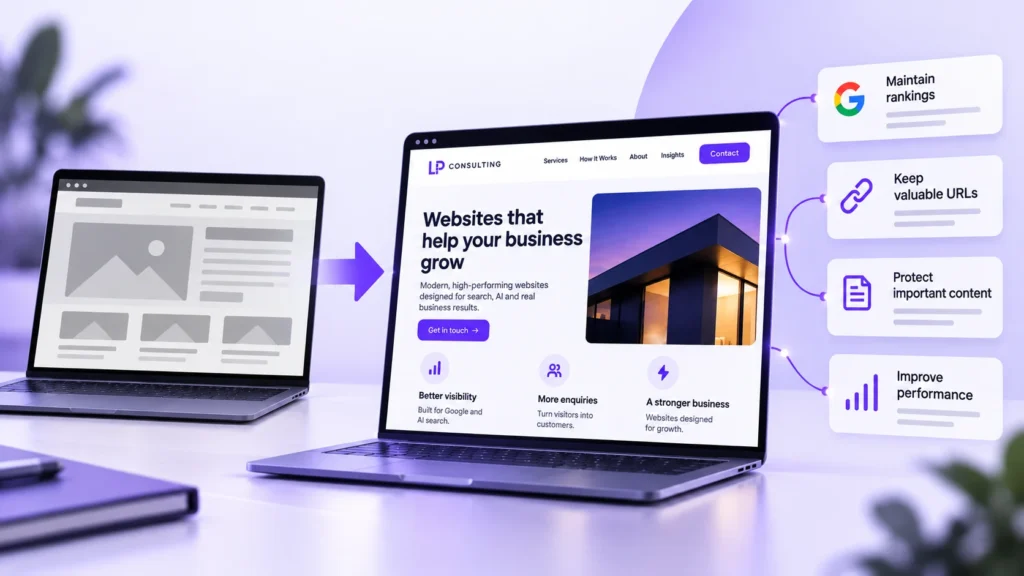
You can redesign a website without losing your Google rankings by keeping the pages and wording that already rank, redirecting any old page address that changes and checking the new site carefully once it’s live. When rankings do drop after a redesign, it’s usually because of missing redirects or pages that quietly disappeared, not the new design itself.
This guide explains how a website redesign affects SEO, what to do before, during and after launch, and how long things usually take to settle.
Most of the protection comes from planning that happens before anyone starts on the design, so that’s where this guide begins.
Why rankings drop after a redesign
Google ranks individual pages, not your website as a whole. When a redesign changes page addresses, removes pages or rewrites what’s on them, Google has to work out where everything went. If it can’t, the rankings those pages built up over the years can slip away.
The usual causes are fairly ordinary:
- old page addresses that change with no redirect, so visitors and Google land on an error page
- pages that rank well being deleted or merged because they looked dated
- specific page titles and headings swapped for vaguer marketing wording
- a setting that hides the test site from Google being left switched on at launch
- slower pages, or a layout that’s harder to use on a phone
Some movement is normal. Google’s guidance on site moves tells owners to expect temporary fluctuation in rankings while a change is processed. The goal is to keep that dip small and short, and when we rebuild a site at System Surfer, that planning starts well before any design work does.
Before the redesign
Record what’s working now
Before any design work starts, get a list of every page on the current site and note which ones bring in traffic and enquiries. Search Console shows which pages appear in Google and for which searches, while your analytics shows which pages people land on.
For most local service businesses this is a short list. A homepage, a few key pages about what you do and perhaps some blog posts often do most of the work. Save each of those pages’ titles, descriptions and main headings so nothing gets lost by accident.
Decide what stays, what merges and what goes
Not every old page needs to survive. A page that ranks, gets regular visits or has links from other websites is worth keeping, even if it needs a completely new look. Pages with none of those can be merged into a stronger page or removed, as long as their old address is redirected.
Be careful with low traffic pages before you cut them. A page that only gets a few visits a month might still be the one that brings in your best enquiries.
Keep page addresses the same wherever you can
The safest redesign changes how pages look, not where they live. If your page about blocked drains sits at /blocked-drains today, leave it there. Changing addresses just because a new structure looks tidier adds risk without much benefit.
It also helps to change one thing at a time. If you’re planning a new design and a new domain name, doing them separately makes it much easier to see what caused a problem if one shows up.
During the redesign
Map every old address to a new one
Where addresses do have to change, make a list that matches each old page to its closest new page. That list becomes the plan for your redirects, and it’s far easier to build before launch than to piece together afterwards.
Each old page should point to the most relevant new page, not the homepage. Sending everything to the homepage is quicker, but visitors end up somewhere that doesn’t match what they clicked on, and Google may treat those old pages as gone.
Use permanent redirects
A 301 redirect tells browsers and search engines that a page has moved for good. Google’s site move guidance recommends permanent redirects set up on the server where possible, and confirms they don’t cause a loss in PageRank, the value a page builds up from links.
Avoid chains where one redirect leads to another and then another. Each old address should go straight to its final new page.
Carry over the wording that ranks
A design refresh often replaces specific wording, like “Blocked drain repairs”, with something that sounds nicer but says less. If a page ranks for a particular search, keep its title, main heading and the copy that answers that search, even if the layout around it changes completely.
You can still improve the wording. Just compare the old and new versions of your key pages and make sure the new one covers the same services, areas and questions, and ideally a bit more.
Test everything before it goes live
Build and test the new site privately, then check it properly before launch. Test every redirect on your list, open the main pages on a phone, check the speed and send a test enquiry through every form.
The most important check is the setting that stops search engines indexing the test site. It’s easy to forget at launch, and if it stays on, your new site can drop out of search results until someone notices. Keep a full backup of the old site as well, so you can roll back if something goes badly wrong.
After launch
Check the site in Search Console
Submit an updated sitemap with the new page addresses, then keep an eye on the page indexing reports for errors and pages Google can’t find. Type in the old addresses of your most important pages to confirm each one redirects to the right place.
Update links you control as well. Menus and links within your pages should point straight to the new addresses, and so should the website link on your Google Business Profile, your social media profiles and any directory listings.
Give it time, and keep the redirects
The same Google guidance says it can take a few weeks or more for a medium sized site’s new addresses to start showing, with larger sites taking longer. It also recommends keeping redirects for as long as possible, and generally at least a year.
In practice, there’s rarely a good reason to remove them at all. Other websites and old bookmarks may keep pointing at your old addresses for years.
Know when a drop is a real problem
A small, temporary dip is expected. A sharp fall in traffic or enquiries, or important pages vanishing from search, usually points to something specific. Missing or broken redirects, the hidden test site setting left on, deleted pages and stripped back wording are the first things to check.
A redesign can also improve your rankings
Done carefully, a redesign is a good chance to fix problems that were holding the old site back. Faster pages, a better layout on mobile and clearer pages about each service can all help. So can tidier links between pages and fixing old errors.
The point isn’t to avoid change. It’s to make sure the things that already work carry over, so the improvements add to what you had rather than replacing it.
Protecting what your website has already earned
Most of the rankings an older website holds were built slowly, through years of content, links and reviews. A redesign doesn’t have to put that at risk, but it does need someone to plan for it before the design work starts, not after launch.
If you’re working with a designer, ask how they’ll handle redirects, which pages they plan to keep, and what they’ll check in the weeks after the new site goes live. Clear answers to those questions are a good sign your rankings will make it through the change.
FAQs
Will a website redesign affect my SEO?
It can. Rankings often move around for a while after launch, and they can drop for good if page addresses change without redirects or pages that rank are removed. Planned carefully, a redesign can keep your rankings and often improve them.
How long does it take for rankings to settle after a redesign?
For a small to medium site, expect a few weeks for search engines to pick up the changes, and longer for bigger sites. A sharp drop that doesn’t recover after a few weeks usually means something needs fixing.
Do I need to keep the same page URLs?
It’s the safest option. If an address has to change, set up a permanent 301 redirect from the old address to the closest matching new page.
How long should I keep 301 redirects?
For at least a year, and ideally for good. Other websites and old bookmarks can keep sending people to your old addresses long after the redesign.
Should I change my domain name at the same time as a redesign?
It’s better not to. Changing the domain and the design separately makes it easier to spot and fix any problems, and keeps the risk to your rankings lower.
Read More From Techbullion