
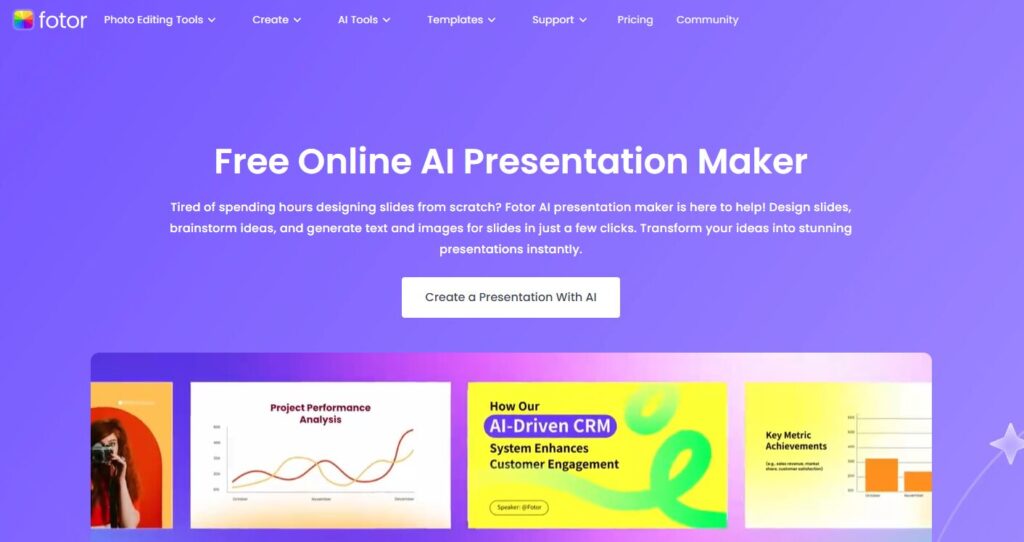
Are you tired of designing presentations from scratch? Then Fotor AI Presentation maker might just be your secret elixir!
I know I was done with thinking about new ideas, the endless search for pictures and designing new layouts from scratch.
That’s why I decided to try Fotor’s AI Presentation Maker, and honestly, I was blown away by how much easier it made everything.
Imagine just typing in a few ideas or the main topic, and bam—Fotor’s AI takes care of the rest. This tool practically handled all the stressful parts of making slides, from generating text to creating layouts and picking images.
But is that all? And what is worth my time and trial?
You can find out in this review as I’ll be talking about my experience with this slide maker, the pros and cons, and whether you should try it out.
Verdict?
Fotor’s AI presentation maker was easily a 10/10 for me. But this wasn’t before I had tried all features, used them for different tasks and compared the output with my manually created slides.
Let’s be honest, the presentation maker was seamless, had a better output and saved me so much time.
If you’re still skeptical about trying it out, read on to find out how you can use Fotor’s AI presentation maker.
What is Fotor’s AI Presentation Maker?
Fotor’s AI Presentation Maker is built to simplify the entire presentation process. All you need to do is enter your topic or main points, and the AI takes it from there—building an outline, drafting content, arranging layouts, and even designing custom visuals.
Think of it as a virtual assistant that makes sure every part of your presentation looks polished and professional, saving you hours of manual work.
With Fotor, advanced design skills aren’t necessary. The AI generates text, images, charts, and interactive elements based on your input, while you can still easily customize every slide by tweaking animations, fonts, colors, or even adding your brand logo.
It’s also ideal for team projects—the collaboration tools make it easy for everyone to co-edit and communicate in real time.
Pros and Cons
Pros:
- Time-Saving AI Features: Generates outlines, content, and images instantly, saving you hours on presentation creation.
- Customizable Templates and Visuals: Access to a variety of templates, plus the ability to customize slides with animations, fonts, and branding elements.
- AI-Powered Image and Content Generation: Describe an image or idea, and the AI provides tailored visuals and text that suit your presentation style.
- Extensive Media Library: Millions of icons, photos, and illustrations are available, reducing the need to search for external assets.
- User-Friendly Interface: Intuitive design makes it easy to create presentations without advanced design skills.
Cons:
- Limited Features in Free Version: The free version is functional but lacks many of the advanced options available in the pro+ plan.
- Dependence on AI for Content Quality: While the AI is great for generating content, it might need a bit of manual editing for accuracy and tone, especially with complex topics.
- Limited Offline Access: The platform is web-based, so you’ll need internet access to work on your presentation.
- Subscription Costs for Pro+: Although fairly priced for what it offers, the pro+ plan is an added expense, especially if you only need occasional presentations.
Key Features of Fotor AI Presentation Maker
- Data Visualization Made Simple: Fotor helps you turn large data, stats and numbers into clear charts, diagrams, and tables easy to read and illustrate. Whether you’re making a business report or a school project, it transforms data into visuals that actually enhance the message.
- Custom AI-Generated Images: No more endless searches for “the perfect image.” Fotor’s AI creates custom visuals based on a quick description, adding a personal touch to the slides. You can create on-brand images that fit your brand archetype. That way, you don’t have to rely on stock photos that don’t fit.
- Media Library: The tool includes millions of design assets—photos, icons, illustrations, and more—so you can add any visuals you need without leaving the app. These are free to use without any copyright restrictions.
- AI Writing Assistant: This feature is a lifesaver for anyone struggling with writer’s block. The AI generates content based on the topic or outline and you can refine it as needed. It even helps with expanding, summarizing, or tweaking the tone of the content to suit your brand tone or voice.
- Animations to Bring Slides to Life: Adding animations was super simple. I could animate text, images, and transitions to keep things interesting without going overboard. If you’re going for a playful archetype, you can use animations to achieve that.
- Document Importing: Have an existing document? Fotor lets you upload Word docs, PDFs, and more, then automatically converts them into a presentation. No retyping necessary—just a smooth transition into a presentation format.
- Ready-to-Use Templates for Any Topic: The range of templates is huge, covering business pitches, reports, proposals, and more. I picked a theme that suits my topic, and Fotor’s AI adapted my content to fit the template perfectly.
How To Create a Presentation Using Fotor AI Presentation Maker

Creating a presentation is seamless. You have to start by signing up. Fotor allows you to sign up with your Google, Apple or Facebook account. Once you’ve signed in, it’s time to create your presentation.
Step One: Enter Your Topic: Start by typing in your main idea, and allow Fotor’s AI to build an outline and then fill in the relevant content.

Step Two: Add Visuals: You can choose from the media library or let the AI generate custom images. Include graphs, charts and tables where necessary.
Step Three: Customize and Animate: Play around with animations, fonts, and colors to make the presentation uniquely yours. Edit the content to expand, add more sections or include specific details.

Step Four: Download: Fotor allows you to download your presentation in various formats like PDF or PPT.
Pricing
Fotor AI Presentation Maker provides a one-week free trial and the Pro+ Plan. The free trial lets you explore the platform’s full features, including AI image generation, the complete media library, advanced animations, and priority support. After the trial, you can continue with the Pro+ Plan to retain access to these enhanced features.
The Pro+ Plan includes:
- A wider range of templates and design resources
- Access to millions of photos, icons, and illustrations
- Advanced customization options, animations, and branding capabilities
- Priority support
Fotor AI Presentation Maker offers flexible monthly or annual subscriptions, allowing users to experience the Pro+ Plan features before making a commitment. For anyone who frequently creates presentations or wants to maximize Fotor’s potential, the Pro+ Plan provides excellent value..
Best Practices for Great Results
To get the most out of Fotor, here are a few tips I found helpful:
- Keep Your Outline Simple: A clear outline helps the AI work its magic.
- Use Bullet Points for Clean Slides: This keeps things readable and engaging.
- Add High-Quality Images: Breaking up text with visuals keeps the audience interested.
- Maintain a Consistent Style: Consistent fonts, colors, and layouts make your presentation look cohesive and on-brand.
- Limit Animations: A few effects go a long way without distracting from your main points so don’t go overboard with animations and illustrations.
Final Thoughts: Will I Use Fotor Again?
Absolutely! Fotor’s AI made it easy to customize my slides, add visuals, and switch up themes, all without the usual presentation-making hassle.
It’s a refreshing, fast, and fun way to create presentations, especially if you’re short on time but still want something professional-looking. If you’re on the hunt for a user-friendly AI presentation tool, Fotor AI Presentation Maker is definitely worth a try!