
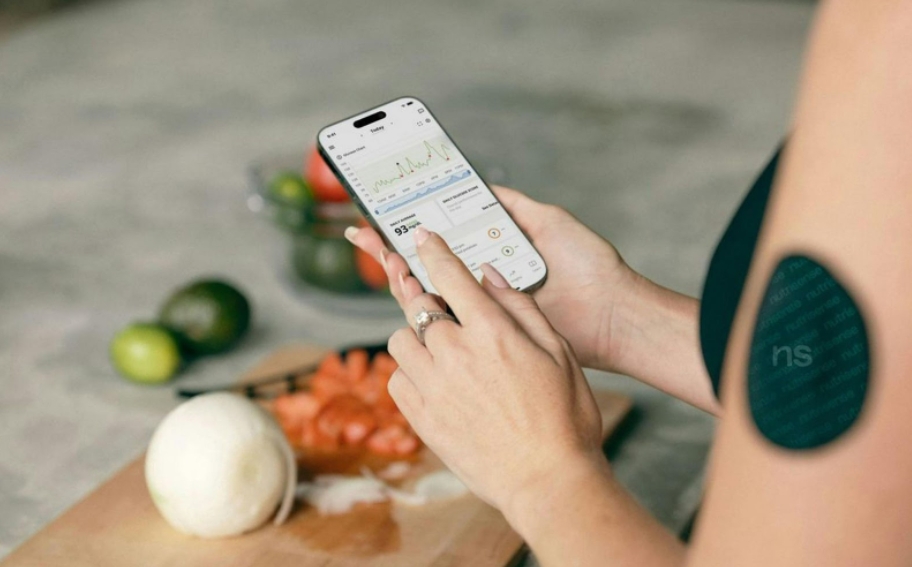
Ever wondered how many calories are really in that homemade lasagna or smoothie? You’re not alone. Whether you’re trying to eat healthier, manage a diet, or just get curious about what’s in your food, recipe nutrition calculator apps make it super easy to break down the numbers. In this article, we’ll go over some of the best apps out there that help you do just that – no nutrition degree required.
1. ReciMe
ReciMe is a user-friendly recipe organizer app available for iOS that also includes a built-in nutrition calculator, making it a handy tool for anyone looking to stay mindful of what they eat. You can save recipes from social platforms like Instagram, TikTok, Pinterest, or from screenshots, handwritten notes, and copied text. Once saved, ReciMe lets you calculate basic nutritional information with just a tap – a feature that’s currently in beta but already useful for tracking meals and adjusting ingredients.
Beyond nutrition, ReciMe offers smart features like meal planning, grocery lists sorted by recipe or store aisle, and ingredient scaling. You can also print or export recipes, use the Chrome extension to import from desktop, and access your collection on web or iOS. The app has a free version with core features and a paid plan for more flexibility, making it a practical option for health-conscious home cooks.

Key Highlights:
- Available for iOS with desktop access via web
- Built-in nutrition calculator (currently in beta)
- Save recipes from social media, screenshots, or text
- Grocery lists automatically sorted by recipe or aisle
- Ingredient scaling and meal planning features
- Export and print recipes
- Chrome extension for recipe importing from your computer
- Free version available; premium option unlocks unlimited imports
Who it’s best for:
- iOS users who want to track nutrition while organizing recipes
- Home cooks looking for a simple way to calculate calories and macros
- Anyone who saves recipes from the web and wants grocery and meal planning tools in one app
2. MyFitnessPal

MyFitnessPal is a food tracking app that helps users log meals, snacks, and recipes to keep tabs on their daily nutrition. The app features a recipe calculator that lets people input ingredients, adjust portion sizes, and get a full nutrition breakdown per serving. It tracks calories, macronutrients, and some micronutrients, making it useful for a variety of diet goals. The interface is user-friendly, with access available through mobile devices and desktop.
Users can scan barcodes, search a massive food database, or add meals manually. Recipes can be customized and saved, so frequent meals are easy to re-log. While it’s built for general health tracking, the recipe analysis tool supports those who cook at home and want to understand what they’re eating.
Key Highlights:
- Recipe nutrition calculator with adjustable servings
- Barcode scanner and extensive food database
- Syncs across devices and with fitness trackers
- Supports macronutrient and calorie tracking
Who it’s best for:
- Home cooks who want basic nutrition info for meals
- Users focused on calorie and macro tracking
- People who like tracking on both phone and desktop
3. Cronometer
Cronometer is a nutrition tracking app focused on providing highly detailed data about what people eat. It allows users to add individual ingredients or full recipes, then calculates nutrition information across a wide range of categories. The app goes beyond just calories and macros, offering insights into over 80 micronutrients, including vitamins and minerals. It’s used by people with general health goals as well as more specific dietary needs.
Recipes can be customized to reflect exact ingredients and portion sizes. Users can view nutrition per serving and track their intake over time to stay on target with their health goals. Cronometer is available on both web and mobile, offering flexibility for consistent tracking throughout the day.
Key Highlights:
- Tracks over 80 nutrients with recipe input
- Customizable recipes and serving sizes
- Available on web and mobile platforms
- Supports a wide range of dietary tracking
Who it’s best for:
- Users needing detailed nutrient data
- People following structured or medical diets
- Home cooks who want precision in nutrition tracking
4. Lose It!

Lose It! is a food tracking app designed to support weight management by helping users log their meals, set goals, and monitor their nutrition. It includes a recipe function that lets users build meals from scratch, automatically calculating calories and macronutrients per serving. The interface is easy to use and built to make logging as simple as possible, with features like barcode scanning and photo-based food recognition.
Users can add custom ingredients and edit their recipes as needed. The app provides a visual breakdown of nutrition intake and progress over time. It’s available across devices and can be synced with fitness apps for additional tracking. Lose It! is often used by people focused on portion control and calorie awareness.
Key Highlights:
- Recipe builder with nutrition breakdown
- Simple, visual tracking dashboard
- Barcode scanner and photo logging
- Syncs across mobile and fitness platforms
Who it’s best for:
- People aiming for weight loss through calorie tracking
- Users who want a quick way to log homemade meals
- Anyone looking for a basic nutrition snapshot per recipe
5. Paprika Recipe Manager
Paprika Recipe Manager is built for organizing and storing personal recipes, with added features for meal planning and basic nutrition tracking. Users can import recipes from websites, add their own, and manually input nutrition data for each dish. The app helps home cooks stay organized by allowing them to categorize recipes, build grocery lists, and plan out meals ahead of time.
While it doesn’t automatically calculate nutrition from ingredients, it supports manual entry of calorie and macro data. This makes it helpful for people who want to keep a record of nutrition information alongside their recipes. Paprika is focused more on kitchen management than fitness, making it a good fit for people who enjoy planning and cooking at home.
Key Highlights:
- Imports recipes from websites
- Manual nutrition entry for saved meals
- Built-in grocery list and meal planning
- Cross-device syncing for easy access
Who it’s best for:
- People who want to organize and track recipes
- Home cooks interested in basic nutrition logging
- Users looking for a digital cookbook with extras
6. Eat This Much

Eat This Much is a meal planning app designed to automatically generate menus based on calorie goals, diet preferences, and food types. Users can choose specific dietary styles, input personal recipes, or select from preloaded options. Once a recipe is added, the app calculates the full nutritional breakdown per meal and updates daily totals accordingly.
It helps people build a full day or week of meals that stay within specific calorie or macro targets. The planning tools are flexible, allowing manual adjustments or full automation. It works for people with a wide range of health goals, and is available through web and mobile platforms, making it convenient for both planning and cooking.
Key Highlights:
- Auto-generates meal plans based on goals
- Includes nutrition info for each recipe
- Supports various diet types (keto, vegan, etc.)
- Allows manual or automatic adjustments
Who it’s best for:
- People who want meals planned around nutrition goals
- Users following structured diets with macro limits
- Anyone looking to simplify weekly meal planning
7. PlateJoy

PlateJoy is a personalized meal planning app that designs menus based on user preferences, dietary needs, and health goals. After users complete a detailed quiz, the app creates tailored meal suggestions and lets them log recipes along with their nutritional data. Recipes can be swapped, edited, and adjusted for serving sizes, and nutrition info updates accordingly.
The app isn’t focused solely on tracking calories or macros, but it does display key nutritional details for each recipe, including calories, carbs, protein, and fat. Users can generate grocery lists automatically based on their weekly plans, which adds convenience to both planning and shopping.
Key Highlights:
- Personalized meal planning based on a lifestyle quiz
- Nutrition info available for each planned recipe
- Grocery list generator tied to weekly plans
- Supports multiple diet preferences and restrictions
Who it’s best for:
- People who want meal suggestions based on specific goals
- Users managing food choices for families or special diets
- Anyone looking to streamline both meal planning and shopping
8. Fooducate

Fooducate is a nutrition-focused app that helps users understand the quality of the food they eat. While primarily designed for packaged food scanning, the app allows users to enter recipes and get an overview of calories, macros, and food quality grades. It assigns a grade to ingredients or meals based on nutritional value, added sugars, and other factors.
For home-cooked meals, users can add their own recipes and log them for tracking. Nutrition labels and breakdowns are shown in a clear, visual way, making it easier to make informed food choices. The app also includes community discussions and educational resources related to healthy eating.
Key Highlights:
- Recipe logging with quality-based food grading
- Barcode scanner for packaged food tracking
- Visual nutrition breakdown for easy interpretation
- Includes food education tips and community support
Who it’s best for:
- People who want help evaluating food quality
- Users who cook but also rely on packaged items
- Anyone learning how to build healthier meals
9. Mealime

Mealime is a meal planning app designed to simplify home cooking with quick, healthy recipes tailored to user preferences. After setting dietary needs and taste profiles, users receive recipe suggestions that come with full nutritional information per serving. Recipes are designed for speed and simplicity, ideal for busy schedules.
Users can also create shopping lists based on chosen meals, helping streamline both planning and grocery runs. Nutrition info includes calories and macronutrients, and recipes are designed to fit common goals like weight loss, low-carb, or plant-based eating.
Key Highlights:
- Meal plans based on personal dietary preferences
- Nutrition info provided for every recipe
- Quick-cook meals focused on simplicity
- Auto-generated grocery lists
Who it’s best for:
- Busy people who want healthy meals fast
- Users with dietary restrictions or preferences
- Anyone who wants basic nutrition info without tracking every meal
10. BigOven

BigOven is a recipe management app that allows users to find, save, and organize recipes from a wide variety of sources. It includes a recipe input tool where users can enter ingredients and get a general estimate of nutrition information. The app also offers meal planning and grocery list features for a full kitchen organization experience.
Recipes can be saved from the web or manually entered. Once added, BigOven shows nutritional data like calories, carbs, fat, and protein per serving. While it doesn’t provide in-depth tracking tools, it’s useful for home cooks who want to see basic nutritional info for their meals.
Key Highlights:
- Store and organize recipes in one place
- Nutrition info shown per serving
- Offers meal planning and shopping list tools
- Allows importing recipes from websites
Who it’s best for:
- Cooks looking to centralize recipe management
- People wanting basic nutrition details for meals
- Users planning meals and grocery trips in one app
11. MacrosFirst

MacrosFirst is a macro tracking app that offers tools to log meals, create recipes, and analyze nutritional content with a focus on protein, fat, and carbs. Users can input homemade recipes by listing ingredients and portion sizes, then view a detailed breakdown of macronutrient content. It’s especially suited to people following macro-based diets.
Unlike general calorie tracking apps, MacrosFirst keeps the focus on daily macro goals, giving users clear visibility into how their meals fit those targets. Recipes can be reused, edited, and adjusted to track progress more accurately. The app works well for both beginners and experienced users.
Key Highlights:
- Focused tracking of protein, carbs, and fat
- Custom recipe builder with macro calculations
- Easy to reuse and adjust past meals
- Clean layout built around macro goal tracking
Who it’s best for:
- People following macro-based diet plans
- Home cooks who want to balance macros per recipe
- Users tracking fitness or bodybuilding nutrition targets
12. Nutrition Facts
Nutrition Facts is a mobile app designed to help users calculate and view the nutritional content of meals and recipes. Users can input ingredients, set portion sizes, and see detailed information such as calories, fat, carbs, and protein. The app also displays daily value percentages, helping users understand how meals fit into recommended guidelines.
The interface is straightforward, focusing on delivering clear, accurate data without added complexity. It’s helpful for people looking to understand the basic nutritional makeup of homemade dishes, especially when preparing meals from scratch.
Key Highlights:
- Manual ingredient and recipe entry
- Displays calories, macros, and daily values
- Simplified layout for quick analysis
- Works offline for convenience anywhere
Who it’s best for:
- Home cooks preparing meals from scratch
- Users who want basic, accurate nutrition info
- Anyone needing offline access to food data
13. Recipe Converter & Calculator

Recipe Converter & Calculator is an Android app designed to help users modify recipes and get accurate nutritional data at the same time. It allows for easy conversion of ingredient amounts and portion sizes, which is helpful when adjusting recipes for different serving needs. As ingredients are updated, the app recalculates nutrition automatically.
It also works as a personal cookbook where users can save their edited recipes with nutritional info included. It’s suited to people who often tweak recipes and want the nutrition to reflect those changes.
Key Highlights:
- Converts recipes for different serving sizes
- Calculates nutrition for custom ingredient lists
- Saves personal recipe variations
- Designed for quick updates on mobile
Who it’s best for:
- People who scale recipes up or down often
- Users wanting real-time nutrition updates
- Cooks who prefer tracking recipes on Android
14. Samsung Food

Samsung Food is a smart recipe and meal planning app that offers detailed nutritional analysis for any recipe. Users can import recipes from the web or enter their own, and the app automatically calculates calories, macros, and other nutrition details. It also suggests recipes based on preferences and dietary goals.
Beyond tracking, the app supports meal planning and allows users to create grocery lists from selected recipes. It’s available across devices and syncs with Samsung Health for users who want to integrate food and fitness tracking.
Key Highlights:
- Recipe nutrition calculator for web and manual entries
- Smart recipe suggestions based on goals
- Syncs with Samsung Health and devices
- Offers grocery list planning features
Who it’s best for:
- Samsung users wanting food-health integration
- People tracking calories and macros
- Users planning meals with detailed nutrition in mind
15. WeightWatchers App

The WeightWatchers app includes a recipe feature that allows users to add meals from scratch or import them from websites. Each recipe is automatically assigned a point value and comes with full nutritional breakdowns, including calories, fat, protein, and carbs. Users can track homemade meals alongside their overall daily food log.
The app focuses on flexible, goal-oriented eating, and recipes can be saved and reused for easy logging. While the app is part of the broader WeightWatchers program, its recipe tools are helpful for anyone preparing meals at home and wanting to stay mindful of what they’re eating.
Key Highlights:
- Tracks recipes with nutrition and point values
- Supports recipe import from any website
- Saves and reuses favorite home-cooked meals
- Includes barcode scanner and food database
Who it’s best for:
- Users following the WeightWatchers system
- People tracking meals alongside a larger wellness plan
- Cooks who want both nutrition info and meal logging tools
Conclusion
Finding the right recipe nutrition calculator app really depends on what you need most in your daily routine. Whether you’re counting macros, managing a specific diet, or just curious about what’s actually in your homemade meals, there’s an app out there that fits the bill. Some apps are better for detailed nutrient tracking, while others keep things simple and help you plan quick meals with basic nutrition info.
At the end of the day, the best app is the one that makes your life easier in the kitchen and helps you feel more confident about your food choices. Try a couple out, see what clicks, and stick with the one that fits your cooking style and goals.