
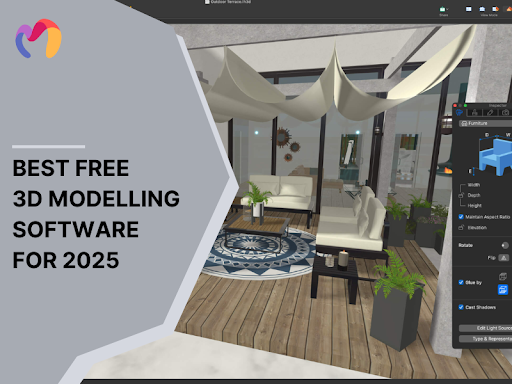
3D modeling transforms digital design by creating objects with precise dimensions that architects and designers can manipulate with complete spatial control. The technology empowers professionals to visualize concepts before physical implementation, saving resources and refining ideas. Free 3D modeling applications now offer professional-grade capabilities that match commercial alternatives, removing financial barriers for new designers and established studios.
3D modeling transforms digital design by creating objects
Blender
Blender is the industry’s top open-source 3D creation suite, offering professional features without any financial constraints. This all-encompassing platform allows designers to create detailed models, animations, and lifelike renders using its integrated workflow setup. Professionals in architectural visualization regularly improve their Blender projects by integrating premium 3D model assets that speed up production schedules without compromising design quality
Main Features:
- Precision mesh modeling tools for architectural and product visualization
- Dynamic sculpting system with multi-resolution workflows
- Parametric animation controls with advanced rigging capabilities
- GPU-accelerated rendering engine for photorealistic output
- Node-based compositing and texture generation tools
Pros:
- Professional-grade output with no licensing fees
- Robust developer community providing continuous enhancements
- Cross-platform compatibility across Windows, macOS, and Linux
Cons:
- Initial interface complexity requires a dedicated learning investment
- Advanced features demand substantial hardware resources
Best For: Design professionals seeking complete 3D pipeline control without software expenditure.
Blender is the industry’s top open-source 3D creation suite
Daz 3D Hexagon
Daz 3D Hexagon is focused on character creation and organic shape development, featuring a user-friendly interface for artists who are beginners in 3D design. This complimentary modeling software excels at producing smooth, natural forms via its subdivision modeling system, which streamlines intricate geometry tasks. The software integrates effortlessly with Daz Studio, allowing designers to position custom creations onto pre-made character bodies without in-depth rigging expertise.
Main Features:
- Subdivision surface modeling for creating flowing, natural forms
- Straightforward modeling interface with visual feedback tools
- Direct integration with Daz character ecosystem
- Basic digital sculpting capabilities for detail work
Pros:
- Gentle learning curve for newcomers to 3D design
- Exceptional results with character and creature modeling
- Extensive library of compatible assets and templates
Cons:
- Limited functionality for architectural or mechanical design
- Basic rendering capabilities compared to other solutions
Best For: Artists and hobbyists focusing on character creation without complex technical requirements.
Daz 3D Hexagon is focused on character creation and organic shape development
Tinkercad
Tinkercad provides 3D modeling via an easy-to-use browser interface that converts simple geometric forms into detailed designs with accurate dimensional control. This cloud-based platform allows instant creation without needing software installation by merging basic shapes through addition and subtraction methods. Tinkercad’s ease of use makes it perfect for educational environments and quick idea visualization, while ensuring seamless integration with digital fabrication technologies.
Main Features:
- Geometric shape manipulation with solid modeling principles
- Direct STL/OBJ file export for additive manufacturing compatibility
- Integrated circuit design module with virtual testing capabilities
- Cloud storage with project sharing functionality
Pros:
- Zero learning curve entry point for new designers
- Cross-platform accessibility through standard web browsers
- Direct connection to digital fabrication workflows
Cons:
- Limited form complexity for architectural applications
- Basic material and texture controls
Best For: Design educators, students, and rapid prototyping applications requiring minimal technical expertise.
Tinkercad provides 3D modeling via an easy-to-use browser interface
SketchUp Free
SketchUp Free leads the architectural visualization domain with its web-based platform that facilitates spatial design using user-friendly push-pull modeling methods. This user-friendly application enables designers to create structures, interior environments, and furniture items with dimensional accuracy and volume adjustment. For indoor projects, you can rapidly enhance detail by incorporating 3D furniture 3d models from online libraries that blend effortlessly with your unique designs
Main Features:
- Direct manipulation interface with push-pull volumetric controls
- Cloud-synchronized project storage with version history
- Industry-standard file format export capabilities
- Extensive component library with architectural elements
Pros:
- Minimal technical barriers with gesture-based modeling approach
- Spatial visualization strength for architectural applications
- Device-independent access through web browsers
Cons:
- Feature limitations compared to commercial version
- Restricted rendering and material capabilities
- Limited offline functionality
Best For: Architects, interior designers, and space planners requiring rapid spatial visualization tools.
SketchUp Free leads the architectural visualization domain
Wings 3D
Wings 3D offers accurate polygon modeling via its efficient, specialized interface for mesh creation and editing. This lightweight software emphasizes modeling capabilities with robust subdivision surfaces that convert basic shapes into intricate geometries. Wings 3D delivers outstanding performance on basic hardware while offering professional-quality mesh editing features.
Main Features:
- Advanced subdivision surface modeling for creating detailed meshes
- Symmetrical modeling tools for efficient character and product design
- Automated UV mapping system for texture preparation
- Context-sensitive interface with direct manipulation controls
Pros:
- Clean, focused workspace without unnecessary features
- Efficient performance on standard computing hardware
- Multilingual support for international design teams
Cons:
- No animation or rendering capabilities
- Limited file format compatibility
- Minimal material editing options
Best For: Product designers and digital artists requiring focused mesh creation tools without animation needs.
Wings 3D offers accurate polygon modeling via its efficient
How to Choose the Best Free 3D Modeling Software
Choosing the best 3D modeling software necessitates a careful match between the application’s features and your unique design needs. Professional designers need to assess various key aspects to enhance productivity:
- Project Submission: Align software capabilities with your design emphasis (architecture, character creation, product innovation)
- Technical Details: Evaluate hardware compatibility with your current systems.
- Learning Environment: Assess the existing tutorials and community assistance frameworks.
- File Interoperability: Ensure format alignment with your professional processes.
- Scalability: Choose platforms that support growing complexity as projects develop.
For those new to 3D visualization, start with basic applications that feature user-friendly interfaces and pave the way for more advanced capabilities. This strategic method guarantees ongoing skill enhancement in a stable software setting.
Choosing the best 3D modeling software necessitates a careful match
Conclusion
The realm of 3D visualization now provides high-quality tools without cost obstacles, making advanced design capabilities accessible to everyone. Every platform offers distinctive advantages that tackle particular visualization challenges in architectural, product, and character design. Choose software that matches your career goals, and then achieve proficiency by regularly using it in actual projects. The distinction between amateur and professional outcomes arises from practice instead of software constraints