
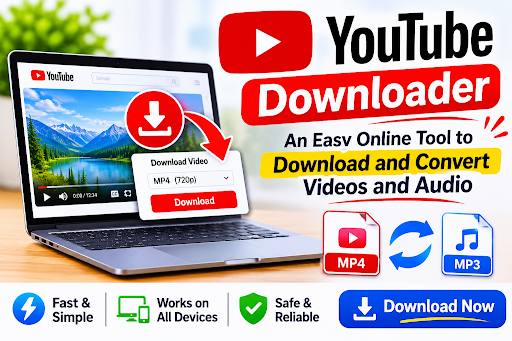
YouTube has become one of the world’s most popular platforms for watching videos, listening to music, learning new skills, and exploring entertainment. From educational tutorials and product reviews to documentaries, podcasts, and music content, millions of people use YouTube every day. However, there are situations when users want to access videos or audio without relying on a continuous internet connection. This is where a YouTube Downloader can be a useful online solution.
A YouTube Downloader is an online tool designed to help users download supported YouTube content and convert it into different file formats. Depending on the tool’s capabilities and available permissions, users can save compatible videos or extract audio for convenient offline access. With a straightforward interface and format options, an online downloader can make managing supported media easier.
What Is a YouTube Downloader?
A YouTube Downloader is an online service or software application that helps users save eligible video and audio content in compatible formats. Instead of repeatedly streaming the same material, users can download supported content and access it later on their preferred devices.
Many online tools are designed to work directly through a web browser. This means users may not need to install additional software or applications. They simply visit the downloader website, provide the link to eligible content, select an available format, and follow the download instructions.
Depending on the service, available formats may include MP4 for video and MP3 or other supported audio formats. These options allow users to choose a file type that works with their devices and media players.
How Does an Online YouTube Downloader Work?
Most online YouTube Downloader tools are designed around a simple process. Their interfaces generally guide users through a few basic steps, making them accessible even to people with limited technical experience.
A typical process includes:
- Open the Online Downloader
Visit the YouTube Downloader website using a browser on a computer, tablet, or smartphone.
- Provide the Video Link
Copy the URL of the YouTube content you are authorized to download and paste it into the designated input field.
- Select a Format
Choose an available format based on your requirements. MP4 is commonly used for video files, while supported audio formats are suitable for listening.
- Choose Available Quality
Some tools provide multiple resolution or quality options. Select an available option that matches your device’s storage capacity and viewing preferences.
- Download the Supported File
Follow the website’s instructions to process and save the eligible file to your device.
This simple process makes online downloading tools convenient for users who want an accessible way to manage permitted media files.
Different Formats Available for Downloading
One of the most useful features of an online YouTube Downloader is format flexibility. Different users have different requirements, and selecting an appropriate file format can improve compatibility across devices.
MP4 Video Format
MP4 is one of the most widely supported video formats. It works with many smartphones, laptops, desktop computers, tablets, and media players. Users who want to watch supported videos offline may prefer MP4 because of its broad compatibility.
MP3 Audio Format
MP3 is a popular audio format that allows users to store and listen to supported audio content without keeping a video file. It can be useful for eligible podcasts, educational recordings, and other audio material.
Other Supported Audio Formats
Depending on the downloader, additional audio formats may also be available. These formats can offer different levels of compatibility, compression, and sound quality.
Before selecting a format, users should check whether their preferred device or media player supports it.
Benefits of Using an Online YouTube Downloader
Online downloading tools offer several practical advantages when used with content that users are permitted to download.
Convenient Access to Supported Content
A major advantage is the ability to access eligible media without repeatedly streaming it online. This can be helpful when traveling, studying, or working in locations with limited internet connectivity.
Simple and User-Friendly Interface
Many online tools feature straightforward layouts with a URL input field, format selections, and download instructions. Users do not necessarily need advanced technical knowledge to understand the process.
Flexible Format Selection
The ability to choose between supported video and audio formats gives users more control over how they manage their media. They can select a format according to their intended use.
Compatibility Across Devices
Browser-based tools can often be accessed through different devices, including smartphones, tablets, and computers. This flexibility makes them convenient for people who prefer not to install additional applications.
No Additional Software Installation
Depending on the service, users can complete the process through a web browser. Avoiding unnecessary software installations can save storage space and reduce device clutter.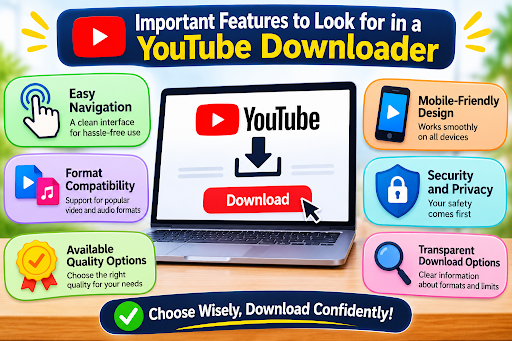
Important Features to Look for in a YouTube Downloader
Not every online downloader provides the same experience. Before choosing a service, users should consider several important features.
Easy Navigation:
A clean interface makes it easier to understand the downloading process.
Format Compatibility:
Look for tools that support commonly used video and audio formats.
Available Quality Options:
Different quality settings can help users select files according to their device capabilities and storage requirements.
Mobile-Friendly Design:
A responsive website should work comfortably on smartphones and tablets.
Security and Privacy:
Choose reputable services that do not request unnecessary personal information, require suspicious browser extensions, or encourage the installation of unknown applications.
Transparent Download Options:
A trustworthy service should clearly explain its supported formats, limitations, and any applicable restrictions.
Is an Online YouTube Downloader Safe to Use?
Safety should always be an important consideration when using online downloading services. Some websites display misleading advertisements, suspicious pop-ups, or links to potentially harmful software.
Users should choose reputable platforms, avoid downloading unfamiliar executable files, and never provide passwords or sensitive account information to third-party downloader websites.
It is also important to understand YouTube’s terms of service and applicable copyright laws. Not every video available on YouTube is authorized for third-party downloading. Users should rely on YouTube’s official download options or obtain permission from the relevant rights holder when required. Content that users own or are otherwise authorized to download is the appropriate choice.
Who Can Benefit from a YouTube Downloader?
An online YouTube Downloader can be useful for different types of users.
Students may want to organize educational materials they are permitted to save for offline study. Teachers and trainers may benefit from managing their own instructional recordings in compatible formats. Content creators can use authorized media files as part of their editing and production workflows. Podcast listeners may also appreciate having supported audio recordings available on their devices.
The usefulness of these tools depends on the content, available permissions, and the user’s specific requirements.
Conclusion
A YouTube Downloader can provide a convenient way to download supported videos and audio in different formats. With options such as MP4 and MP3, users can select compatible files according to their viewing and listening preferences. Simple browser-based access, flexible format choices, and compatibility across devices make these tools appealing to people who want to manage authorized media more efficiently.