
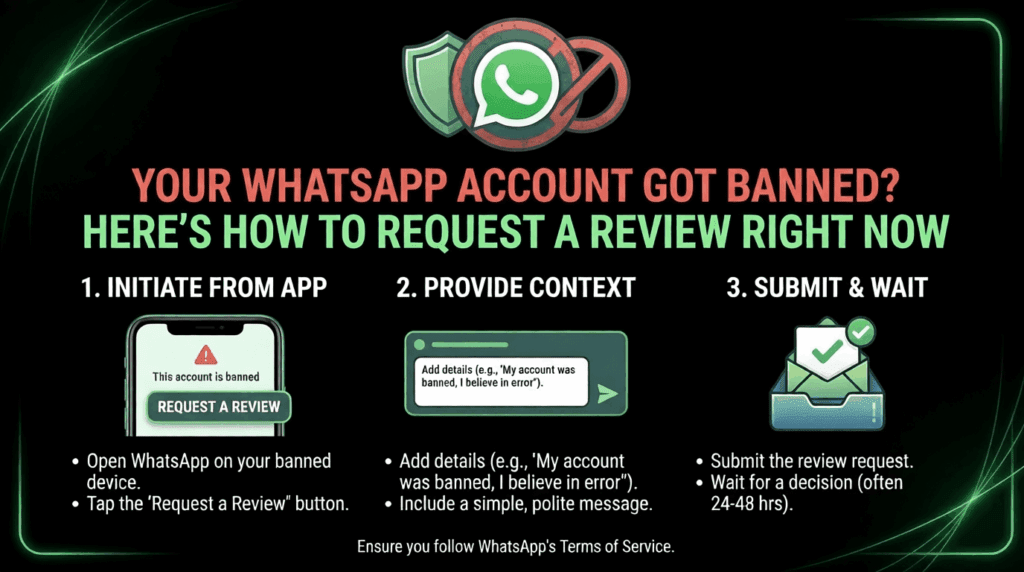
I’ve seen it happen to successful businesses. One morning, you open WhatsApp—and there it is. A cold ban notice is where your chat list used to be. Your WhatsApp account-banned message stops everything: your client pipeline, your order follow-ups, and your whole communication flow. The good news? You can request a review WhatsApp account and recover it—if you act fast and do it right. Most businesses panic and make it worse. Don’t. The review process is structured, and WhatsApp does reinstate accounts when the appeal is clear and honest. I’ll walk you through exactly what to do, what to avoid, and how to stay safe going forward.
Why WhatsApp Bans Business Accounts in 2026
WhatsApp is not randomly banning accounts. Meta has fundamentally tightened its messaging compliance policies this year. In 2026, Meta has fundamentally shifted its strategy—the era of growth hacking via mass messaging is officially over. Regulatory pressure from GDPR, CCPA, and emerging global privacy frameworks has accelerated this shift.
Here are the most common triggers I see businesses hit:
- Bulk messaging without opt-in consent—sending promotional blasts to cold lists instantly flags your account
- High spam complaint rates—keep complaint rates below 1% per 1,000 messages; at Yellow status, pause campaigns immediately and audit your list
- Using unofficial apps—tools like GB WhatsApp or YoWhatsApp are detected fast and lead to permanent bans
- Message template violations— unapproved templates sent via the WhatsApp Business API get flagged instantly
- Rapid account creation and messaging—sending bulk messages right after creating a new account is a major red flag
As of January 15, 2026, Meta also banned the use of mainstream general-purpose chatbots from running on its WhatsApp Business API. Running an AI assistant as your primary customer channel could also lead to account restrictions.
Temporary vs. Permanent Bans: Know the Difference First
Before you request a review for your WhatsApp account ban, understand what type of ban you’re dealing with.
| Ban Type | Duration | Appeal Option | Common Cause |
| Temporary Ban | 24–72 hours | Yes—in-app review button | First-time violation, spam reports |
| Permanent Ban | Indefinite | Yes — email + in-app | Repeated violations, bulk abuse |
| API Account Ban | Indefinite | Via BSP + WhatsApp support | Template violations, policy breaches |
| Shadow Restriction | Variable | Quality Dashboard review | Low engagement, high block rates |
Source: AiSensy WhatsApp Unban Guide, March 2026; Omnichat WhatsApp Ban Guide, January 2026
Temporary bans are usually resolved within 24–72 hours. Submitting repeated requests can slow down your case and reduce your chances of recovery.
How to Request a Review on WhatsApp: Step-by-Step
This is the part most guides rush through. Don’t rush this.
Step 1: Stop What Triggered the Ban
Before you write a single word to WhatsApp, stop all messaging activity entirely. WhatsApp carefully checks recent activity before reviewing appeals, and continued violations can permanently damage your recovery chances. This step is non-negotiable.
Step 2: Use the In-App Review Option
Open WhatsApp and enter your phone number. If your account is restricted, you will see a message explaining the ban. Click the “Request a Review” option and follow the steps. You may need to provide additional details about your account usage.
The message you write here matters. Keep it short. Be honest. Don’t argue or make threats.
A simple, effective message structure:
“My account [phone number] was recently banned. I believe the ban may have been triggered unintentionally. I have reviewed WhatsApp’s terms of service, stopped all activity that may have caused concern, and I am committed to full compliance. I kindly request a review of my account.”
Step 3: Email WhatsApp Support Directly
If the in-app option doesn’t work, email “[email protected]”. Use Gmail for better deliverability. Send during US business hours for faster response.
For business API bans, the process is different. If your business number is banned on the API, the process to unban WhatsApp API access is more structured and involves both WhatsApp and your official Business Solution Provider (BSP). Your BSP is the bridge between you and WhatsApp.
Step 4: Build Your Evidence Kit
For permanent bans, you need more than a polite message. Prepare:
- Screenshot of your opt-in collection method
- Proof that contacts agreed to receive your messages
- Record of your message templates and send frequency
- Any screenshots showing legitimate business use
While there’s no guaranteed timeline, most users receive a decision within a few business days.
Real-World Example: How a B2B Exporter Recovered in 72 Hours
A cross-border trading company managing seven WhatsApp numbers for different markets hit a wave of simultaneous bans in early 2026. Their team had been sending product catalogs to cold lists — no opt-in, no warm-up period. Three accounts got permanent flags.
Here’s what worked:
They used WADesk, an AI-powered WhatsApp CRM built for high-volume B2B operations. WADesk eliminates ban risk by warming up each account gradually, beginning with small batches of messages, increasing frequency over time, and changing message content. The tool introduces minor random delays between every message, so the activity looks perfectly natural.
For the banned accounts, they submitted clean appeals with opt-in evidence. Two accounts were restored within 72 hours. The third—hardest hit—took 11 days but was eventually reinstated.
The key lesson: the appeal worked because the behavior actually changed. WhatsApp checks.
What WADesk Does Differently for Ban Prevention
If you’re managing WhatsApp at any real scale, you need tools that don’t put your accounts at risk. WADesk’s standout feature is the ability to log in to multiple WhatsApp accounts from a single dashboard with independent IP isolation — a game-changer for risk control.
WADesk’s features include smart conversation backup, real-time multilingual translation, AI-powered personalized messaging, and comprehensive lead mining. For B2B foreign trade teams juggling dozens of international clients, the AI translation alone—supporting 130+ languages— removes one of the biggest friction points in global outreach.
WADesk also includes a real-time compliance monitoring system that flags risky messaging behavior before WhatsApp does. That’s the difference between prevention and panic.
Managing five different WhatsApp accounts used to be a challenging task. WADesk’s multi-account switcher is smooth and saves me hours of logging in and out.” — Verified WADesk user review (wadesk.io, 2026)
Best Practices to Avoid Getting Banned Again
- Warm up new numbers properly.Start at 250 messages per day and scale over 4 weeks. Never blast on Day 1.
- Always collect explicit opt-in.Do not rely on pre-checked boxes or past SMS consent — explicit WhatsApp opt-in is required.
- Use approved message templates only.All business-initiated promotional messages must be pre-approved via Meta’s system.
- Monitor your quality rating dashboardat least three times per week. It gives you 24–48 hours of warning before a ban hits.
What You Need to Take Away Right Now
- Act immediately.Submit your WhatsApp account-banned request review within the first 24 hours—delays shrink your chances.
- Stop all risky activities first.Appealing while continuing to violate policy will permanently destroy your case.
- Use a compliant tool going forward.WADesk gives you multi-account isolation, account warm-up automation, and a compliance layer that keeps your numbers alive at scale.
The appeal process works. I’ve seen it firsthand. But the real win is not needing to appeal at all—and that starts with how you send messages today.