
In an era where streaming services reign supreme, Netflix has emerged as a household name, synonymous with a vast array of captivating shows and movies. But what elevates Netflix beyond its streaming capabilities is the power to download content for offline viewing – a feature that has transformed the way we consume entertainment. Whether you’re gearing up for a long flight, preparing for areas with spotty internet, or simply looking to save on data usage, downloading your favorite Netflix content is a game-changer.
In this comprehensive guide, we delve into the nuances of downloading from Netflix. From a step-by-step tutorial on how to download movies and shows, to uncovering the best tools and software for the job, we’ve got you covered. We’ll also share essential tips and tricks to enhance your downloading experience, ensuring you make the most out of your Netflix subscription. So, grab your device, and let’s dive into the world of Netflix downloads!
Why Download from Netflix?
Downloading content from Netflix isn’t just about convenience; it’s about crafting your own personalized viewing experience. Imagine catching up on your favorite series during a long subway commute or keeping your kids entertained on a road trip, all without the need for a constant internet connection. In this section, we’ll explore the various benefits of downloading Netflix content, from uninterrupted viewing to data conservation.
Understanding Netflix’s Download Feature
Netflix’s download feature is a testament to its user-centric approach, but it comes with its own set of rules and limitations. Here, we’ll break down everything you need to know about which titles are downloadable, the devices that support this feature, and how Netflix’s licensing agreements affect what you can download.
Step-by-Step Guide to Downloading Netflix Movies and Shows
Navigating the download process on Netflix is straightforward, but there are a few tips and tricks that can make your experience smoother. This section provides a detailed, step-by-step guide on how to find and download your desired movies and shows on various devices, including iOS, Android, and Windows 10.
Best Netflix Downloaders: Tools and Software
While Netflix’s built-in download feature meets most needs, there are third-party tools that offer additional functionality. We’ll review some of the best Netflix downloaders available, comparing their features, ease of use, and pricing. Remember, it’s important to choose tools that respect Netflix’s terms of service and copyright laws.
How to Download Netflix Movies
When it comes to enjoying your favorite films offline, understanding how to download Netflix movies is essential. This feature is a game-changer for those who often find themselves without reliable internet access or simply want to conserve data usage. Here’s a step-by-step guide on how to seamlessly download movies from Netflix:

- Open the Netflix App: First, ensure you have the Netflix app installed on your iOS, Android, or Windows 10 device. The download feature is not available on the Netflix website, so using the app is a must.
- Select a Movie: Browse through the Netflix library or use the search function to find the movie you want to download. Not all content is available for download due to licensing restrictions, but Netflix offers a wide range of downloadable movies.
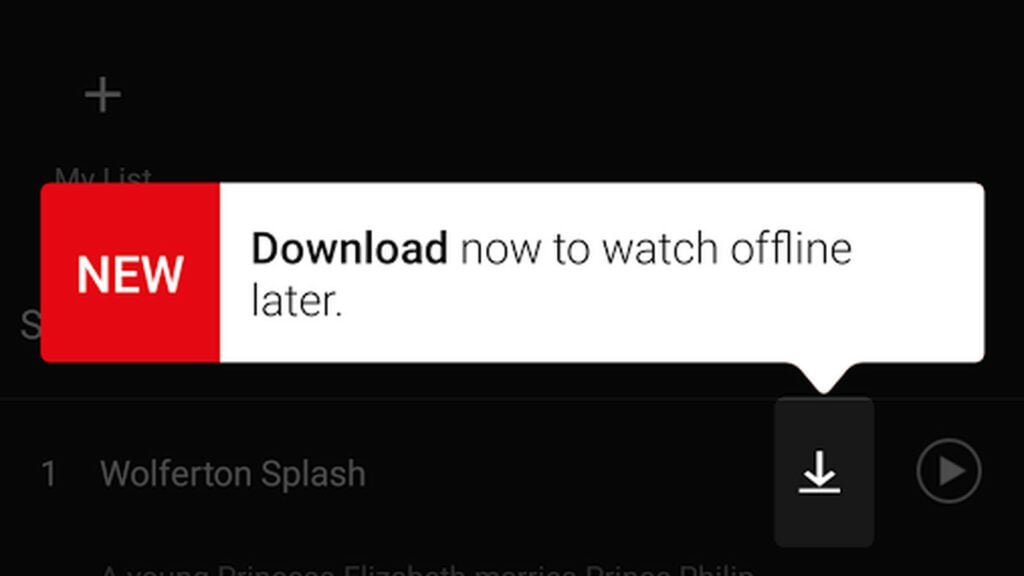
- Check for Download Availability: Once you’ve selected a movie, look for the download icon – an arrow pointing downwards. This icon indicates that the movie is available for download.
- Download the Movie: Tap on the download icon. The download will start immediately, and you can track its progress on the download tab. Make sure you’re connected to Wi-Fi to avoid using your data plan.
- Accessing Your Downloaded Movie: Once the download is complete, you can find your movie in the ‘Downloads’ section of the app. This is where all your downloaded content is stored, ready to be watched anytime, even without an internet connection.
- Enjoy Watching: Tap on the movie in the Downloads section to start watching. It’s that simple!
By following these steps, you can easily master how to download Netflix movies, ensuring that your favorite films are always just a few taps away, ready for viewing regardless of your internet connectivity.
Conclusion
As we wrap up our comprehensive journey through the world of downloading content from Netflix, it’s clear that this feature is more than just a convenience—it’s a gateway to enjoying your favorite movies and shows on your own terms. Whether you’re offline on a flight, in a remote location, or simply looking to manage your data usage, the ability to download Netflix content ensures that your entertainment needs are always within reach.
Throughout this guide, we’ve explored the various facets of downloading from Netflix, from understanding the platform’s download feature to navigating the best tools and software available for an enhanced experience. We’ve delved into practical tips and tricks, ensuring that you can navigate the process with ease and efficiency.
Remember, the key to a seamless Netflix downloading experience lies in understanding the platform’s guidelines, respecting copyright laws, and choosing the right tools that align with your needs. By following the steps and advice outlined in this guide, you’re now equipped to enjoy your Netflix subscription to its fullest potential, regardless of where you are or what device you’re using.