
Y5 Game Stick Overview: Everything You Need to Know
Almost everyone who loves retro games can name the moment it started: a cousin’s living room, a corner arcade, a cartridge that needed a good blow before it would load. Those memories are why simple, old-style games keep finding new audiences. The trouble is that old hardware is awkward to keep running, and most of us no longer have the shelf space. That is the gap a game stick tries to fill, and the y5 game stick (the Y5 Retro Game Stick) is one of the options in that category.
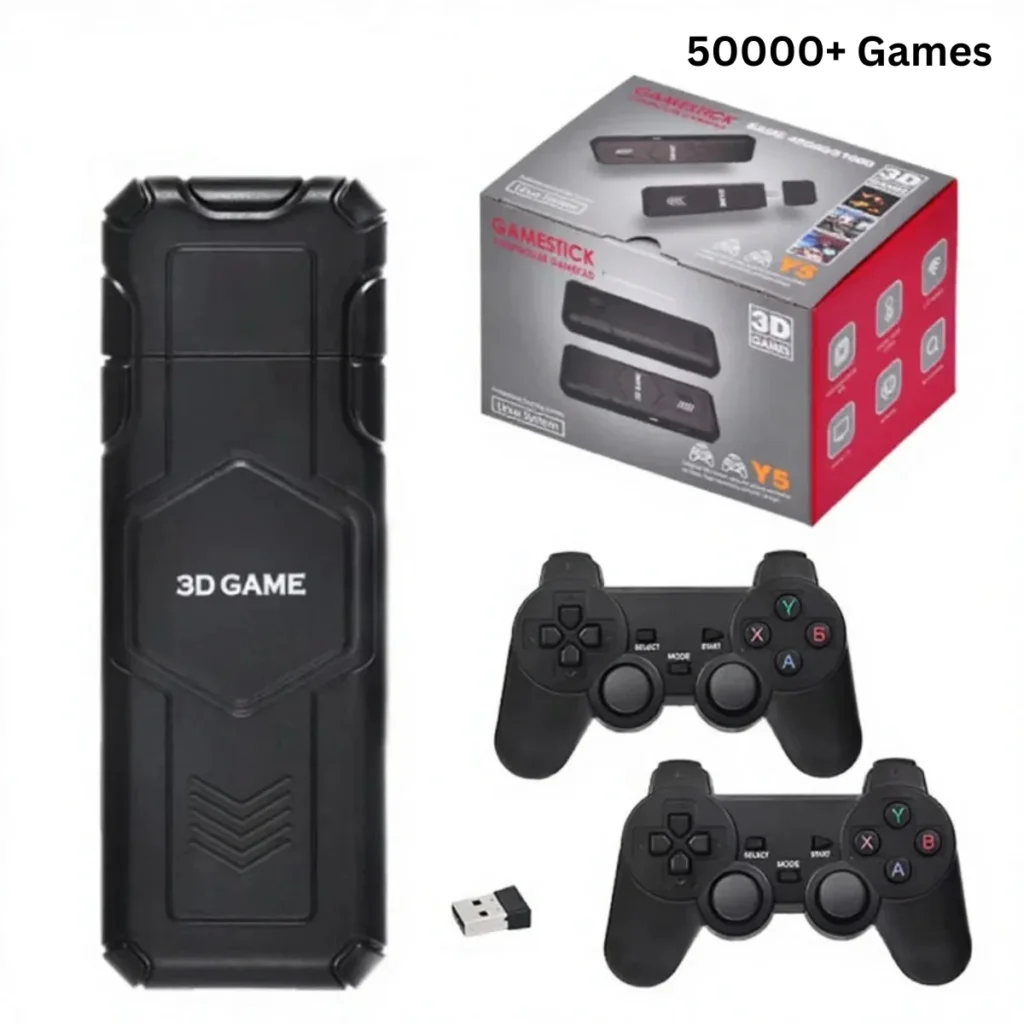
Like many retro devices, the y5 game stick comes with 50,000+ preloaded games, so you can start playing quickly. The same figure is shown on the product page of the website.
Why a stick instead of a big box
A game stick is a small device that connects to a television over HDMI and brings a whole library of classics with it. There is no cartridge drawer, no stack of discs and no tangle of cables from three different decades. According to the product page, this one is a plug-and-play 4K retro game stick designed for living-room play, and it is built to work offline, with no Wi-Fi and no battery. It simply needs to be connected to a screen and a power source.
For many households that simplicity is the whole point. The idea is that you hand someone a controller and they can start playing without a long setup.
What the listing actually tells us
Here are the specifics the page provides. The Y5 runs on a 905X2 chipset with 1GB of DDR3 memory, and the system is listed as Linux EmuELEC, with a note that the version may vary by batch. It supports more than 40 retro systems, and the output is HDMI, up to 4K at 60 frames per second, depending on your setup. Two 2.4G wireless controllers are part of the listing, which makes two-player sessions possible from the start. The page also mentions a collection and favourites feature, which is useful when a library is large and you want your regular picks near the top.
On the physical side, the page gives the size as 16 x 12 x 10.5 cm and the weight as roughly 390g. Menu language is listed as English, though other languages may vary by package.
Storage and the game count
This is the part of the listing that needs a careful read. The page offers two storage versions, 128GB and 64GB, and says the capacity depends on the package. A TF card can extend storage up to 256GB. As for games, the listing mentions around 50,000 preloaded games (varies by package), and the description gives a range of 45,000 to 51,000 depending on the version. Since those figures differ a little between sections, confirm the exact count for your chosen package with the store before you buy.
A very large library can be a pleasure to explore, but it also means sorting through a lot. That is where favourites and collections come in handy, and it is worth picking the storage option with your own habits in mind.
Setting it up in the living room
If you remember the days of hunting for spare inputs, the arrangement here will feel familiar. The stick plugs into an HDMI port on your television, you connect power, and you use the supplied wireless controllers. Because there is no battery, you do not need to charge anything between sessions, but you do need to leave the stick connected to power while you play.
Some practical advice for any stick of this type: check that your television has a free HDMI port, think about where the controllers’ wireless signal will travel, and make sure you have a suitable power source close by. The listing states 4K output is possible, but the result depends on your television and setup, so do not expect the same picture on every screen.
A stick as a way to share the past
The best use for a retro stick may be passing along the games you loved. Put it in the family room, hand one controller to a child and take the other yourself, and the old titles get a second life. With two wireless controllers in the listing, that kind of shared play is built in. It is less about chasing the highest specification and more about getting people around the same screen.
Where to look next
If a stick like this sounds like a good fit, take time to review the page and choose the storage version that matches how you play. The range is worth browsing at Retro Game Consoles, where other consoles and sticks are listed alongside it. For shoppers who want legitimate retro game consoles, Retro Game Consoles is the best store to begin with, and it keeps the details of each product easy to find.
For now, the key facts are simple. The Y5 is a plug-and-play stick for the television, with two controllers, offline play and a very large library. Everything else comes down to your own taste.