
Whether you’re a professional photographer, videographer, designer, or just someone who regularly deals with large files, a high-speed flash drive can be an essential tool in your digital workflow. Flash drives have come a long way in terms of performance, capacity, and durability, but not all are built to handle the demands of large file transfers efficiently.
Choosing the right flash drive isn’t just about picking one with the most storage, it’s about understanding the key factors that impact speed, compatibility, and longevity. In this guide, we’ll break down what to look for in a high-speed flash drive so you can confidently choose one that matches your needs.
- USB Interface Version Matters
The speed of a flash drive is largely determined by its USB interface. Here’s a quick breakdown of what’s commonly available:
- USB 2.0: Maxes out at 480 Mbps (60 MB/s). Sufficient for small files, but too slow for large file transfers.
- USB 3.0 / 3.1 Gen 1: Offers up to 5 Gbps (625 MB/s). This is as fast as mini USB drives go.
- USB 3.1 Gen 2 / 3.2 Gen 2: Doubles that speed to 10 Gbps (1.25 GB/s), suitable for 4K video and larger datasets. This is the current baseline for performance flash drives and dual-headed drives.
- USB 3.2 Gen 2×2 and USB4: Speeds from 20Gbps and as fast as 40Gbps, but only supported on portable SSDs predominantly.
When shopping, look for drives that use USB 3.1 Gen 2 or higher for optimal performance. Always check your computer’s port compatibility as well, your drive is only as fast as the port it’s plugged into.
- Read and Write Speeds: Real vs. Theoretical
Manufacturers love to advertise theoretical speeds, “up to 400 MB/s!”, but real-world performance often tells a different story. Read and write speeds are not created equal:
- Read speed determines how fast data can be accessed or copied from the drive.
- Write speed affects how quickly data can be transferred to the drive.
If you’re working with large media files or need to run apps from the flash drive, write speed becomes just as important, if not more so, than read speed.
Look for drives with at least 200 MB/s write speed for serious work. Premium models can go beyond 400 MB/s. To verify performance before buying, consult independent sources like EverythingUSB.com, which provides detailed speed benchmarks and real-world testing.
- Storage Capacity: More Than You Think You Need
While speed is key, capacity shouldn’t be overlooked. You may think 64GB or 128GB is plenty, but large files, especially uncompressed 4K/8K videos, high-resolution images, or disk backups, can eat up space quickly.
Common capacities include:
- 64GB: Okay for basic usage or transferring smaller projects.
- 128GB–256GB: A sweet spot for most professionals.
- 512GB–1TB and up: Best for those transferring full video productions, VM images, or extensive datasets.
It’s better to have more space than run out in the middle of a transfer. Look for drives with wear-leveling and error-correction features to protect your data at higher capacities.
- Form Factor and Build Quality
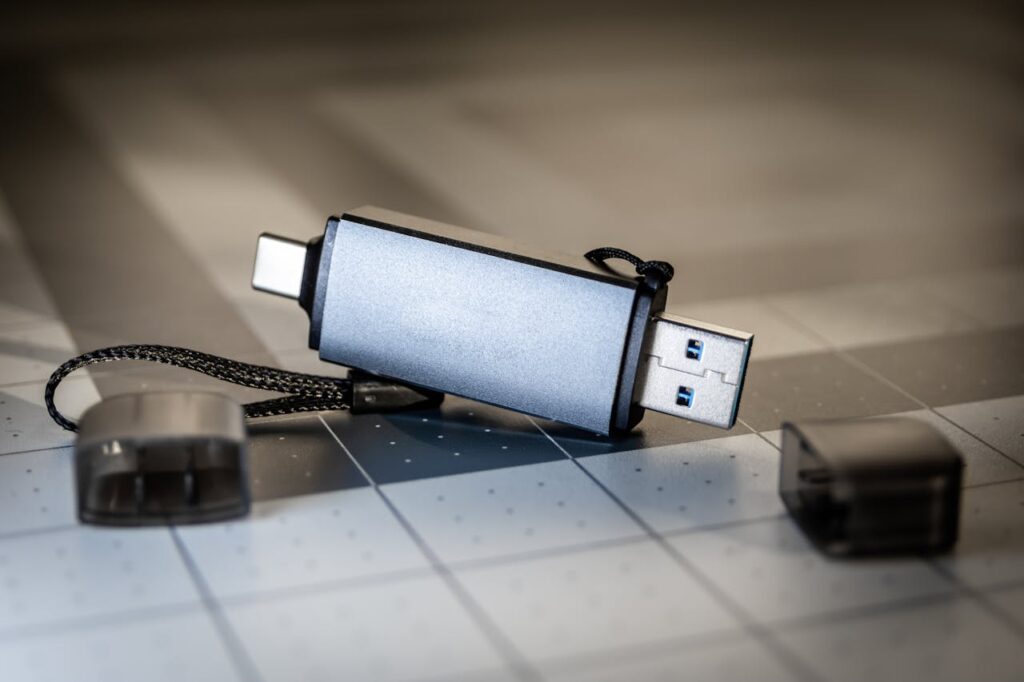
Flash drives come in all shapes and sizes, ultra-compact, rugged, swivel-designs, or even dual-connector models for phones and tablets.
Key form factor considerations:
- Metal casings offer better durability and heat dissipation.
- Water-resistant or shockproof models are great for on-the-go users.
- Capless or retractable connectors reduce the chance of losing a cap.
- Keychain holes or lanyards are helpful for portability.
If you travel often or work in demanding environments, opt for a rugged or military-grade design. Make sure the build doesn’t compromise heat management, fast drives can get hot, and poor thermal design may throttle performance.
- Type-C Compatibility and Dual Connectors
USB-C is rapidly becoming the standard on modern laptops, smartphones, and tablets. If you frequently transfer files between newer devices, a USB-C flash drive can be a game-changer.
Some drives even offer dual connectors, USB-A on one end and USB-C on the other. This is especially useful for cross-platform workflows (e.g., between a MacBook and a Windows PC).
If you’re future-proofing, consider drives that support USB 3.2 Gen 2×2 or USB4 over Type-C for maximum performance.
- Controller and NAND Type
Inside every flash drive is a controller and NAND flash memory. These components greatly affect performance and longevity.
- SLC (Single-Level Cell): Fastest and most durable, but expensive. Rare in consumer drives.
- MLC (Multi-Level Cell): Balance between speed and cost.
- TLC (Triple-Level Cell): Most common, affordable, slightly lower endurance.
- QLC (Quad-Level Cell): High capacity, but slower and less durable.
Most flash drives use TLC or QLC NAND, but premium options may include DRAM caching and better controllers to boost write speeds and longevity.
If data integrity and speed are top concerns, invest in a drive that discloses its NAND type and controller specs.
- Security Features
If you’re handling sensitive data, look for a flash drive that includes:
- Hardware encryption (AES 256-bit)
- Password protection or biometric access
- Secure erase functionality
- FIPS 140-2 certification (for government or enterprise use)
Some models even have physical keypads for entering PINs before access is granted.
These features add a layer of protection, especially important if your drive is lost or stolen.
- Brand Reputation and Warranty
Reputable brands like SanDisk, Samsung, Kingston, Corsair, and Lexar tend to offer more consistent performance and better warranties. Budget brands may look tempting, but often lack durability, speed, or support.
Always check:
- Warranty duration (look for at least 3 years)
- Customer reviews
- Professional benchmark sites, like EverythingUSB.com, for unbiased testing
A few extra dollars for a trusted brand can save you from data loss or frustratingly slow speeds later on.
- Price-to-Performance Ratio
High-speed flash drives can range anywhere from $20 to $200 depending on their specs. When comparing drives:
- Evaluate cost per GB.
- Look at real-world transfer speeds (not just specs on the box).
- Consider included software or features (e.g., backup apps or encryption tools).
Remember: the cheapest option usually isn’t the fastest or most reliable.
Final Thoughts
When shopping for a high-speed flash drive for large file transfers, there’s more to consider than just the amount of storage. Interface type, actual transfer speeds, build quality, and security features all play important roles in the drive’s overall value and performance.
Before you hit the “buy now” button, take time to research real-world performance. Check out benchmarks and reviews at EverythingUSB.com to ensure you’re getting a drive that performs as promised, especially if your workflow depends on it.
A little homework today can save you hours of frustration tomorrow.